
jd_mall_flutter
🔥🔥高仿某东商城flutter版本,持续更新... 同款Android Kotlin版本( https://github.com/GuoguoDad/jd_mall.git )、同款鸿蒙 arkTs版本(https://github.com/GuoguoDad/jdMall_Harmony)
- Stars
- 166
- Forks
- 43
- Last push (UTC)
- Jun 2, 2026
- Project status
- Active
Original README
English project snapshot. Visit GitHub for the latest content.
前言
高仿京东商城flutter版本,个人学习flutter项目
- 官方路由管理、easy_localization国际化
- 状态管理切换成Provider,业务逻辑和UI分离,解耦更彻底
- 网络使用dio进行封装
- 集成Sentry进行线上异常捕获
- 使用node项目mock服务端接口(mock_server目录)
- 目前实现了首页、分类、购物车、我的,商品详情、webview加载模块...
-
同款Android Kotlin版本( https://github.com/GuoguoDad/jd_mall.git )
-
鸿蒙arkTs版本(https://github.com/GuoguoDad/jdMall_Harmony)
-
参考学习书籍《Flutter实战·第二版》( https://book.flutterchina.club/ )
关于运行
flutter版本:3.38.9
XCode:16.4
Java 17
mock_server nodejs: v18.20.6
flutter 简介
Flutter 是 Google 推出的一款开源的 UI 工具包,用于构建高性能、高保真度的移动、Web 和桌面应用程序。Flutter 使用自己的渲染引擎来绘制 UI,从而提供更快的性能和更好的用户体验。Flutter 还提供了丰富的构建工具、库和插件,使得开发者可以更快速地构建应用程序。
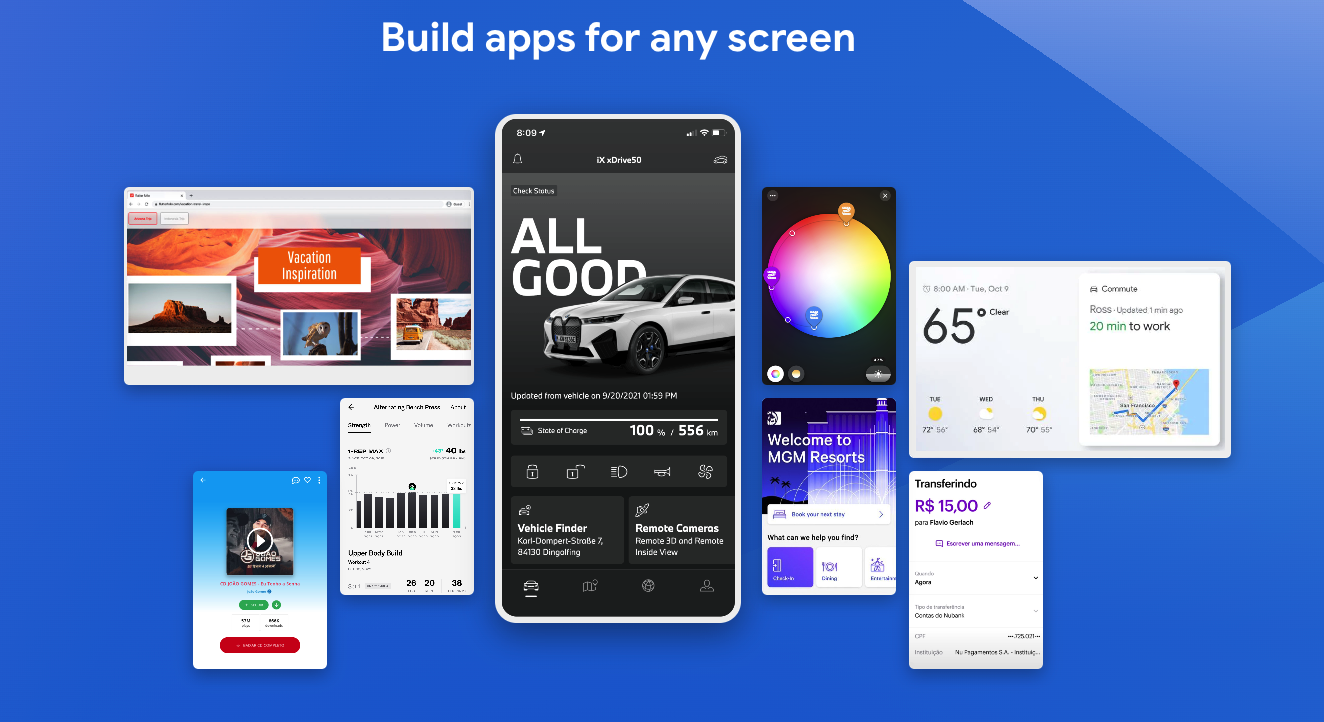
Flutter框架具有如下的一些特点:
- 渲染引擎可以提供高性能的 UI 渲染,支持 60fps 的动画效果,性能堪比原生。
- 多端体验一致性强,因为他有自己的渲染引擎,脱离原生那套UI束缚。
- 使用 Dart 语言,具有强类型、高效和易于学习的特点,基本上,你会写JS,这个上手很快。
- 支持快速迭代和热重载,使得开发者可以更快速地进行开发,Ctrl+S马上就看到你的变更。
- 支持跨平台开发,可以在 Android、iOS、Web 和桌面上运行,真正的全平台,可谓是一网打尽。
- 提供了丰富的 UI 组件和插件,使得开发者可以更快速地构建应用程序。社区插件也非常丰富 ,pub.dev,基本上你能想到的所有插件他都有,就是算没有,自己懂Android和iOS开发,封装一个也非常简单,都有套路模版。
启动本地mock_server
main_dev 走本地mock, main_prd 走远程mock服务 (用的vercel免费服务,被和谐,需要翻墙)
- cd mock_server
- 执行 npm i 安装依赖
- npm run mock
运行
运行开发环境应用程序
flutter run -t lib/main_dev.dart
运行生产环境应用程序
flutter run -t lib/main_prd.dart
打包开发环境应用程序
  flutter build apk -t lib/main_dev.dart
  flutter build ios -t lib/main_dev.dart
打包生产环境应用程序
  flutter build apk --release -t lib/main_prd.dart
  flutter build ios --release -t lib/main_prd.dart
  flutter build web --release -t lib/main_prd.dart --web-renderer html
性能分析
flutter run --profile lib/main_prd.dart
排序import语句
dart run import_sorter:main
flutter_native_splash开屏页
dart run flutter_native_splash:create
图标
dart run flutter_launcher_icons
效果
| 首页 | 分类 | 购物车 |
|---|---|---|
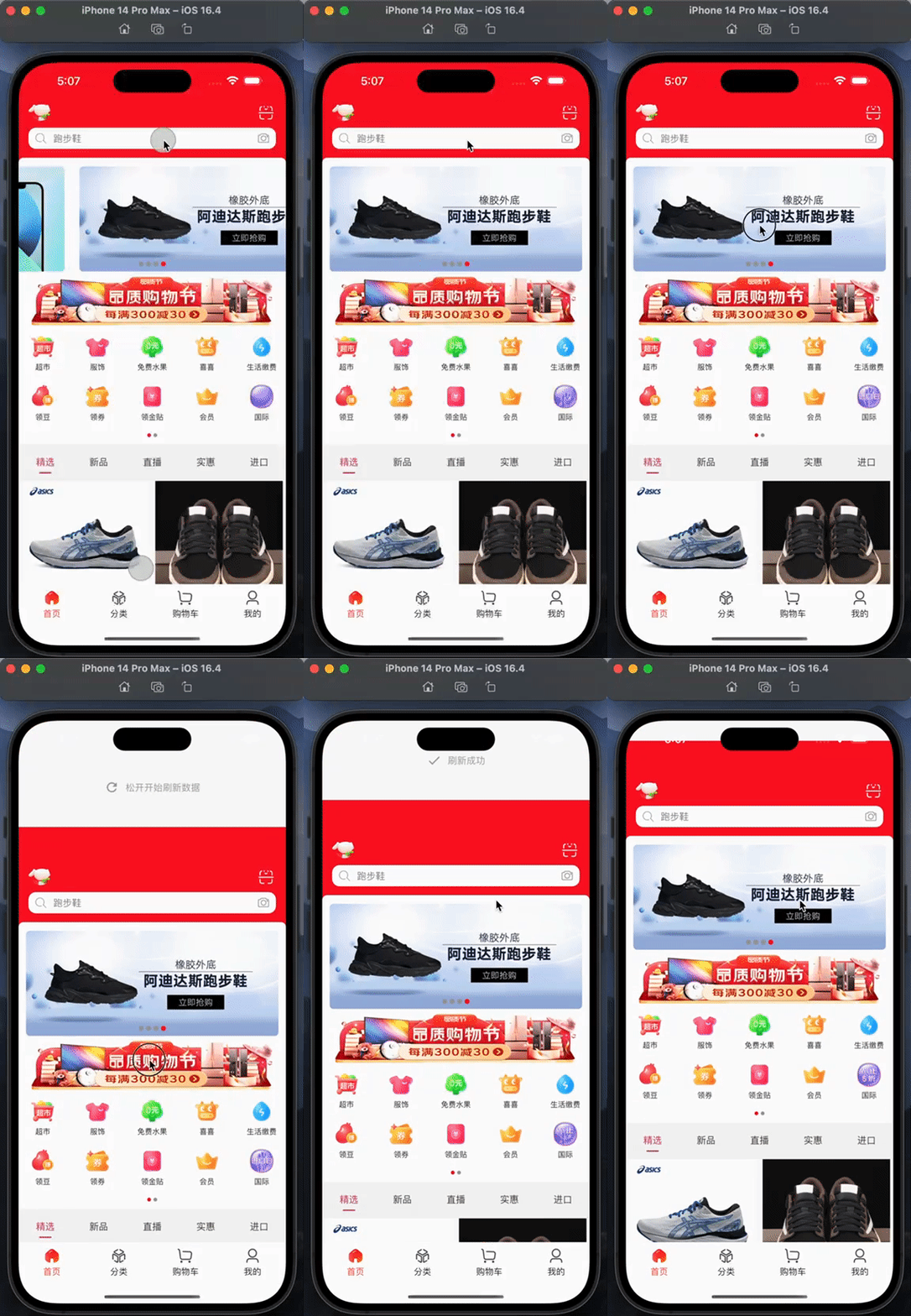 |
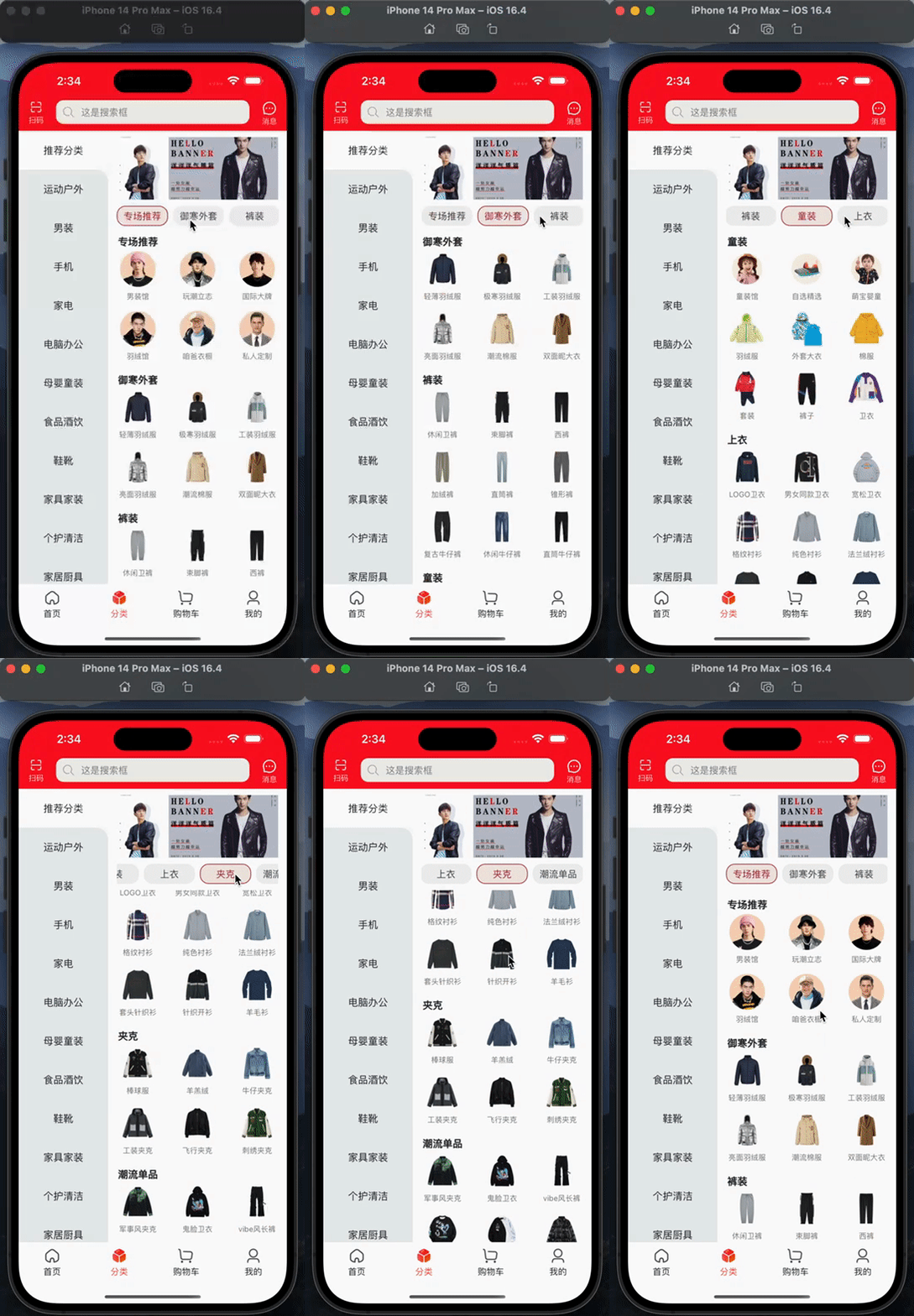 |
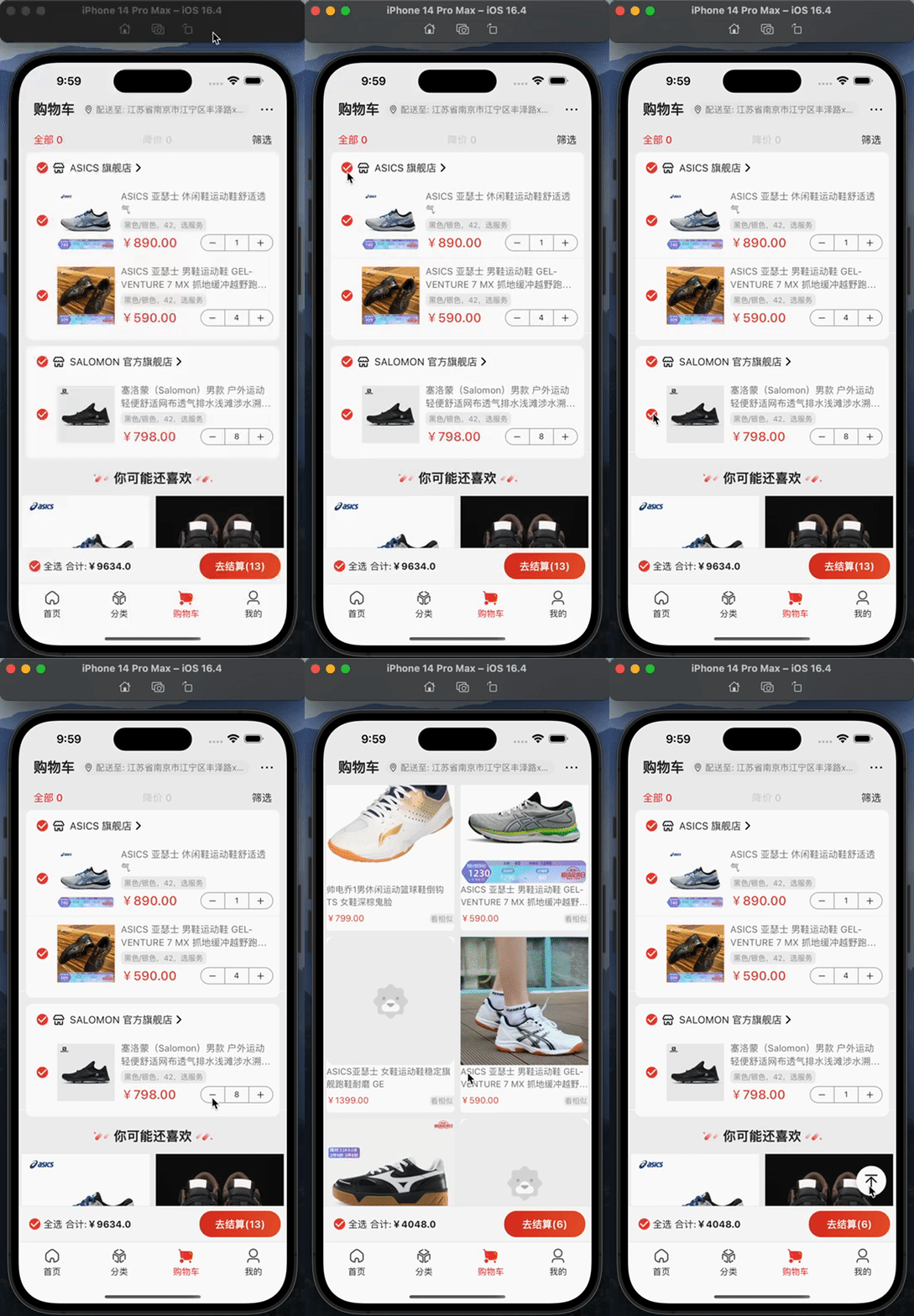 |
| 我的 | 商品详情 | webview加载h5 |
|---|---|---|
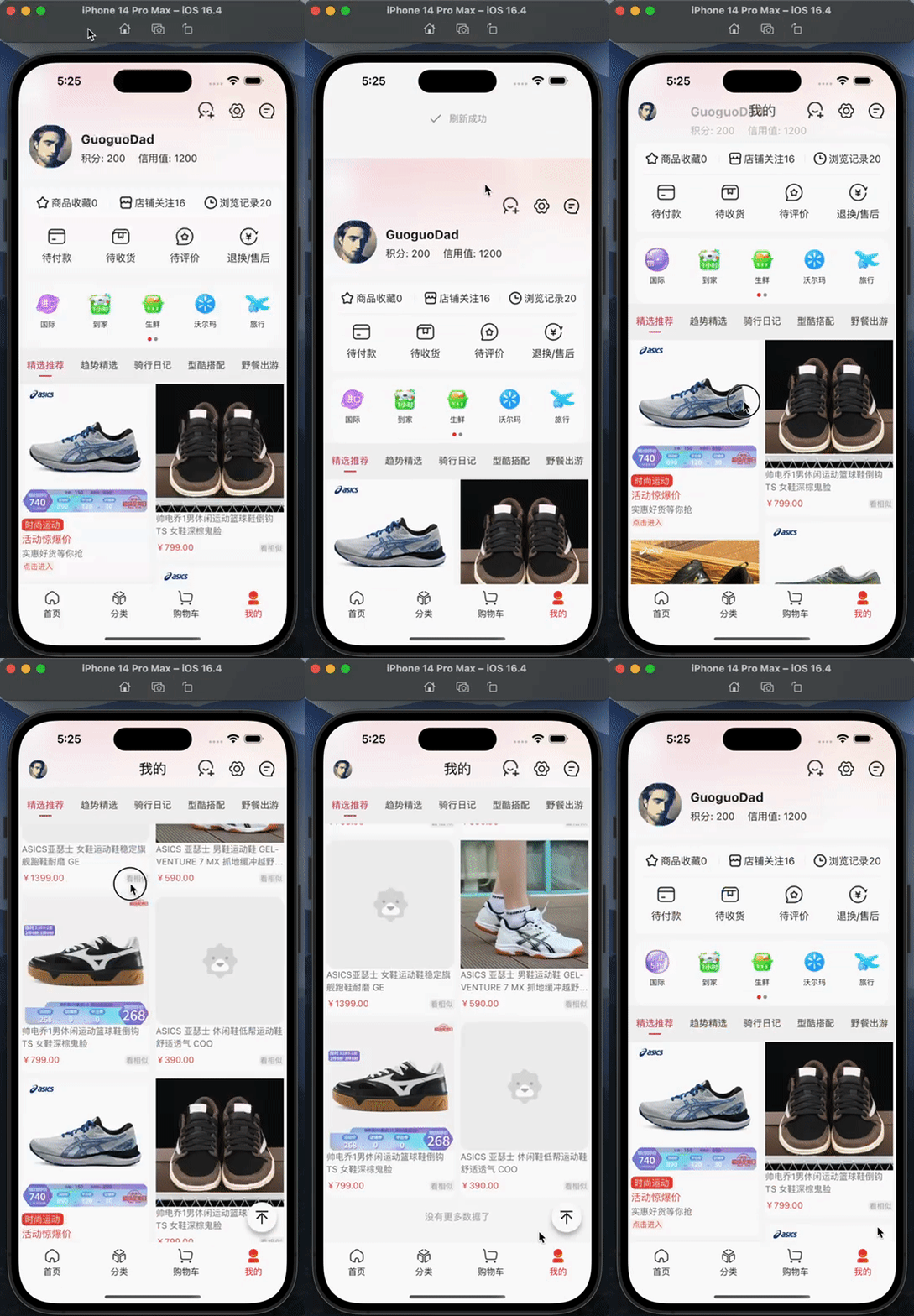 |
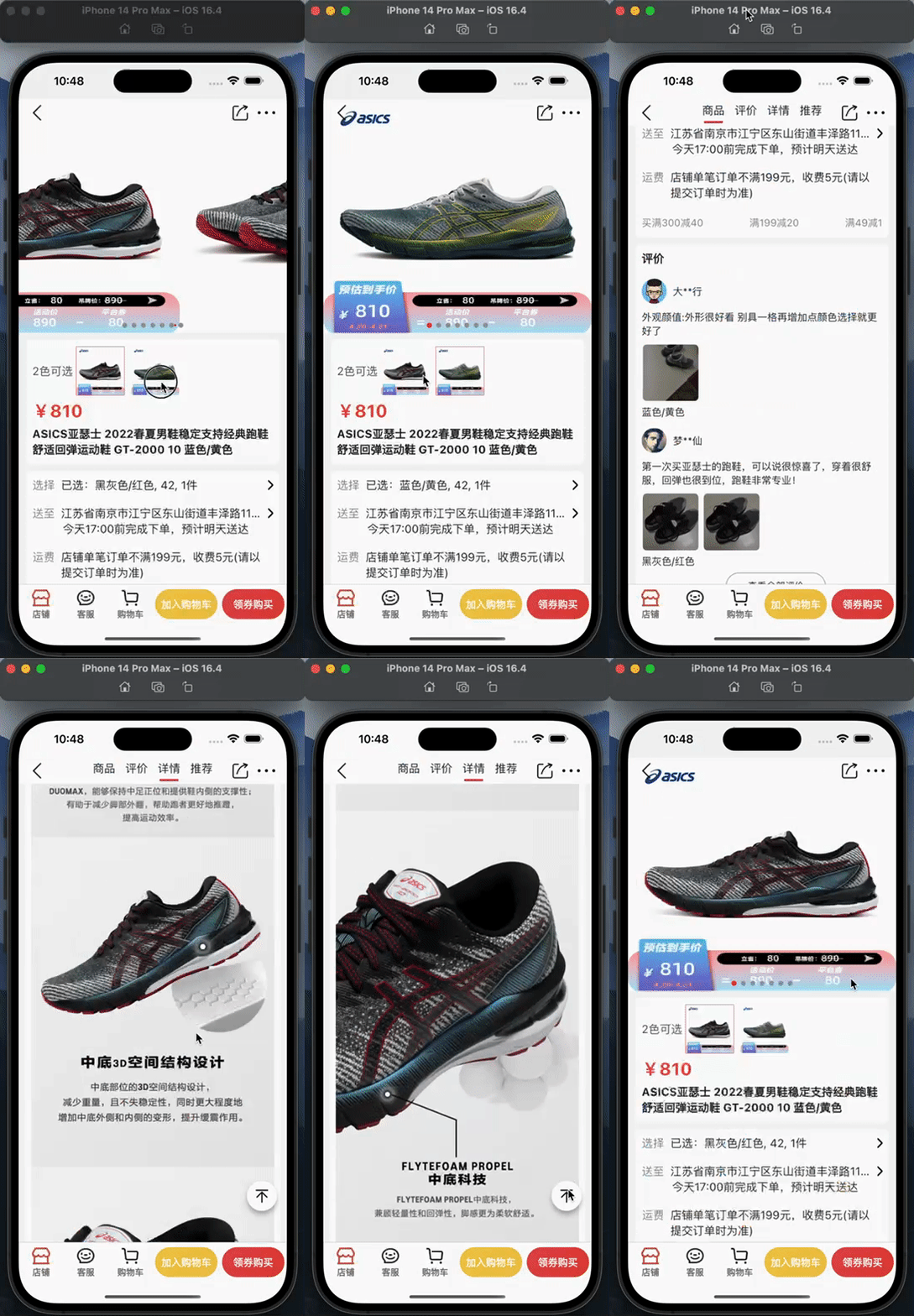 |
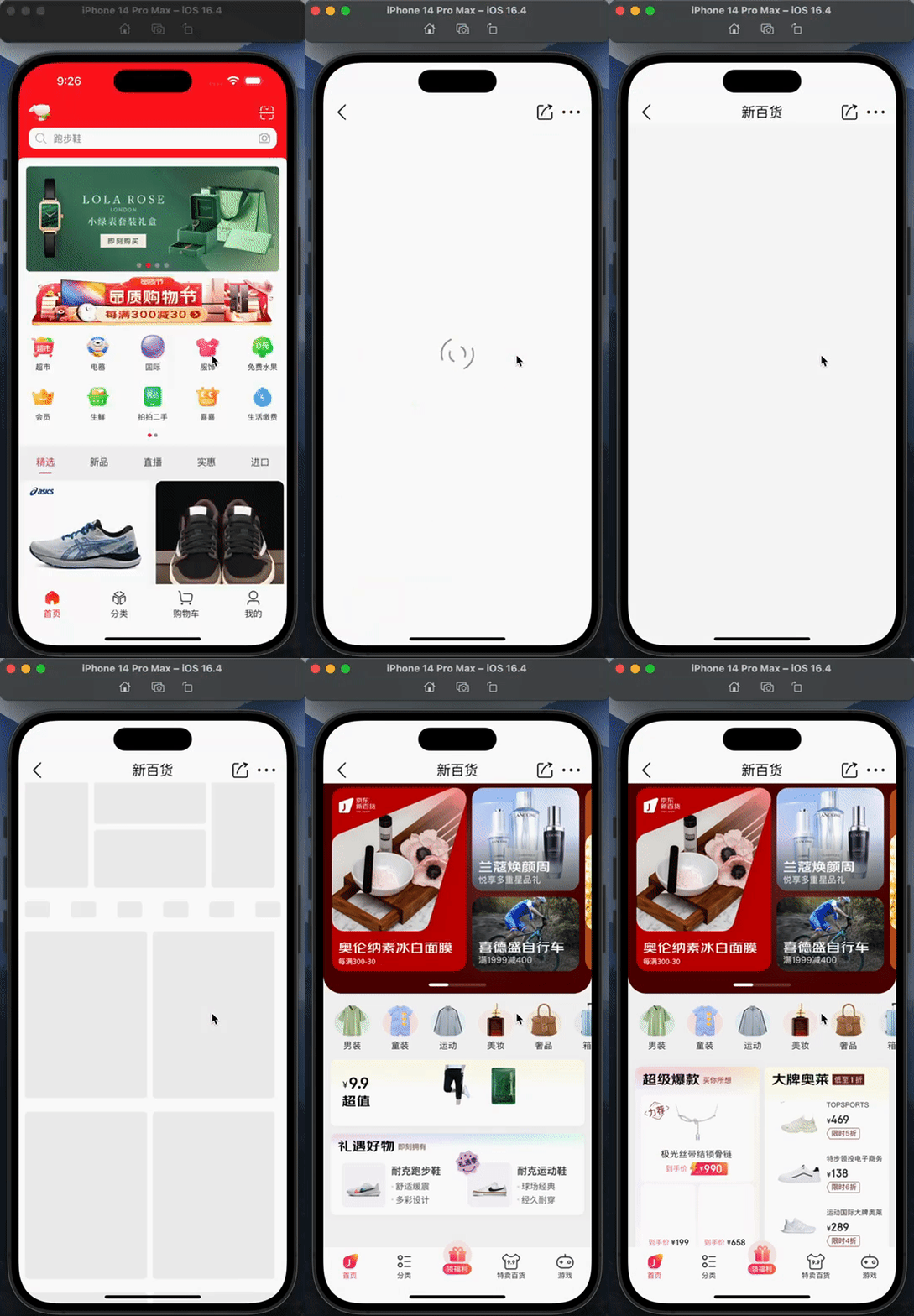 |
第三方框架
| 库 | 功能 |
|---|---|
| dio | 网络框架 |
| shared_preferences | 本地数据缓存 |
| provider | 状态管理 |
| device_info | 设备信息 |
| connectivity_plus | 网络链接 |
| json_annotation | json模板 |
| json_serializable | json模板 |
| photo_view | 图片预览 |
| path_provider | 本地路径 |
| cached_network_image | 图片显示 |
声明
⚠️本APP仅限于学习交流使用,请勿用于其它商业用途
⚠️项目中使用的图片及字体等资源如有侵权请联系作者删除
⚠️如使用本项目代码造成侵权与作者无关

LiuHui ↗
Categories
Dependencies used
Dependency list 53 items
- flutter
{"sdk":"flutter"} - flutter_localizations
{"sdk":"flutter"} - cupertino_icons
^1.0.8 - dio
^5.9.2 - shimmer
^3.0.0 - json_annotation
^4.11.0 - connectivity_plus
^6.1.5 - shared_preferences
^2.5.3 - pull_to_refresh_flutter3
^2.0.2 - provider
^6.1.5+1 - path_provider
^2.1.5 - extended_image
^10.0.1 - cached_network_image_ce
^4.6.4 - flutter_staggered_grid_view
^0.7.0 - flutter_group_list_view
^1.0.3 - sentry_flutter
^9.6.0 - easy_refresh
^3.5.0 - gato
^0.0.5+1 - webview_flutter
^4.13.0 - loading_indicator
^3.1.1 - flutter_easyloading
^3.0.5 - extended_nested_scroll_view
^6.2.1 - flutter_extended_scroll
^3.2.2 - url_launcher
^6.3.2 - photo_view
^0.15.0 - image_gallery_saver_plus
^4.0.1 - flutter_svg
^2.2.0 - flutter_form_builder
^10.2.0 - form_builder_validators
^11.0.0 - image_picker
^1.2.0 - flutter_image_compress
^2.3.0 - image_cropper
^9.1.0 - wechat_assets_picker
^9.8.0 - flutter_native_splash
^2.4.6 - native_file_preview
^1.0.1 - flutter_slidable
^4.0.1 - share_plus
^11.1.0 - syncfusion_flutter_datepicker
^30.2.6 - video_player
^2.9.5 - scrollview_observer
^1.26.2 - logger
^2.7.0 - pretty_dio_logger
^1.4.0 - intl
^0.20.2 - skeletonizer
^2.1.0+1 - expandable_page_view
^1.3.0 - easy_localization
^3.0.8 - smooth_page_indicator
^2.0.1 - flutter_testDevelopment
{"sdk":"flutter"} - flutter_lintsDevelopment
^6.0.0 - build_runnerDevelopment
^2.6.0 - json_serializableDevelopment
^6.10.0 - import_sorterDevelopment
^4.6.0 - flutter_launcher_iconsDevelopment
^0.14.3
Rankings
How do I choose a repository?
Start with your use case, compare repository activity, and check the original project before adopting it.
- Search by repository name, owner or description, then narrow the results by topic.
- Compare stars, forks and recent pushes. Stars show community interest, not a guarantee of quality.
- Read the README, license and issues on GitHub before using a project.
Sources and maintenance
“A repository is the most basic element of GitHub.”
GitHub Docs — About repositories ↗
- GuoguoDad/jd_mall_flutter · GitHub ↗
- GitHub Docs — Saving repositories with stars ↗
- Directory maintained by Ducafecat ↗