Orientação gerada a partir de informações públicas. Apenas para referência.
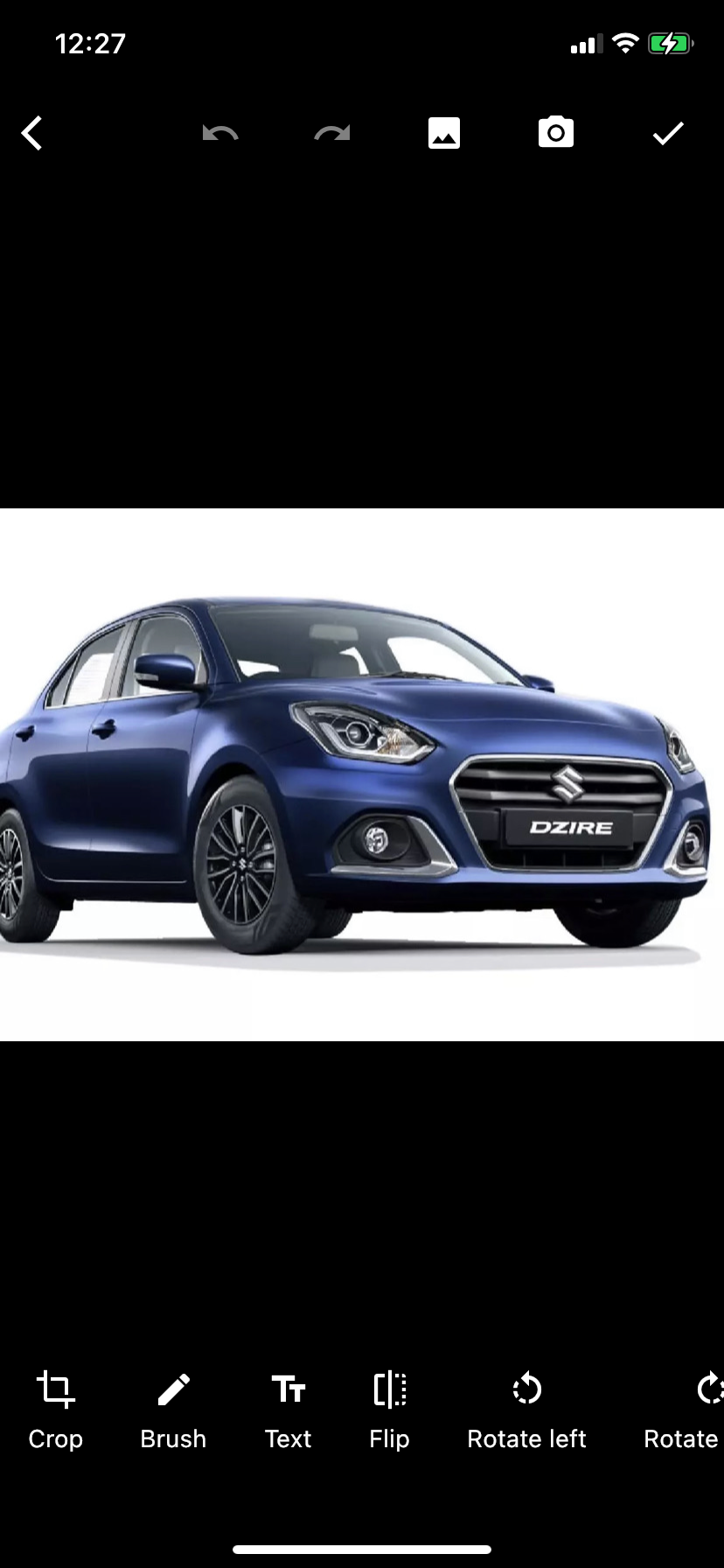
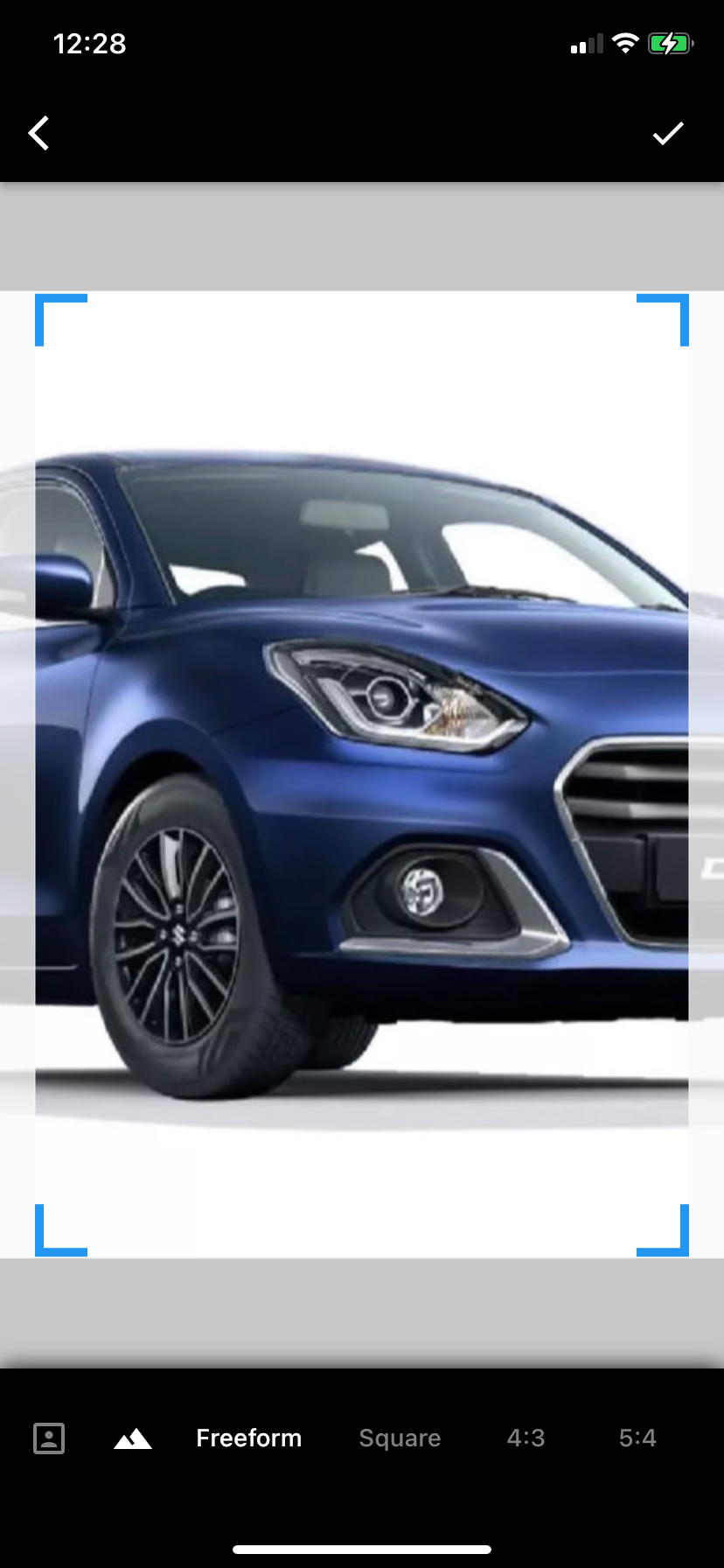
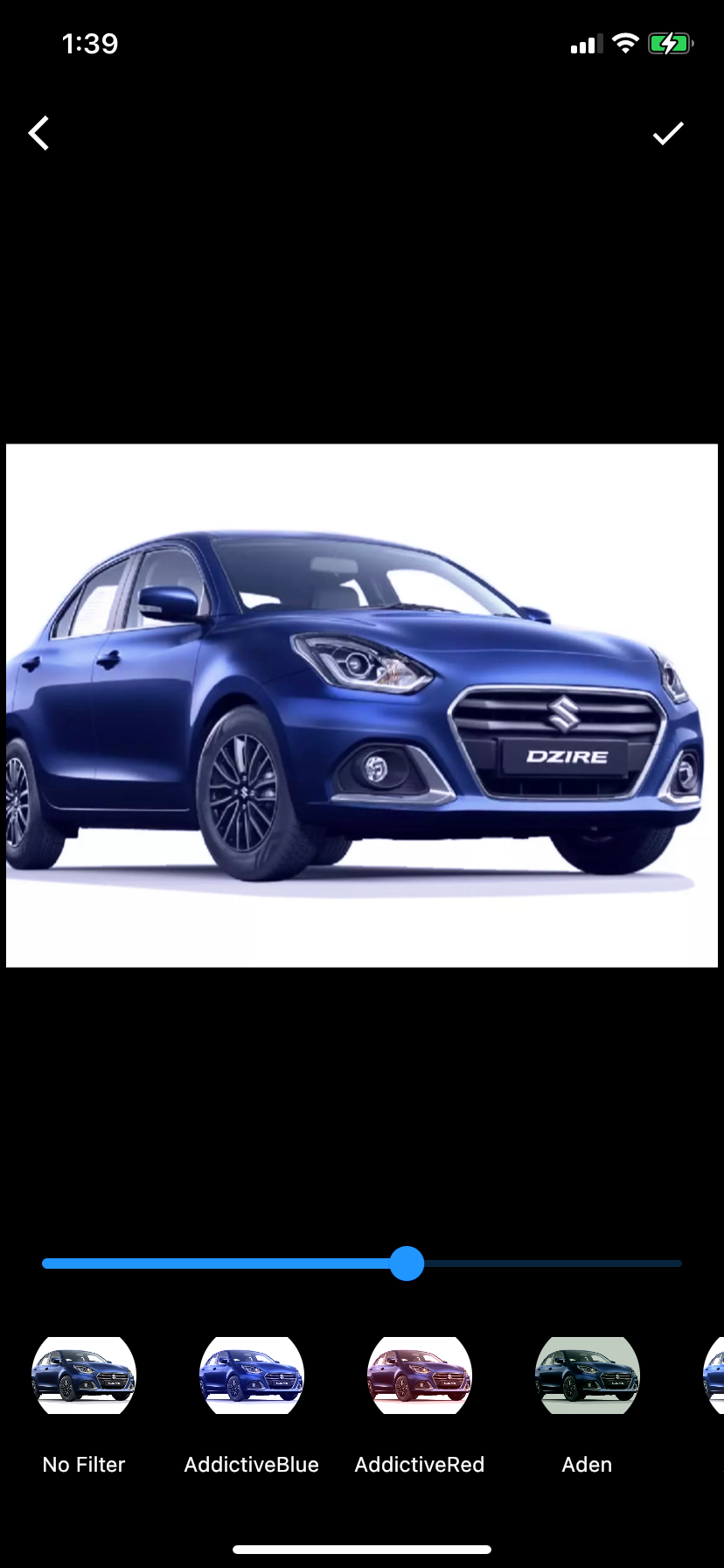
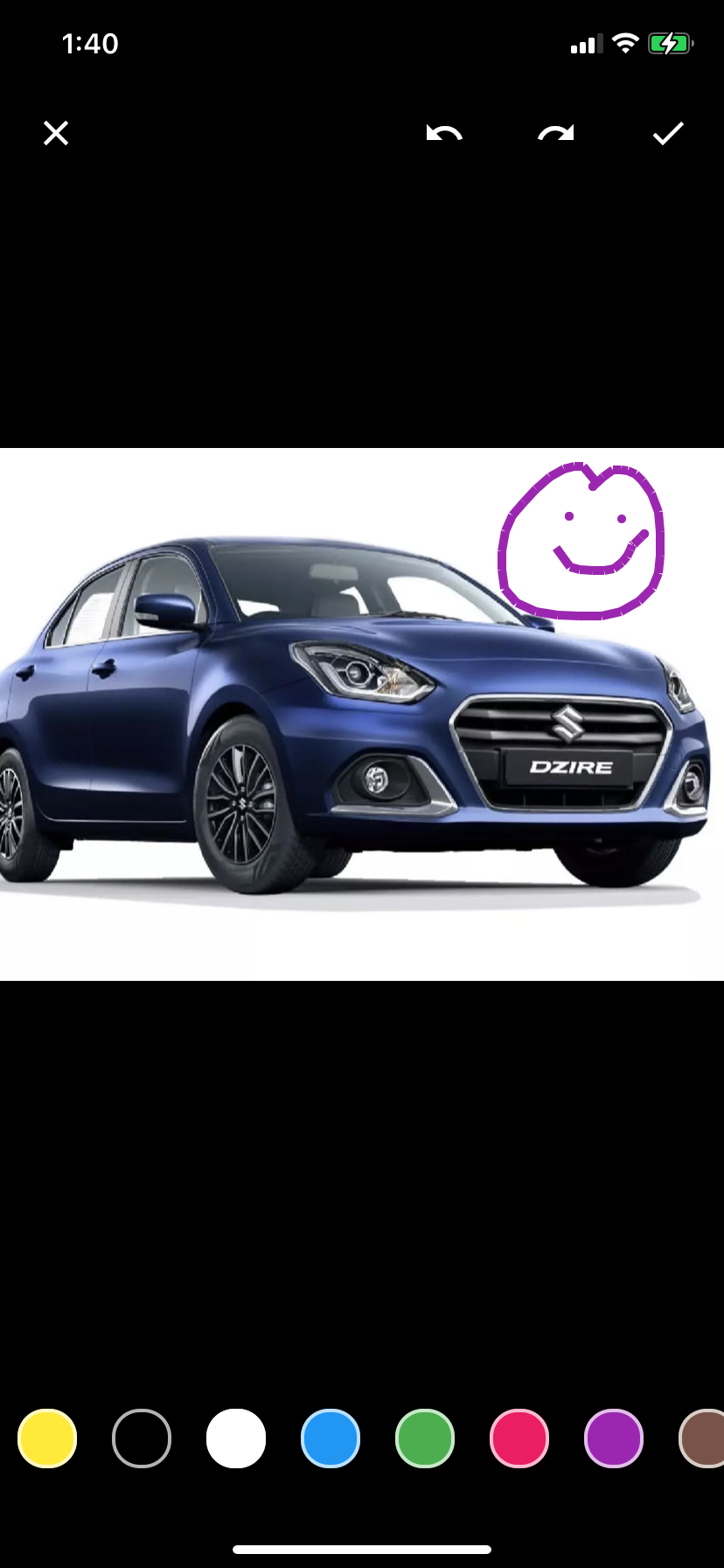
Image Editor Plus é um plugin do Flutter que permite aos usuários editar imagens com uma variedade de recursos, incluindo filtros, ferramentas de desenho, adição de texto e suporte a emojis — ideal para criar visuais semelhantes a histórias. Ele suporta plataformas Android, iOS, Web e Windows, oferecendo uma experiência fluida em diferentes dispositivos. O plugin se integra facilmente por meio do pub.dev e fornece uma interface personalizável para desenvolvedores melhorarem a funcionalidade de edição de imagens em seus aplicativos. É especialmente útil para aplicações de redes sociais, compartilhamento de fotos ou conteúdo criativo.
Casos de uso
Criando imagens com estilo de história
Adicionando texto e emojis às fotos
Aplicando filtros de imagem em tempo real
Desenhando com imagens
Salvar imagens editadas com compressão
Principais recursos
Vários filtros de imagem
Canvas de desenho em tempo real
Texto e emoji sobrepostos
Opções de compressão de imagem
Compatibilidade multiplataforma
Indicado para
Aplicativos de mídia social
Ferramentas de edição de fotos
Plataformas de conteúdo criativo
recursos de histórias geradas por usuários
Aplicativos móveis e web
Considerações
Requer permissões específicas da plataforma para acesso à imagem
O desempenho pode variar em dispositivos de baixa potência
Recursos avançados de edição limitados em comparação com editores de desktop completos
Pode ser necessário componentes adicionais de interface do usuário para uma experiência otimizada do usuário
Depende de dependências externas para certas funcionalidades
README original
Snapshot do README original do repositório-fonte vinculado. Consulte o repositório para o conteúdo mais recente.
ImageEditor
Image Editor Plugin with simple, easy support for image editing using Paints, Text, Filters, Emoji and Sticker like stories.
To start with this, we need to simply add the dependencies in the gradle file of our app module like this
Add the following keys to your Info.plist file, located in <project root>/ios/Runner/Info.plist:
NSPhotoLibraryUsageDescription - describe why your app needs permission for the photo library. This is called Privacy - Photo Library Usage Description in the visual editor.
NSCameraUsageDescription - describe why your app needs access to the camera. This is called Privacy - Camera Usage Description in the visual editor.
NSMicrophoneUsageDescription - describe why your app needs access to the microphone, if you intend to record videos. This is called Privacy - Microphone Usage Description in the visual editor.
Or in text format add the key:
<key>NSPhotoLibraryUsageDescription</key><string>Used to demonstrate image picker plugin</string><key>NSCameraUsageDescription</key><string>Used to demonstrate image picker plugin</string><key>NSMicrophoneUsageDescription</key><string>Used to capture audio for image picker plugin</string>
Android
No configuration required - the plugin should work out of the box.
Example - Language translation
// before using image editorImageEditor.i18n({
'Remove': 'हटा दीजिये',
'Save': 'सहेजें',
'Slider Filter Color': 'स्लाइडर फिल्टर का रंग',
});
final editedImage = awaitNavigator.push(
context,
MaterialPageRoute(
builder: (context) => ImageCropper(
image: data, // <-- Uint8List of image
),
),
);
Example - Image Convert
import'package:image_editor_plus/utils.dart';
// to jpegfinal convertedImage = awaitImageUtils.convert(
image: data, // <-- Uint8List/path of image
format: 'jpg',
quality: 80,
);
// to heicfinal convertedImage = awaitImageUtils.convert(
image: data, // <-- Uint8List/path of image
format: 'heic',
quality: 80,
);
// to pngfinal convertedImage = awaitImageUtils.convert(
image: data, // <-- Uint8List/path of image
format: 'png',
);
// to webpfinal convertedImage = awaitImageUtils.convert(
image: data, // <-- Uint8List/path of image
format: 'webp',
quality: 80,
);
MIT License
Copyright (c) 2022-2025 hsbijarniya@gmail.com
Permission is hereby granted, free of charge, to any person obtaining a copy
of this software and associated documentation files (the "Software"), to deal
in the Software without restriction, including without limitation the rights
to use, copy, modify, merge, publish, distribute, sublicense, and/or sell
copies of the Software, and to permit persons to whom the Software is
furnished to do so, subject to the following conditions:
The above copyright notice and this permission notice shall be included in all
copies or substantial portions of the Software.
THE SOFTWARE IS PROVIDED "AS IS", WITHOUT WARRANTY OF ANY KIND, EXPRESS OR
IMPLIED, INCLUDING BUT NOT LIMITED TO THE WARRANTIES OF MERCHANTABILITY,
FITNESS FOR A PARTICULAR PURPOSE AND NONINFRINGEMENT. IN NO EVENT SHALL THE
AUTHORS OR COPYRIGHT HOLDERS BE LIABLE FOR ANY CLAIM, DAMAGES OR OTHER
LIABILITY, WHETHER IN AN ACTION OF CONTRACT, TORT OR OTHERWISE, ARISING FROM,
OUT OF OR IN CONNECTION WITH THE SOFTWARE OR THE USE OR OTHER DEALINGS IN THE SOFTWARE.