Snapshot do README original do repositório-fonte vinculado. Consulte o repositório para o conteúdo mais recente.
smooth_page_indicator



Introduction
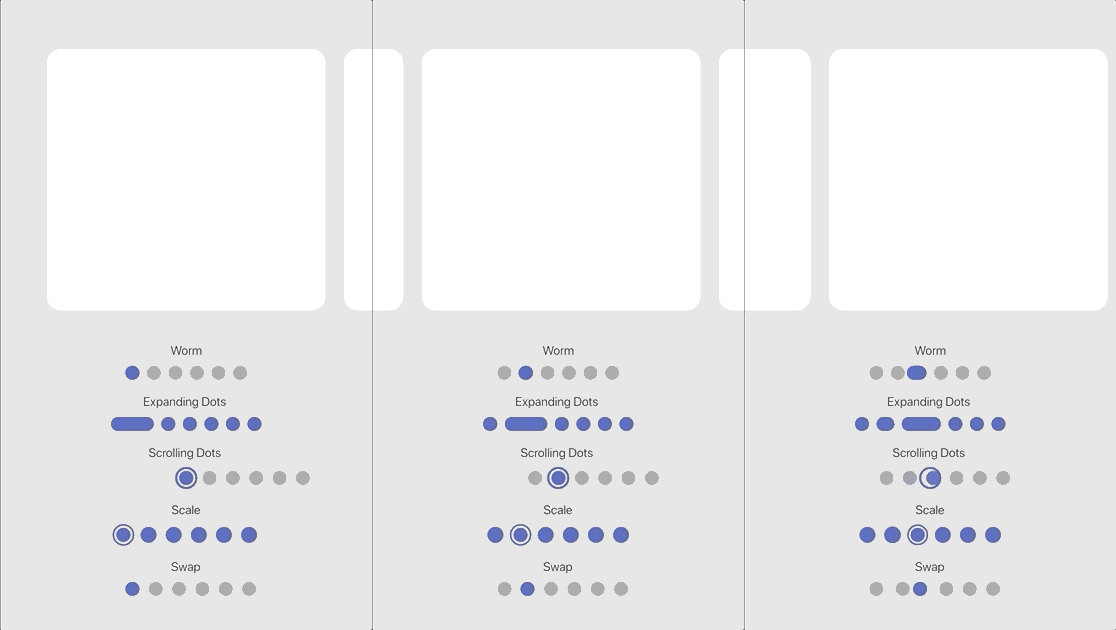
Page indicators are a crucial part of any app that involves multiple pages. They help users to
understand the number of pages and their current position. SmoothPageIndicator is a Flutter
package that provides a set of animated page indicators with a variety of effects.
Effects
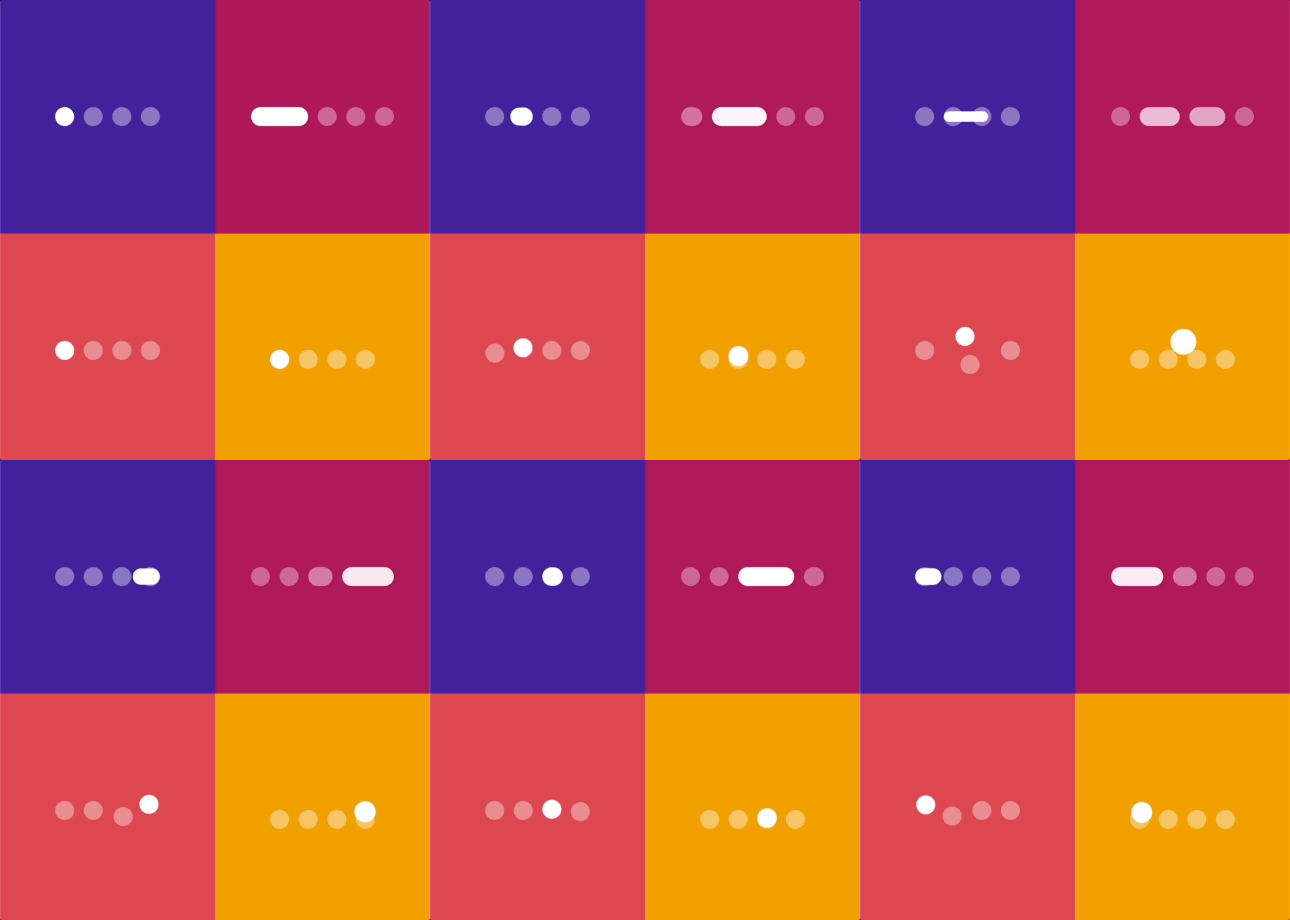
SmoothPageIndicator comes with a set of built-in effects that you can use to animate the active dot,
you can also customize each effect to your liking.
for more specific customization, try the CustomizableEffect which allows for more customization.
| Effect |
Preview |
| Worm |
 |
| Worm style = WormStyle.thin [v1.0.0] |
 |
| Expanding Dots |
 |
| Jumping dot |
 |
| Jumping dot with vertical offset [v1.0.0] |
 |
| Scrolling Dots |
 |
| Slide |
 |
| Scale |
 |
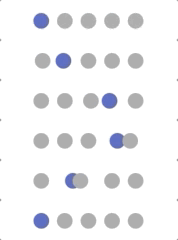
| Swap |
 |
| Swap type = SwapType.yRotation [v1.0.0] |
 |
| Color Transition [0.1.2] |
 |
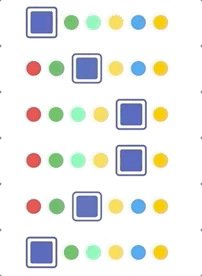
| Customizable demo-1 [v1.0.0] |
 |
| Customizable demo-2 [v1.0.0] |
 |
| Customizable demo-3 [v1.0.0] |
 |
| Customizable demo-4 [v1.0.0] |
 |
Usage
SmoothPageIndicator uses the PageController's scroll offset to animate the active dot.
SmoothPageIndicator(
controller: controller,
count: 6,
effect: WormEffect(),
onDotClicked: (index){
}
)
Usage without a PageController
Unlike SmoothPageIndicator, AnimatedSmoothIndicator is self animated and all it needs is the
active index.
AnimatedSmoothIndicator(
   activeIndex: yourActiveIndex,
   count: 6,
   effect: WormEffect(),
)
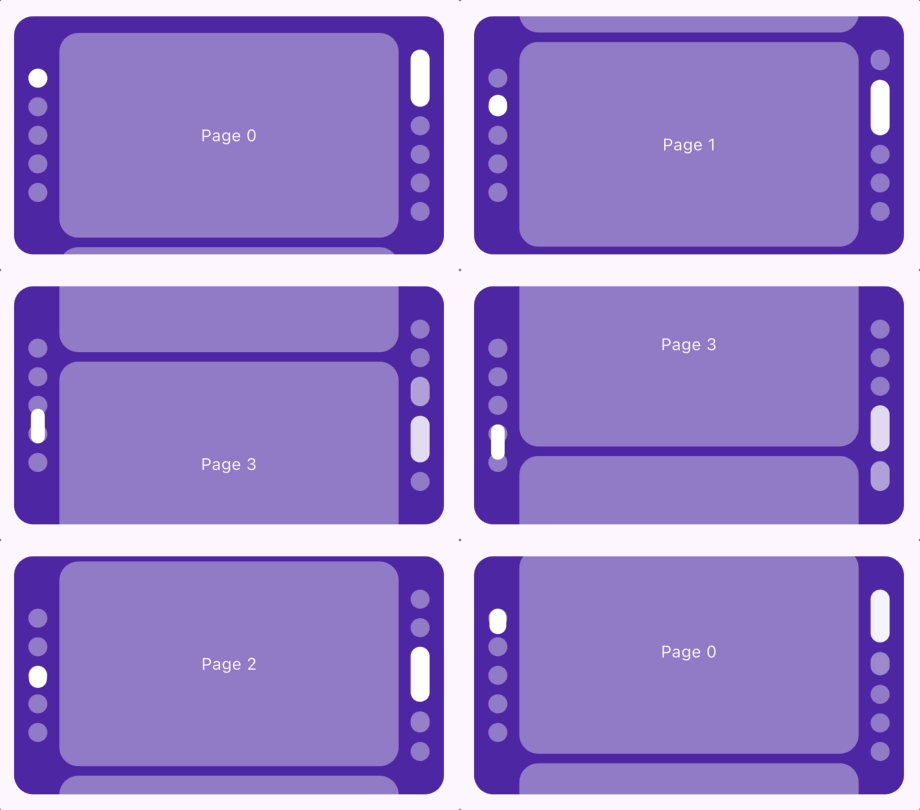
Vertical layout support
Smooth page indicator supports both horizontal and vertical layouts.
SmoothPageIndicator(
controller: controller,
count: 6,
axisDirection: Axis.vertical,
effect: WormEffect(),
)
Scrolling dots effect
Smooth page indicator comes with a shipped it scrolling dots effect, (similar to the one used in instagram), it's useful when you have a large number of pages.
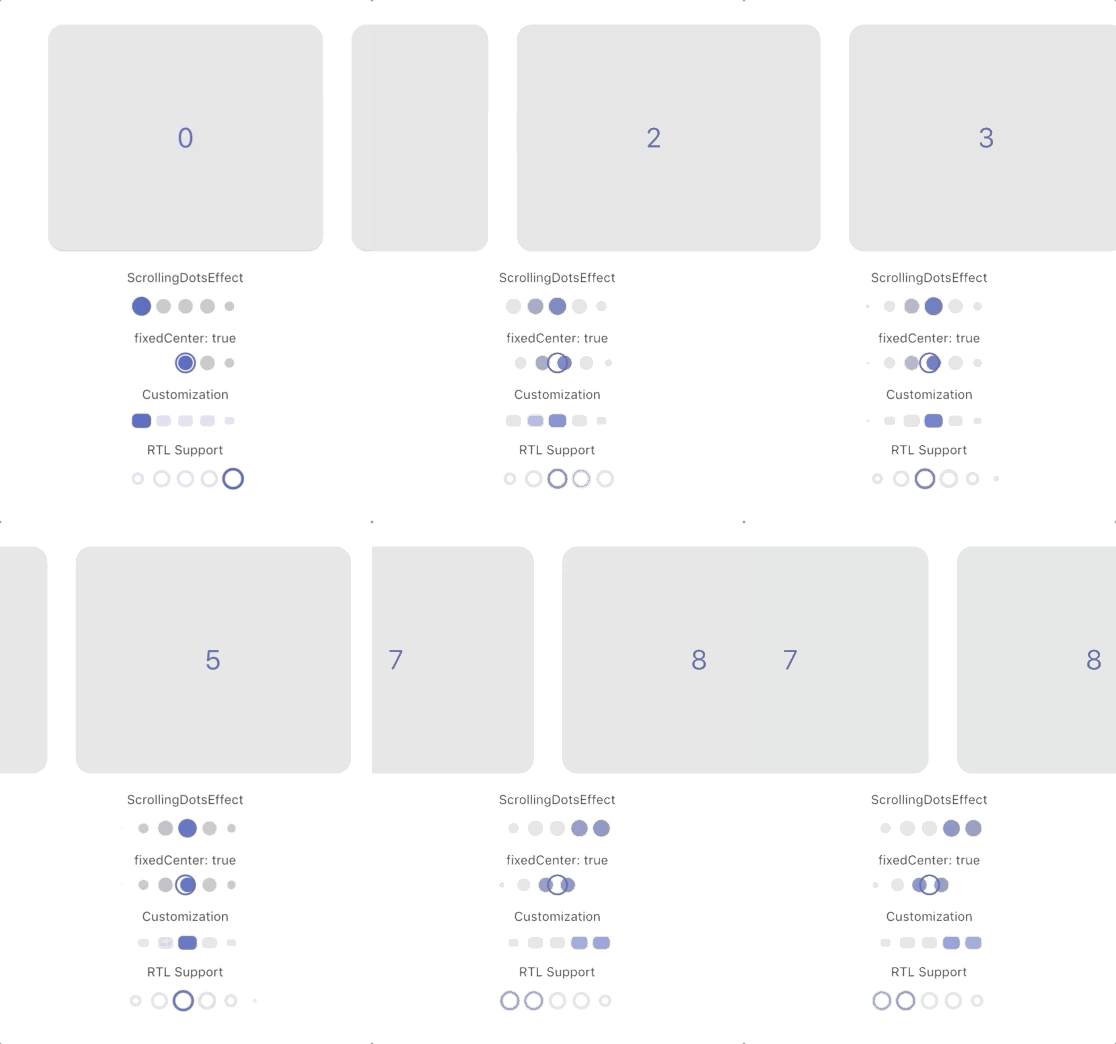
Customization
Each effect comes with its own set of properties that you can customize to your liking.
for example, you can customize direction, width, height, radius, spacing, paint style, color and more... of SlideEffect like follows:
  SmoothPageIndicator(
   controller: controller,
   count:  6,
   axisDirection: Axis.vertical,
   effect:  SlideEffect(
      spacing:  8.0,
      radius:  4.0,
      dotWidth:  24.0,
      dotHeight:  16.0,
      paintStyle:  PaintingStyle.stroke,
      strokeWidth:  1.5,
      dotColor:  Colors.grey,
      activeDotColor:  Colors.indigo
  ),
)
Default Colors
By default, indicators use these fallback colors:
activeDotColor: Color(0xFF3F51B5)dotColor: Color(0xFF9E9E9E)
These colors do not come from the app's ThemeData. Override them for a subtree with SmoothPageIndicatorTheme, or set dotColor and activeDotColor directly on an effect.
SmoothPageIndicatorTheme
SmoothPageIndicatorTheme is an InheritedTheme that configures default settings for descendant SmoothPageIndicator and AnimatedSmoothIndicator widgets. Wrap the subtree that should share the configuration:
MaterialApp(
home: SmoothPageIndicatorTheme(
effect: ExpandingDotsEffect(),
defaultColors: DefaultIndicatorColors(
active: Colors.blue,
inactive: Colors.grey,
),
child: MyHomePage(),
),
)
defaultColors: Applies to all descendant indicator effects unless dotColor or activeDotColor is set on the effect.effect: The default effect when an indicator does not specify one. If omitted, WormEffect is used.
This provides consistent indicator styling without relying on or modifying the app theme.
Support the Library
You can support the library by liking it on pub, staring in on Github and reporting any bugs you
encounter.