bitsdojo_window
A Flutter package that makes it easy to customize and work with your Flutter desktop app window on Windows , macOS and Linux .
Watch the tutorial to get started. Click the image below to watch the video:
Features :
Custom window frame - remove standard Windows/macOS/Linux titlebar and buttons
Hide window on startup
Show/hide window
Move window using Flutter widget
Minimize/Maximize/Restore/Close window
Set window size, minimum size and maximum size
Set window position
Set window alignment on screen (center/topLeft/topRight/bottomLeft/bottomRight)
Set window title
Getting Started
Add the package to your project's pubspec.yaml file manually or using the command below:
pub add bitsdojo_window
The pubspec.yaml file should look like this:
// pubspec.yaml

  ...

  dependencies:
    flutter:
      sdk: flutter
+ bitsdojo_window: ^0.1.6

  dev_dependencies:

  ...
For Windows apps
Inside your application folder, go to windows\runner\main.cpp and change the code look like this:
// windows/runner/main.cpp

  ...

  #include "flutter_window.h"
  #include "utils.h"

+ #include <bitsdojo_window_windows/bitsdojo_window_plugin.h>
+ auto bdw = bitsdojo_window_configure(BDW_CUSTOM_FRAME | BDW_HIDE_ON_STARTUP);

  int APIENTRY wWinMain(_In_ HINSTANCE instance, _In_opt_ HINSTANCE prev,

  ...
For macOS apps
Inside your application folder, go to macos\runner\MainFlutterWindow.swift and change the code look like this:
// macos/runner/MainFlutterWindow.swift

  import Cocoa
  import FlutterMacOS
+ import bitsdojo_window_macos

- class MainFlutterWindow: NSWindow {
+ class MainFlutterWindow: BitsdojoWindow {
+     override func bitsdojo_window_configure() -> UInt {
+     return BDW_CUSTOM_FRAME | BDW_HIDE_ON_STARTUP
+   }
      override func awakeFromNib() {

      ...

    }
  }
If you don't want to use a custom frame and prefer the standard window titlebar and buttons, you can remove the BDW_CUSTOM_FRAME flag from the code above.
If you don't want to hide the window on startup, you can remove the BDW_HIDE_ON_STARTUP flag from the code above.
For Linux apps
Inside your application folder, go to linux\my_application.cc and change the code look like this:
// linux/my_application.cc

  ...
  #include "flutter/generated_plugin_registrant.h"
+ #include <bitsdojo_window_linux/bitsdojo_window_plugin.h>

  struct _MyApplication {

  ...

  }

+  auto bdw = bitsdojo_window_from(window);
+  bdw->setCustomFrame(true);
-  gtk_window_set_default_size(window, 1280, 720);
   gtk_widget_show(GTK_WIDGET(window));

   g_autoptr(FlDartProject) project = fl_dart_project_new();

  ...

  }
Flutter app integration
Now go to lib\main.dart and change the code look like this:
// lib/main.dart

  import 'package:flutter/material.dart';
+ import 'package:bitsdojo_window/bitsdojo_window.dart';

 void main() {
   runApp(MyApp());

+   doWhenWindowReady(() {
+     const initialSize = Size(600, 450);
+     appWindow.minSize = initialSize;
+     appWindow.size = initialSize;
+     appWindow.alignment = Alignment.center;
+     appWindow.show();
+   });
 }
This will set an initial size and a minimum size for your application window, center it on the screen and show it on the screen.
You can find examples in the example folder.
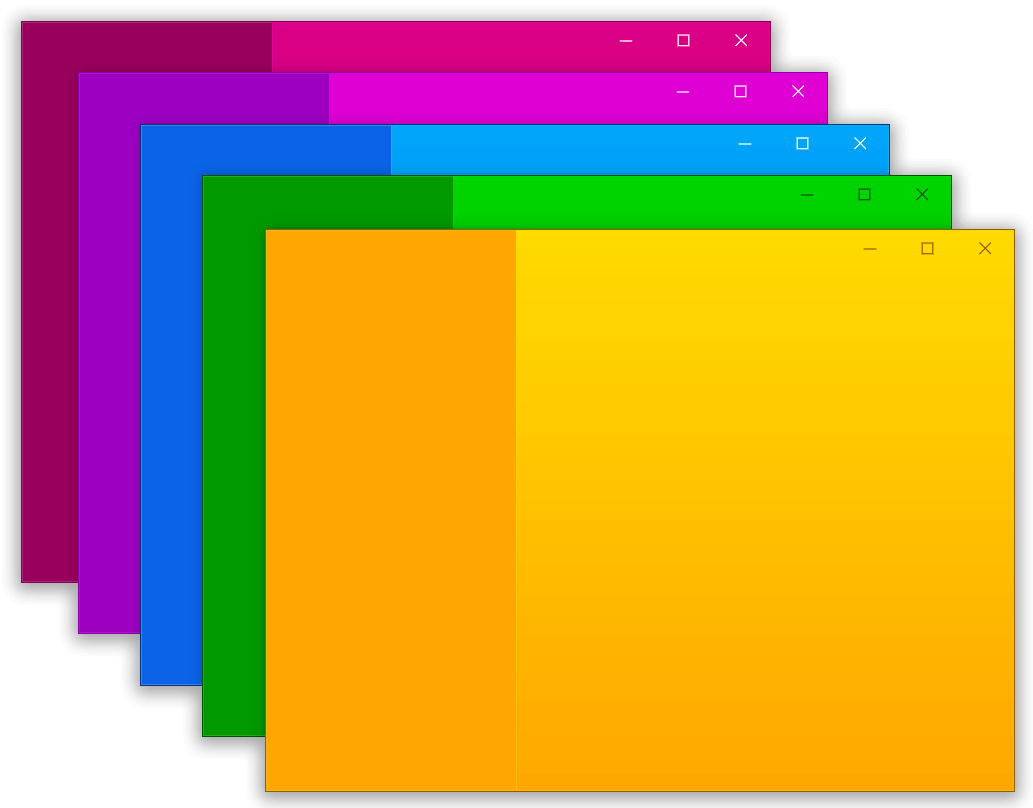
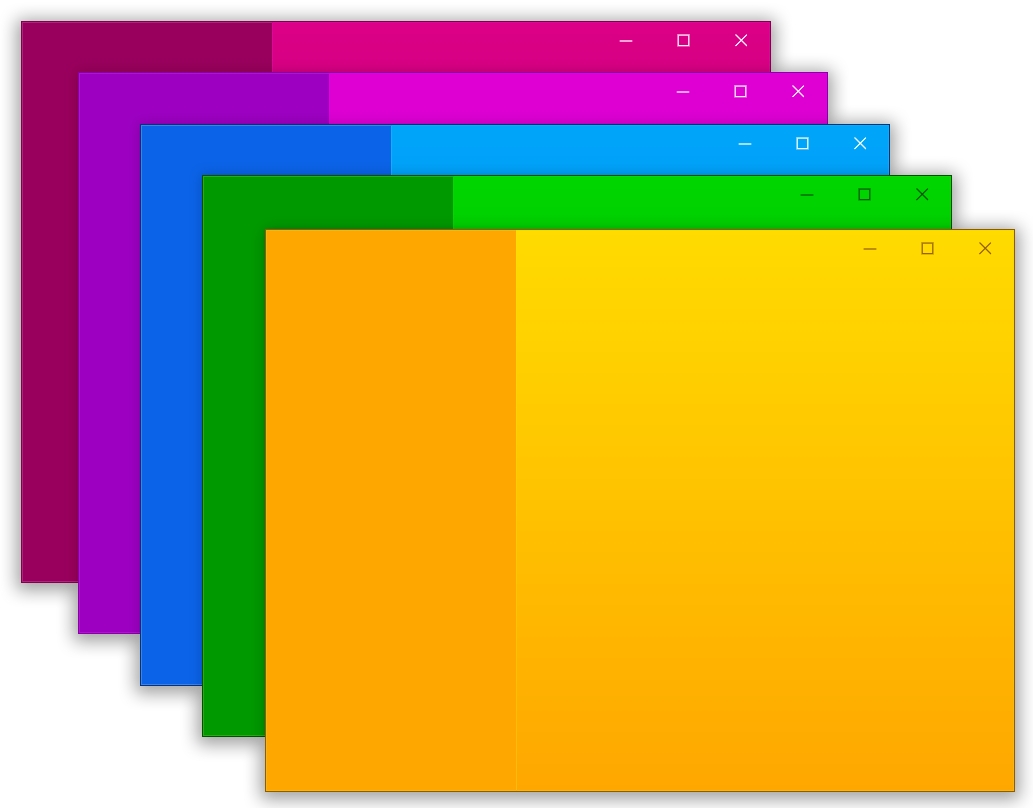
Here is an example that displays this window:
Click to expand
import 'package:flutter/material.dart' ;
import 'package:bitsdojo_window/bitsdojo_window.dart' ;
void main () {
runApp (const MyApp ());
doWhenWindowReady (() {
final win = appWindow;
const initialSize = Size (600 , 450 );
win.minSize = initialSize;
win.size = initialSize;
win.alignment = Alignment .center;
win.title = "Custom window with Flutter" ;
win.show ();
});
}
const borderColor = Color (0xFF805306 );
class MyApp extends StatelessWidget const MyApp ({Key ? key}) : super (key: key);
@override
Widget build (BuildContext context) {
return MaterialApp (
debugShowCheckedModeBanner: false ,
home: Scaffold (
body: WindowBorder (
color: borderColor,
width: 1 ,
child: Row (
children: const [LeftSide (), RightSide ()],
),
),
),
);
}
}
const sidebarColor = Color (0xFFF6A00C );
class LeftSide extends StatelessWidget const LeftSide ({Key ? key}) : super (key: key);
@override
Widget build (BuildContext context) {
return SizedBox (
width: 200 ,
child: Container (
color: sidebarColor,
child: Column (
children: [
WindowTitleBarBox (child: MoveWindow ()),
Expanded (child: Container ())
],
)));
}
}
const backgroundStartColor = Color (0xFFFFD500 );
const backgroundEndColor = Color (0xFFF6A00C );
class RightSide extends StatelessWidget const RightSide ({Key ? key}) : super (key: key);
@override
Widget build (BuildContext context) {
return Expanded (
child: Container (
decoration: const BoxDecoration (
gradient: LinearGradient (
begin: Alignment .topCenter,
end: Alignment .bottomCenter,
colors: [backgroundStartColor, backgroundEndColor],
stops: [0.0 , 1.0 ]),
),
child: Column (children: [
WindowTitleBarBox (
child: Row (
children: [Expanded (child: MoveWindow ()), const WindowButtons ()],
),
)
]),
),
);
}
}
final buttonColors = WindowButtonColors (
iconNormal: const Color (0xFF805306 ),
mouseOver: const Color (0xFFF6A00C ),
mouseDown: const Color (0xFF805306 ),
iconMouseOver: const Color (0xFF805306 ),
iconMouseDown: const Color (0xFFFFD500 ));
final closeButtonColors = WindowButtonColors (
mouseOver: const Color (0xFFD32F2F ),
mouseDown: const Color (0xFFB71C1C ),
iconNormal: const Color (0xFF805306 ),
iconMouseOver: Colors .white);
class WindowButtons extends StatelessWidget const WindowButtons ({Key ? key}) : super (key: key);
@override
Widget build (BuildContext context) {
return Row (
children: [
MinimizeWindowButton (colors: buttonColors),
MaximizeWindowButton (colors: buttonColors),
CloseWindowButton (colors: closeButtonColors),
],
);
}
}
Want to help? Become a sponsor I am developing this package in my spare time and any help is appreciated.
If you want to help you can become a sponsor .
🙏 Thank you!
☕️ Current sponsors:
No sponsors