搜尋套件、儲存庫與 APP 分類

text_to_speech 封面
套件詳情v0.2.3

text_to_speech

一個Flutter外掛提供TTS(文字轉語音)服務。

AndroidiOSWebmacOS
近 30 天下載
649
喜歡數
150
Pub 分數
150

安裝套件

flutter pub add text_to_speech

套件介紹

根據套件公開資料產生的選型評估,僅供參考。

一個 Flutter 插件,可在 Android、iOS、Web 和 macOS 上啟用文字轉語音(TTS)功能。它允許應用程式將文字轉換為自然流暢的語音,支援可自訂設定的語音播放,例如語言、音調和速率。非常適合用於無障礙功能、語音助理和互動式學習應用。該插件與 Flutter 生態系統無縫整合,並在 GitHub 上維護,以支援社群貢獻。

適用情境

  • 無障礙功能
  • 語音導航
  • 互動學習應用
  • 應用中的音訊反饋
  • 閱讀輔助工具

主要特色

  • 跨平台支援
  • 可自訂的語音參數
  • 簡單 API 結合
  • 支援多種語言
  • 即時文字轉換

適合對象

  • 開發無障礙應用程式的開發者
  • 教育類應用程式開發者
  • 語音助手整合
  • 需要音頻反饋的應用程式

使用建議

  • 需要平台特定的權限
  • 某些平台上的語音選擇有限
  • Web 支援可能會因瀏覽器而異
  • 性能取決於設備的TTS引擎
  • 語言可用性取決於作業系統

原始 README

以下為關聯原始碼儲存庫的 README 原文快照,最新內容請造訪原始碼儲存庫。

Text To Speech

A Flutter plugin provides TTS (Text-To-Speech) Service. This plugin aims to offer the most of TTS API feature from iOS, Android, web, and macOS.

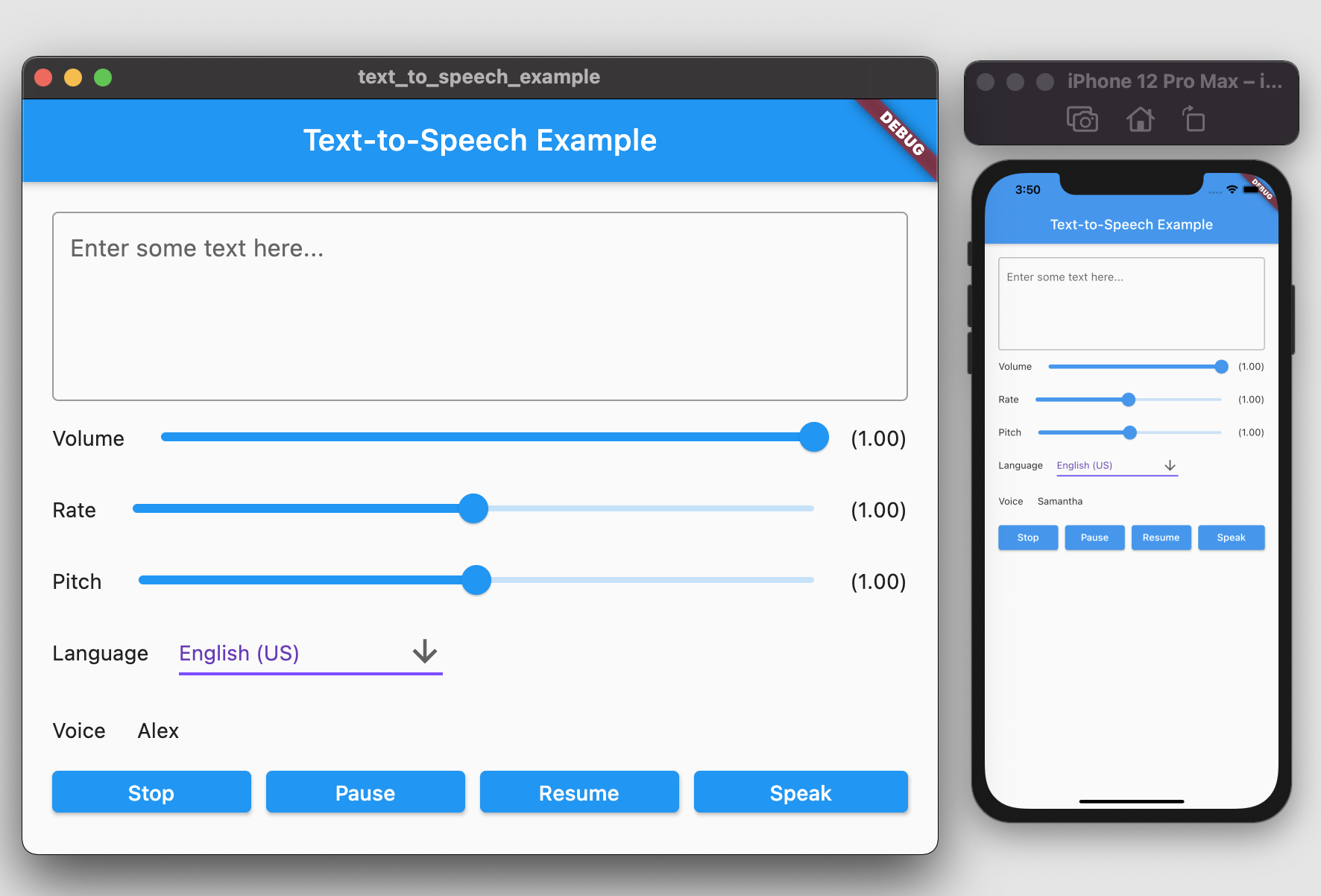
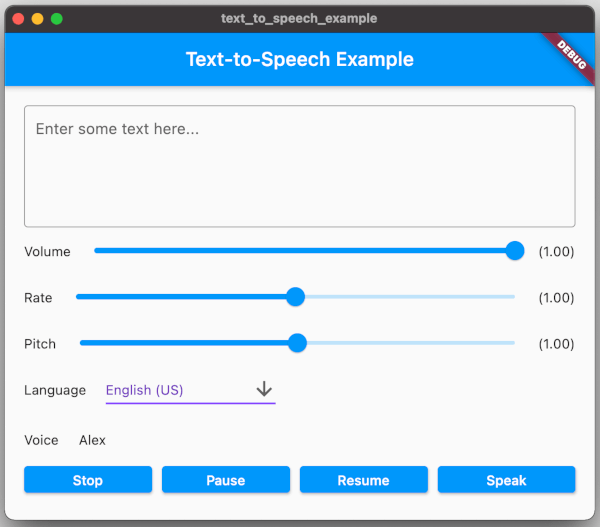
screenshot.png

Getting Started

To use this plugin, add text_to_speech as a dependency in your pubspec.yaml file:

dependencies:  
  text_to_speech: ^0.2.3

Installation

Android
  • Minimum SDK version: 21
  • Applications targeting SDK 30 (Android 11) need to declare TextToSpeech.Engine.INTENT_ACTION_TTS_SERVICE in the queries elements of Android Manifest (See Android documentation).
<queries>  
  <intent>  
      <action android:name="android.intent.action.TTS_SERVICE" />  
  </intent>  
 </queries>  
iOS & macOS
  • iOS minimum version: 7.0
  • macOs minimum version 10.14

(See Apple documentation).

Features

Feature Android iOS Web macOS
speak :white_check_mark: :white_check_mark: :white_check_mark: :white_check_mark:
stop :white_check_mark: :white_check_mark: :white_check_mark: :white_check_mark:
pause - :white_check_mark: :white_check_mark: :white_check_mark:
resume - :white_check_mark: :white_check_mark: :white_check_mark:
set volume :white_check_mark: :white_check_mark: :white_check_mark: :white_check_mark:
set rate :white_check_mark: :white_check_mark: :white_check_mark: :white_check_mark:
set pitch :white_check_mark: :white_check_mark: :white_check_mark: :white_check_mark:
set language :white_check_mark: :white_check_mark: :white_check_mark: :white_check_mark:
get language :white_check_mark: :white_check_mark: :white_check_mark: :white_check_mark:
get voice :white_check_mark: :white_check_mark: :white_check_mark: :white_check_mark:

Usages

To start, import the dependency in your code:

import 'package:text_to_speech/text_to_speech.dart';  

Then, create instance of TextToSpeech class:

TextToSpeech tts = TextToSpeech();  

Speak

String text = "Hello, Good Morning!";  
tts.speak(text);  

Set Volume

Volume range: 0-1 where 0 is silence, and 1 is the maximum volume (the default behavior).

double volume = 1.0;  
tts.setVolume(volume);  

Set Rate

Rate range: 0-2.
1.0 is the normal and default speech rate. Lower values slow down the speech (0.5 is half the normal speech rate). Greater values accelerate it (2.0 is twice the normal speech rate).

double rate = 1.0;  
tts.setRate(rate);  

Set Pitch

Pitch range: 0-2.
1.0 is the normal pitch, lower values lower the tone of the synthesized voice, greater values increase it.

double pitch = 1.0;  
tts.setPitch(pitch);  

Set Language

Accepting locale tag name of specific language, e.g. 'en-US'. You can retrieve list of supported language using getLanguage function.

String language = 'en-US';  
tts.setLanguage(language);  

Get Languages

Provide list of supported language codes in locale tag name format, e.g. 'en-US'. You can get display name for specific language code

String language = 'en-US';  
tts.setLanguage(language);  

Get Voice

We can get all available voices or get voices of specific language. This function will returns particular voice name.

List<String> voices = await tts.getVoices();  
  
String language = 'en-US';  
List<String> voices = await tts.getVoiceByLang(language);  

Native API Reference

  • Android TTS API: https://developer.android.com/reference/android/speech/tts/TextToSpeech
  • iOS/macOS AVSpeechSynthesizer API: https://developer.apple.com/documentation/avfaudio/avspeechsynthesizer
  • Web Speech API: https://dvcs.w3.org/hg/speech-api/raw-file/tip/speechapi.html#tts-section

Example

You can find example in the example folder and run it to check the implementation.
Move to example directory:

$ cd example  

Run Android / iOS

$ flutter run -d <device_name>  

Run Web

$ flutter run -d chrome  

Run macOS

$ flutter run -d macOS  

TODO

  • [ ] Utterance Status Listener
  • [ ] Linux Implementation
  • [ ] Windows Implementation

所屬分類

依賴

依賴清單 3 項

  • text_to_speech_macos^0.1.1
  • text_to_speech_platform_interface^0.1.3
  • text_to_speech_web^0.1.2

原始碼儲存庫

使用此套件的專案