v4.5.3
go_router_builder
package:go_router용 생성된 강력한 타입의 라우트 헬퍼를 지원하는 빌더
302좋아요 41.4만30일 다운로드160Pub 점수
AndroidiOSmacOSWindowsLinux
정신 건강 문제를 도와주기 위해 전문가들과 함께 설계하고 상의한 정신적 응급처치용 모바일 앱 'Nepanikař(도안 패닉)'의 공식 저장소입니다.

아래는 영문 원문 스냅샷입니다. 최신 내용은 GitHub에서 확인하세요.
First aid for psychological issues - Official mobile app for nepanikar.eu
Run command flutter run from root folder of application.
flutter_gen package lets us quickly generate paths for images/icons.
To add a new asset, add it to ./assets/ and then run flutter packages pub run build_runner build -d.
If you are creating a new assets folder, do not forget to reference it in pubspec.yaml.
We are using Localazy for managing app localizations.
The prerequisites for running the localization update script are:
stringcase: pip install stringcasenpm install -g @localazy/cli or see Installation
page for other options)After that, you can simply run the script located in ./bin/localazy/localazy_gen.sh.
When adding a new language:
Contacts & help data are generated from Dart objects for easier maintainability. These data are then converted and
shipped within the app as JSON which is located in the ./assets/contacts/ folder. The whole contacts & help UI in
the app is controlled by the content of this JSON file.
The prerequisites for updating and regenerating these data is:
The source of these data is managed by nepanikar_contacts_gen Dart package.
Source data are located in ./packages/nepanikar_contacts_gen/bin/translation_extra_files/{language_tag}.dart.
Make the necessary changes, then simply run the script located in ./bin/nepanikar_contacts_gen/
to regenerate the JSON file.
flutter run - run applicationflutter packages pub run build_runner build -d - regenerate go_route/freezed/assets filesflutter pub run build_runner watch -d - watch and generate automatically changes when files are changedflutter gen-l10n - recompile .arb language filesflutter pub run flutter_native_splash:create - regenerate splash screendart format --line-length 100 ./ - automatic formatting of the projectpackage:go_router용 생성된 강력한 타입의 라우트 헬퍼를 지원하는 빌더
Dart VM 및 Flutter용 NoSQL 지속 임베디드 파일 시스템 문서 기반 데이터베이스로 암호화 지원
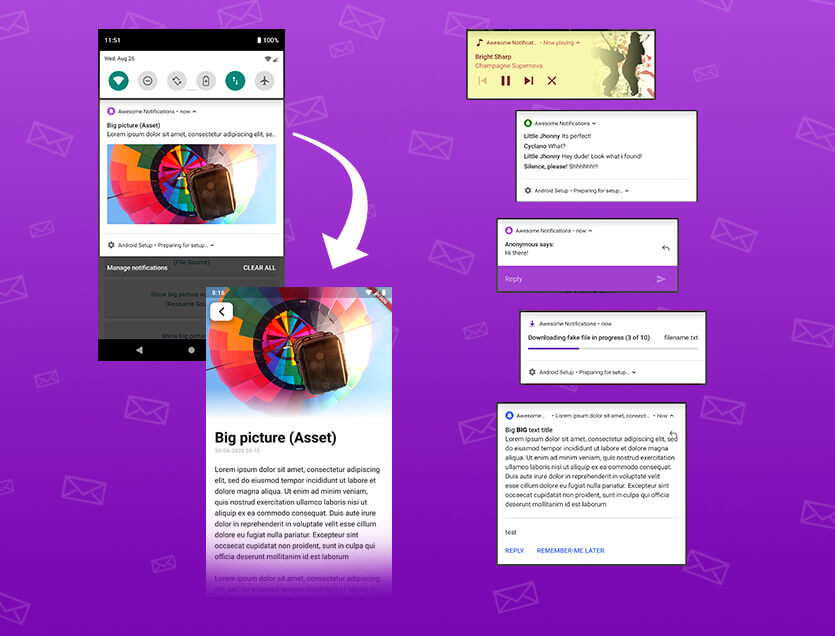
로컬 및 푸시 알림을 생성하기 위한 완전한 솔루션으로 버튼, 이미지, 사운드, 이모티콘을 사용자 지정하고 Flutter 앱에 다양한 레이아웃을 적용할 수 있습니다.
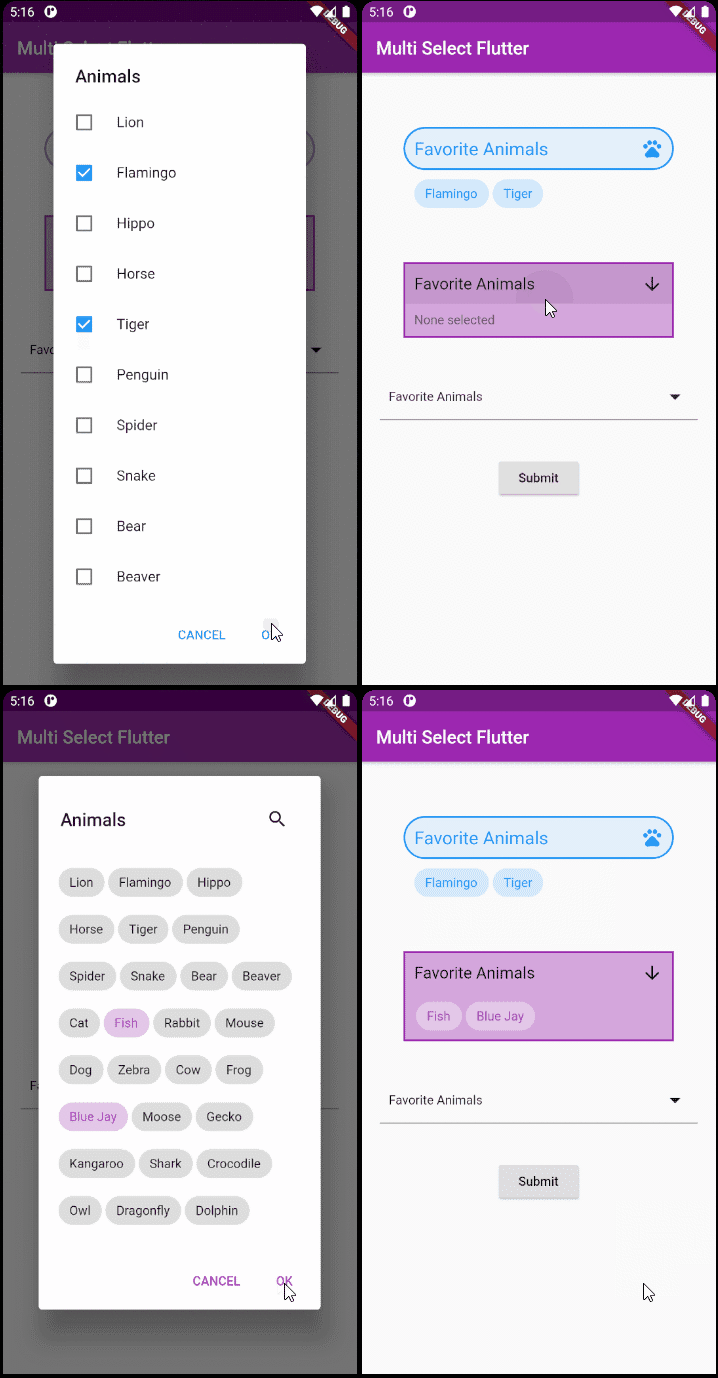
Flutter용 유연한 다중 선택 패키지입니다. 원하는 대로 다중 선택 위젯을 만들 수 있습니다.
이메일 주소를 검증하기 위한 간단한(하지만 정확한) 다트 클래스
Flutter, Web 및 서버용 날짜 및 시간 라이브러리로 시간대, 달력, 문화, 포맷팅 및 파싱을 지원합니다.
다트에서 저수준 링크(텍스트, URL, 이메일, 전화번호, 사용자 태그) 파싱 라이브러리.
다각형 모양을 그리는 간단한 방법과 자르기.
package:build를 사용할 때 패키지 내 생성된 Dart 코드가 최신 상태인지 확인하기 위한 테스트 유틸리티입니다.
안드로이드 및 iOS에서 파일을 선택하고 저장하기 위한 대화 상자입니다.
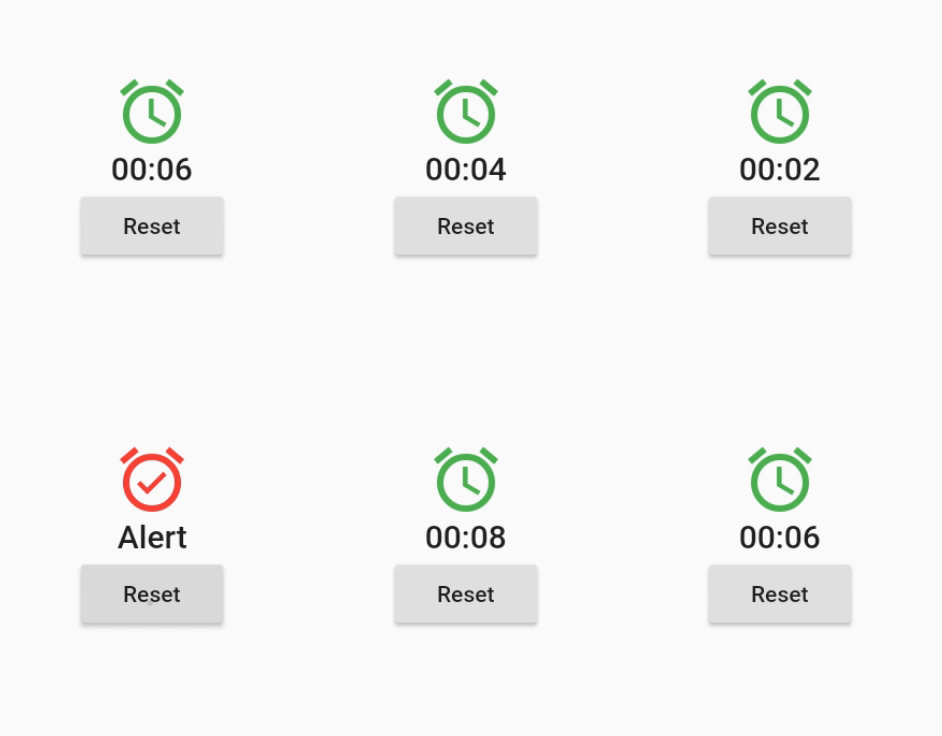
예정된 주기적 또는 동적으로 생성된 시간 이벤트에서 자신을 다시 빌드하는 위젯입니다.
이 패키지는 키에 접두사가 없는 shared_preferences 패키지의 사본입니다. 이전 네이티브 앱에서 데이터를 마이그레이션하는 데 사용됩니다.
의존성 목록 50 개
^3.0.0^0.12.0^1.19.0^1.0.5any^3.0.0^2.0.5^12.0.0^4.0.0^5.0.0^1.1.1{"sdk":"flutter"}^4.5.2^3.0.0{"sdk":"flutter"}^2.2.17^2.2.0^3.1.0^9.0.5^17.0.0any^0.20.2^4.9.0^0.10.5^5.0.0^3.3.0any^3.2.2{"path":"./packages/nepanikar_contacts_gen"}^10.1.0^1.8.2^2.0.12^0.1.0^6.0.5^0.28.0^3.4.0+6^2.0.6^0.9.17^2.0.0^2.0.1^6.3.2^1.4.0^2.16.0^3.1.1^5.1.0+1{"sdk":"flutter"}^4.0.0-dev.3^4.0.1^6.11.2^2.0.1사용 목적에 따라 검색하고 개발 활동을 비교한 뒤 원본 저장소에서 요구 사항을 확인하세요.
“A repository is the most basic element of GitHub.”
GitHub Docs — About repositories ↗