
qrcode_scanner
One-shot Flutter QR/barcode: open camera, first decode, string back. Not a widget. CameraX+ZXing / Vision.

- Stars
- 360
- Forks
- 184
- Last push (UTC)
- Aug 22, 2026
- Project status
- Active
Original README
English project snapshot. Visit GitHub for the latest content.
qrscan


Open camera. First decode. String back. Close.
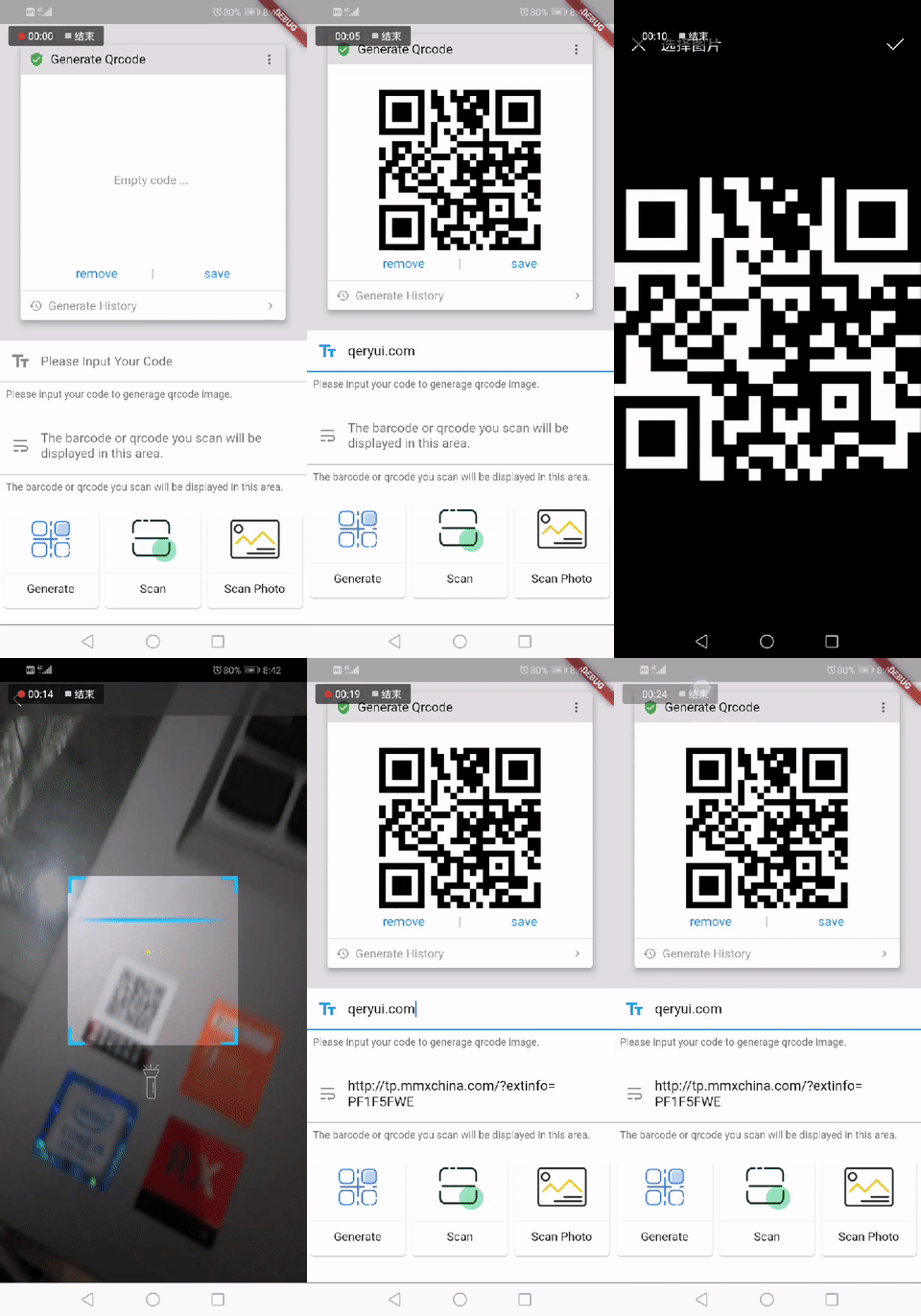
dependencies:
  qrscan: ^1.2.4
import 'package:qrscan/qrscan.dart' as scanner;

String? code = await scanner.scan();
String? wechat = await scanner.scan(looks: ScanLooks.wechat);
String? alipay = await scanner.scan(looks: ScanLooks.alipay);
This is not an embedded camera widget. Preview / scan window / overlay / torch API / continuous scan → mobile_scanner.
This is not a hardware gun. Keyboard wedge → a TextField. OEM broadcast PDA → pda_scanner.
- Android CameraX 1.4 + ZXing 3.5.3
- iOS AVFoundation + Vision
- Dart 3 / Flutter 3.10+ / Android embedding v2
- Five functions:
scan/scanPhoto/scanPath/scanBytes/generateBarCode
Android
minSdk 21. Camera permission is requested when scan() runs. Do not add storage permissions.
Host MainActivity must be embedding v2 (FlutterActivity). The scanner follows device orientation.
iOS
<key>NSCameraUsageDescription</key>
<string>Scan QR codes and barcodes</string>
<key>NSPhotoLibraryUsageDescription</key>
<string>Read a code from a photo</string>
Minimum iOS 12. Landscape only if the host already lists it in UISupportedInterfaceOrientations.
Usage
String? cameraScanResult = await scanner.scan();
String? wechat = await scanner.scan(looks: ScanLooks.wechat);
String? alipay = await scanner.scan(looks: ScanLooks.alipay);
String? branded = await scanner.scan(color: Color(0xFF00C853), hint: '对准条码或二维码');
String? photoScanResult = await scanner.scanPhoto();
String? fromPath = await scanner.scanPath(path);
String? fromBytes = await scanner.scanBytes(bytes);
Uint8List qrPng = await scanner.generateBarCode('https://github.com/wu9007/qrcode_scanner');
| Call | Returns |
|---|---|
scan({color, hint}) |
Decoded string, or null if the user cancels. Camera only — not the gallery. color / hint optional |
scanPhoto() |
System picker → decode, or null if cancelled |
scanPath(path) |
Decode a local file |
scanBytes(bytes) |
Decode image bytes |
generateBarCode(code) |
QR PNG as Uint8List (UTF-8 payload) |
That is the whole API. There is no widget, no scan-area crop, no front-camera switch, no stream, no format filter. Overlay is cosmetic — decode still uses the full frame.
Copy this button
Drop-in widget (also in example/lib/scan_button.dart):
import 'package:flutter/material.dart';
import 'package:flutter/services.dart';
import 'package:qrscan/qrscan.dart' as scanner;

class ScanButton extends StatelessWidget {
  const ScanButton({
    super.key,
    this.looks = scanner.ScanLooks.wechat,
    this.label = '扫一扫',
    this.onCode,
  });

  final scanner.ScanLooks looks;
  final String label;
  final ValueChanged<String>? onCode;

  Future<void> _scan(BuildContext context) async {
    try {
      final String? code = await scanner.scan(looks: looks);
      if (code != null) onCode?.call(code);
    } on PlatformException catch (e) {
      if (!context.mounted) return;
      ScaffoldMessenger.of(context).showSnackBar(
        SnackBar(content: Text(e.code)),
      );
    }
  }

  @override
  Widget build(BuildContext context) {
    return FilledButton(
      style: FilledButton.styleFrom(
        backgroundColor: looks.color,
        foregroundColor: Colors.white,
        minimumSize: const Size.fromHeight(48),
      ),
      onPressed: () => _scan(context),
      child: Text(label),
    );
  }
}

// WeChat:  ScanButton(looks: ScanLooks.wechat, label: '扫一扫', onCode: ...)
// Alipay:  ScanButton(looks: ScanLooks.alipay, label: '扫码', onCode: ...)
// Own:     ScanButton(looks: ScanLooks(color: Color(0xFFFF6A00), hint: '对准条码'), ...)
After scan()
scan() still returns a String. Copy example/lib/scan_handle.dart to split URL / Wi-Fi / 发血单 / 袋号 / EAN:
final hit = handleScan(code);
// hit.kind  url | wifi | slip | din | ean | …
// hit.fields  单号 / 血型 / SSID …
// hit.actions 复制袋号 / 复制原文
Errors from scan()
Cancel is null. Real failures throw PlatformException:
| Dart constant | code |
When |
|---|---|---|
CameraAccessDenied |
PERMISSION_NOT_GRANTED |
User denied camera |
CameraStartFailed |
CAMERA_START_FAILED |
No back camera / driver error |
CameraInUse |
CAMERA_IN_USE |
Another app already holds the camera |
NoActivity |
NO_ACTIVITY |
Plugin has no Activity / cannot present |
Decoder
QR is tried first (with TRY_HARDER), then other 2D, then 1D. A dense QR is not returned as UPC-E. There is no formats: argument — if you must restrict symbologies, use mobile_scanner.
Latin-1 QR (ISO-8859-1, no ECI) is not forced to UTF-8. Byte segments that are valid UTF-8 with high bits stay UTF-8 (typical Chinese QR). generateBarCode writes UTF-8.
Decoder order is covered by tool/decoder-harness (63 fixtures in CI). Album photos that are stored rotated are retried at 90° steps on Android and iOS. iOS also honors EXIF orientation and inverts like Android.
When not to use this
| You want | Use instead |
|---|---|
| Embedded preview / scan window / overlay / continuous scan / web / desktop | mobile_scanner |
| Only 1D / only QR / a format list | mobile_scanner formats: |
| Camera on a phone or a PDA (rear camera) | this plugin — scan() |
| Industrial PDA laser that broadcasts an Intent | pda_scanner |
| Gun set to keyboard (HID) wedge | Any TextField. No plugin. |
Three mutually exclusive paths: camera one-shot (this plugin, including PDA cameras) · OEM laser broadcast (pda_scanner) · HID keyboard (nothing). Mixing them is how field apps “break”.
0.3 → 0.4
| Before | After |
|---|---|
| Android only, embedding v1 leftovers | Android + iOS, embedding v2 |
com.github.leyan95:android-zxingLibrary (JitPack, often missing) |
com.google.zxing:core:3.5.3 + CameraX 1.4 |
| iOS was a TODO | Vision actually scans |
| Storage permissions | Camera + system photo picker |
SDK <3.0.0 |
Dart 3 / Flutter 3.10+ |
| Torch crash on devices with no flash | CameraX enableTorch, toast if unavailable |
Scanner locked portrait (tablets / landscape broken) |
Follows device rotation; overlay recenters |
| Dense QR read as UPC-E | QR (TRY_HARDER) before 1D |
| Latin-1 QR forced to UTF-8 | BYTE_SEGMENTS → ISO-8859-1 unless valid UTF-8 |
| Camera busy / bind fail → black Activity | CAMERA_IN_USE / CAMERA_START_FAILED to Dart |
Public Dart API is unchanged. The two new error constants are optional.
License
MIT. Created by Shusheng.

wu9007 ↗
Categories
Dependencies used
Dependency list 3 items
- flutter
{"sdk":"flutter"} - flutter_lintsDevelopment
^4.0.0 - flutter_testDevelopment
{"sdk":"flutter"}
How do I choose a repository?
Start with your use case, compare repository activity, and check the original project before adopting it.
- Search by repository name, owner or description, then narrow the results by topic.
- Compare stars, forks and recent pushes. Stars show community interest, not a guarantee of quality.
- Read the README, license and issues on GitHub before using a project.
Sources and maintenance
“A repository is the most basic element of GitHub.”
GitHub Docs — About repositories ↗
- wu9007/qrcode_scanner · GitHub ↗
- GitHub Docs — Saving repositories with stars ↗
- Directory maintained by Ducafecat ↗