패키지, 저장소 및 앱 카테고리 검색

address_search_field 표지
패키지 상세v5.0.3

address_search_field

참조를 통해 주소 자동 완성을 도와주는 주소 검색 필드입니다. 두 지점 간의 경로를 얻는 데 사용할 수 있습니다.

30일 다운로드
293
좋아요
95
Pub 점수
60

패키지 설치

flutter pub add address_search_field

패키지 개요

공개 정보를 바탕으로 생성한 선택 가이드입니다.

참조를 사용하여 주소 검색 필드와 자동 완성 기능을 제공하는 플러터 패키지입니다. 사용자가 빠르게 주소를 입력하고 선택할 수 있게 하여 두 지점 간 방향 계산과 같은 위치 기반 서비스가 필요한 애플리케이션에 이상적입니다. 폼 및 지도에 원활하게 통합되어 수동 입력 오류를 줄이며 사용자 경험을 향상시킵니다. 위치 인식 앱에서 주소 입력을 위한 가벼운 솔루션을 찾는 개발자를 위해 설계되었습니다.

사용 사례

  • 지도에서 위치 찾기
  • 목적지 간 경로 계산 중
  • 주소 제안을 통한 폼 입력 향상
  • 배송 또는 라이드셰어링 앱 만들기
  • 여행 앱에서 위치 정보 통합

주요 기능

  • 주소 자동완성 입력
  • 참조 기반 주소 검색
  • 경량이며 통합이 쉬움
  • 위치 기반 라우팅을 지원합니다
  • 주소 선택을 위한 간단한 API

적합한 대상

  • 내비게이션 앱을 개발하는 개발자
  • 주소 입력 폼이 필요한 앱
  • 위치 인식 모바일 애플리케이션
  • 여행 및 물류 플랫폼
  • 지도 통합 사용자 인터페이스

고려 사항

  • 주소 검색을 위해 인터넷 연결이 필요합니다
  • 참조 소스에 기반한 지원 지역에 제한됨
  • 사용자 지정 스타일링을 위해 추가 구성이 필요할 수 있습니다
  • 외부 지오코딩 서비스에 의존합니다
  • 오프라인 주소 해석에 적합하지 않습니다

원본 README

연결된 소스 저장소의 README 원문 스냅샷입니다. 최신 내용은 저장소에서 확인하세요.

Address Search Field

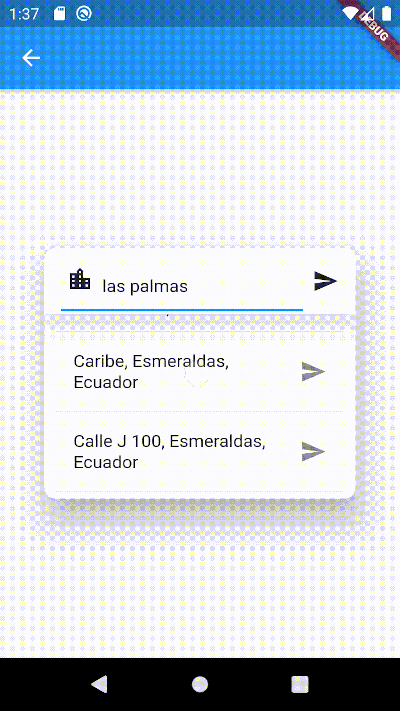
Widget builders to create 'address search widgets' which helps to autocomplete an address using a reference. They can be used to get Directions beetwen two places with optional waypoints. These widgets are made to be showed by onTap in a TextField with the showDialog function. It uses Dio, Google Maps for Flutter, Flutter Riverpod plugins. (This last plugin is to use extended objects that can be usable with GoogleMap Widget).

Getting Started

To use this plugin, add address_search_field as a dependency in your pubspec.yaml file. For example:

dependencies:
  address_search_field: ^5.0.3

Permissions

Android

On Android you'll need to add the internet permission to your Android Manifest file (located under android/app/src/main). To do so add next lines as direct child of the manifest> tag:

<uses-permission android:name="android.permission.INTERNET"/>

Usage

Import the package:

import 'package:address_search_field/address_search_field.dart';

GeoMethods

GeoMethods(
  googleApiKey: String,
  language: String,
  countryCode: String?,
  countryCodes: List<String>?,
  country: String?,
  city: String?,
  mode: DirectionsMode?,
  units: DirectionsUnits?,
);
  • This object makes calls to Google APIs using the parameters set. It can do requests to Google places, geocode and directions APIs Get API key.
  • Language support list here.
  • List of countries here. Example:
final geoMethods = GeoMethods(
  googleApiKey: 'GOOGLE_API_KEY',
  language: 'en',
  countryCode: 'us',
  countryCodes: ['us', 'es', 'co'],
  country: 'United States',
  city: 'New York',
);

// It will search in unite states, espain and colombia. It just can filter up to 5 countries.
geoMethods.autocompletePlace(query: 'place streets or reference');

geoMethods.geoLocatePlace(
    coords: Coords(0.10, 0.10,)
);

geoMethods.getPlaceGeometry(
    reference: 'place streets',
    placeId: 'ajFDN3662fNsa4hhs42FAjeb5n',
);

// It needs a specific region, it will search in unite states.
geoMethods.getDirections(
    origin: Address(coords: Coords(0.10, 0.10)), 
    destination: Address(coords: Coords(0.10, 0.10))
);

AddressSearchBuilder

This widget can search addresses and permits you to work with them using an Address object.

Example:

GeoMethods geoMethods;
TextEditingController controller;
Address destinationAddress;

TextField(
  controller: controller,
  onTap: () => showDialog(
    context,
    builder: (BuildContext context) => AddressSearchDialog(
      geoMethods: geoMethods,
      controller: controller,
      onDone: (Address address) => destinationAddress = address,
    )
  ),
);

AddressSearchDialog.custom provides you a widget builder with the parameters and methods to create your own AddressSearchDialog and work with the addresses information.

Example:

GeoMethods geoMethods;
TextEditingController controller;
Address destinationAddress;

TextField(
  controller: controller,
  onTap: () => showDialog(
    context,
    builder: (BuildContext context) {
      return AddressSearchDialog.custom(
        geoMethods: geoMethods,
        builder: (
          BuildContext context,
          AsyncSnapshot<List<Address>> snapshot,
          Future<void> Function() searchAddress,
          Future<Address> Function(Address address) getGeometry,
          void Function() dismiss,
        ) {
          return MyCustomWidget(
            snapshot: snapshot,
            searchAddress: searchAddress,
            getGeometry: getGeometry,
            dismiss: dismiss,
            controller: controller,
            address: destinationAddress,
          );
        }
      );
    }
  ),
);

AddressLocator

This widget is a simple way to get an address reference in a TextEditingController from coordinates when the AddressSearchDialog is not created into a RouteSearchBox.

Example:

Coords coords;
GeoMethods geoMethods;
TextEditingController controller;
Address initialAddress;

// using coordinates you can get an address reference to be predefined in the widget and save all the address data in a variable.
AddressLocator(
  coords: coords,
  geoMethods: geoMethods,
  controller: controller,
  child: TextField(
    controller: controller,
    onTap: () => showDialog(
      context: context,
      builder: (BuildContext context) => AddressSearchDialog(
        controller: controller,
        geoMethods: geoMethods,
        onDone: (Address address) => initialAddress = address;,
      ),
    ),
  ),
);

RouteSearchBox

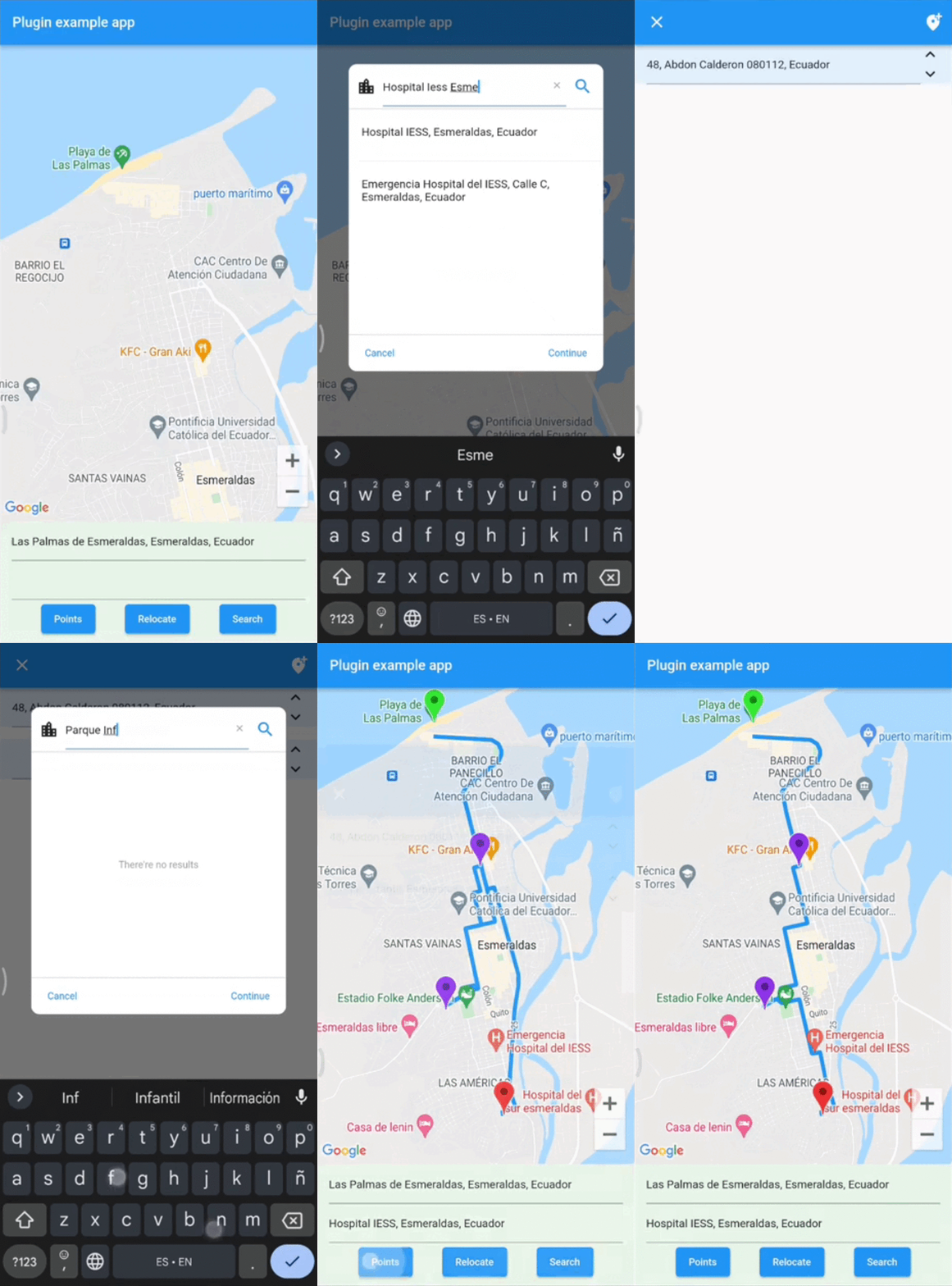
This widget helps you to works using a provider from flutter_riverpod. It permits you to work with AddressSearchDialog to search an origin Address, destination Address and optionally waypoints in a List<Address>. This widget is used to get directions from the addresses gotten by an AddressSearchDialog. provider.findRoute() function permits to set an address as origin or destination from a coordinates parameter. A completed example of how to use this widget could be found here.

Example:

final routeProvider =
    ChangeNotifierProvider<RouteNotifier>((ref) => RouteNotifier());

GeoMethods geoMethods;
TextEditingController originCtrl;
TextEditingController destCtrl;
Coords initialCoords;

RouteSearchBox(
  provider: routeProvider,
  geoMethods: geoMethods,
  originController: originCtrl,
  destinationController: destCtrl,
  locationSetters: [
    LocationSetter(
      coords: initialCoords,
      addressId: AddressId.origin,
    ),
  ],
  child: Column(
    children: [
      TextField(
        controller: originCtrl,
        onTap: () => showDialog(
          context: context,
          builder:(context) => 
              AddressSearchDialog.withProvider(
            provider: routeProvider,
            addressId: AddressId.origin,
          ),
        ),
      ),
      TextField(
        controller: destCtrl,
        onTap: () => showDialog(
          context: context,
          builder:(context) => 
              AddressSearchDialog.withProvider(
            provider: routeProvider,
            addressId: AddressId.destination,
          ),
        ),
      ),
      Consumer(
        builder: (BuildContext context, WidgetRef ref, Widget? _) {
          return ElevatedButton(
            child: const Text('Search'),
            onPressed: () async {
              final route = await ref.read(routeProvider).findRoute();
            },
          );
        },
      ),
    ],
  )
);

License

MIT License

Contact

You can contact me if you have problems or ideas. Hablo español e inglés.

josluna1098@gmail.com

카테고리

의존성

의존성 목록 3 개

소스 저장소

이 패키지를 사용하는 프로젝트

아직 데이터가 없습니다.