패키지, 저장소 및 앱 카테고리 검색

패키지 상세v1.0.4

akvelon_flutter_share_plugin

플랫폼의 공유 대화 상자를 통해 Flutter 앱에서 텍스트, 미디어 및 파일을 공유할 수 있는 Flutter 플러그인입니다.

30일 다운로드
73
좋아요
28
Pub 점수
35

패키지 설치

flutter pub add akvelon_flutter_share_plugin

패키지 개요

공개 정보를 바탕으로 생성한 선택 가이드입니다.

플랫폼의 네이티브 공유 대화 상자를 사용하여 앱에서 텍스트, 미디어 및 파일을 공유할 수 있는 플러터 플러그인입니다. 간단하고 크로스 플랫폼 인터페이스를 제공하여 공유 기능을 플러터 애플리케이션에 원활하게 통합할 수 있습니다. 이 플러그인은 Android와 iOS 모두에서 네이티브 공유 API를 활용하여 장치 간 일관된 동작을 보장합니다. 일반 텍스트, 이미지, 파일의 공유를 지원하며, 사용자 중심의 콘텐츠 배포가 필요한 앱에 적합합니다. 소스 코드는 투명성과 맞춤형 설정을 위해 GitHub에 공개되어 있습니다.

사용 사례

  • 앱 내에서 텍스트 조각 공유하기
  • 소셜 미디어 또는 메시징 앱으로 이미지 보내기
  • PDF 또는 문서와 같은 파일 배포하기
  • 사용자가 연락처와 콘텐츠를 공유할 수 있도록 활성화
  • 크로스 플랫폼 앱에서 네이티브 공유 기능 통합

주요 기능

  • 크로스 플랫폼 공유 지원
  • 텍스트 및 미디어 공유를 위한 간단한 API
  • 파일 공유 지원
  • 네이티브 플랫폼 공유 대화 상자를 사용합니다
  • 오픈소스이며 공개적으로 GitHub에 호스팅되어 있습니다

적합한 대상

  • 크로스 플랫폼 앱을 개발하는 개발자
  • 콘텐츠 공유 기능이 필요한 앱
  • 네이티브 공유와의 통합이 필요한 프로젝트
  • 투명하고 사용자 정의 가능한 코드를 원하는 팀
  • Android 및 iOS를 모두 대상으로 하는 모바일 앱

고려 사항

  • 파일 공유를 위해 플랫폼별 권한이 필요합니다
  • 기본 공유 기능에 제한됨
  • 내장된 UI 컴포넌트는 네이티브 공유 시트 외에는 없습니다
  • 공유 의도의 플랫폼 가용성에 따라 다름
  • 큰 파일에 대해 추가 처리가 필요할 수 있습니다

원본 README

연결된 소스 저장소의 README 원문 스냅샷입니다. 최신 내용은 저장소에서 확인하세요.

Flutter Share Plugin

A Flutter plugin for both iOS and Android that provides ability to share plain text, links and local files. Multiple file share is also supported.

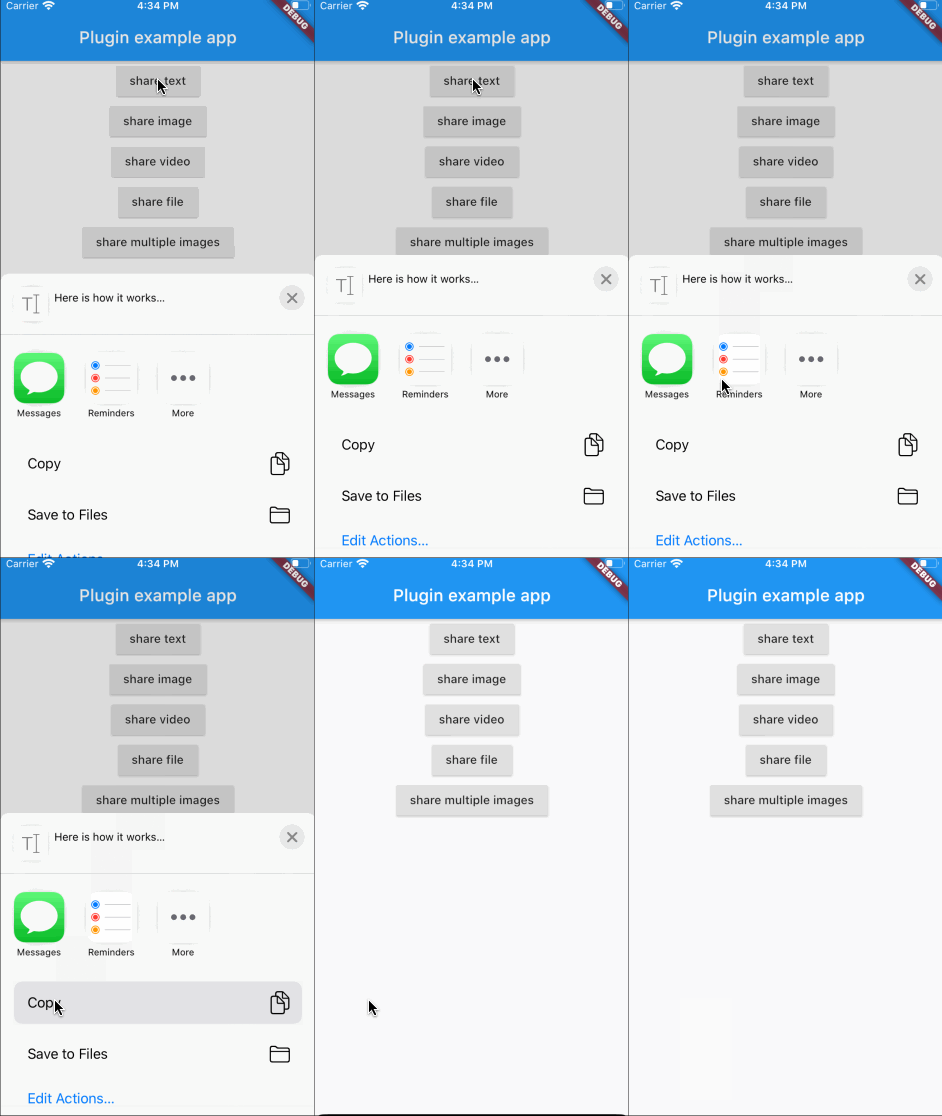
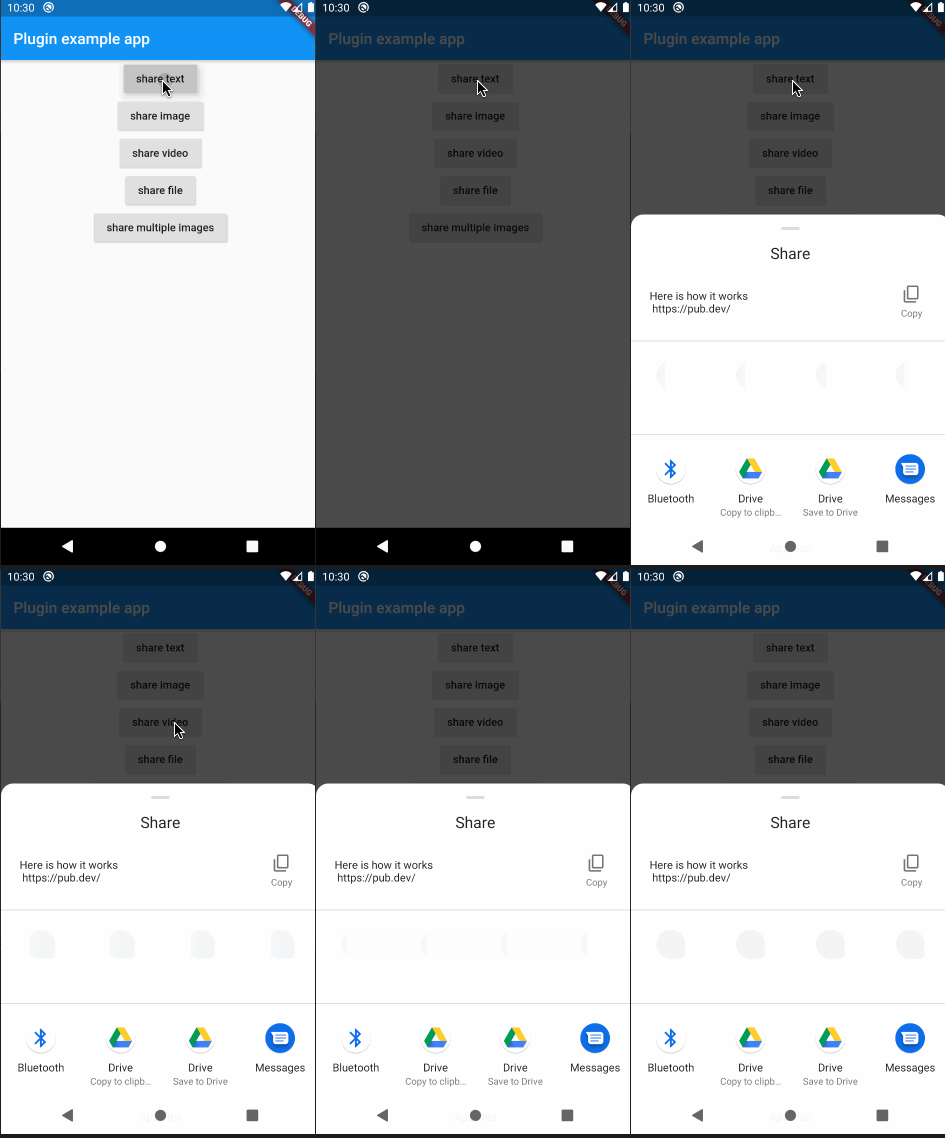
Screenshots

Click to see how it works

Installation

In the beginning, please add flutter_share_plugin as a dependency in your pubspec.yaml file.

iOS

Make sure that this row exists in your ios/podfile file after target runner:

...

target 'Runner' do
    use_frameworks!

...
Android

Please note that if you want to share files, you need to setup a FileProvider which will give access to the files for sharing with other applications.

Add to AndroidManifest.xml:

<application>
...
<provider
    android:name="androidx.core.content.FileProvider"
    android:authorities="${applicationId}.provider"
    android:exported="false"
    android:grantUriPermissions="true">
    <meta-data
        android:name="android.support.FILE_PROVIDER_PATHS"
        android:resource="@xml/file_provider_paths"/>
</provider>
</application>
...

Add res/xml/file_provider_paths.xml:

<?xml version="1.0" encoding="utf-8"?>
<paths xmlns:android="http://schemas.android.com/apk/res/android">
    <cache-path name="cache" path="."/>
    <files-path name="cache" path="."/>
</paths>

For full document about FileProvider please refer to the Android documentation.

Usage

Here is an example of flutter app sharing text, images and files:

...

            RaisedButton(
                onPressed: () {
                  FlutterSharePlugin.shareText("Here is how it works",
                      title: "share text title",
                      subject: "share text subject",
                      url: "https://pub.dev/");
                },
                child: Text("share text"),
              ),
              RaisedButton(
                onPressed: () async {
                  PickedFile f =
                      await picker.getImage(source: ImageSource.gallery);
                  if (f != null) {
                    FlutterSharePlugin.shareSingle(f.path, ShareType.IMAGE,
                        title: "share image title",
                        subject: "share image subject");
                  }
                },
                child: Text("share image"),
              ),
              RaisedButton(
                onPressed: () async {
                  PickedFile f =
                      await picker.getVideo(source: ImageSource.gallery);
                  if (f != null) {
                    FlutterSharePlugin.shareSingle(
                      f.path,
                      ShareType.VIDEO,
                      title: "share video title",
                      subject: "share video subject",
                    );
                  }
                },
                child: Text("share video"),
              ),
              RaisedButton(
                onPressed: () {
                  _shareStorageFile();
                },
                child: Text("share file"),
              ),
              RaisedButton(
                onPressed: () {
                  _shareMultipleImages();
                },
                child: Text("share multiple images"),
              ),
            ],
          ),
        ),
      ),
    ),
  );
}

  ///share the storage file
  _shareStorageFile() async {
    Directory dir = Platform.isAndroid
        ? await getExternalStorageDirectory()
        : await getApplicationDocumentsDirectory();
    File testFile = File("${dir.path}/flutter/test.txt");
    if (!await testFile.exists()) {
      await testFile.create(recursive: true);
      testFile.writeAsStringSync("test for share documents file");
    }
    FlutterSharePlugin.shareSingle(
      testFile.path,
      ShareType.FILE,
      title: "share file title",
      subject: "share file subject",
    );
  }

  ///share multiple images
  _shareMultipleImages() async {
    List<Asset> assetList = await MultiImagePicker.pickImages(maxImages: 5);
    var imageList = List<String>();
    for (var asset in assetList) {
      String path =
          await _writeByteToImageFile(await asset.getByteData(quality: 30));
      imageList.add(path);
    }
    FlutterSharePlugin.shareMultiple(
      imageList,
      ShareType.IMAGE,
      title: "share multiple images title",
      subject: "share multiple images subject",
    );
  }

  Future<String> _writeByteToImageFile(ByteData byteData) async {
    Directory dir = Platform.isAndroid
        ? await getExternalStorageDirectory()
        : await getApplicationDocumentsDirectory();
    File imageFile = new File(
        "${dir.path}/flutter/${DateTime.now().millisecondsSinceEpoch}.png");
    imageFile.createSync(recursive: true);
    imageFile.writeAsBytesSync(byteData.buffer.asUint8List(0));
    return imageFile.path;
  }
}

If you have any troubles, please, create an issue

카테고리

소스 저장소

이 패키지를 사용하는 프로젝트

아직 데이터가 없습니다.