패키지, 저장소 및 앱 카테고리 검색

패키지 상세v1.1.0

audio_visualizer

파일, 자산, HTTP 스트림, 마이크 입력 및 원시 PCM16 데이터에서 오디오를 부드럽게 시각화하기 위한 플러터 패키지입니다.

AndroidiOS
30일 다운로드
561
좋아요
77
Pub 점수
130

패키지 설치

flutter pub add audio_visualizer

패키지 개요

공개 정보를 바탕으로 생성한 선택 가이드입니다.

파일, 자산, HTTP 스트림, 마이크 입력 및 원시 PCM16 데이터 등 다양한 소스에서 실시간 오디오 시각화를 가능하게 하는 플러터 패키지입니다. 플러터의 렌더링 파이프라인과 부드럽게 통합되어 개발자가 동적 오디오 웨이브폼, 스펙트럼 분석기 및 사용자 정의 시각 효과를 만들 수 있도록 합니다. 간편함과 성능을 고려하여 설계되었으며, Android 및 iOS 플랫폼을 지원합니다. 음악 플레이어, 실시간 오디오 앱, 인터랙티브 오디오 경험에 적합합니다.

사용 사례

  • 음악 플레이어 웨이브폼 표시
  • 라이브 마이크 시각화
  • 교육용 앱에서의 오디오 분석
  • 인터랙티브 예술 설치물
  • 실시간 오디오 피드백 시스템

주요 기능

  • 다양한 오디오 입력 유형을 지원합니다
  • 실시간 시각화 렌더링
  • 크로스 플랫폼(안드로이드 및 iOS)
  • 사용자 정의 가능한 시각적 스타일
  • 효율적인 PCM16 데이터 처리

적합한 대상

  • 오디오 앱 개발자
  • 플러터 UI 디자이너
  • 교육 소프트웨어 제작자
  • 인터랙티브 미디어 프로젝트

고려 사항

  • Android 및 iOS에서 오디오 권한이 필요합니다
  • 저사양 기기에서는 성능이 다를 수 있습니다
  • 고급 효과 없이 기본 시각화만 가능

원본 README

연결된 소스 저장소의 README 원문 스냅샷입니다. 최신 내용은 저장소에서 확인하세요.

🎵 Audio Visualizer

A Flutter package for seamlessly visualizing audio from files, assets, HTTP streams, microphone input, and raw PCM16 data.

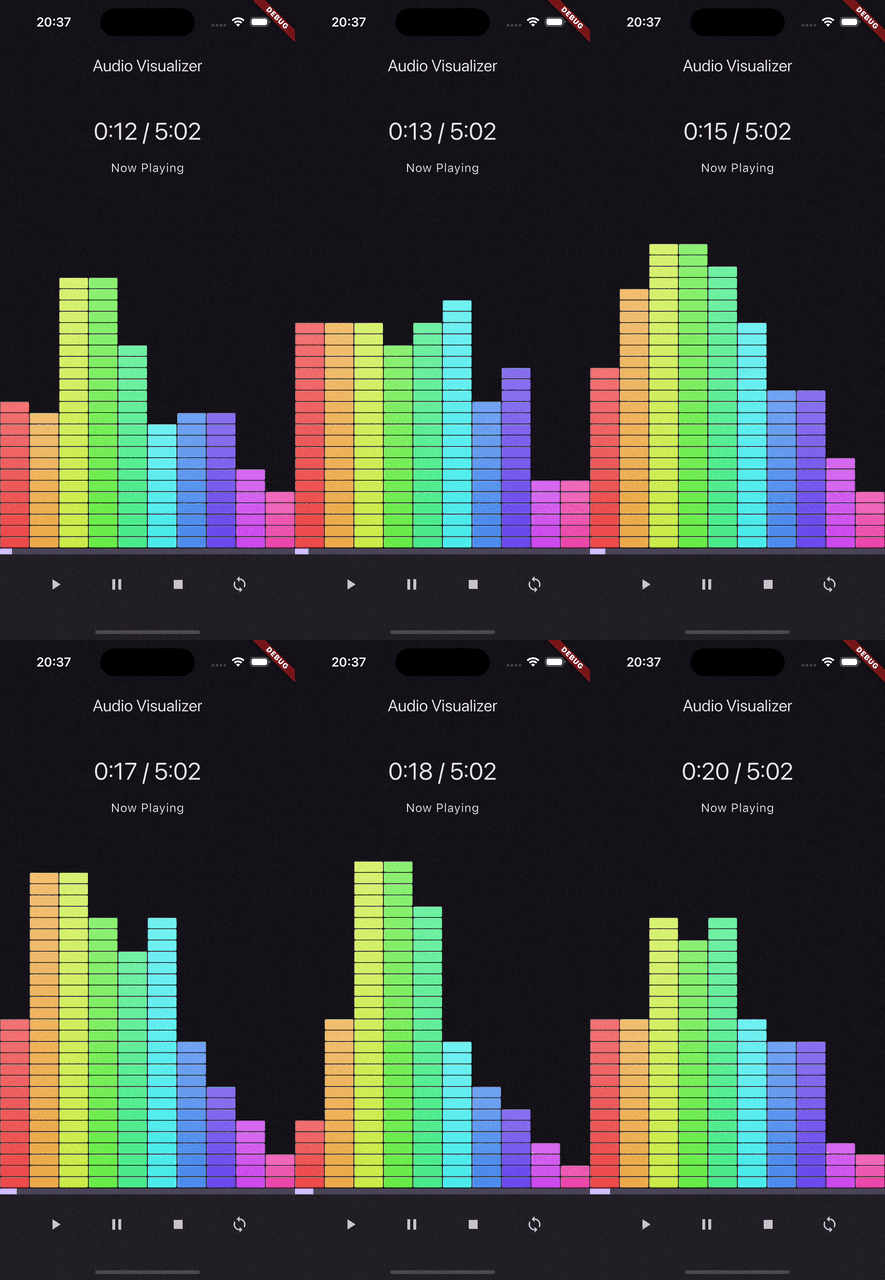
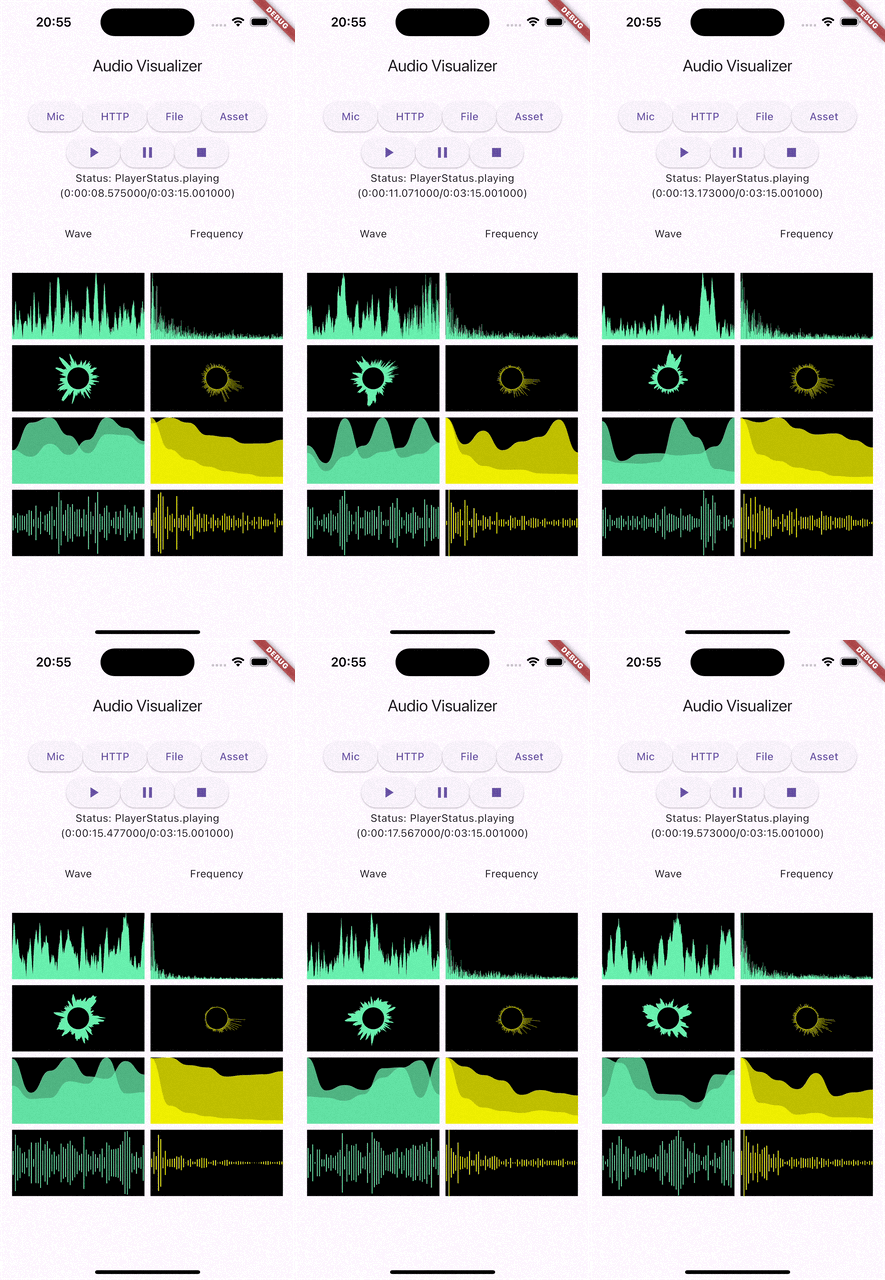
Explore all usage examples in the example directory.

Demo App 1 Demo App 2


✨ Features

Feature Android iOS macOS
Visualize File ✅ ✅ ✅
Visualize Asset ✅ ✅ ✅
Visualize HTTP ✅ ✅ ✅
Visualize Microphone ✅ ✅ ✅
Visualize Raw PCM16 ✅ ✅ ✅

📦 Components Overview

This package provides three major components:

  1. VisualizerPlayer
    For visualizing audio from files, assets, and HTTP streams.

  2. PCMVisualizer
    For visualizing raw PCM16 data from custom sources.


🚀 Visualizer Styles and Bands

Pre-built Visualizer Styles

Elevate your app's aesthetic with four stunning, ready-to-use visualizer widgets:

  • BarVisualizer
  • CircleVisualizer
  • LineVisualizer
  • MultiWaveVisualizer
  • RainbowBlockVisualizer
Band Types

Choose from six band types to suit your visualization needs:

  • fourBand
  • fourBandVisual
  • eightBand
  • tenBand
  • twentySixBand
  • thirtyOneBand

🎧 How to Use

Visualizing an Audio File

Load audio using the appropriate prefix:

  • Assets: asset://path_to_asset
  • Files: file://path_to_file
  • HTTP: http://url or https://url

Example:

// Initialize VisualizerPlayer
final audioPlayer = VisualizerPlayer();
await audioPlayer.initialize();
await audioPlayer.setDataSource("asset://assets/sample.mp3");
await audioPlayer.play();

// Visualize with BarVisualizer
ListenableBuilder(
   listenable: audioPlayer,
   builder: (context, child) {
      return BarVisualizer(
         input: audioPlayer.value.waveform,
         backgroundColor: Colors.black,
         color: Colors.greenAccent,
         gap: 2,
      );
   },
),

// Dispose VisualizerPlayer
audioPlayer.dispose();

Visualizing Microphone Input

This package does not directly handle microphone input. You can use the record package to capture audio and feed it into the visualizer.

Example:

// Initialize PCMVisualizer
final pcmVisualizer = PCMVisualizer();
pcmVisualizer.feed(rawPCM16Data);

// Visualize with BarVisualizer
ListenableBuilder(
   listenable: pcmVisualizer,
   builder: (context, child) {
      return BarVisualizer(
         input: pcmVisualizer.value.waveform,
         backgroundColor: Colors.black,
         color: Colors.greenAccent,
         gap: 2,
      );
   },
),

// Dispose PCMVisualizer
pcmVisualizer.dispose();

⚙️ Permissions

On Android, the following permission is required to visualize audio:

<uses-permission android:name="android.permission.RECORD_AUDIO" />

🙏 Acknowledgements

This project is inspired by and leverages ideas and code from the following:


카테고리

의존성

의존성 목록 1 개

  • plugin_platform_interface^2.0.2

소스 저장소

이 패키지를 사용하는 프로젝트

아직 데이터가 없습니다.