패키지, 저장소 및 앱 카테고리 검색

background_geolocation_firebase 표지
패키지 상세v1.1.0

background_geolocation_firebase

flutter_background_geolocation 플러그인용 Firebase 어댑터입니다. 기록된 위치를 자동으로 Firestore 데이터베이스에 동기화합니다.

AndroidiOS
30일 다운로드
80
좋아요
38
Pub 점수
130

패키지 설치

flutter pub add background_geolocation_firebase

패키지 개요

공개 정보를 바탕으로 생성한 선택 가이드입니다.

flutter_background_geolocation 플러그인용 Firebase 어댑터로 기록된 위치 데이터를 자동으로 Firestore에 동기화합니다. 백그라운드 위치 추적 서비스와 원활하게 작동하도록 설계되어 실시간 추적과 Firebase 데이터베이스에 장치 위치를 지속적으로 저장할 수 있게 해줍니다. 팀 관리, 배송 추적, 활동 로깅과 같이 지속적인 위치 모니터링이 필요한 애플리케이션에 적합합니다. 이 패키지는 데이터 동기화를 효율적으로 처리하여 Android 및 iOS 플랫폼에서 신뢰성을 보장합니다.

사용 사례

  • 실시간 플릿 트래킹
  • 배송 경로 모니터링
  • 활동 및 여정 기록
  • 위치 기반 분석
  • 사용자 활동 추적

주요 기능

  • 자동 Firestore 동기화
  • 크로스 플랫폼 지원 (Android/iOS)
  • flutter_background_geolocation과의 원활한 통합
  • 신뢰할 수 있는 오프라인에서 온라인으로의 데이터 전송
  • 사용자 지정 가능한 업로드 간격

적합한 대상

  • 플리트 및 물류 앱
  • 피트니스 및 아웃도어 추적 앱
  • 현장 서비스 관리
  • 지속적인 위치 기록이 필요한 응용 프로그램

고려 사항

  • Firebase Firestore 설정이 필요합니다
  • 클라우드 스토리지 비용이 발생할 수 있습니다
  • 기본 배경 위치 정보 플러그인에 의존합니다
  • 네트워크 연결이 동기화 시간에 영향을 미칩니다
  • 백그라운드 위치 액세스에 필요한 권한

원본 README

연결된 소스 저장소의 README 원문 스냅샷입니다. 최신 내용은 저장소에서 확인하세요.

background_geolocation_firebase


Firebase Proxy for Flutter Background Geolocation. The plugin will automatically post locations to your own Firestore database, overriding the flutter_background_geolocation plugin's SQLite / HTTP services.


The Android module requires purchasing a license. However, it will work for DEBUG builds. It will not work with RELEASE builds without purchasing a license.


Contents

:large_blue_diamond: Installing the Plugin

:open_file_folder: pubspec.yaml:

dependencies:
  background_geolocation_firebase: '^0.1.0'
Or latest from Git:
dependencies:
  background_geolocation_firebase:
    git:
      url: https://github.com/transistorsoft/flutter_background_geolocation_firebase

:large_blue_diamond: Setup Guides

:large_blue_diamond: Example

import 'dart:async';
import 'package:flutter/material.dart';
import 'package:flutter/services.dart';

import 'package:background_geolocation_firebase/background_geolocation_firebase.dart';
import 'package:flutter_background_geolocation/flutter_background_geolocation.dart' as bg;

void main() {
  runApp(new MyApp());
}

class MyApp extends StatefulWidget {
  @override
  _MyAppState createState() => new _MyAppState();
}

class _MyAppState extends State<MyApp> {

  @override
  void initState() {
    super.initState();
    initPlatformState();
  }

  // Platform messages are asynchronous, so we initialize in an async method.
  Future<void> initPlatformState() async {

    // 1.  First configure the Firebase Adapter.
    BackgroundGeolocationFirebase.configure(BackgroundGeolocationFirebaseConfig(
      locationsCollection: "locations",
      geofencesCollection: "geofences",
      updateSingleDocument: false
    ));

    // 2.  Configure BackgroundGeolocation as usual.
    bg.BackgroundGeolocation.onLocation((bg.Location location) {
      print('[location] $location');
    });

    bg.BackgroundGeolocation.ready(bg.Config(
      debug: true,
      logLevel: bg.Config.LOG_LEVEL_VERBOSE,
      stopOnTerminate: false,
      startOnBoot: true
    )).then((bg.State state) {
      if (!state.enabled) {
        bg.BackgroundGeolocation.start();
      }
    });

    // If the widget was removed from the tree while the asynchronous platform
    // message was in flight, we want to discard the reply rather than calling
    // setState to update our non-existent appearance.
    if (!mounted) return;
  }

  @override
  Widget build(BuildContext context) {
    return new MaterialApp(
      home: new Scaffold(
        appBar: new AppBar(
          title: const Text('BGGeo Firebase Example', style: TextStyle(color: Colors.black)),
          backgroundColor: Colors.amberAccent,
          brightness: Brightness.light,

        ),
        body: Text("BGGeo Firebase")
      ),
    );
  }
}

:large_blue_diamond: Firebase Functions

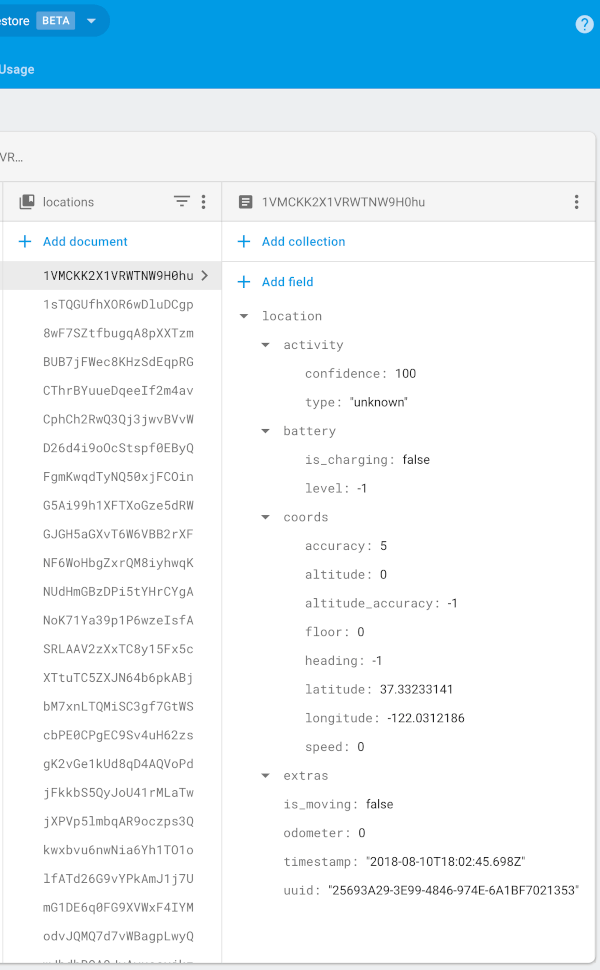
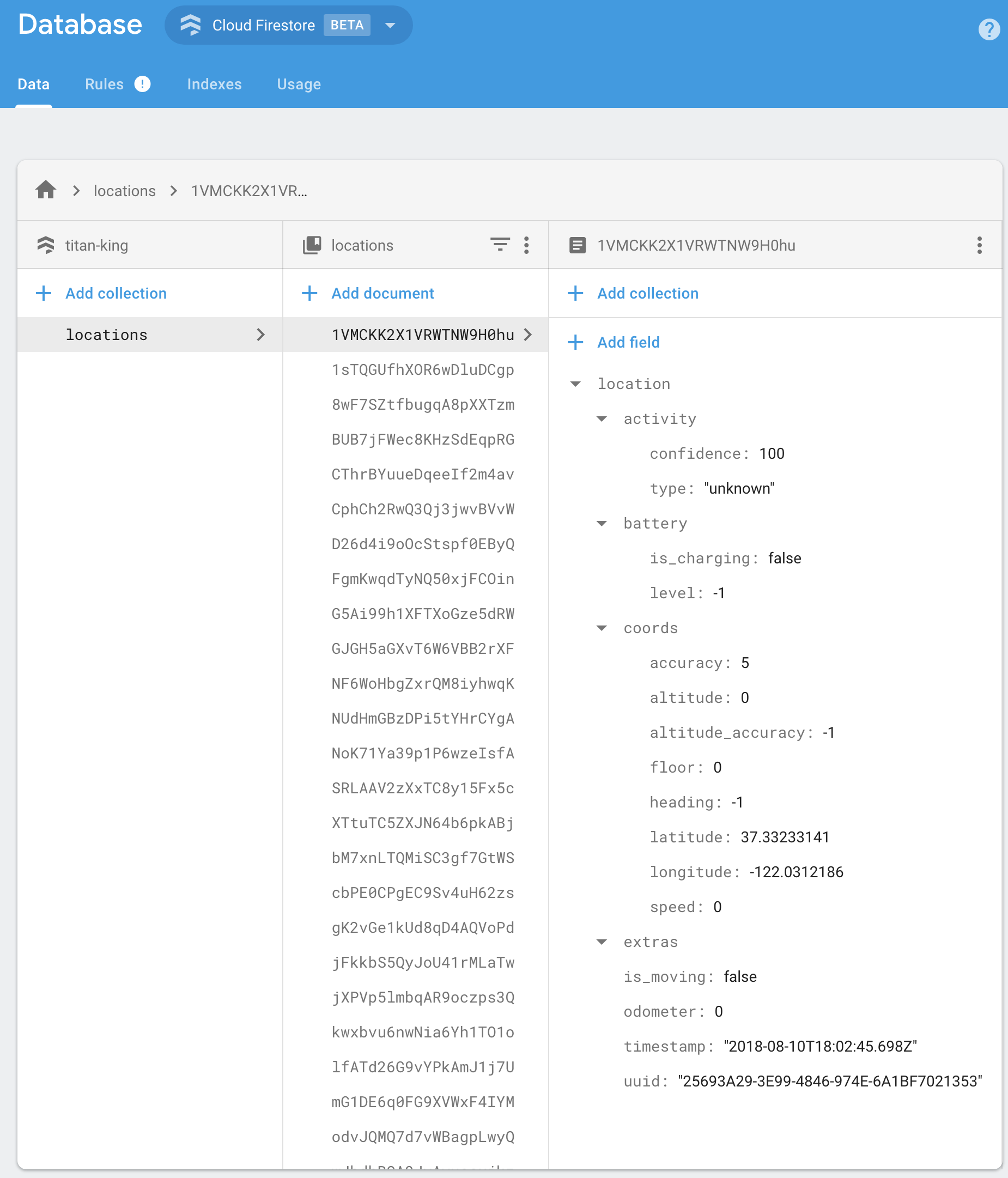
BackgroundGeolocation will post its default "Location Data Schema" to your Firebase app.

{
  "location":{},
  "param1": "param 1",
  "param2": "param 2"
}

You should implement your own Firebase Functions to "massage" the incoming data in your collection as desired. For example:

import * as functions from 'firebase-functions';

exports.createLocation = functions.firestore
  .document('locations/{locationId}')
  .onCreate((snap, context) => {
    const record = snap.data();

    const location = record.location;

    console.log('[data] - ', record);

    return snap.ref.set({
      uuid: location.uuid,
      timestamp: location.timestamp,
      is_moving: location.is_moving,
      latitude: location.coords.latitude,
      longitude: location.coords.longitude,
      speed: location.coords.speed,
      heading: location.coords.heading,
      altitude: location.coords.altitude,
      event: location.event,
      battery_is_charging: location.battery.is_charging,
      battery_level: location.battery.level,
      activity_type: location.activity.type,
      activity_confidence: location.activity.confidence,
      extras: location.extras
    });
});


exports.createGeofence = functions.firestore
  .document('geofences/{geofenceId}')
  .onCreate((snap, context) => {
    const record = snap.data();

    const location = record.location;

    console.log('[data] - ', record);

    return snap.ref.set({
      uuid: location.uuid,
      identifier: location.geofence.identifier,
      action: location.geofence.action,
      timestamp: location.timestamp,
      latitude: location.coords.latitude,
      longitude: location.coords.longitude,
      extras: location.extras,
    });
});

:large_blue_diamond: Configuration Options

@param {String} locationsCollection [locations]

The collection name to post location events to. Eg:

BackgroundGeolocationFirebase.configure(BackgroundGeolocationFirebaseConfig(
  locationsCollection: '/locations'
));

BackgroundGeolocationFirebase.configure(BackgroundGeolocationFirebaseConfig(
  locationsCollection: '/users/123/locations'
));

BackgroundGeolocationFirebase.configure(BackgroundGeolocationFirebaseConfig(
  locationsCollection: '/users/123/routes/456/locations'
));

@param {String} geofencesCollection [geofences]

The collection name to post geofence events to. Eg:

BackgroundGeolocationFirebase.configure(BackgroundGeolocationFirebaseConfig(
  geofencesCollection: '/geofences'
));

BackgroundGeolocationFirebase.configure(BackgroundGeolocationFirebaseConfig(
  locationsCollection: '/users/123/geofences'
));

BackgroundGeolocationFirebase.configure(BackgroundGeolocationFirebaseConfig(
  locationsCollection: '/users/123/routes/456/geofences'
));

@param {Boolean} updateSingleDocument [false]

If you prefer, you can instruct the plugin to update a single document in Firebase rather than creating a new document for each location / geofence. In this case, you would presumably implement a Firebase Function to deal with updates upon this single document and store the location in some other collection as desired. If this is your use-case, you'll also need to ensure you configure your locationsCollection / geofencesCollection accordingly with an even number of "parts", taking the form /collection_name/document_id, eg:

BackgroundGeolocationFirebase.configure(BackgroundGeolocationFirebaseConfig(
  locationsCollection: '/locations/latest'  // <-- 2 "parts":  even
));

// or
BackgroundGeolocationFirebase.configure(BackgroundGeolocationFirebaseConfig(
  locationsCollection: '/users/123/routes/456/the_location'  // <-- 4 "parts":  even
));

// Don't use an odd number of "parts"
BackgroundGeolocationFirebase.configure(BackgroundGeolocationFirebaseConfig(
  locationsCollection: '/users/123/latest_location'  // <-- 3 "parts": odd!!  No!
));

License

The MIT License (MIT)

Copyright (c) 2018 Chris Scott, Transistor Software

Permission is hereby granted, free of charge, to any person obtaining a copy of this software and associated documentation files (the "Software"), to deal in the Software without restriction, including without limitation the rights to use, copy, modify, merge, publish, distribute, sublicense, and/or sell copies of the Software, and to permit persons to whom the Software is furnished to do so, subject to the following conditions:

The above copyright notice and this permission notice shall be included in all copies or substantial portions of the Software.

THE SOFTWARE IS PROVIDED "AS IS", WITHOUT WARRANTY OF ANY KIND, EXPRESS OR IMPLIED, INCLUDING BUT NOT LIMITED TO THE WARRANTIES OF MERCHANTABILITY, FITNESS FOR A PARTICULAR PURPOSE AND NONINFRINGEMENT. IN NO EVENT SHALL THE AUTHORS OR COPYRIGHT HOLDERS BE LIABLE FOR ANY CLAIM, DAMAGES OR OTHER LIABILITY, WHETHER IN AN ACTION OF CONTRACT, TORT OR OTHERWISE, ARISING FROM, OUT OF OR IN CONNECTION WITH THE SOFTWARE OR THE USE OR OTHER DEALINGS IN THE SOFTWARE.

카테고리

소스 저장소

이 패키지를 사용하는 프로젝트

아직 데이터가 없습니다.