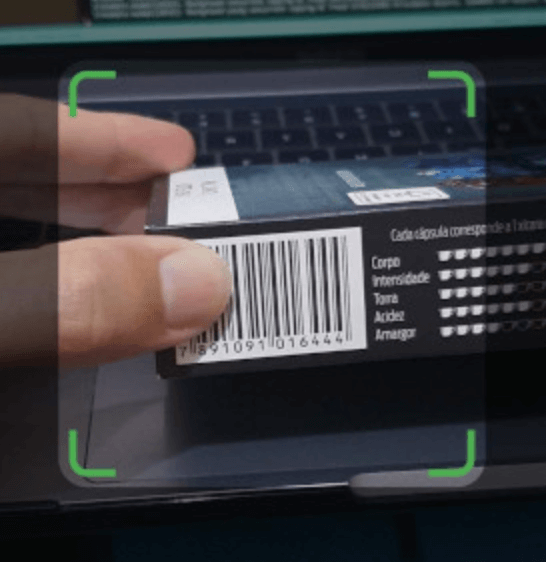
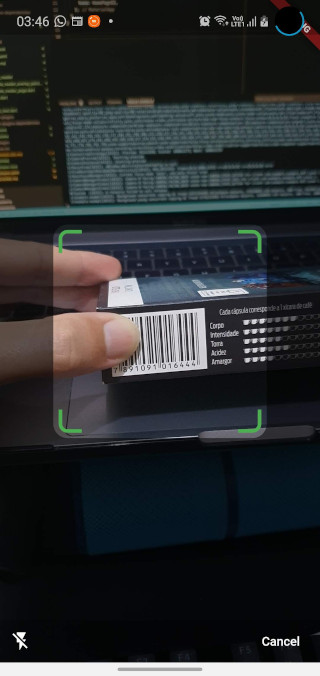
Barras는 Android 및 iOS용 가벼우면서도 사용자 정의 가능한 바코드 스캔 패키지로, Flutter 애플리케이션에 원활하게 통합될 수 있도록 설계되었습니다. iOS에서는 AVCaptureSession을, 안드로이드에서는 ZXing을 활용하여 신뢰할 수 있는 스캔 성능을 제공합니다. 다양한 바코드 형식을 지원하며, 최소한의 구성으로 간편한 설정이 가능합니다. 빠르고 정확한 바코드 또는 QR 코드 읽기 기능이 필요한 앱에 적합하며, 플랫폼 간에 네이티브 경험을 제공합니다.
사용 사례
모바일 재고 관리
소매 제품 스캔
이벤트 티켓 검증
자산 추적
QR 코드를 통한 사용자 인증
주요 기능
크로스 플랫폼 지원 (Android 및 iOS)
네이티브 스캔 엔진(AVCaptureSession, ZXing) 사용
매우 사용자 정의 가능한 UI
여러 바코드 형식을 지원합니다
Flutter와의 간단한 통합
적합한 대상
소매 또는 물류 앱을 개발하는 개발자
빠른 바코드 스캔이 필요한 앱
네이티브 성능이 필요한 프로젝트
경량 솔루션을 찾는 스타트업
모바일 플랫폼 둘 다를 대상으로 하는 Flutter 개발자
고려 사항
모든 플랫폼에서 카메라 권한이 필요합니다
바코드/QR 코드 스캔만 가능
내장된 이미지 처리 기능 없음
사용자 정의 UI를 위해 추가 스타일링이 필요할 수 있습니다
핵심 기능을 위해 외부 네이티브 라이브러리에 의존합니다
원본 README
연결된 소스 저장소의 README 원문 스냅샷입니다. 최신 내용은 저장소에서 확인하세요.
Barras
This document is also available in: English | Português
Barras is a simple and customizable barcode scanning Flutter package for Android and iOS. It uses AVCaptureSession in iOS and ZXing in Android.
Please bear in mind that Barras is experimental, in early development stage.
Getting Started
Requirements
Barras requires camera usage permission, on both iOS and Android. This must be implemented by you,
considering any alternatives that you may be already using for user permission requests.
If you are not handling permissions yet, there are good plugins to do it, like permission_handler.
Besides that, Barras depends on the following:
Flutter 2.10.5 or higher
Android API 26 (Marshmallow) or newer
iOS 9.0 or newer
Import and use in your code
Add Barras dependency to the pubspec.yaml file:
dependencies:barras:^0.2.1
Import it in your code:
import'package:barras/barras.dart';
Simply call the scan method, and we are good to go:
// Open the barcode reading page. Returned data will be null if// Cancel button is pressed, or if user navigates backfinal data = awaitBarras.scan(context);
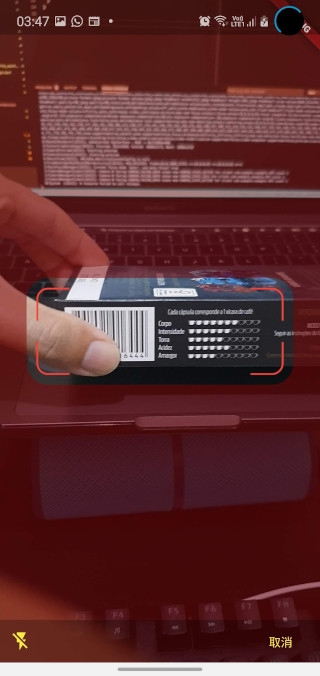
You can also customize the appearance of the barcode capture page:
// Open the barcode reading page. Customize the appearance, changing the// viewfinder color, size and blinking speed. Returned data will be null// if Cancel button is pressed, or if user navigates backfinal data = awaitBarras.scan(
context,
viewfinderHeight: 120,
viewfinderWidth: 300,
scrimColor: Color.fromRGBO(128, 0, 0, 0.5),
borderColor: Colors.red,
borderRadius: 24,
borderStrokeWidth: 2,
buttonColor: Colors.yellow,
borderFlashDuration: 250,
cancelButtonText: "取消",
successBeep: false,
);
You can check a working example app in the example folder.