패키지, 저장소 및 앱 카테고리 검색

circular_clip_route 표지
패키지 상세v0.2.0+3

circular_clip_route

앵커 위젯에서 원형 클리핑을 확장하여 페이지를 표시하는 페이지 라우트입니다.

AndroidiOSWebmacOSWindowsLinux
30일 다운로드
20
좋아요
131
Pub 점수
160

패키지 설치

flutter pub add circular_clip_route

패키지 개요

공개 정보를 바탕으로 생성한 선택 가이드입니다.

CircularClipRoute는 지정된 앵커 위젯에서 확장되는 원형 클립을 통해 새 화면을 보여주는 부드럽고 애니메이션 효과가 있는 페이지 전환을 가능하게 하는 Flutter 패키지입니다. 이는 물결이나 줌 인 애니메이션과 유사한 시각적 효과를 만들어내어 탐색 경험을 향상시킵니다. 미세하고 동적인 전환이 인터페이스의 흐름과 시각적 매력을 개선하는 앱에 이상적입니다. 이 루트는 Android, iOS, 웹, macOS, Windows, Linux 등 모든 주요 플랫폼에서 작동하며 일관된 동작을 보장합니다. Dart로 구현되어 있으며 기존의 Flutter 프로젝트에 쉽게 통합할 수 있습니다.

사용 사례

  • 애니메이션 온보딩 화면
  • 페이지 간 상호작용 탐색
  • 상태 변경 중 시각적 피드백
  • 앱 시작 경험 향상
  • 매력적인 스플래시 화면 만들기

주요 기능

  • 순환 확장 애니메이션
  • 사용자 정의 가능한 앵커 위젯
  • 크로스 플랫폼 호환성
  • 부드러운 전환 효과
  • Navigator와의 간편한 통합

적합한 대상

  • 매력적인 전환 효과를 찾는 앱 개발자
  • 마이크로 인터랙션에 집중하는 디자이너
  • 인터랙티브 UI 요소를 갖춘 프로젝트
  • 모바일 및 웹 애플리케이션
  • 시각적 스토리텔링을 강조하는 앱

고려 사항

  • 저사양 기기에서 성능에 영향을 미칠 수 있습니다
  • 앵커 위젯의 정확한 위치 지정이 필요합니다
  • 간단하고 빠른 이동에 적합하지 않음
  • 기본 매개변수를 초과한 사용자 정의 기능은 제한적입니다
  • 주의를 산만하게 하지 않도록 적절히 사용하세요

원본 README

연결된 소스 저장소의 README 원문 스냅샷입니다. 최신 내용은 저장소에서 확인하세요.

pub.dev package page GitHub Stars

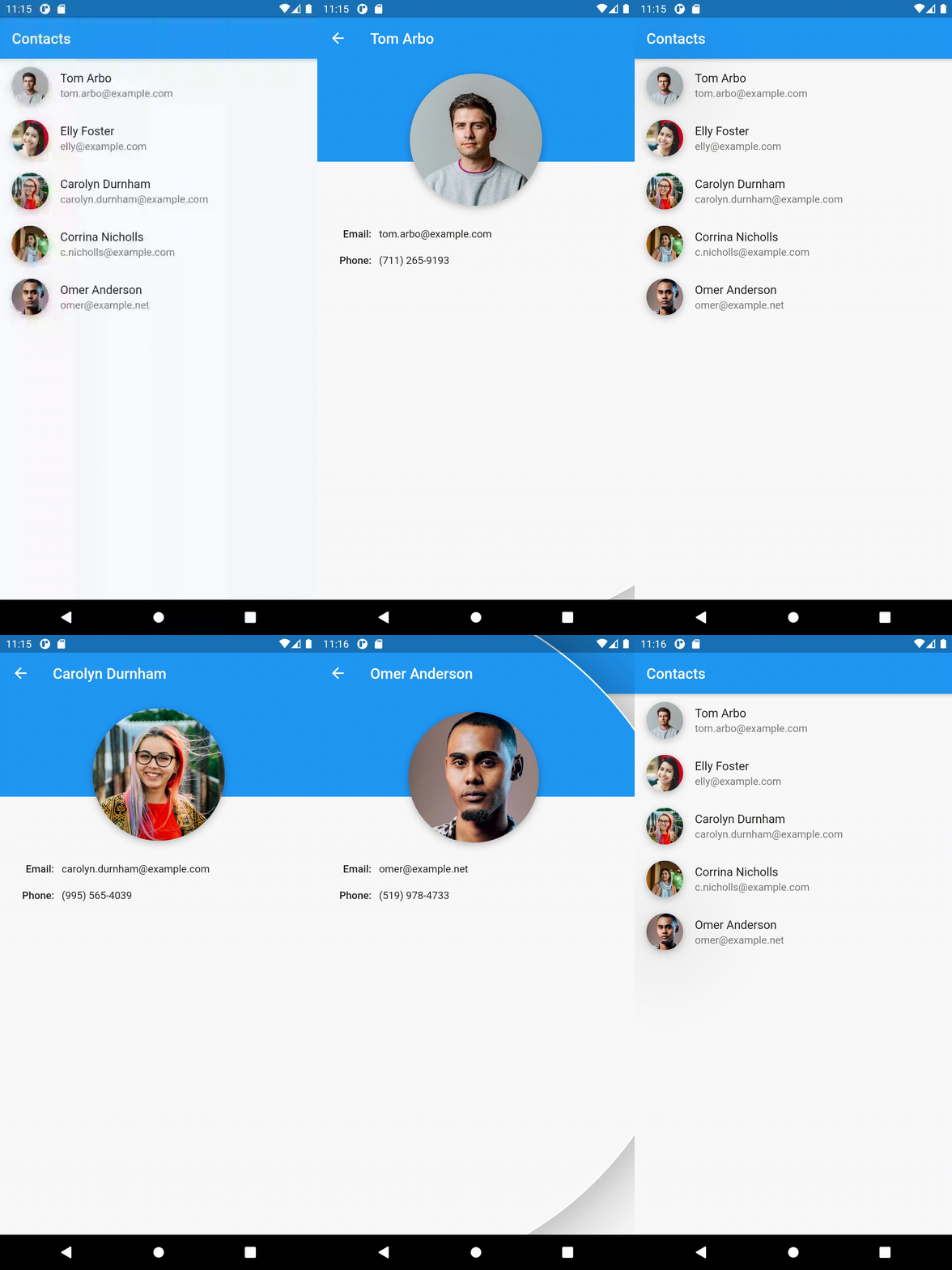
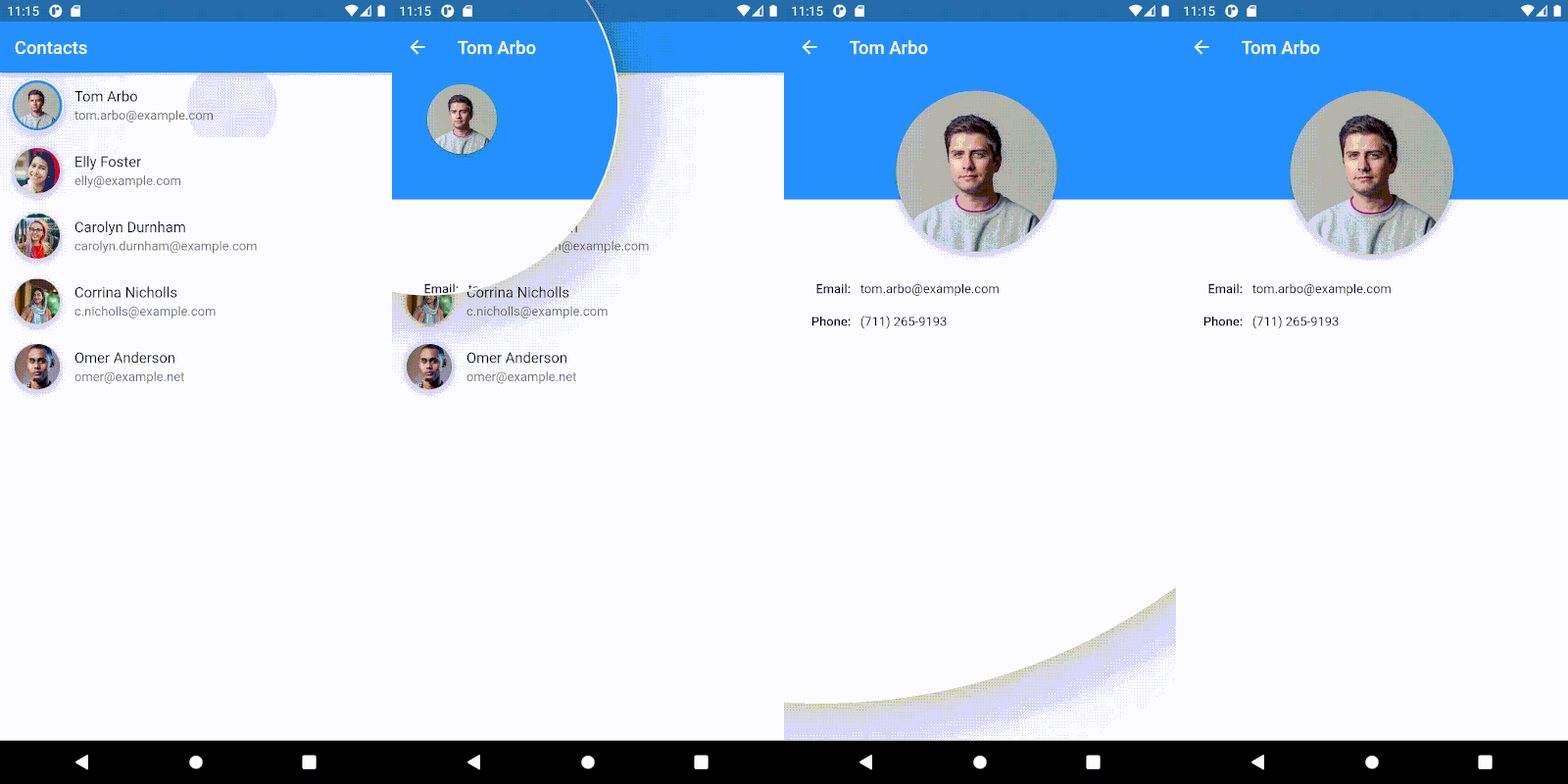
A page route, which reveals its page by expanding a circular clip from an anchor widget.


If you're looking for a database solution, check out cbl, another project of mine. It brings Couchbase Lite to standalone Dart and Flutter, with support for:

  • Full-Text Search,
  • Expressive Queries,
  • Data Sync,
  • Change Notifications

and more.


Getting started

To use the CircularClipRoute, provide it the context from which the animation should expand and push it onto the navigation stack. One way to get the right context is to use a Builder, which wraps the widget from which the route should expand:

final navigationTrigger = Builder(
    builder: (context) {
      return IconButton(
          icon: Icon(Icons.favorite),
          onPressed: () {
            Navigator.push(context, CircularClipRoute<void>(
              // This context will be used to determine the location and size of
              // the expanding clip. Here this will resolve to the `IconButton`.
              expandFrom: context,
              builder: (_) => MyRoute(),
            ));
          }
      );
    }
);

Also, take a look at the API docs for customizing the animation.

Example

The example implements the demo at the top.

References

Inspired by this shot.

This drawing visualizes the geometry involved in creating the route transition:

Illustration of the geometry of the transition

The Anchored Custom Routes article explains how to implement routes, that are anchored to a widget, generally.


Gabriel Terwesten • GitHub @blaugold • Twitter @GTerwesten • Medium @gabriel.terwesten

카테고리

소스 저장소

이 패키지를 사용하는 프로젝트

아직 데이터가 없습니다.