패키지, 저장소 및 앱 카테고리 검색

패키지 상세v3.3.2

configurable_expansion_tile_null_safety

사용자 정의가 가능한 확장 타일. Flutter Material 구현을 수정한 것으로, 사용자 맞춤 설정이 가능

AndroidiOSWebmacOSWindowsLinux
30일 다운로드
4.8천
좋아요
26
Pub 점수
140

패키지 설치

flutter pub add configurable_expansion_tile_null_safety

패키지 개요

공개 정보를 바탕으로 생성한 선택 가이드입니다.

Flutter의 Material 구현에서 파생된 사용자 정의 가능한 ExpansionTile 위젯으로, 더 큰 유연성을 위해 설계되었습니다. null 안전성과 함께 개발자가 헤더, 아이콘, 애니메이션 제어 등 타일의 외관과 동작을 맞춤 설정할 수 있도록 지원합니다. 고유한 스타일이나 상호작용 요소를 가진 접을 수 있는 콘텐츠 섹션을 만들기에 적합합니다. 이 패키지는 모든 주요 플랫폼과 호환되며 표준 ExpansionTile에 추가 구성 옵션을 제공합니다.

사용 사례

  • 사용자 정의 접을 수 있는 UI 컴포넌트
  • 양식 내 동적 콘텐츠 섹션
  • 인터랙티브 FAQ 인터페이스
  • 중첩 가능한 확장 목록
  • 접근 가능한 탐색 패널

주요 기능

  • 완전히 null 안전
  • 확장 가능한 헤더 사용자 정의
  • 사용자 정의 가능한 애니메이션 및 아이콘 동작
  • 모든 플러터 플랫폼을 지원합니다
  • 기존 위젯과의 간편한 통합

적합한 대상

  • 유연한 확장 타일이 필요한 개발자
  • 시각적 제어가 필요한 UI 디자이너
  • 복잡한 전개 콘텐츠를 가진 앱
  • 크로스 플랫폼 애플리케이션
  • 현대적인 Dart 실천을 사용하는 프로젝트

고려 사항

  • Flutter 위젯 트리에 대한 이해가 필요합니다
  • 패키지 크기가 약간 증가할 수 있습니다
  • 마테리얼 디자인 규약에 제한됨
  • 확장용이 아닌 사용 사례에는 적합하지 않습니다
  • 상류의 Material 변경에 의존

원본 README

연결된 소스 저장소의 README 원문 스냅샷입니다. 최신 내용은 저장소에서 확인하세요.

configurable_expansion_tile

A Configurable Expansion Tile edited from the flutter material implementation that allows for customization of the internal components. Includes providing colours, replacement widgets on expansion, and custom animations.

Tile animations still takes place (which are also configurable), and a widget can be set to precede and/or follow the provided header, which will rotate on expand/collapse of the tile.

Configure any or all parameters or leave default behaviour - header works out of the box.

Installation

In the dependencies: section of your pubspec.yaml, add the following line:

configurable_expansion_tile: <latest_version>

Usage

import 'package:configurable_expansion_tile/configurable_expansion_tile.dart';

class MyWidget extends StatelessWidget {
  Widget build(BuildContext context) {
    return ConfigurableExpansionTile(
      headerExpanded: Flexible(child: Center(child: Text("A Header Changed"))),
      header: Container(child: Center(child: Text("A Header"))),
      childrenBody: Row(
        children: <Widget>[Text("CHILD 1")],
      ),
    );
  }
}

Example

View the Flutter app in the example directory.

Screenshot

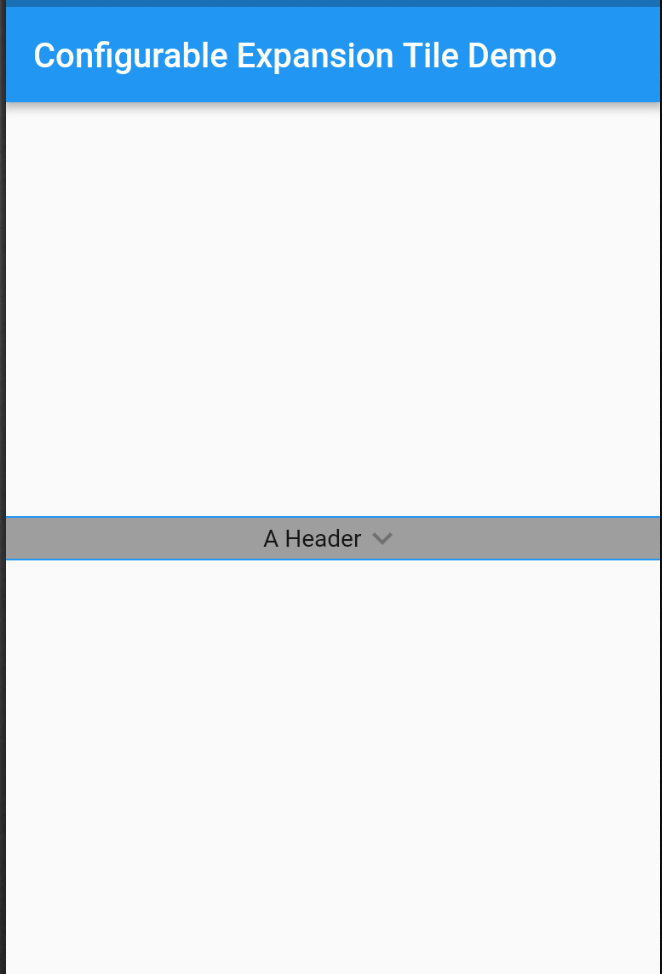
Tile Collapsed

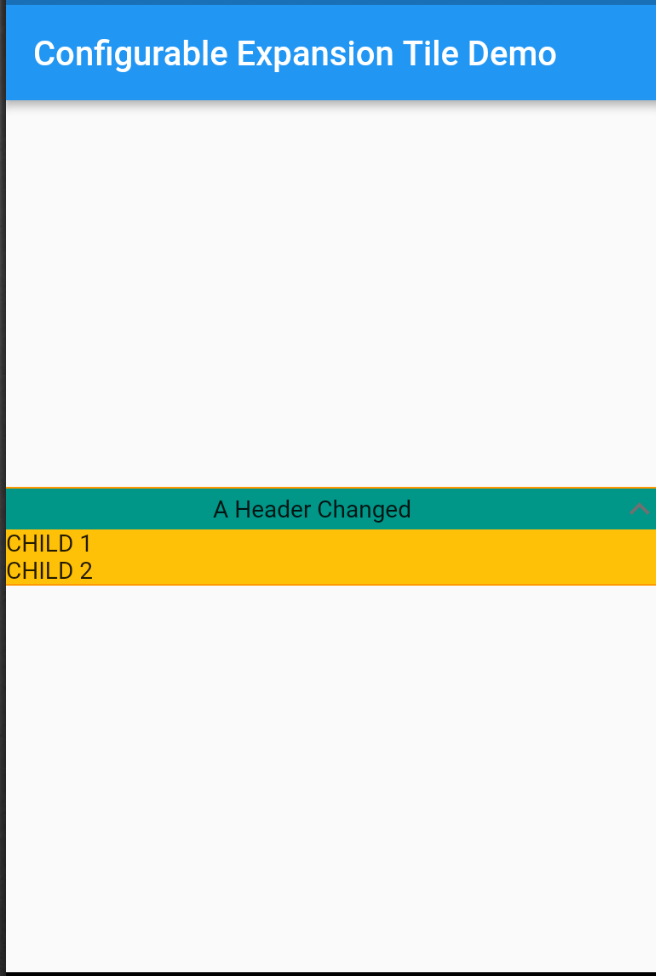
Tile Expanded

Contributors

카테고리

소스 저장소

이 패키지를 사용하는 프로젝트

아직 데이터가 없습니다.