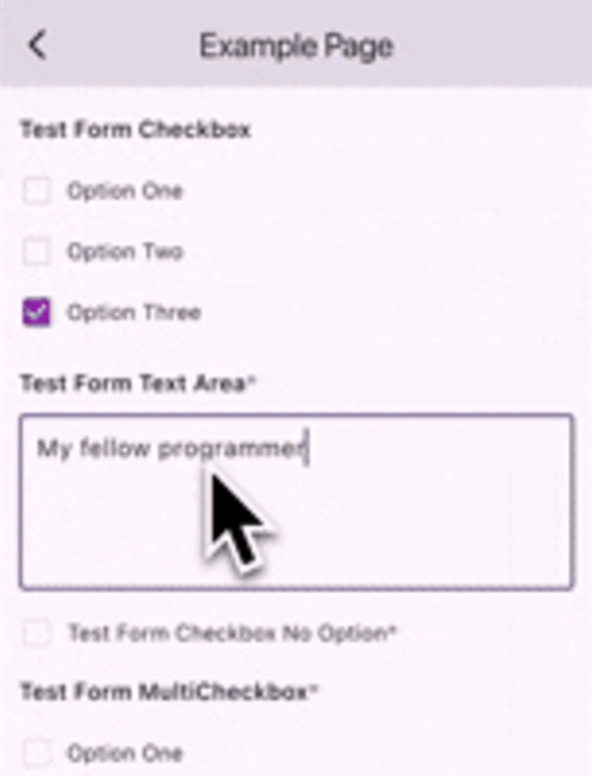
Easy Formz는 폼 생성 및 검증을 간소화하기 위해 설계된 Flutter 패키지입니다. 폼 상태, 검증 규칙, 제출 로직 관리를 위한 직관적인 API를 제공함으로써 빌더 코드를 줄이고 개발자의 생산성을 향상시킵니다. Dart로 작성되어 Android, iOS, 웹, macOS, Windows, Linux 등 다양한 플랫폼의 Flutter 애플리케이션에 원활하게 통합됩니다. 불변 데이터 구조와 반응형 패턴을 활용하여 깔끔하고 유지보수 가능한 코드를 촉진합니다. 최소한의 노력으로 강력하고 확장 가능한 폼을 구축하고자 하는 개발자에게 특히 유용합니다.
사용 사례
최소한의 보일러플레이트로 폼 생성
반응형 폼 상태 관리
크로스 플랫폼 폼 구현
복잡한 검증 로직 처리
간소화된 폼 제출 워크플로
주요 기능
불변 폼 상태
내장 검증 유틸리티
반응형 폼 업데이트
사용자 정의 검증기 지원
Flutter 위젯과의 간편한 통합
적합한 대상
복잡한 폼을 구축하는 개발자
코드 유지보수를 우선시하는 팀
크로스 플랫폼 폼 일관성을 요구하는 프로젝트
엄격한 검증 요구 사항을 가진 애플리케이션
Flutter 초보자가 폼 처리를 배우고 있습니다
고려 사항
반응형 프로그래밍 개념에 대한 이해가 필요합니다
고급 검증 시나리오를 위해 추가 설정이 필요할 수 있습니다
Bloc 또는 Provider와 같은 상태 관리 솔루션을 사용하는 프로젝트에 가장 적합
기본 예제를 넘어서는 문서가 제한적입니다
매우 간단한 단일 사용 폼에는 적합하지 않음
원본 README
연결된 소스 저장소의 README 원문 스냅샷입니다. 최신 내용은 저장소에서 확인하세요.
EasyFormz Package
The purpose of this package is to facilitate the creation of dynamic forms based on data received from the server. The package provides several basic components, including form types such as 'input', 'textarea', 'dropdown', 'checkbox', 'multicheckbox', 'radio', 'date', and 'time'. Additionally, users have the flexibility to create custom forms if none of the predefined form types suit their needs.
Let's say you have a list of form page then you can do like the following example:
final formPages = [
    FormPage(
         id: 'gweorj29',
         label: 'Example Page 1',
         description: 'This form displays all the existing forms available',
         formConfigs: forms1,
     ),
        FormPage(
         id: 'gweorj29',
         label: 'Example Page 2',
         description: 'This form displays all the existing forms available',
         formConfigs: forms2,
     ),
];
To create a custom form component based on the form configuration using the customBuilder, consider the following example:
EasyFormz(
controller: controller,
customBuilder: (config, onValueChanged) {
if (config.type == 'custom_form') {
// Customize and return the specific custom form component based on the condition.returnCustomDropdown(
config: config,
onChanged: (value) => onValueChanged(value),
);
}
},
);
Custom Error Component Builder
Custom error component is available by using the errorBuilder, consider the following example:
To personalize the appearance of the dynamic form, you can modify the theme settings using the theme parameter. Below is an example of customizing the theme for a EasyFormz: