EasyRichText는 수동으로 문자열을 나누지 않아도 되는 텍스트 분할 및 스타일링을 자동으로 처리함으로써 Flutter에서 RichText 사용을 간소화합니다. 간단한 문법을 사용하여 단일 텍스트 문자열 내에서 다양한 스타일, 색상 및 위젯을 직접 적용할 수 있습니다. 링크, 언급 또는 이모티콘과 같은 혼합된 스타일의 형식화된 텍스트를 표시하는 데 이상적입니다. 반복 코드를 줄이고 가독성을 향상시킵니다. 이 패키지는 모바일, 웹, 데스크톱을 포함한 모든 주요 플랫폼을 지원합니다.
사용 사례
혼합 형식을 사용한 스타일 텍스트 표시
임베디드 링크를 포함한 풍부한 텍스트 만들기
텍스트 내 키워드 강조
스타일을 사용하여 사용자 생성 콘텐츠 렌더링
서식이 지정된 텍스트 내에 이모지 추가
주요 기능
자동 텍스트 분할
인라인 스타일링 지원
복잡한 형식 지정을 위한 간단한 문법
크로스 플랫폼 호환성
최소한의 보일러플레이트 코드
적합한 대상
간편한 리치 텍스트 렌더링을 찾는 개발자
동적 또는 사용자 생성 콘텐츠를 포함하는 앱
채팅 또는 메시징 인터페이스
서식이 지정된 텍스트를 갖춘 문서 또는 도움말 시스템
고려 사항
완전한 RichText에 비해 기본 스타일링에 국한됨
매우 큰 텍스트와 함께 성능에 영향을 줄 수 있습니다
중첩 위젯을 주의 깊게 다뤄야 합니다
매우 복잡한 레이아웃에는 적합하지 않습니다
새로운 기능을 위해 외부 라이브러리 업데이트에 의존
원본 README
연결된 소스 저장소의 README 원문 스냅샷입니다. 최신 내용은 저장소에서 확인하세요.
easy_rich_text
The EasyRichText widget makes the RichText widget easy. You do not have to split the string manually.
This widget use regular expression to effectively split the string based on the patterns defined in the list of EasyRichTextPattern.
The EasyRichTextPattern is a class defines the text pattern you want to format.
targetString can be a String or a List<String>.
By default matchWordBoundaries:true is set to match the whole word. If you want to match substring in a word, set matchWordBoundaries:false
GestureRecognizer and url_launcher are integrated.
If you find this package useful, I would appreciate it if you can give me a star on Github and a like on pub.dev
EasyRichText(
  "I want blue font. I want bold font. I want italic font.",
  patternList: [
    EasyRichTextPattern(
      targetString: 'blue',
      style: TextStyle(color: Colors.blue),
    ),
    EasyRichTextPattern(
      targetString: 'bold',
      style: TextStyle(fontWeight: FontWeight.bold),
    ),
    EasyRichTextPattern(
      targetString: 'italic',
      style: TextStyle(fontStyle: FontStyle.italic),
    ),
  ],
),
Trademark Example
EasyRichText(
  "ProductTM is a superscript trademark symbol. This TM is not a trademark.",
  patternList: [
    EasyRichTextPattern(
      targetString: 'TM',
      superScript: true,
      stringBeforeTarget: 'Product',
      matchWordBoundaries: false,
      style: TextStyle(color: Colors.blue),
    ),
  ],
),
Default Style:
EasyRichText(
  "This is a EasyRichText example with default grey font. I want blue font here.",
  defaultStyle: TextStyle(color: Colors.grey),
  patternList: [
    EasyRichTextPattern(
      targetString: 'blue',
      style: TextStyle(color: Colors.blue),
    ),
    EasyRichTextPattern(
      targetString: 'bold',
      style: TextStyle(fontWeight: FontWeight.bold),
    ),
  ],
),
Conditional Match
EasyRichText(
  "I want blue color here. I want no blue font here. I want blue invalid here.",
  patternList: [
    EasyRichTextPattern(
      targetString: 'blue',
      stringBeforeTarget: 'want',
      stringAfterTarget: "color",
      style: TextStyle(color: Colors.blue),
    ),
  ],
),
Match Option
matchOption can be a string or a list. default is 'all'.
string: 'all', 'first', 'last'
List:'first', 'last', and any integer index
For example, [0, 1, 'last'] will match the first, second, and last one.
EasyRichText(
  "blue 1, blue 2, blue 3, blue 4, blue 5",
  patternList: [
    EasyRichTextPattern(
      targetString: 'blue',
      //matchOption: 'all'
      matchOption: [0, 1, 'last'],
      style: TextStyle(color: Colors.blue),
    ),
  ],
),
Superscript and Subscript.
EasyRichText(
  "I want superscript font here. I want subscript here",
  patternList: [
    EasyRichTextPattern(
        targetString: 'superscript', superScript: true),
    EasyRichTextPattern(
        targetString: 'subscript', subScript: true),
  ],
),
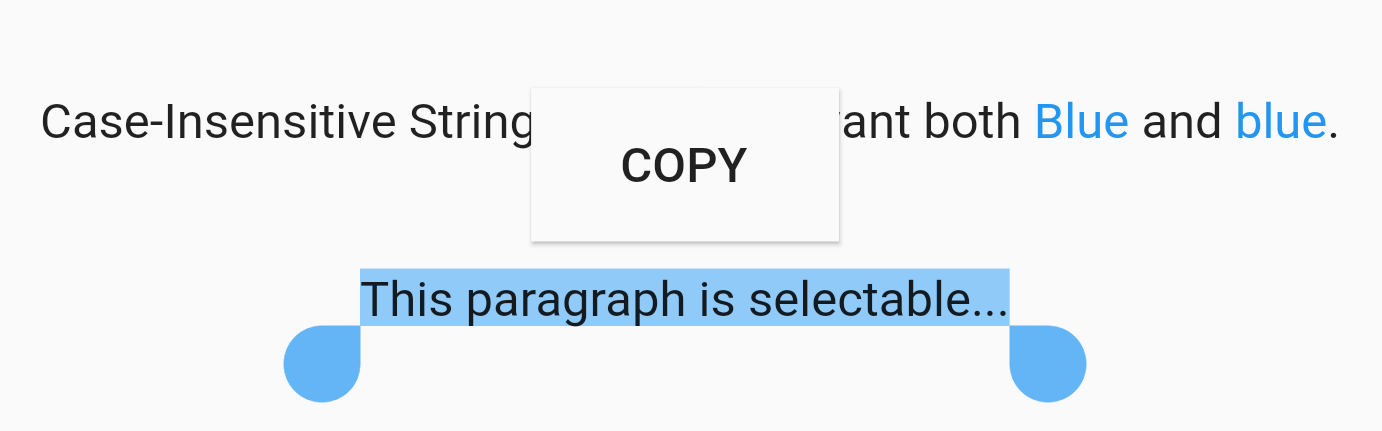
Case Sensitivity
EasyRichText(
  "Case-Insensitive String Matching. I want both Blue and blue. This paragraph is selectable.",
  caseSensitive: false,
  selectable: true,
  patternList: [
    EasyRichTextPattern(
      targetString: 'Blue',
      style: TextStyle(color: Colors.blue),
    ),
  ],
),
Selectable Text
EasyRichText(
  "This paragraph is selectable...",
  selectable: true,
),
Regular Expression
EasyRichText(
  "Regular Expression. I want blue bluea blue1 but not blueA",
  patternList: [
    EasyRichTextPattern(
      targetString: 'bl[a-z0-9]*',
      style: TextStyle(color: Colors.blue),
    ),
  ],
),
Url Launcher
Integrated with url_launcher. Web url, email url, and telephone url are supported.
Set urlType : 'web', 'email', or 'tel'.
EasyRichText provides regular expression formula to match common urls.
EasyRichText(
  "Here is a website https://pub.dev/packages/easy_rich_text. Here is a email address test@example.com. Here is a telephone number +852 12345678.",
  patternList: [
    EasyRichTextPattern(
      targetString: 'https://pub.dev/packages/easy_rich_text',
      urlType: 'web',
      style: TextStyle(
        decoration: TextDecoration.underline,
      ),
    ),
    EasyRichTextPattern(
      targetString: EasyRegexPattern.emailPattern,
      urlType: 'email',
      style: TextStyle(
        decoration: TextDecoration.underline,
      ),
    ),
    EasyRichTextPattern(
      targetString: EasyRegexPattern.webPattern,
      urlType: 'web',
      style: TextStyle(
        decoration: TextDecoration.underline,
      ),
    ),
    EasyRichTextPattern(
      targetString: EasyRegexPattern.telPattern,
      urlType: 'tel',
      style: TextStyle(
        decoration: TextDecoration.underline,
      ),
    ),
  ],
),
GestureRecognizer
///GestureRecognizer, not working when superscript, subscript, or urlType is set.///TapGestureRecognizer, MultiTapGestureRecognizer, etc.EasyRichText(
"Tap recognizer to print this sentence.",
patternList: [
EasyRichTextPattern(
targetString: 'recognizer',
recognizer: TapGestureRecognizer()
..onTap = () {
print("Tap recognizer to print this sentence.");
},
style: TextStyle(
decoration: TextDecoration.underline,
),
),
],
),
//if the targetString contains the following special characters \[]()^*+?EasyRichText(
"Received 88+ messages. Received 99+ messages",
patternList: [
//set hasSpecialCharacters to trueEasyRichTextPattern(
targetString: '99+',
hasSpecialCharacters: true,
style: TextStyle(color: Colors.blue),
),
//or if you are familiar with regular expressions, then use \\ to skip itEasyRichTextPattern(
targetString: '88\\+',
style: TextStyle(color: Colors.blue),
),
],
),