Flutter Focus Watcher는 위젯의 포커스 변경을 모니터링하도록 설계된 Flutter 패키지로, 특히 폼 처리에 유용합니다. 개발자는 위젯이 포커스를 얻거나 잃었을 때를 감지할 수 있으며, 포커스된 필드 강조나 검증 트리거와 같은 반응형 UI 동작을 가능하게 합니다. 이 패키지는 Android, iOS, Web, macOS, Windows, Linux 등 모든 주요 플랫폼을 지원하여 크로스플랫폼 애플리케이션에 이상적입니다. pub add를 통해 최소한의 설정으로 기존 폼 및 입력 워크플로에 자연스럽게 통합할 수 있습니다.
사용 사례
폼에서 포커스 상태 모니터링
포커스 변경 시 검증 트리거
포커스 피드백을 통한 접근성 향상
포커스에 따라 동적 UI 업데이트 구현
사용자 상호작용 패턴 추적
복잡한 입력에서 폼 사용성 향상
주요 기능
실시간 포커스 변경 감지
크로스 플랫폼 호환성
기존 위젯과의 간단한 통합
포커스 획득 및 상실 이벤트를 지원합니다
경량이고 효율적
텍스트 필드 및 사용자 정의 포커스 가능한 위젯과 함께 작동
적합한 대상
폼 중심 애플리케이션
접근성 중심 개발
인터랙티브 UI 컴포넌트
크로스플랫폼 모바일 및 웹 앱
실시간 입력 피드백을 원하는 개발자
고급 폼 상태 관리를 필요로 하는 앱
고려 사항
복잡한 시나리오에서는 포커스 상태를 수동으로 처리해야 합니다
중첩되거나 동적 폼을 처리하기 위해 추가 로직이 필요할 수 있습니다
폼 사용 사례가 아닌 경우를 위한 것이 아님
포커스 관련 이벤트에만 제한
다른 폼 검증 패키지와 함께 사용하는 것이 가장 좋습니다
성능에 미치는 영향은 무시할 수 있지만 대규모 폼에서는 테스트해야 합니다
원본 README
연결된 소스 저장소의 README 원문 스냅샷입니다. 최신 내용은 저장소에서 확인하세요.
Flutter Focus Watcher
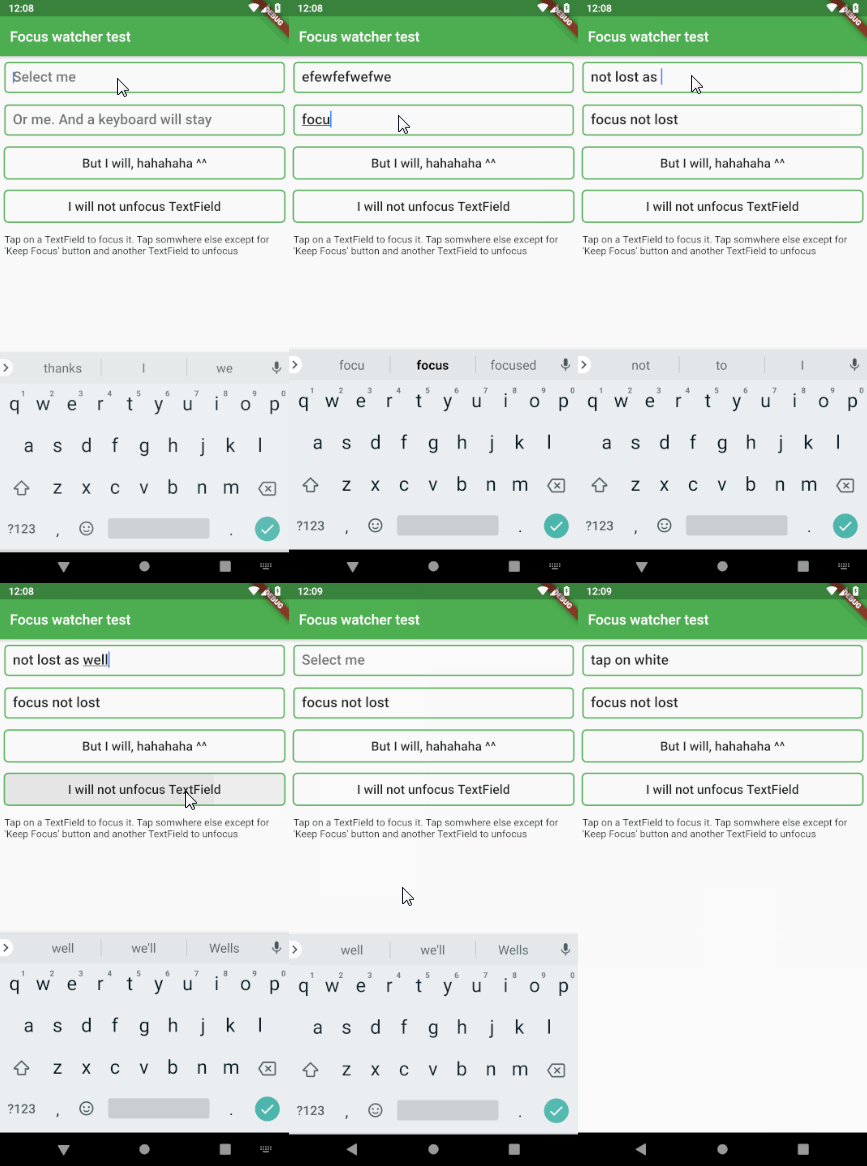
This widget is used to remove TextField focus if a tap occured somewhere else
In order for this to work properly, it must be placed inside MaterialApp or
WidgetsApp. This is necessary because this widget requires MediaQuery,
which is supplied by those two.
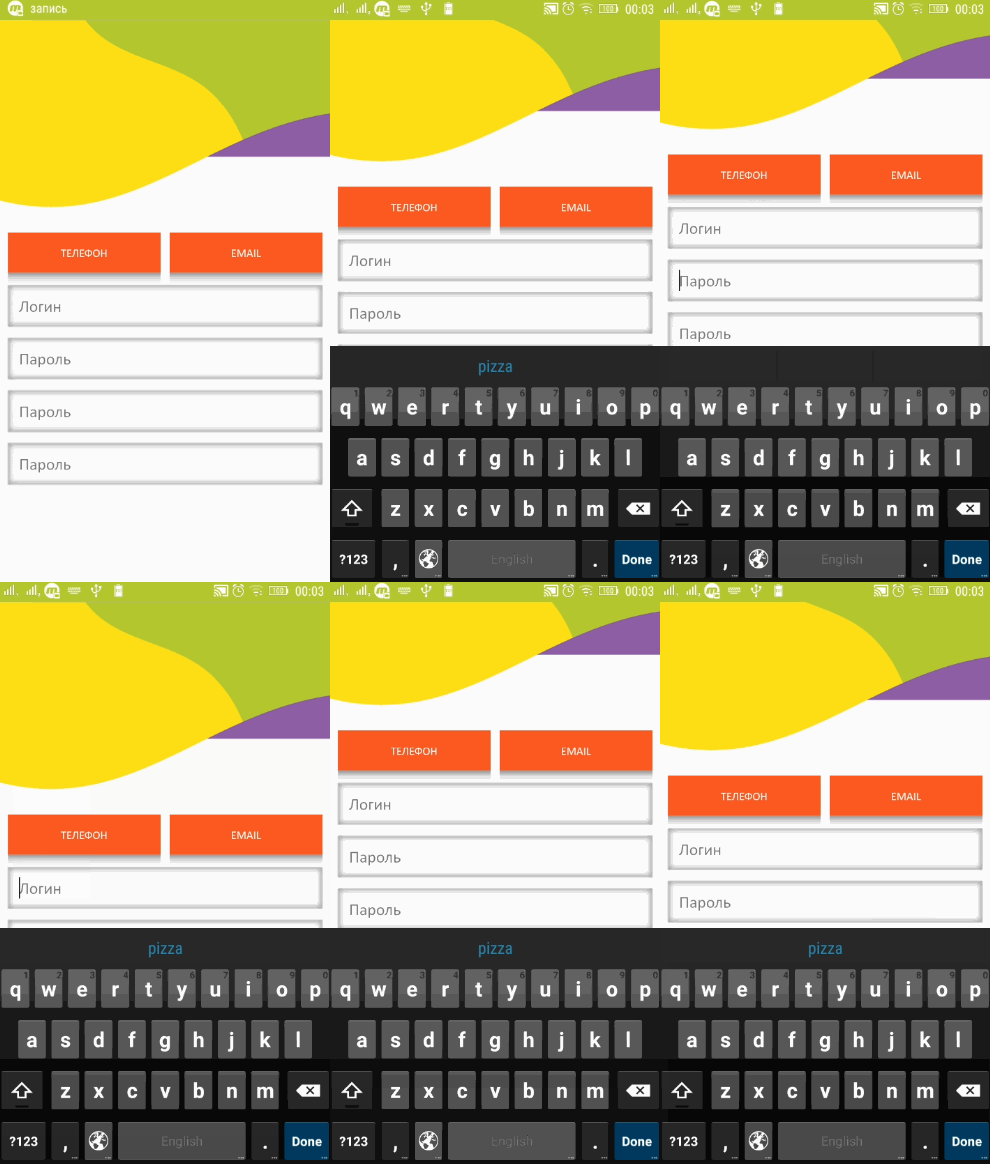
The widget also keeps track of a keyboard space and moves the whole
application up if a focused TextField gets obscured by the keyboard
The only additional thing you need to do for it is
to set your Scaffold's resizeToAvoidBottomInset to false
(in case you use scaffold) and that's it.
If you want to change the height of application lift, simply set your
preferred value to the FocusWatcher's liftOffset variable.
The default value is 15.0. This means the number of points above the
keyboard's upper bound
Example
It's very easy to use. You may add it as a library or simply copy
flutter_focus_watcher.dart into your project. It doesn't have any external dependencies
Then simply do this. Notice that FocusWatcher is inside MaterialApp. That's because it inherits
MediaQuery from that
IMPORTANT! You must wrap with the FocusWatcher every scaffold where you want this functionality
import'package:flutter/material.dart';
import'package:flutter_focus_watcher/flutter_focus_watcher.dart';
voidmain() => runApp(MyApp());
classMyAppextendsStatelessWidget{
// This widget is the root of your application.@overrideWidgetbuild(BuildContext context) {
returnMaterialApp(
title: 'Demo app',
theme: ThemeData(
primarySwatch: Colors.blue,
),
home: MyHomePage(title: 'Flutter Demo Home Page')
);
}
}
@overrideWidgetbuild(BuildContext context) {
returnFocusWatcher(
child: Scaffold(
// don't forget about this
resizeToAvoidBottomInset: false,
...
)
);
}
And it will do the rest.
And here is how it handles the keyboard
In case you want to exclude some widget from this workflow, simply wrap that widget with
@overrideWidgetbuild(BuildContext context) {
returnIgnoreFocusWatcher(
child: TextField("I will be ignored by FocusWatcher")
);
}
And this widget will be ignored by FocusWatcher
There may also be some cases when a TextField (like material text field)
does not apply a RenderEditable or RenderParagraph thus making this plugin useless.
You can simply fix it by wrapping the TextField in a ForceFocusWatcher() widget. That's it