flutter_physics는 사용자 정의 스프링 및 중력 시뮬레이션을 지원하는 물리 기반 애니메이션을 가능하게 하는 Flutter 패키지입니다. 질량, 강성, 감쇠와 같은 물리 원리를 활용하여 현실적인 움직임 효과를 만들 수 있습니다. 이 패키지는 시뮬레이션 엔진으로도, 애니메이션 곡선의 소스로도 사용할 수 있으며, UI 요소에 부드럽고 자연스러운 전환을 제공합니다. 드래그 가능한 위젯, 튀는 효과 또는 동적 레이아웃과 같은 인터랙티브 컴포넌트에 적합하며, Android, iOS, Web, macOS, Windows, Linux 등 모든 주요 플랫폼을 지원합니다.
사용 사례
인터랙티브 드래그 앤 드롭 인터페이스
반동 또는 탄성 사용자 인터페이스 요소
다이나믹 레이아웃 전환
앱에서 현실 세계의 물리학 시뮬레이션
유동적인 스크롤 효과 만들기
주요 기능
사용자 정의 가능한 스프링 역학
중력 기반 운동 시뮬레이션
애니메이션 곡선 지원
크로스 플랫폼 호환성
실시간 물리 업데이트
사용자 정의 가능한 질량, 강성 및 감쇠
적합한 대상
인터랙티브 UI를 구축하는 개발자
자연스러운 움직임 효과가 필요한 앱
물리적 사실성 필요 애니메이션
크로스플랫폼 모바일 및 웹 앱
유연성에 중점을 둔 디자인 시스템
고려 사항
물리적 파라미터에 대한 이해가 필요합니다
복잡한 시뮬레이션에서는 성능에 영향을 미칠 수 있습니다
간단한 선형 애니메이션에 적합하지 않음
원하는 동작을 얻기 위해 신중한 조정이 필요합니다
기본 예제 외에 문서가 제한적
원본 README
연결된 소스 저장소의 README 원문 스냅샷입니다. 최신 내용은 저장소에서 확인하세요.
Flutter Physics
Physics-based animation primitives for Flutter, with drop-in replacements for Flutter's animation controllers and implicitly animated widgets. Unify curves and physics in one powerful system!
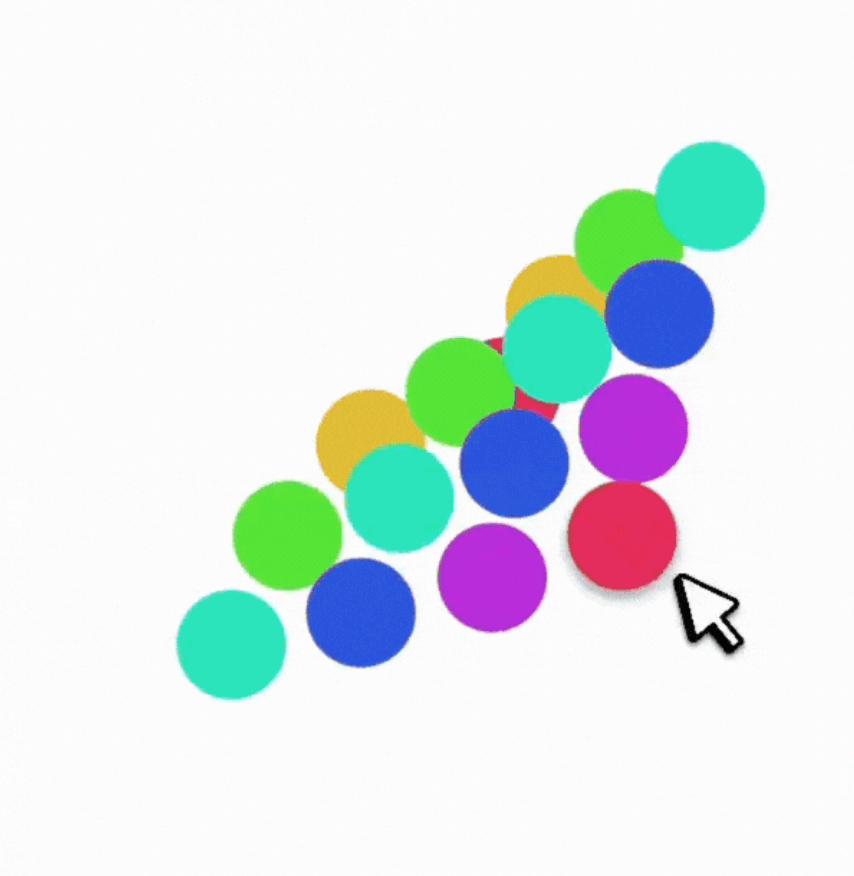
A springy grid of cells that:
Can be dragged around with Spring physics
Smoothly reacts to being "grabbed" mid-flight
Observe how the physics-based AContainer's velocity is preserved when the container is resized mid-flight, while the standard AnimatedContainer results in a sudden jump in velocity.
flutter_physics extends Flutter’s animation system with physics-based motion. It seamlessly merges curves (e.g. Curves.easeInOut) and dynamic simulations (e.g. Spring, Gravity) under a single type called Physics.(*) This means you can freely swap a spring simulation for a standard curve, without changing your widget structure or controller logic.
You’ll find:
🎮 PhysicsController: A drop-in replacement for AnimationController that supports both curves and physics.
🎨 ImplicitlyPhysicsAnimatedWidget and friends: Physics-based versions of Flutter's implicitly animated widgets (AContainer, APadding, ASize, ASwitcher, etc.).
🏗️ PhysicsBuilder and PhysicsBuilder2D: Builder widgets for single or 2D animations with physics.
🚀 Better velocity management: Physics simulations can preserve velocity on target changes, enabling fluid gesture-based UIs.
⚡ Unified animations: Use standard duration for curve-based motion or let the physics simulation drive the timing automatically.
(*) Note: Physics is just an alias for Curve — but the PhysicsSimulation class implements both Curve and Simulation.
In traditional Flutter animations, you typically define a Curve (e.g., Curves.easeOut) and rely on a 0→1 tween. Physics animations replace or supplement that approach by calculating the object’s position over time based on forces like springs, gravity, or friction.
But in this library, Physics can be either a Curve or a PhysicsSimulation. Yes, that means you can do:
physics: Curves.easeInOut
or:
physics: Spring.elegant
…with no other code changes!
PhysicsSimulation = Simulation + Curve
Every built-in physics (e.g. Spring, Gravity) implements both:
This lets them plug into Flutter’s animation system as if they were just curves, while still offering dynamic velocity and “natural” motion.
Example code snippet that looks identical for both scenarios:
// PhysicsController
controller.animateTo(
  100.0,
  physics: Spring.elegant, // or Curves.easeInOut
);
Implementing Your Own Physics
To roll your own simulation, extend PhysicsSimulation:
classMyWackyPhysicsextendsPhysicsSimulation{
MyWackyPhysics() : super(start: 0, end: 100, initialVelocity: 10);
@overridedoubleget duration {
/* Solve for duration in seconds */
}
@overridedoublex(double time) => /* compute position at time (in seconds) */;
@overridedoubledx(double time) => /* compute velocity at time (in seconds) */;
@overrideboolisDone(double time) => /* return true if we've settled */;
@overridePhysicsSimulationcopyWith({/* updated fields */}) {
// Return new instance with updated fields
}
@overridedoublesolveInitialVelocity(double start, double end, double durationInSeconds) {
// Recast the start-end in time
}
}
You can now use your custom physics in PhysicsController or implicitly in AValue, AContainer, etc., just like a curve.
Controllers
PhysicsController (1D)
Drop-in replacement for AnimationController, but supports physics-based animations:
final _controller = PhysicsController(
vsync: this,
defaultPhysics: Spring.withDamping(
mass: 1.0,
dampingFraction: 0.8,
),
);
void_moveToEnd() {
// No duration needed if using a physics simulation:
_controller.animateTo(
1.0,
velocityDelta: 500.0, // add some velocity from a gesture
);
}
If you need N-dimensional motion (like 3D transforms, or more), use PhysicsControllerMulti. It handles arrays of doubles. It’s conceptually the same but scales to an arbitrary number of dimensions.
Implicitly Physics Animated Widgets
We provide physics-based alternatives to all of Flutter’s ImplicitlyAnimatedWidgets, collectively under ImplicitlyPhysicsAnimatedWidget. They animate changes in layout properties using either a curve or a physics simulation, without requiring you to manage a controller yourself.
Examples include:
AContainer (vs AnimatedContainer)
APadding (vs AnimatedPadding)
AAlign (vs AnimatedAlign)
AScale, ARotation, AOpacity, APositioned, etc.
Physics-Animated Properties vs Tween-Animated Properties
In standard implicitly animated widgets, you specify a duration and a curve. Whenever a property changes, the widget re-runs the animation from 0 to 1 via a "Tween" animation.
This approach has some limitations:
Fixed Duration: The animation always takes exactly the specified duration, even if interrupted mid-way. This results in discontinuities when a value is changed successively.
No Velocity Preservation: Each change restarts from 0, losing any momentum from previous animations. This makes interactive animations feel less fluid.
0→1 Constraint: Tweens must map everything to a 0→1 range, which can be unintuitive for properties like position or scale that have natural units. For example, a Tween<double> from 1 to 3 and another from 3 to 100 are treated as having the same length by the animation system.
Curve Limitations: Standard curves can't react dynamically to changes or preserve physical properties like momentum and elasticity.
With a physics-based approach, you achieve dynamic, continuous motion, velocity preservation, and physics-driven timing.
With ImplicitlyPhysicsAnimatedWidget, you can specify either:
AValue<T> automatically animates between values of any type T, be it double, Color, Offset, or your own custom object (by providing normalize and denormalize):
How do I ensure a fixed duration with a physics-based widget?
Provide a duration if you’re using a curve. If you explicitly want a spring to finish in X seconds, you can set up a custom spring or use the copyWith(duration: ...) approach.
Velocity handling
By default, if you set a new target mid-animation, physics-based animations keep going with their prior velocity. If that’s not desired, you can pass velocityOverride: 0.0 in animateTo() calls.
Performance
For most use cases, it’s about the same as the standard animation system (the library piggybacks on the same Ticker logic). As is the case with any animation system, over-animating a huge number of items could degrade performance, so measure carefully.
Thanks for Checking Out flutter_physics!
We hope flutter_physics helps you build delightful, natural-feeling UIs with minimal boilerplate. Physics or curves? You don’t have to choose—this library merges them in one easy place.
Happy animating!
Enjoy building physically reactive Flutter apps!
Send me PRs, issues, and more demos if you come up with interesting new physics or widget patterns!


 Observe how the physics-based