패키지, 저장소 및 앱 카테고리 검색

ftoast 표지
패키지 상세v2.1.0

ftoast

개발자가 유연하고 간결하며 아름다운 토스트를 만들 수 있도록 도와줍니다.

AndroidiOSWebmacOSWindowsLinux
30일 다운로드
582
좋아요
20
Pub 점수
130

패키지 설치

flutter pub add ftoast

패키지 개요

공개 정보를 바탕으로 생성한 선택 가이드입니다.

ftoast는 개발자가 유연하고 간결하며 시각적으로 매력적인 토스트 알림을 만들 수 있도록 도와주는 Flutter 패키지입니다. Android, iOS, Web, macOS, Windows, Linux 등 다양한 플랫폼에서 일시적인 메시지를 표시하기 위한 간단한 API를 제공합니다. 사용자 정의 가능한 애니메이션, 위치 및 스타일링 옵션을 통해 인터페이스를 방해하지 않으면서 적절한 피드백을 제공하여 사용자 경험을 향상시킵니다. 이 패키지는 가볍고 기존의 Flutter 프로젝트에 쉽게 통합할 수 있습니다.

사용 사례

  • 간단한 사용자 피드백 표시
  • 성공 또는 오류 메시지 표시
  • 미세한 알림을 통한 사용자 경험 향상
  • 빠른 상태 업데이트 제공
  • 토스트 외관 맞춤 설정
  • 다중 플랫폼 앱 지원

주요 기능

  • 크로스 플랫폼 호환성
  • 사용자 정의 애니메이션
  • 유연한 위치 지정
  • 스타일 옵션
  • 간단한 API
  • 경량 설계

적합한 대상

  • 깔끔한 토스트 UI를 원하는 플러터 개발자
  • 일관된 알림 스타일이 필요한 프로젝트
  • 다중 플랫폼을 대상으로 하는 앱
  • 최소한의 설정을 원하는 개발자
  • 사용자 경험의 일관성을 우선시하는 팀
  • 빠른 프로토타이핑 피드백 메커니즘

고려 사항

  • 고급 스타일링을 위해 수동 구성이 필요합니다
  • 제한된 내장 테마
  • 네이티브 다크 모드 통합 없음
  • 복잡한 레이아웃을 위해 추가 종속성이 필요할 수 있습니다
  • 지속적인 알림에 적합하지 않음
  • 임시 메시지에만 적합

원본 README

연결된 소스 저장소의 README 원문 스냅샷입니다. 최신 내용은 저장소에서 확인하세요.

ftoast

Simple, beautiful Toast

Help developers create flexible, concise and beautiful Toast

Author:Newton(coorchice.cb@alibaba-inc.com)

English | 简体中文

Like it? Please cast your Star 🥰 !

✨ Features

  • Provide a convenient way to create Toast

  • Support primary information, secondary information, and customize their style

  • Support flexible icon view

  • Support to configure corner size and background color

  • Support queue display

  • Support custom Toast style

🛠 Guide

In FToast, developers can easily create a Toast with simple code.

FToast.toast(context, msg: "FToast");

⚙️ Parameters

Param Type Necessary Default desc
context BuildContext true null page environment
toast Widget false null custom toast view, will override the default view
msg String false null main title
msgStyle TextStyle false null main title text style
subMsg String false null Subtitle
subMsgStyle TextStyle false null Subtitle text style
subMsgSpace double false 12.0 Subtitle and main title spacing
corner double false 6.0 Corner
color Color false Colors.black54 Color
duration double false 1800 Impression duration
padding EdgeInsets false EdgeInsets.only(left: 16.0, right: 16.0, top: 16.0, bottom: 16.0) inner spacing
image Widget false null icon
imageDirection AxisDirection false AxisDirection.up position of icon relative to text
imageSpace double false 9.0 distance between icon and text

🔩 Basic

FToast.toast(
  context,

  /// 配置显示时长
  ///
  /// Configure display duration
  duration: 800,

  /// 配置 Msg
  ///
  /// set Msg
  msg: "I'm FToast: ${count++}",

  /// 配置 Msg 样式
  ///
  /// set Msg style
  msgStyle: TextStyle(color: Colors.white),
)

🔆 SubMsg

FToast.toast(
  context,
  msg: "This is Msg",

  /// 配置 subMsg
  ///
  /// set subMsg
  subMsg: "Welcome to use FToast. This is subMsg!",

  /// 配置 SubMsg 样式
  ///
  /// set SubMsg style
  subMsgStyle: TextStyle(color: Colors.white, fontSize: 13),
)

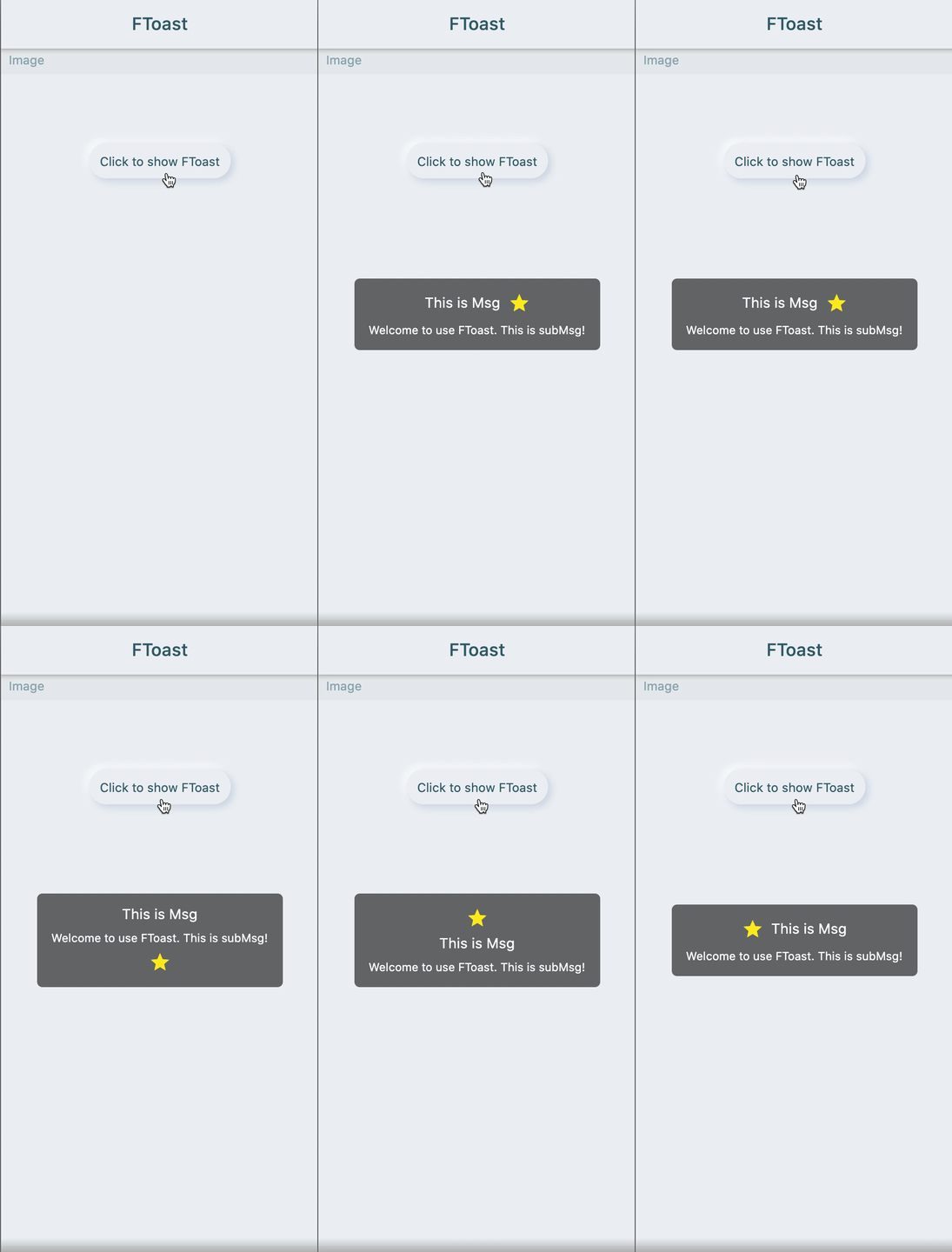
🔳 Image

FToast.toast(
  context,
  msg: "This is Msg",
  subMsg: "Welcome to use FToast. This is subMsg!",

  /// 配置图标
  ///
  /// set image
  image: Icon(
    Icons.star,
    color: Colors.yellow,
  ),

  /// 配置图标相对文本的位置
  ///
  /// set position of icon relative to text
  imageDirection: up,
)

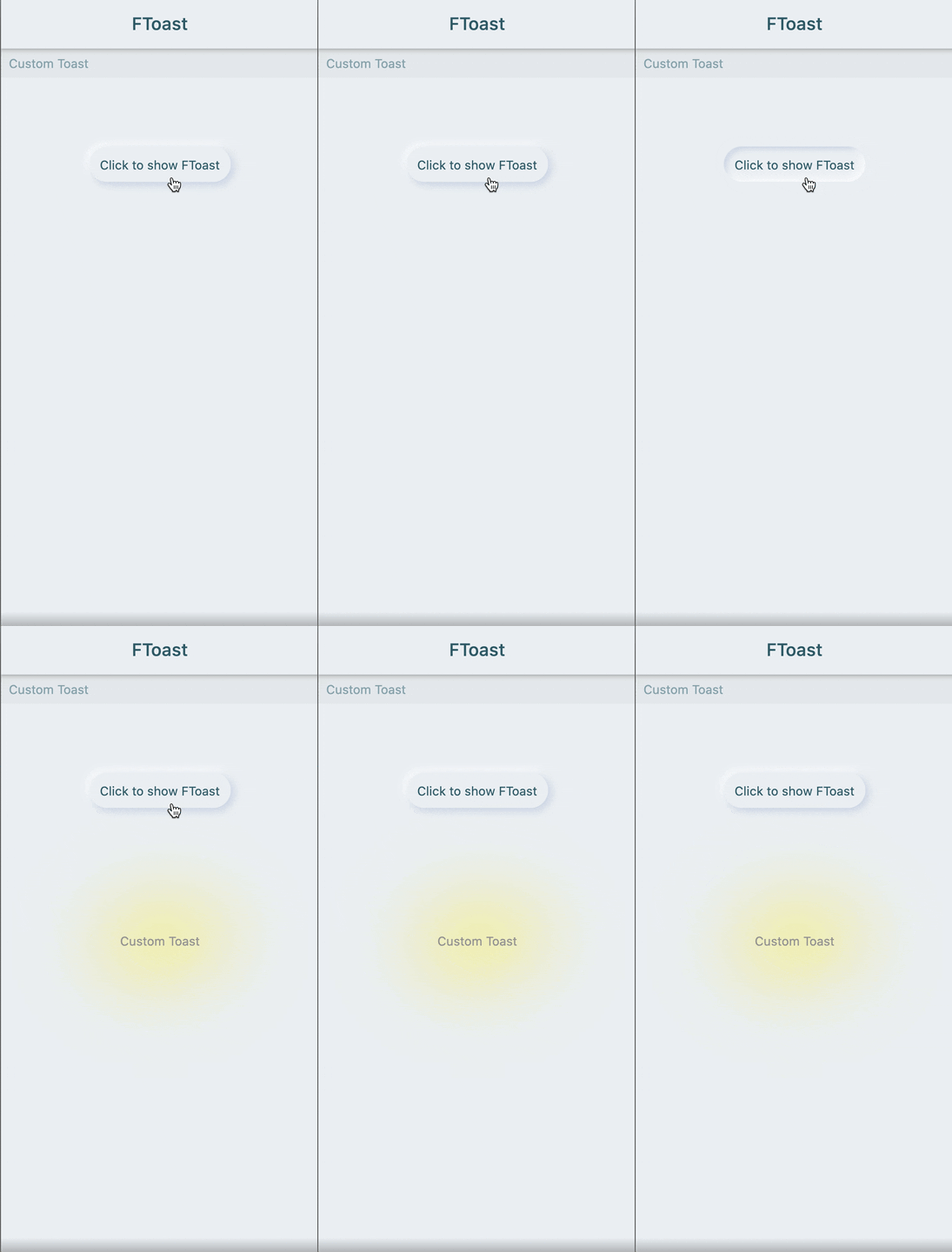
🔩 Custom style

FToast.toast(
  context,
  /// 自定义 Toast 样式
  /// 
  /// Custom Toast style
  toast: FSuper(
    text: "Custom Toast",
    style: TextStyle(color: Colors.grey),
    padding: EdgeInsets.all(12),
    shadowColor: Colors.yellow,
    shadowBlur: 80,
  ),
)

😃 How to use?

Add dependencies in the project pubspec.yaml file:

🌐 pub dependency

dependencies:
  ftoast: ^<version number>

⚠️ Attention,please go to [pub] (https://pub.dev/packages/ftoast) to get the latest version number of FToast

🖥 Git dependency

dependencies:
  ftoast:
    git:
      url: 'git@github.com:Fliggy-Mobile/ftoast.git'
      ref: '<Branch number or tag number>'

⚠️ Attention,please refer to [FToast] (https://github.com/Fliggy-Mobile/ftoast) official project for branch number or tag.

💡 License

Copyright 2020-present Fliggy Android Team <alitrip_android@list.alibaba-inc.com>.

Licensed under the Apache License, Version 2.0 (the "License");
you may not use this file except in compliance with the License.
You may obtain a copy of the License at following link.

    http://www.apache.org/licenses/LICENSE-2.0

Unless required by applicable law or agreed to in writing, software
distributed under the License is distributed on an "AS IS" BASIS,
WITHOUT WARRANTIES OR CONDITIONS OF ANY KIND, either express or implied.
See the License for the specific language governing permissions and
limitations under the License.

Like it? Please cast your Star 🥰 !

How to run Demo project?

  1. clone project to local

  2. Enter the project example directory and run the following command

flutter create .
  1. Run the demo in example

카테고리

소스 저장소

이 패키지를 사용하는 프로젝트

아직 데이터가 없습니다.