패키지, 저장소 및 앱 카테고리 검색

google_map_custom_windows 표지
패키지 상세v1.1.0

google_map_custom_windows

사용자 정의 가능한 Google 지도 마커 정보 창입니다. Google 지도 뷰에서 여러 정보 창을 표시할 수 있습니다.

AndroidiOS
30일 다운로드
1.5천
좋아요
2
Pub 점수
160

패키지 설치

flutter pub add google_map_custom_windows

패키지 개요

공개 정보를 바탕으로 생성한 선택 가이드입니다.

Google 지도 마커 정보 창을 사용자 정의할 수 있는 패키지로, Google 지도 뷰에 여러 개의 정보 창을 표시할 수 있습니다. 개발자가 각 마커용 사용자 정의 및 상호작용 가능한 팝업을 생성하고 관리할 수 있도록 표준 마커 기능을 확장합니다. 세부 위치 데이터, 이미지 또는 버튼과 같은 풍부하고 동적 콘텐츠를 지도 마커에 표시해야 하는 애플리케이션에 적합합니다. 이 패키지는 Android 및 iOS 플랫폼을 지원하며 Flutter의 Google Maps 플러그인과 원활하게 통합됩니다.

사용 사례

  • 지도에 여러 개의 사용자 정의 정보 창 표시하기
  • 마커에 이미지 및 버튼과 같은 풍부한 콘텐츠 표시
  • 상호작용 가능한 위치 세부 정보 패널 만들기
  • 사용자 경험 향상을 위한 사용자 정의 마커 팝업
  • 세부 마커 정보를 갖춘 위치 기반 앱 만들기

주요 기능

  • 동시에 여러 정보 창을 지원
  • 정보 창을 위한 매우 사용자 정의 가능한 UI
  • 안드로이드 및 iOS와 호환됩니다
  • Google Maps 플러그인과의 간편한 통합
  • 정보 창 내에서 상호작용 요소를 허용합니다

적합한 대상

  • 복잡한 지도 인터페이스를 구축하는 개발자
  • 풍부한 마커 콘텐츠가 필요한 앱
  • 세부 정보가 포함된 위치 기반 서비스
  • Google Maps를 사용하는 Flutter 프로젝트
  • 유연한 마커 사용자 정의를 원하는 팀

고려 사항

  • Google Maps API 키를 사용한 올바른 설정이 필요합니다
  • 많은 겹치는 정보 창이 있을 경우 성능에 영향을 미칠 수 있습니다
  • 사용자 정의 스타일링은 Flutter 위젯에 익숙해야 합니다
  • 기본 사용법을 넘어서는 문서가 제한적
  • 외부 GitHub 저장소의 안정성에 의존

원본 README

연결된 소스 저장소의 README 원문 스냅샷입니다. 최신 내용은 저장소에서 확인하세요.

google map custom info window

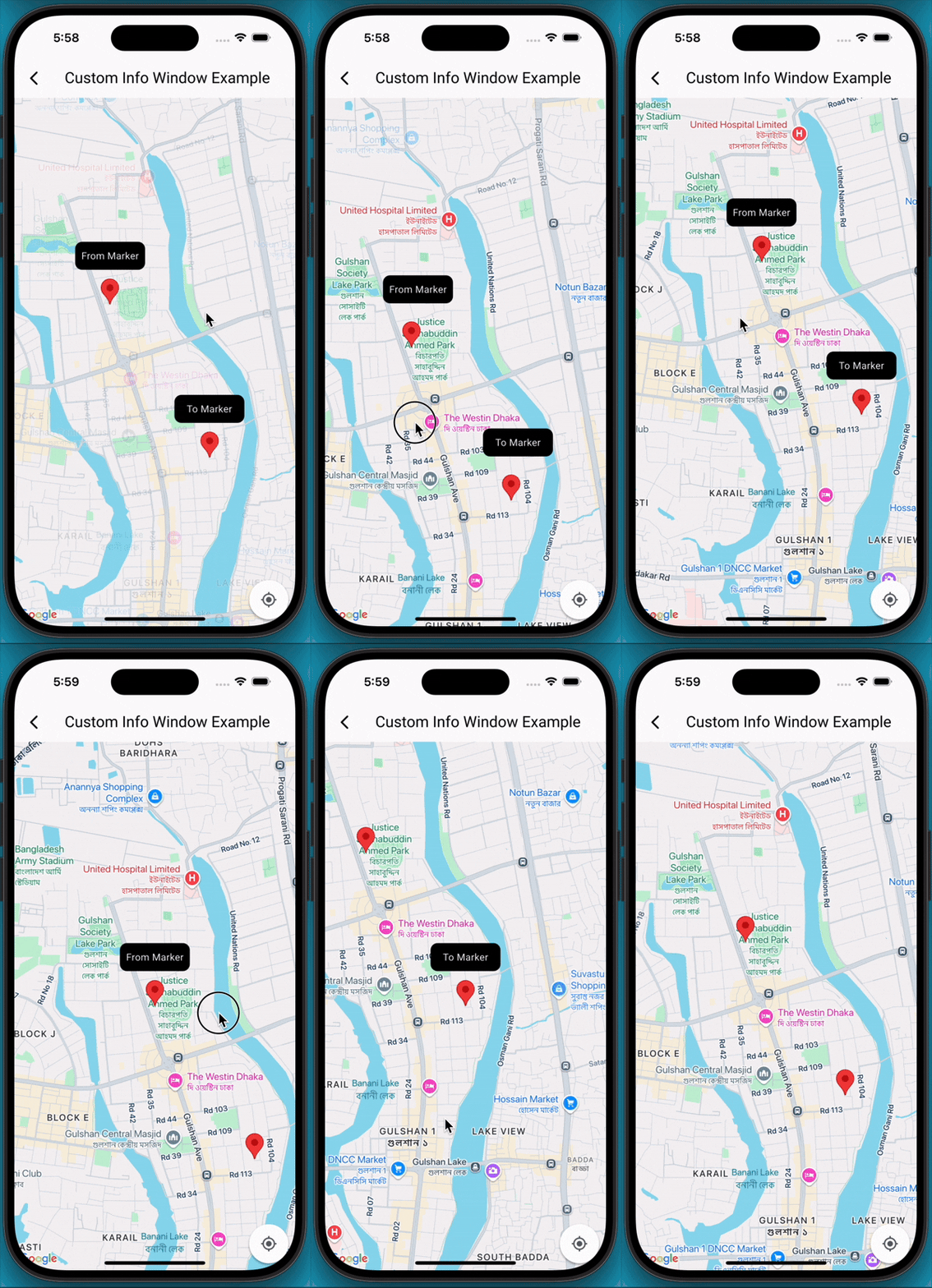
A Flutter package that extends the capabilities of google_maps_flutter by allowing developers to display fully customizable info windows for markers, including the ability to show multiple info windows simultaneously on the map.

✨Features

  • Customizable Info Windows: Design your info window using any Flutter widget.
  • Multiple Info Windows: Display several info windows at once, ideal for showing details of nearby locations or clustered markers.
  • Highly Flexible: Control the content, styling, and behavior of each info window independently.
  • Easy Integration: Seamlessly integrates with your existing Maps_flutter implementation.

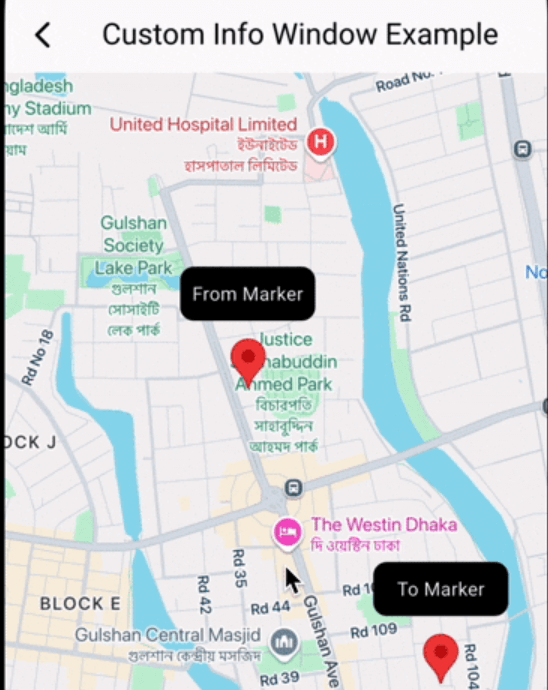
📸 Demo screen recording

🚀 Getting Started

  1. Add Dependencies First, ensure you have google_maps_flutter integrated into your project. Then, add google_map_custom_windows to your pubspec.yaml:

     dependencies:
       google_map_custom_windows: ^1.0.1
    

    Run flutter pub get to fetch the new dependencies.

  2. Import

     import 'package:google_map_custom_windows/google_map_custom_windows.dart';
    
  3. Usage To use the custom info windows, you'll primarily interact with the GoogleMapCustomWindowController and the CustomMapInfoWindow widget.

  • Initialize GoogleMapCustomWindowController, Create an instance of GoogleMapCustomWindowController in your StatefulWidget's initState.
    late GoogleMapCustomWindowController _googleMapCustomWindowController;
    
    @override
    void initState() {
     super.initState();
     _googleMapCustomWindowController = GoogleMapCustomWindowController();
    }
    
  • Need to create your custom info window widget for view. You can create multiple window as your requirement.
    class MyCustomInfoWidget extends StatelessWidget {
    final String title;
    const MyCustomInfoWidget({super.key, required this.title});
    
    @override
    Widget build(BuildContext context) {
     return Container(
       decoration: BoxDecoration(
         borderRadius: BorderRadius.circular(10),
         color: Colors.black,
       ),
       alignment: Alignment.center,
       child: Text(
         title,
         style: TextStyle(color: Colors.white, fontSize: 14),
       ),
     );
    }
    }
    
  • Declare list of info window and same size of list LatLng.
    List<Widget> infoWidgets = [
    MyCustomInfoWidget(title: 'From Marker'),
    MyCustomInfoWidget(title: 'To Marker'),
    ];
    
    List<LatLng> infoPositions = [
    LatLng(23.798054, 90.413459),
    LatLng(23.789451, 90.419584),
    ];
    
  • Use Stack widget for using custom info window.
    @Stack(
         children: [
           GoogleMap(
             mapType: MapType.normal,
             markers: markers,
             initialCameraPosition: CameraPosition(target: initPosition, zoom: 15),
             onMapCreated: (GoogleMapController controller) {
               _setFromToMarker();
               _googleMapCustomWindowController.googleMapController = controller;
               _googleMapCustomWindowController.addInfoWindow!(infoWidgets, infoPositions);
             },
             onTap: (position) {
               _googleMapCustomWindowController.hideInfoWindow!();
             },
             onCameraMove: (CameraPosition cameraPosition) {
               _googleMapCustomWindowController.onCameraMove!();
             },
           ),
    
           CustomMapInfoWindow(
             controller: _googleMapCustomWindowController,
             offset: const Offset(0, 50),
             height: 40,
             width: 100,
           ),
         ],
       )
    
  1. Don't forget to dispose _googleMapCustomWindowController
    @override
      void dispose() {
        _googleMapCustomWindowController.dispose();
        super.dispose();
      }
    

🤝 Contributing

Contributions are welcome! If you find a bug or have a feature request, please open an issue on GitHub. If you'd like to contribute code, please fork the repository and submit a pull request.

카테고리

의존성

의존성 목록 1 개

소스 저장소

이 패키지를 사용하는 프로젝트

아직 데이터가 없습니다.