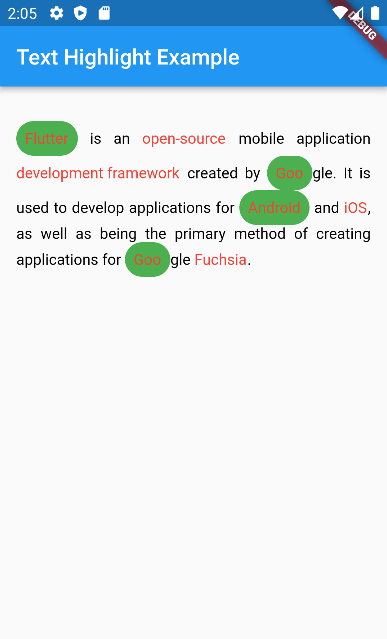
highlight_text 패키지는 개발자가 텍스트 내 특정 단어를 강조하고 사용자 정의 스타일 및 상호작용 액션을 적용할 수 있도록 합니다. 특정 키워드에 시각적 강조나 기능이 필요한 리치 텍스트 표시에 적합합니다. 예를 들어 클릭 가능한 용어와 같은 경우입니다. 이 패키지는 Android, iOS, Web, macOS, Windows, Linux 등 여러 플랫폼을 지원하여 크로스플랫폼 애플리케이션에 유연하게 활용할 수 있습니다. Flutter pub add를 통해 간단히 통합할 수 있으며, 동적 텍스트 상호작용을 통해 사용자 참여도를 높입니다.
With this package you can highlight words and create specific actions for each highlighted word, you can customize the style of each word separately or create a unique style for all of them, you can also customize the style of the rest of the text.
TextHighlight(
    text: text, // You need to pass the string you want the highlights
    words: words, // Your dictionary words
    textStyle: TextStyle( // You can set the general style, like a Text()
        fontSize: 20.0,
        color: Colors.black,
    ),
    textAlign: TextAlign.justify, // You can use any attribute of the RichText widget
),
1.1.0 Update
Now you can customize better the words you highlight, just like a Container.
It was added decoration and padding fields to HighlightedWord object, so you can do whatever you want to customize it.