패키지, 저장소 및 앱 카테고리 검색

패키지 상세v0.0.12

holdable_button

사용자가 길게 누르는 제스처를 가진 버튼을 만들 수 있도록 해주는 Flutter 플러그인으로, 누르고 있을 때 버튼 주변에 로딩 애니메이션을 트리거합니다.

AndroidiOSWebmacOSWindowsLinux
30일 다운로드
84
좋아요
30
Pub 점수
140

패키지 설치

flutter pub add holdable_button

패키지 개요

공개 정보를 바탕으로 생성한 선택 가이드입니다.

HoldableButton은 개발자가 눌러서 유지하는 제스처를 가진 버튼을 구현할 수 있도록 해주는 Flutter 패키지입니다. 버튼이 눌리고 유지되면 주변에 로딩 애니메이션이 트리거되어 장시간 상호작용 중 시각적 피드백을 제공합니다. Android, iOS, Web, macOS, Windows, Linux 등 여러 플랫폼을 지원하여 촉각 피드백이 필요한 인터랙티브 UI에 적합합니다. 이 플러그인은 가볍고 쉽게 통합할 수 있으며, 폼, 확인 또는 의도적인 입력이 필요한 작업에서 사용자 경험을 향상시킵니다.

사용 사례

  • 확인과 함께 폼 제출
  • 의도적인 입력이 필요한 작업 트리거
  • 긴 작업 중 로딩 상태
  • 피드백이 있는 인터랙티브 UI 요소
  • 게임화된 앱 상호작용

주요 기능

  • 제스처 감지
  • 순환 로딩 애니메이션
  • 크로스 플랫폼 지원
  • 간단한 통합
  • 사용자 정의 가능한 지속 시간 및 외관
  • 내장형 피드백 메커니즘

적합한 대상

  • 인터랙티브 폼을 개발하는 개발자
  • 확인 제스처가 필요한 앱
  • 사용자 경험 중심의 모바일 및 웹 앱
  • 게임화 애플리케이션
  • 빠른 프로토타입 상호작용 흐름

고려 사항

  • 맞춤형 디자인을 위해 추가 스타일링이 필요할 수 있습니다
  • 저사양 기기에서의 성능 영향
  • 단일 버튼 누르기 동작에 제한됨
  • 빠른 탭 기반 워크플로우에 적합하지 않습니다
  • 최적의 UX를 위해 신중한 타이밍 구성이 필요합니다

원본 README

연결된 소스 저장소의 README 원문 스냅샷입니다. 최신 내용은 저장소에서 확인하세요.

Holdable Button Flutter Plugin

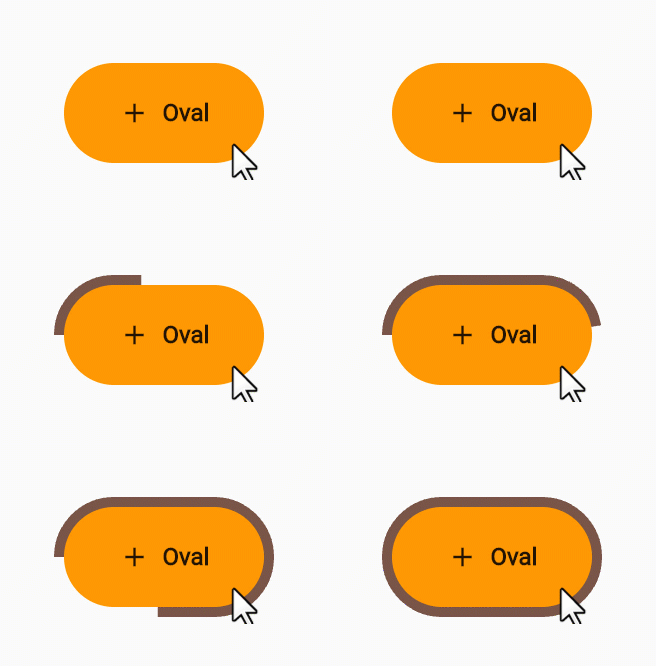
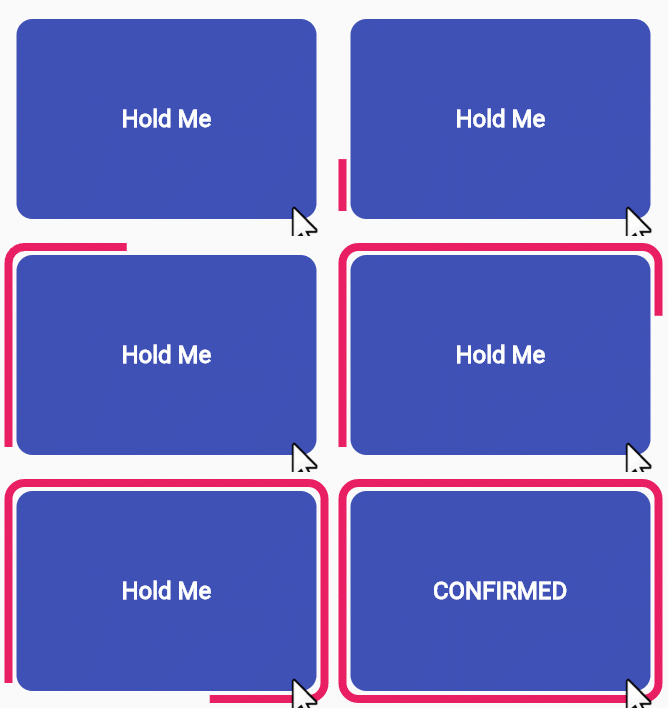
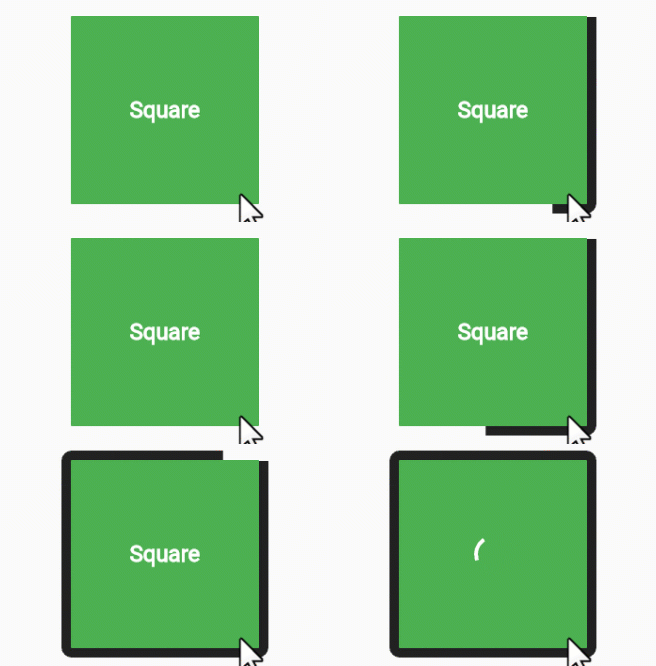
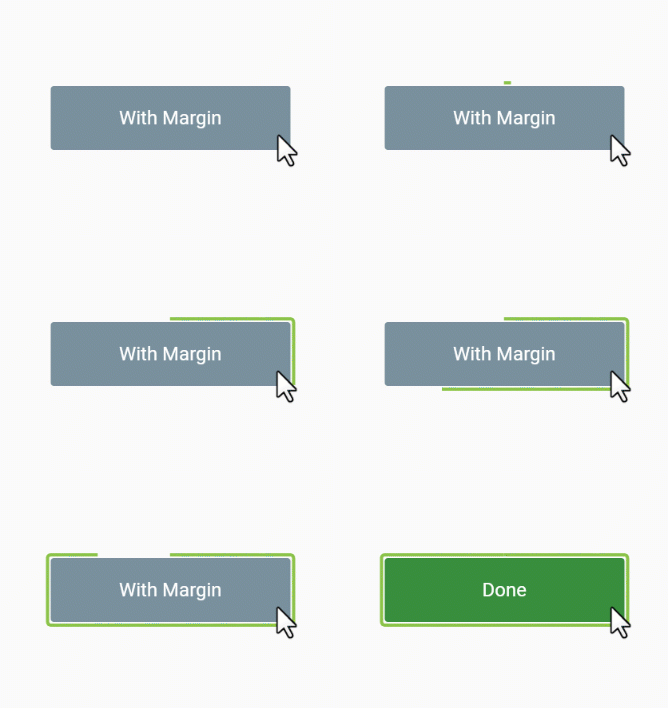
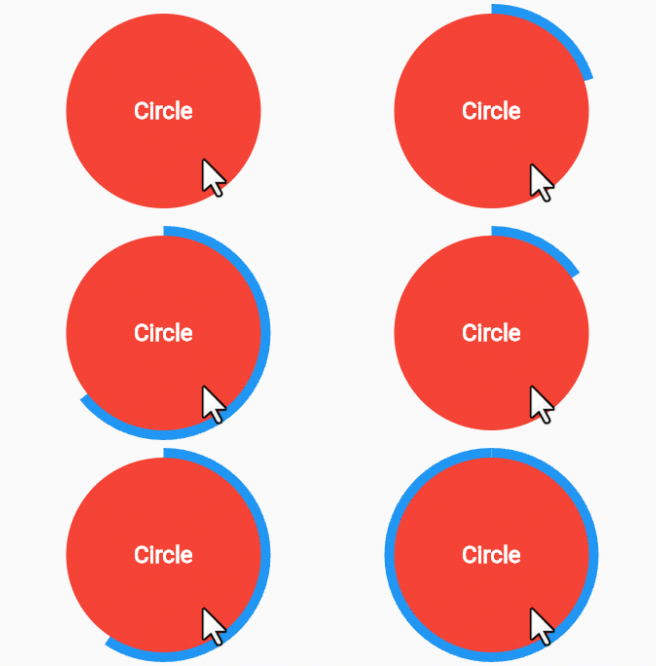
Holdable Button is a Flutter plugin that allows you to create interactive buttons with a unique animation. It enables users to hold a button, displaying a loading animation along its border, and then triggering a callback once the animation completes.

Demo 🎥

edge loading type:

voice oval

rectangle square

filling loading type:

long circle

Benefits 🚀

  • Interactive Animation: Engage users with a button that responds to long presses, offering an interactive and visually appealing experience.

  • Customizable: Tailor the button to match your app's design by adjusting parameters such as button color, loading color, border radius, child widget, animation duration, and start position.

  • User Engagement: Encourage users to interact with your app by introducing a novel way to trigger actions.

How to Use 🛠️

  1. Add the Holdable Button plugin to your pubspec.yaml file:

    dependencies:
      holdable_button: any
    
  2. Install the plugin by running:

    flutter pub get
    
  3. Import the package in your Dart code:

    import 'package:holdable_button/holdable_button.dart';
    
  4. Implement the HoldableButton widget:

    HoldableButton(
      loadingType: LoadingType.edgeLoading,
      width: 300,
      height: 200,
      buttonColor: Colors.blue,
      loadingColor: Colors.white,
      radius: 15.0,
      child: Text('Hold Me'),
      duration: 5,
      startPoint: 0.25,
      hasVibrate: true,
      onConfirm: () {
        // Callback when animation completes
      },
    )
    

Customization ⚙️

The HoldableButton widget supports the following parameters:

  • loadingType: the loading type: edgeLoading or fillingLoading.
  • buttonColor: The color of the button.
  • loadingColor: The color of the loading animation.
  • radius: The border radius of the button.
  • child: The widget inside the button.
  • duration: The duration of the animation in seconds.
  • startPoint: Start position in edgeLoading type.
  • hasVibrate: Enable Vibration after loading complete.
  • onConfirm: Callback when the animation completes.

Feel free to experiment with these parameters to achieve the desired look and behavior.

Contributing 🤝

Contributions are welcome! Please feel free to submit issues or pull requests.

카테고리

의존성

의존성 목록 2 개

  • plugin_platform_interface^2.1.7
  • web^1.0.0

소스 저장소

이 패키지를 사용하는 프로젝트

아직 데이터가 없습니다.