패키지, 저장소 및 앱 카테고리 검색

mapbox_autocomplete_search_widget 표지
패키지 상세v0.0.6

mapbox_autocomplete_search_widget

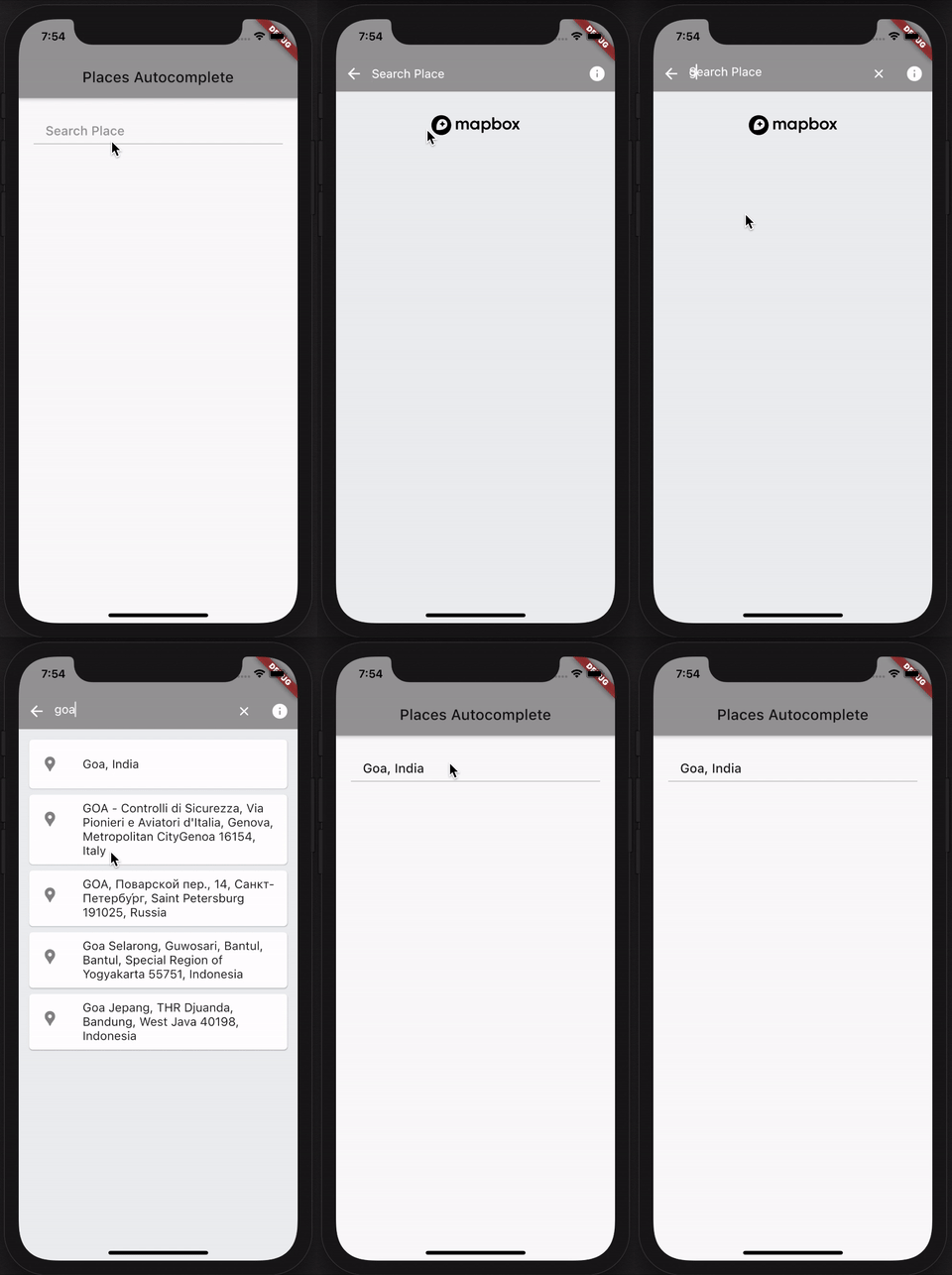
MapboxAutocompleteSearchWidget는 자동 완성 방식으로 장소 이름을 검색할 수 있는 플러터 패키지입니다.

30일 다운로드
15
좋아요
5
Pub 점수
75

패키지 설치

flutter pub add mapbox_autocomplete_search_widget

패키지 개요

공개 정보를 바탕으로 생성한 선택 가이드입니다.

MapboxAutocompleteSearchWidget는 실시간 자동 완성 제안을 통해 사용자가 장소 이름을 검색할 수 있도록 해주는 Flutter 패키지입니다. 원활한 통합을 위해 설계되었으며, Mapbox의 지오코딩 API를 활용하여 정확하고 반응성이 뛰어난 위치 입력을 제공합니다. 주소나 장소 선택이 필요한 앱에 적합하며, 타이핑 노력과 오류를 줄여 사용자 경험을 향상시킵니다. 가볍고 사용자 정의가 가능하며 iOS 및 Android 플랫폼을 모두 지원합니다. 복잡한 설정 없이도 위치 기반 기능을 쉽게 추가할 수 있습니다.

사용 사례

  • 위치 기반 앱 검색
  • 양식 내 주소 입력
  • 여행 및 배달 앱
  • 위치 기반 필터링
  • 사용자 프로필 위치 설정

주요 기능

  • 실시간 자동 완성
  • Mapbox 기반 지오코딩
  • 사용자 지정 가능한 UI
  • 크로스 플랫폼 지원
  • Flutter와의 간단한 통합

적합한 대상

  • 위치 인식 앱을 개발하는 개발자
  • 주소 선택기 필요 앱
  • 지도 상호작용이 있는 모바일 앱
  • 프로토타입 위치 기능
  • Mapbox 서비스를 사용하는 프로젝트

고려 사항

  • Mapbox API 키가 필요합니다
  • Mapbox 백엔드만 지원
  • 스타일 조정이 필요할 수 있습니다
  • 네트워크 연결에 의존합니다
  • 오프라인 사용에 적합하지 않습니다

원본 README

연결된 소스 저장소의 README 원문 스냅샷입니다. 최신 내용은 저장소에서 확인하세요.

mapbox_autocomplete_search_widget

Language: English

mapbox_autocomplete_search_widget

MapboxAutocompleteSearchWidget is a flutter package that allows you to search for place name in a autocomplete fashion.

Technical Notes: The search is carried out only when search text length is greater than 2 and also a delay of 1 second is added before placing a server call. (Since user types continuously, unnessarry calls will be made to server. So we make the call with 1 second delay after user has stopped typing.)

The package uses Riverpod for state management. So Please ensure you import flutter_riverpod and wrap the app with ProviderScope.

import 'package:flutter_riverpod/flutter_riverpod.dart';

  runApp(
    ProviderScope(
      child: MyApp(),
    ),
  );

To use this Package, Please get the Access-Token from here https://docs.mapbox.com/help/glossary/access-token/

The Package has necessarry attributions to Mapbox and can doesnot violate mapbox Terms and Conditions.

How to use it.

the usage is very simple, just use the following

  runApp(
    ProviderScope(
      child: MyApp(),
    ),
  );
  MapboxAutocompleteSearchWidget(
      onPlaceSelected: (BuildContext context, Place place) {
        
      },
      mapboxApiKey: 'mapboxApiKey',
    ),

parameters

parameter description value
onPlaceSelected Completion Handler which returns a BuildContext and selected place from picker (BuildContext context, Place place) {}
mapboxApiKey Your Mapbox ApiKey (Auth-Token) ApiKey Value
appBarColor Color of App Bar widget This is a optional parameter
backButtonColor Color of back arrow button This is a optional parameter
infoButtonColor Color of mapbox info button This is a optional parameter
clearButtonColor Color of clear button in Search widget This is a optional parameter
cursorColor Color of cursor in Search widget This is a optional parameter
searchTextColor Color of Text in Search widget This is a optional parameter
searchBackgroundColor Color of Search area background This is a optional parameter

git repo here

Made with ❤ and dedicated with respect to the Saviour Sonu Sood

카테고리

의존성

의존성 목록 3 개

소스 저장소

이 패키지를 사용하는 프로젝트

아직 데이터가 없습니다.