패키지, 저장소 및 앱 카테고리 검색

패키지 상세v0.5.0

native_ads

AdMob 네이티브 광고용 Flutter 플러그인. PlatformView를 사용하여 Android 및 iOS와 호환됩니다.

30일 다운로드
24
좋아요
42
Pub 점수
40

패키지 설치

flutter pub add native_ads

패키지 개요

공개 정보를 바탕으로 생성한 선택 가이드입니다.

Android 및 iOS 플랫폼용 모바일 애플리케이션에 AdMob 네이티브 광고를 통합할 수 있는 플러터 플러그인입니다. PlatformView를 활용하여 앱 디자인과 일치하는 풍부하고 사용자 정의 가능한 광고 콘텐츠를 원활하게 표시할 수 있습니다. 이 플러그인은 플랫폼별 코드 없이 네이티브 광고를 로드하고 렌더링하는 과정을 간소화합니다. 높은 참여도를 가진 광고 형식으로 앱을 수익화하면서도 일관된 사용자 경험을 유지하고자 하는 개발자에게 이상적입니다.

사용 사례

  • 네이티브 광고 유닛을 활용한 모바일 앱 수익화
  • 앱 피드에서 시각적으로 통합된 광고 표시하기
  • 리치 미디어 광고를 통한 사용자 참여도 향상
  • 단일 코드베이스로 Android 및 iOS 모두 지원
  • 앱 UI와 일치하도록 광고 외관 맞춤 설정

주요 기능

  • PlatformView 기반 구현
  • AdMob 호환성
  • 크로스 플랫폼 지원 (Android 및 iOS)
  • 리치 미디어 광고 렌더링
  • Flutter pub를 통한 간편한 통합
  • 사용자 정의 가능한 광고 템플릿

적합한 대상

  • 네이티브 광고 통합을 원하는 플러터 개발자
  • 고품질 광고 배치가 필요한 앱
  • Android 및 iOS 둘 다를 대상으로 하는 프로젝트
  • 사용자 경험의 일관성에 중점을 둔 개발자
  • 수익화 중심 모바일 앱 팀

고려 사항

  • AdMob 계정 및 설정이 필요합니다
  • Google Mobile Ads SDK에 의존합니다
  • 광고 사용자 지정을 위해 추가 구성이 필요할 수 있습니다
  • 백엔드 제공업체로 AdMob만 가능
  • 성능은 네트워크 및 장치 기능에 따라 달라집니다

원본 README

연결된 소스 저장소의 README 원문 스냅샷입니다. 최신 내용은 저장소에서 확인하세요.

flutter_native_ads

version

Flutter plugin for AdMob Native Ads. Compatible with Android and iOS using PlatformView.

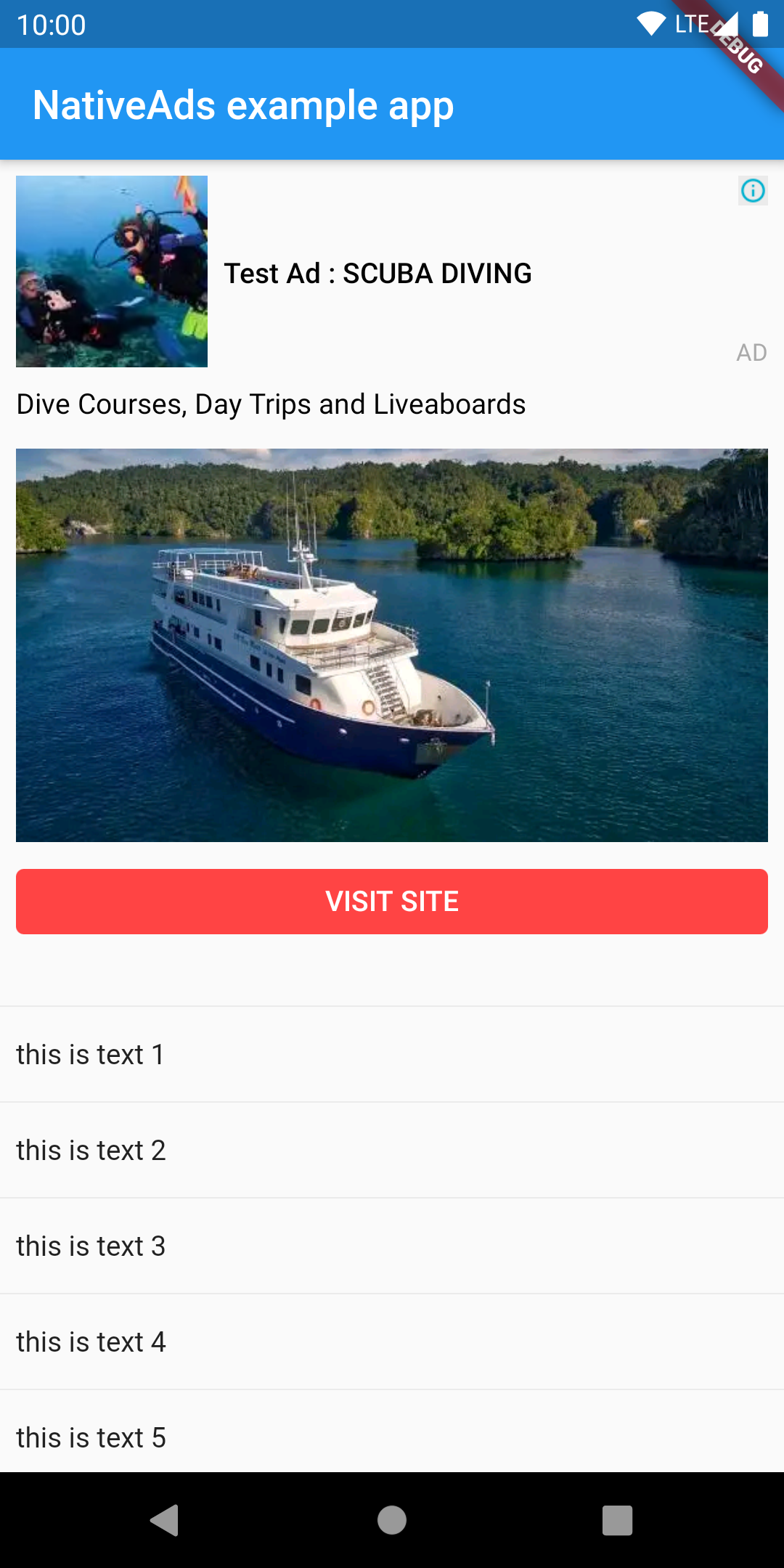
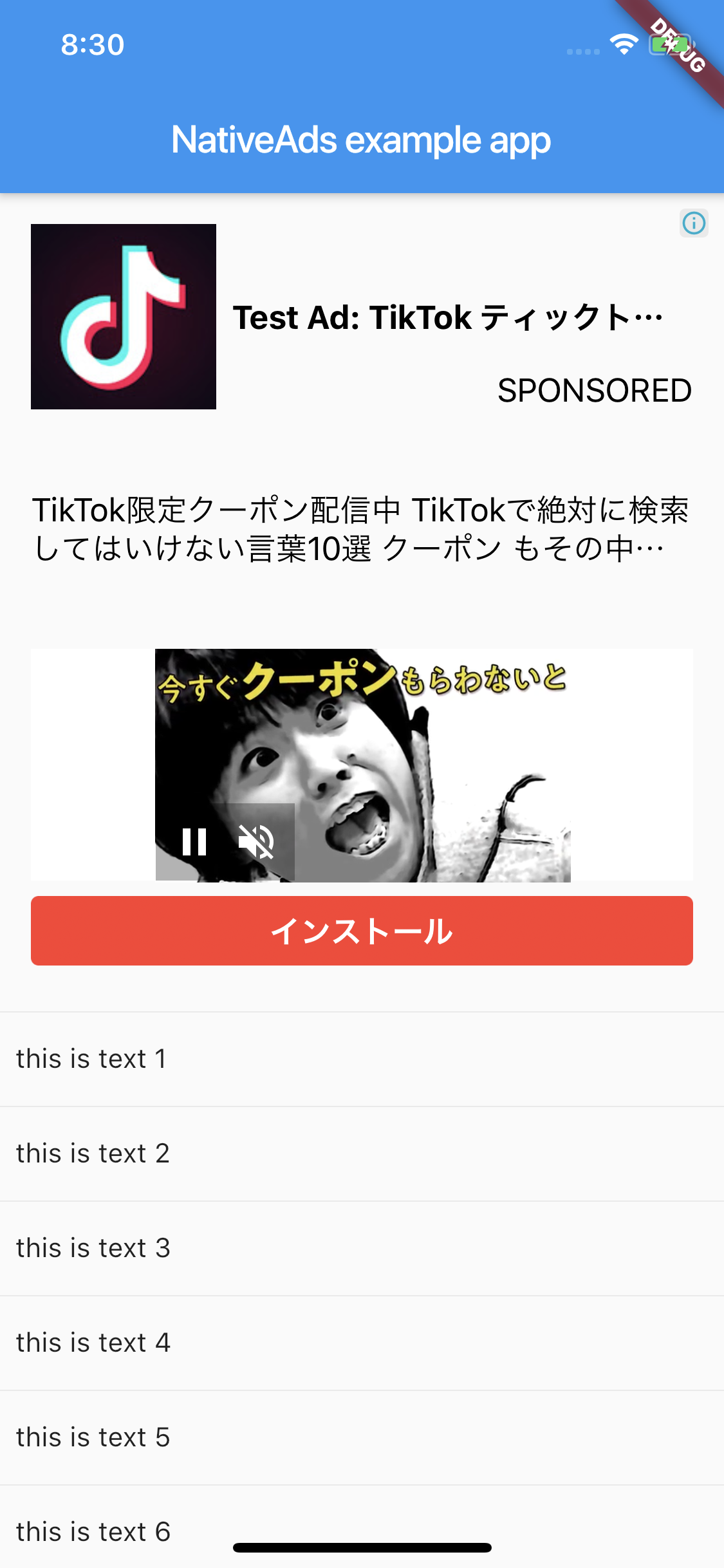
Android iOS
image image

Getting Started

Android

AdMob 17 requires the App ID to be included in the AndroidManifest.xml. Failure to do so will result in a crash on launch of your app. The line should look like:

<meta-data
    android:name="com.google.android.gms.ads.APPLICATION_ID"
    android:value="[ADMOB_APP_ID]"/>

where [ADMOB_APP_ID] is your App ID. You must pass the same value when you initialize the plugin in your Dart code.

iOS

Admob 7.42.0 requires the App ID to be included in Info.plist. Failure to do so will result in a crash on launch of your app. The lines should look like:

<key>GADApplicationIdentifier</key>
<string>[ADMOB_APP_ID]</string>

where [ADMOB_APP_ID] is your App ID. You must pass the same value when you initialize the plugin in your Dart code.

And PlatformView

<key>io.flutter.embedded_views_preview</key>
<true/>

Layout

This plugin supported custom layout. You need to create a layout file.

Android

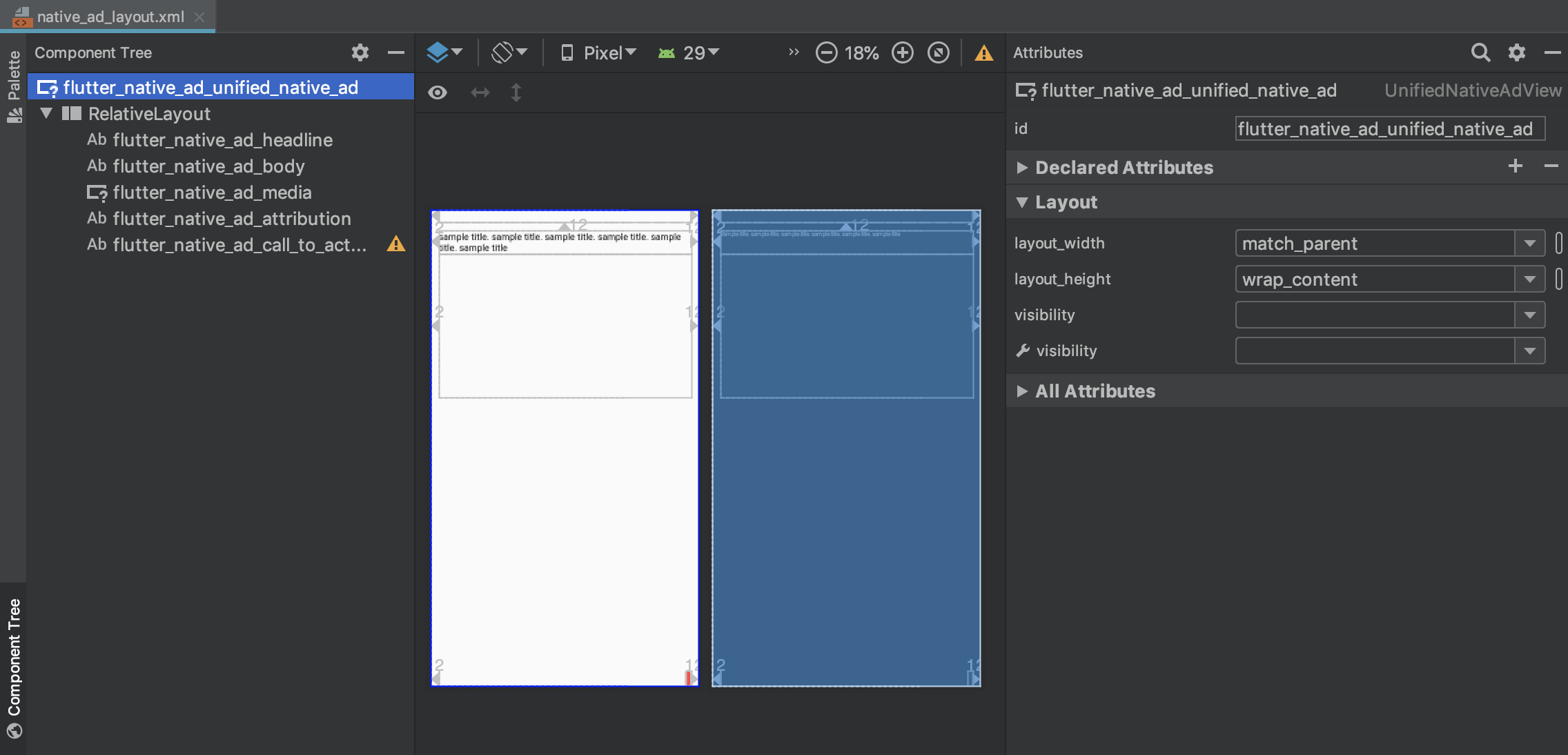
You can use anything if the parent is a ViewGroup. The example uses ConstraintLayout.

Use com.google.android.gms.ads.formats.UnifiedNativeAdView for the parent.

image

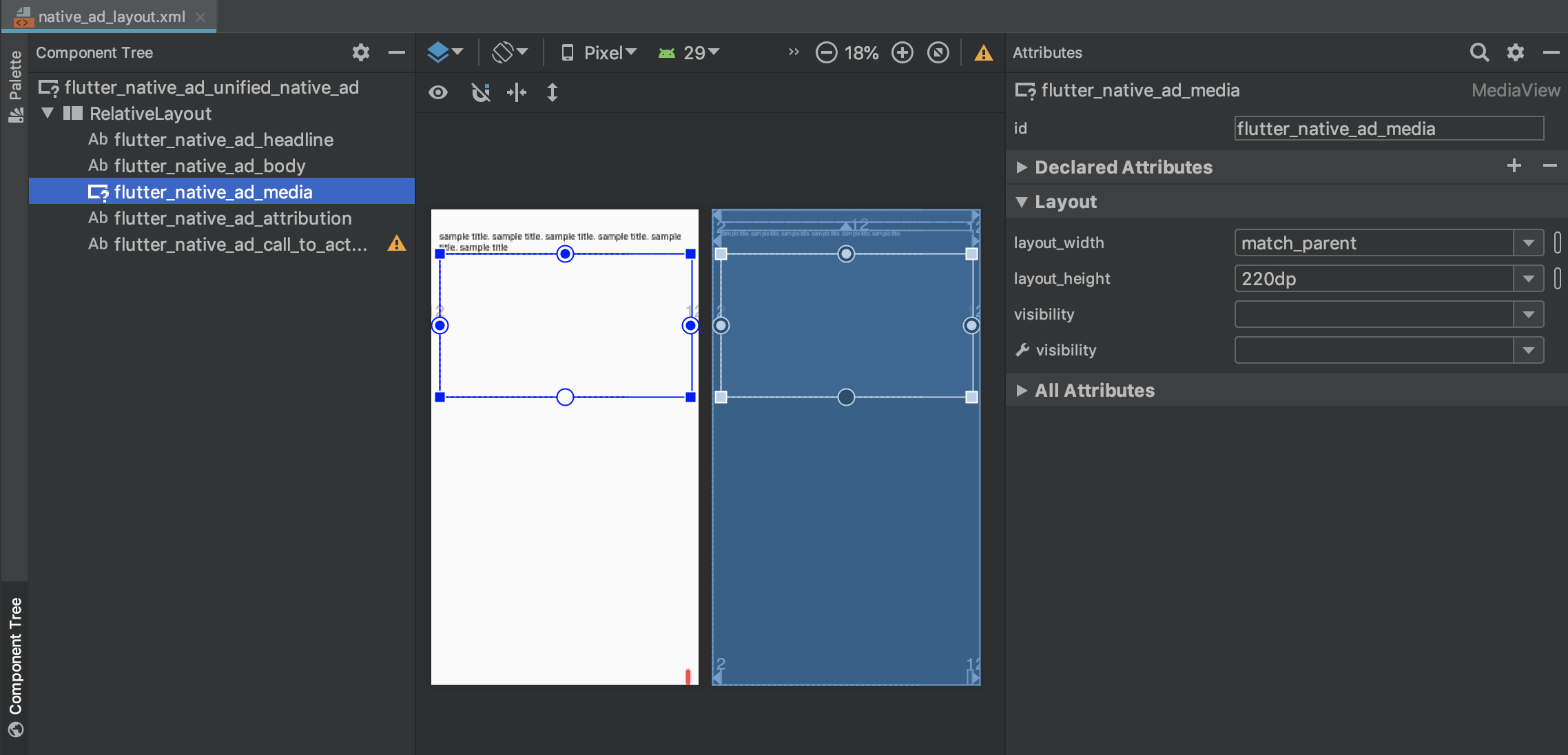
Use com.google.android.gms.ads.formats.MediaView for MediaView.

image

  • xml
<?xml version="1.0" encoding="utf-8"?>
<com.google.android.gms.ads.formats.UnifiedNativeAdView 
    xmlns:android="http://schemas.android.com/apk/res/android"
    xmlns:tools="http://schemas.android.com/tools"
    android:id="@+id/flutter_native_ad_unified_native_ad"
    ...
    
    <!-- ViewGroup -->
    <androidx.constraintlayout.widget.ConstraintLayout
        android:id="@+id/relativeLayout"
        android:layout_width="match_parent"
        android:layout_height="match_parent">
        
        ...

        <com.google.android.gms.ads.formats.MediaView
            android:id="@+id/flutter_native_ad_media"
            ...

example

iOS

Please set GADUnifiedNativeAdView for the parent.

image

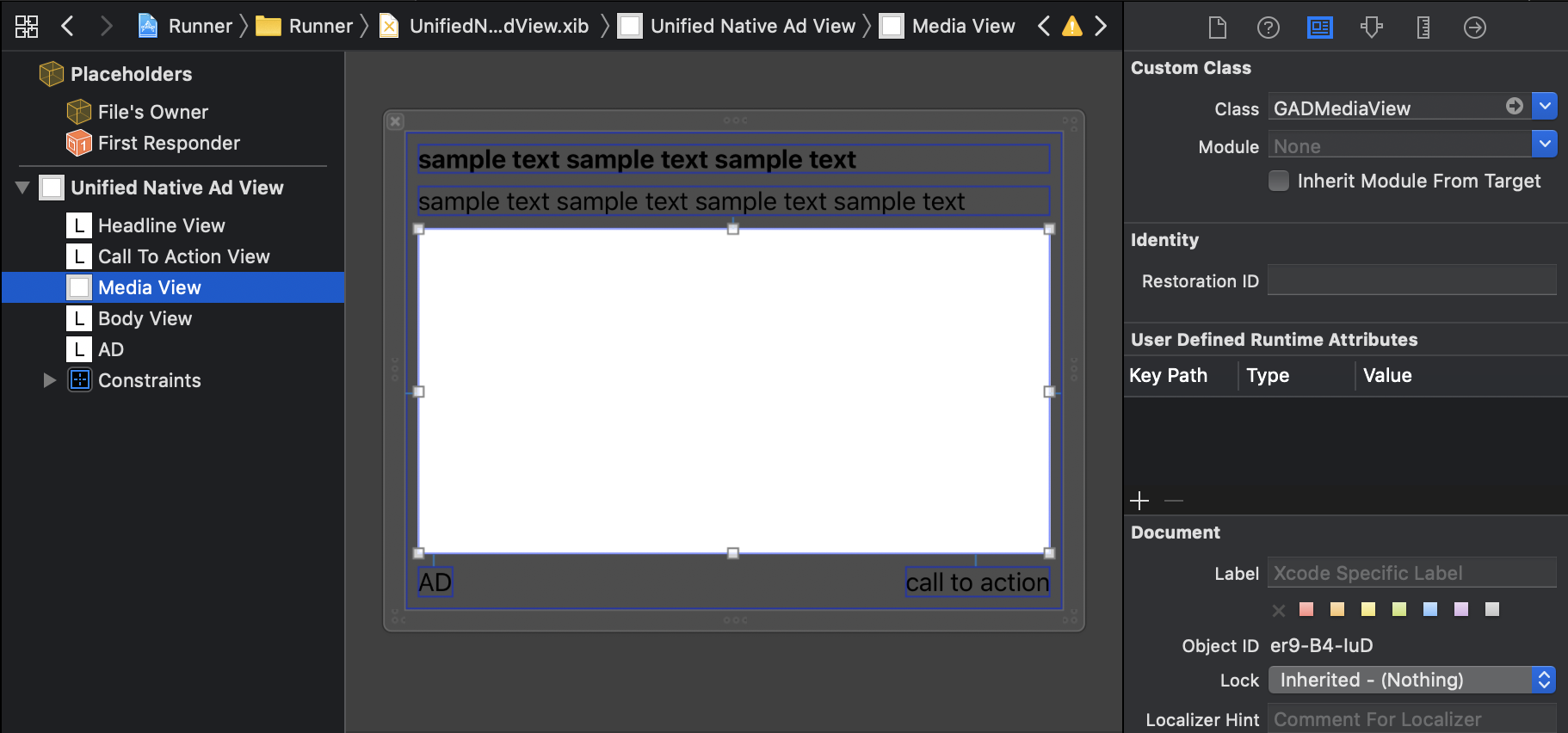
Please set GADMediaView to MediaView.

image

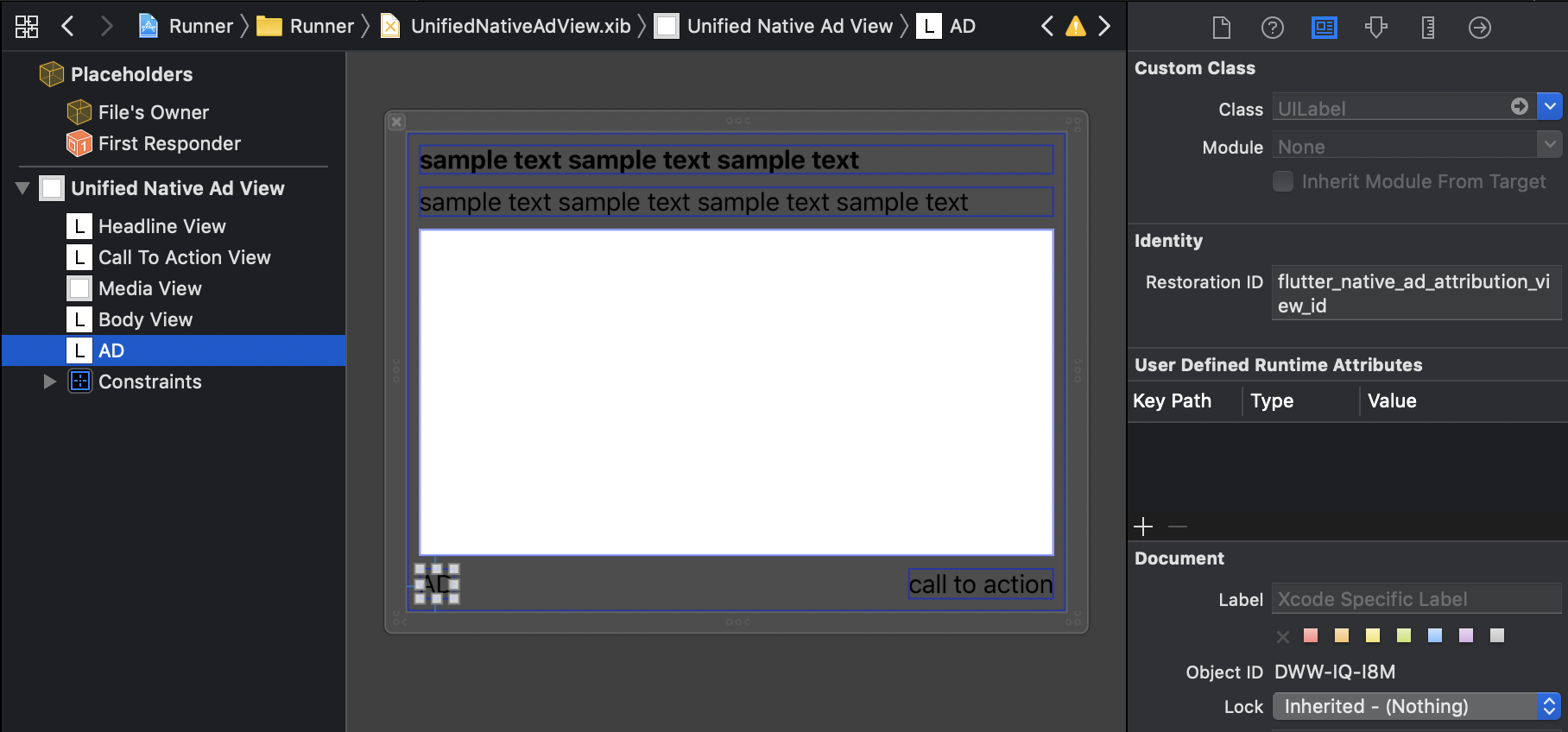
Please set Restoration ID for View that displays attribution

image

example

Mapping Native Ads to Layout

Need to mapping the view

Android

Mapping by view id

View ID
UnifiedNativeAdView flutter_native_ad_unified_native_ad
Headline flutter_native_ad_headline
Body flutter_native_ad_body
Call To Action flutter_native_ad_call_to_action
Attribution flutter_native_ad_attribution
MediaView flutter_native_ad_media
Icon flutter_naitve_ad_icon
Star rating flutter_naitve_ad_star
Store flutter_naitve_ad_store
Price flutter_naitve_ad_price
Advertiser flutter_naitve_ad_advertiser
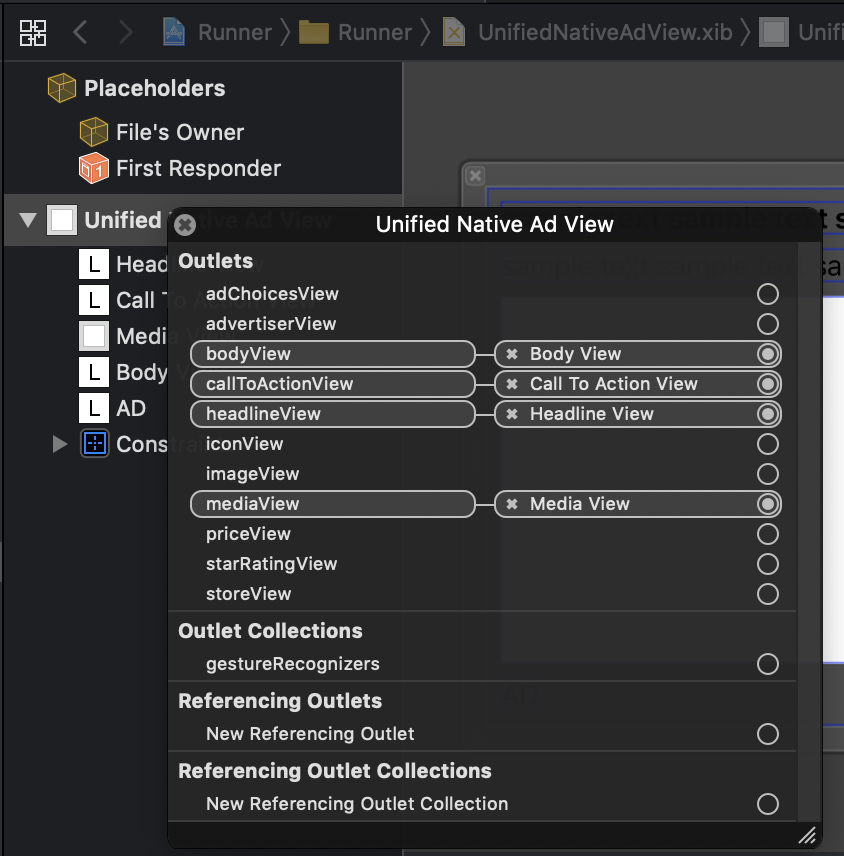
iOS

Mapping by Outlet

image

Usage

import 'package:flutter/material.dart';
import 'package:native_ads/native_ad_param.dart';
import 'package:native_ads/native_ad_view.dart';

import 'package:native_ads/native_ads.dart';

void main() {
  WidgetsFlutterBinding.ensureInitialized();
  NativeAds.initialize();
  runApp(MyApp());
}

class MyApp extends StatelessWidget {
  @override
  Widget build(BuildContext context) {
    return MaterialApp(
      home: Scaffold(
        appBar: AppBar(
          title: const Text('NativeAds example app'),
        ),
        body: Center(
          child: ListView.separated(
            itemBuilder: (context, index) {
              if (index % 10 == 0) {
                return Padding(
                  padding: const EdgeInsets.all(8.0),
                  child: SizedBox(
                    width: double.infinity,
                    height: 320,
                    child: NativeAdView(
                      onParentViewCreated: (_) {
                      },
                      androidParam: AndroidParam()
                        ..placementId = "ca-app-pub-3940256099942544/2247696110" // test
                        ..packageName = "{{YOUR_ANDROID_APP_PACKAGE_NAME}}"
                        ..layoutName = "{{YOUR_CREATED_LAYOUT_FILE_NAME}}"
                        ..attributionText = "AD"
                        ..testDevices = ["{{YOUR_TEST_DEVICE_IDS}}"],
                      iosParam: IOSParam()
                        ..placementId = "ca-app-pub-3940256099942544/3986624511" // test
                        ..bundleId = "{{YOUR_IOS_APP_BUNDLE_ID}}"
                        ..layoutName = "{{YOUR_CREATED_LAYOUT_FILE_NAME}}"
                        ..attributionText = "SPONSORED"
                        ..testDevices = ["{{YOUR_TEST_DEVICE_IDS}}"],
                      onAdImpression: () => print("onAdImpression!!!"),
                      onAdClicked: () => print("onAdClicked!!!"),
                      onAdFailedToLoad: (Map<String, dynamic> error) => print("onAdFailedToLoad!!! $error"),
                    ),
                  ),
                );
              } else {
                return Padding(
                  padding: const EdgeInsets.all(8.0),
                  child: Text(
                    "this is text $index",
                    style: Theme.of(context).textTheme.body1,
                  ),
                );
              }
            },
            itemCount: 50,
            separatorBuilder: (context, _) => const Divider(),
          ),
        ),
      ),
    );
  }
}

Supported native ads fields

  • Headline(Required)
  • Body(Required)
  • Call To Action(Required)
  • Ad Attribution(Required)
  • Media
  • Icon
  • Star rating
  • Store
  • Price
  • Advertiser

Event callback

Receive callbacks for some events by passing to the NativeAdView constructor

  • onAdImpression
  • onAdClicked
  • onAdFailedToLoad
  • onAdLeftApplication
  • onAdLoaded

Reference

Limitations

This is just an initial version of the plugin. There are still some limitations:

카테고리

소스 저장소

이 패키지를 사용하는 프로젝트

아직 데이터가 없습니다.