패키지, 저장소 및 앱 카테고리 검색

not_static_icons 표지
패키지 상세v0.54.0

not_static_icons

Flutter용 아름답게 제작된 애니메이션 아이콘. Lucide로 제작—Rive나 Lottie 필요 없음.

AndroidiOSWebmacOSWindowsLinux
30일 다운로드
797
좋아요
53
Pub 점수
160

패키지 설치

flutter pub add not_static_icons

패키지 개요

공개 정보를 바탕으로 생성한 선택 가이드입니다.

not_static_icons는 Rive 또는 Lottie를 필요로 하지 않고 Lucide 디자인 원칙을 활용하여 아름답게 제작된 애니메이션 아이콘을 제공하는 Flutter 패키지입니다. Flutter의 렌더링 엔진을 통해 부드럽고 가벼운 애니메이션을 직접 구현하여 표현력이 강하면서도 성능이 우수한 아이콘을 필요로 하는 앱에 이상적입니다. 여러 플랫폼을 지원하며 기존의 Flutter 프로젝트와 쉽게 통합할 수 있습니다. 각 아이콘은 명확성과 미적 매력을 고려해 설계되어 미세한 움직임으로 사용자 경험을 향상시킵니다. 시각적 피드백이 중요한 현대적인 UI에 적합합니다.

사용 사례

  • 애니메이션 아이콘을 통한 앱 UI 개선
  • 섬세한 마이크로 상호작용 추가
  • 매력적인 온보딩 경험 만들기
  • 버튼의 시각적 피드백 향상
  • 현대적이고 동적인 대시보드 구축
  • 정적 아이콘을 애니메이션 대안으로 교체

주요 기능

  • Lucide를 영감으로 한 디자인
  • Rive 또는 Lottie 종속성 없음
  • 경량이고 성능이 뛰어남
  • 크로스 플랫폼 지원
  • Flutter와의 간편한 통합
  • 부드러운 내장 애니메이션

적합한 대상

  • 우아한 애니메이션 아이콘을 찾는 개발자
  • 모션에 집중하는 UI/UX 디자이너
  • 상호작용 인터페이스를 갖춘 앱
  • 현대적인 미학을 추구하는 프로젝트
  • 복잡한 애니메이션 라이브러리를 피하는 팀

고려 사항

  • 모든 Lucide 아이콘 변형을 지원하지 않을 수 있습니다
  • 애니메이션의 복잡도는 사전 정의된 스타일로 제한됨
  • 최고의 성능을 위해 Flutter 3.0 이상이 필요합니다
  • 매우 복잡한 애니메이션에는 적합하지 않습니다
  • 아이콘당 제한된 사용자 정의
  • 최적의 성능을 위해 최소 아이콘 세트와 함께 사용하는 것이 가장 좋습니다

원본 README

연결된 소스 저장소의 README 원문 스냅샷입니다. 최신 내용은 저장소에서 확인하세요.

not_static_icons | animated icons for Flutter

LICENCE - MIT pub package

Seamlessly animated Flutter icons — no Rive or Lottie required. Made with Lucide icons inspired by pqoqubbw/icons.

Features

  • 700+ Animated Icons: Based on popular Lucide icon set
  • Interactive Animations: Hover and touch effects
  • Customizable: Size, color, animation duration, stroke width
  • Flexible Integration: Works with GestureDetector, InkWell, IconButton
  • Programmatic Control: AnimatedIconController for external animation control

Usage

Basic Usage
// Simple icon
AirplayIcon()

// Customized icon
AArrowDownIcon(
  size: 45,
  color: Colors.blue,
  animationDuration: Duration(milliseconds: 800),
  strokeWidth: 3.0,
  hoverColor: Colors.red,
  enableTouchInteraction: true,
  infiniteLoop: false,
  reverseOnExit: false,
)
Using onTap Callback

Use onTap instead of wrapping the icon in GestureDetector:

CheckIcon(
  size: 40,
  color: Colors.green,
  onTap: () {
    print('Icon tapped!');
  },
)
Using with IconButton

Use interactive: false and AnimatedIconController for IconButton integration:

class MyWidget extends StatefulWidget {
  @override
  State<MyWidget> createState() => _MyWidgetState();
}

class _MyWidgetState extends State<MyWidget> {
  final _iconController = AnimatedIconController();

  @override
  Widget build(BuildContext context) {
    return IconButton(
      onPressed: () {
        _iconController.animate(); // Trigger animation
        // Your action here
      },
      icon: HeartIcon(
        size: 32,
        color: Colors.red,
        interactive: false, // Disable internal gesture handlers
        controller: _iconController,
      ),
    );
  }
}
Using with InkWell
final _iconController = AnimatedIconController();

InkWell(
  onTap: () {
    _iconController.animate();
    // Your action here
  },
  child: Padding(
    padding: EdgeInsets.all(8),
    child: CopyIcon(
      size: 24,
      interactive: false,
      controller: _iconController,
    ),
  ),
)
All Configuration Options
ActivityIcon(
  size: 48.0,                                    // Icon size
  color: Colors.black87,                         // Default color
  hoverColor: Colors.blue,                       // Hover color
  animationDuration: Duration(milliseconds: 600), // Animation duration
  strokeWidth: 2.0,                              // Stroke width
  reverseOnExit: true,                           // Reverse animation on exit
  enableTouchInteraction: true,                  // Enable touch interaction
  infiniteLoop: false,                           // Enable infinite loop
  resetToStartOnComplete: false,                 // Reset after animation completes
  onTap: () {},                                  // Tap callback
  interactive: true,                             // Enable/disable internal gestures
  controller: AnimatedIconController(),          // External animation controller
)
AnimatedIconController Methods
Method Description
animate() Triggers the animation to play forward
stop() Stops the current animation
reset() Resets the animation to its initial state

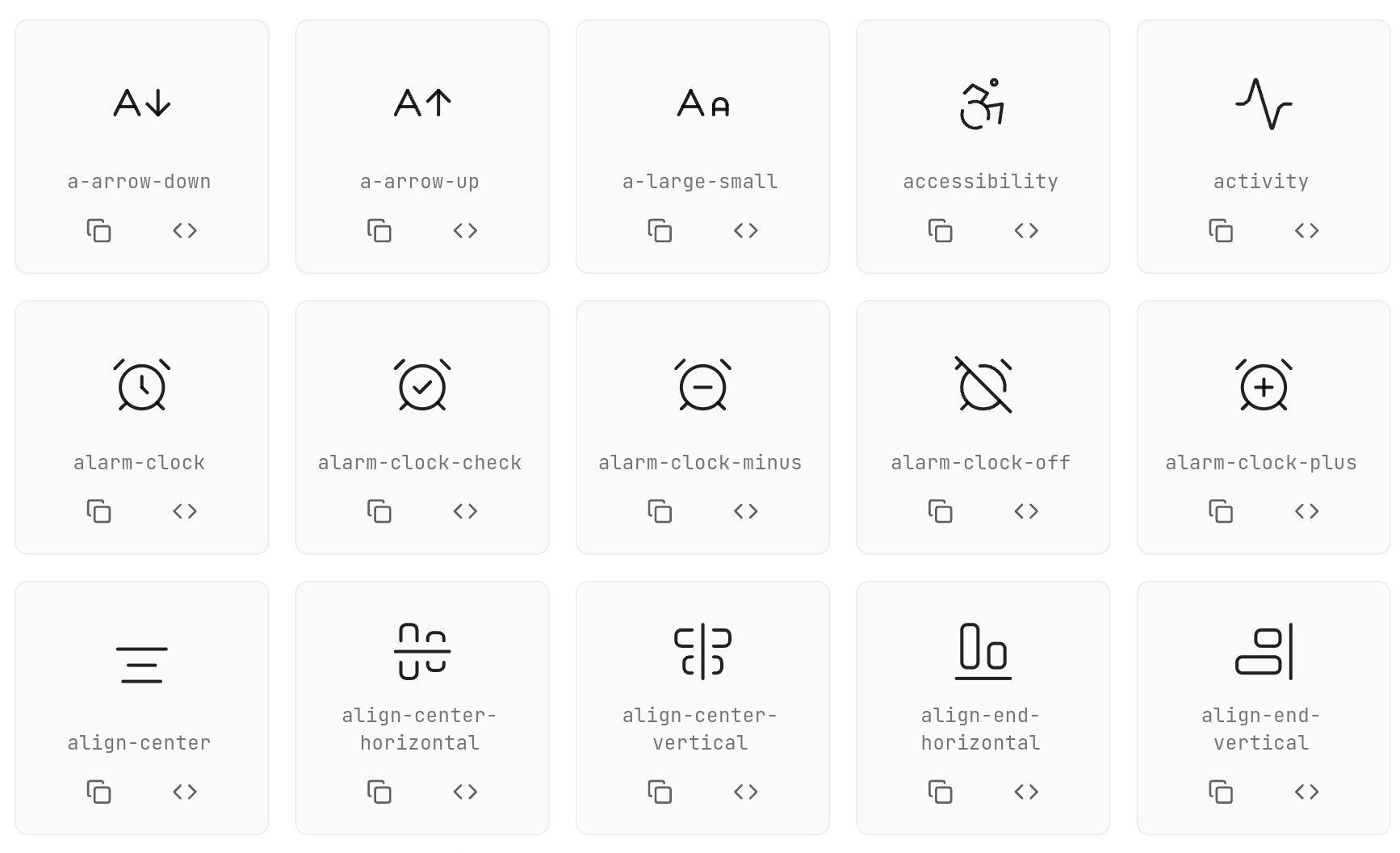
Available Icons

Web demo MEDIUM ARTICLE

Animation Types

Each icon has its own unique animation:

  • Rotation: Icons rotate around their center
  • Scale: Icons scale up/down
  • Path Drawing: Icons draw their paths progressively
  • Morphing: Icons transform between states

Contributing

Contributions are welcome! Please feel free to submit a Pull Request.

CONTRIBUTING.md CODE_OF_CONDUCT.md ICON_CHECKLIST.md

Contacts

@khlebobul [Email - khlebobul@gmail.com](mailto:khlebobul@gmail.com) @khlebobul Personal - Website

Support

Support the project

License

LICENCE - MIT

Credits

Icons based on Lucide Icons inspired by pqoqubbw/icons

Used by

카테고리

소스 저장소

이 패키지를 사용하는 프로젝트