패키지, 저장소 및 앱 카테고리 검색

overflow_text_animated 표지
패키지 상세v0.0.6

overflow_text_animated

텍스트 오버플로우를 애니메이션으로 처리하는 Flutter 패키지 프로젝트입니다.

AndroidiOSWebmacOSWindowsLinux
30일 다운로드
211
좋아요
51
Pub 점수
155

패키지 설치

flutter pub add overflow_text_animated

패키지 개요

공개 정보를 바탕으로 생성한 선택 가이드입니다.

텍스트가 오버플로되는 것을 부드럽게 표시하거나 숨기는 애니메이션을 제공하는 플러터 패키지입니다. 텍스트가 컨테이너 경계를 초과할 때 사용자 경험을 미세한 애니메이션으로 향상시켜, 공간이 제한된 동적 UI에 이상적입니다. 여러 플랫폼을 지원하며 기존 플러터 프로젝트에 쉽게 통합할 수 있습니다. 텍스트 자르기 시 우아한 시각 피드백을 원하는 개발자를 위한 것입니다.

사용 사례

  • 동적 텍스트 컨테이너
  • 애니메이션 텍스트 자르기
  • 사용자 인터페이스 개선
  • 반응형 디자인 요소
  • 인터랙티브 텍스트 표시
  • 오버플로우 시 시각적 피드백

주요 기능

  • 오버플로우 시 부드러운 애니메이션
  • 크로스 플랫폼 지원
  • Flutter와의 간편한 통합
  • 사용자 정의 애니메이션 지속 시간
  • 다중 줄 텍스트를 지원합니다
  • 필요한 보일러플레이트 최소화

적합한 대상

  • UI/UX 디자이너
  • Flutter 개발자
  • 변동하는 텍스트 콘텐츠를 가진 앱
  • 인터랙티브 대시보드
  • 모바일 및 웹 애플리케이션

고려 사항

  • 큰 텍스트 블록과 함께 성능에 영향을 미칠 수 있습니다
  • 애니메이션 동작은 플랫폼에 따라 달라질 수 있습니다
  • 최적의 사용자 경험을 위해 신중한 조정이 필요합니다
  • 단순 정적 텍스트에는 적합하지 않습니다
  • 기본 애니메이션 외에 사용자 지정 옵션이 제한적
  • Flutter의 렌더링 파이프라인에 의존합니다

원본 README

연결된 소스 저장소의 README 원문 스냅샷입니다. 최신 내용은 저장소에서 확인하세요.

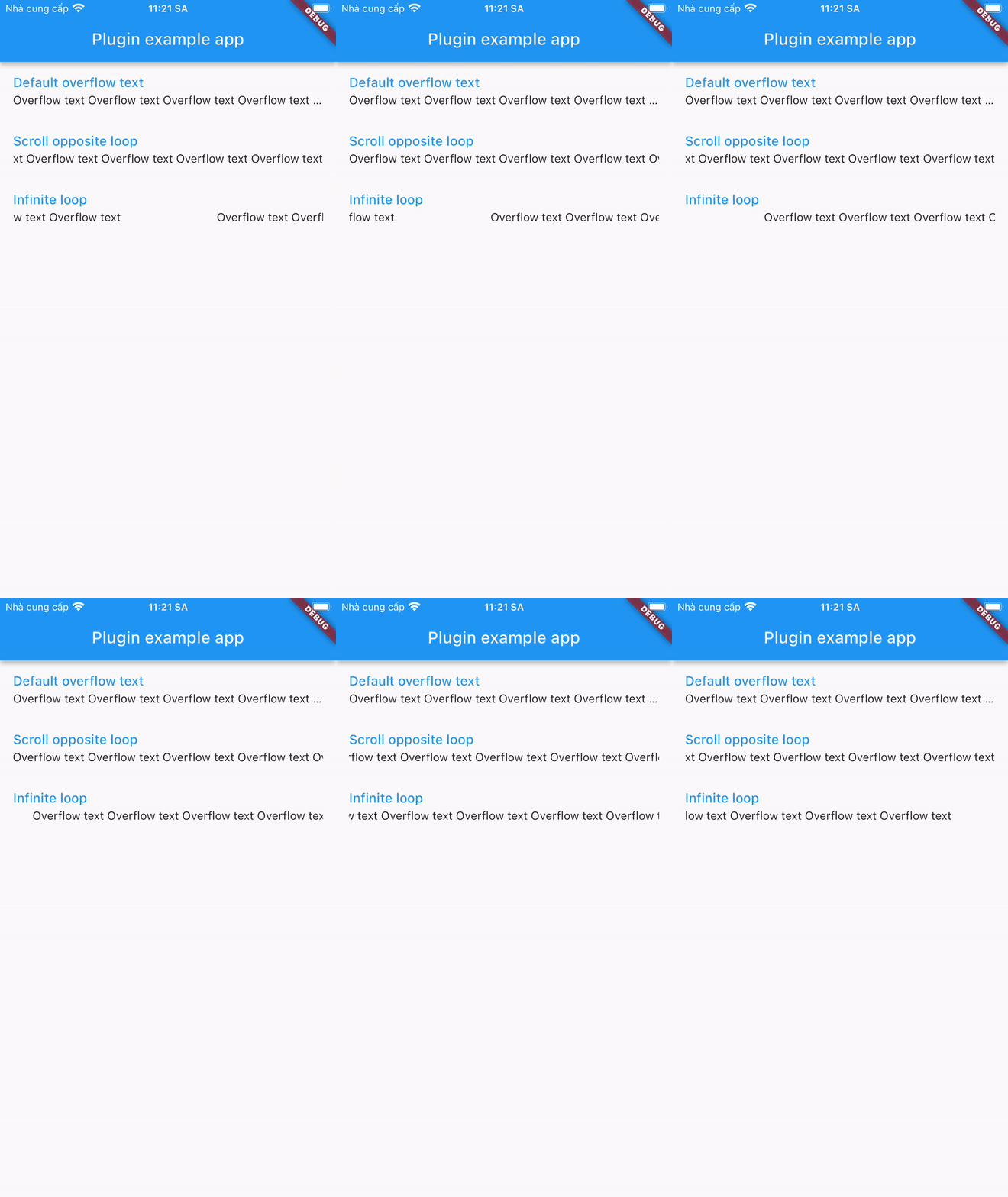
A plugin that displays overflowed text in a different way:

Installing

1. Depend on it

Add this to your package's pubspec.yaml file:

dependencies:
  overflow_text_animated: ^0.0.6
2. Install it

You can install packages from the command line:

with pub:

$ pub get

with Flutter:

$ flutter pub get
3. Import it

Now in your Dart code, you can use:

import 'package:overflow_text_animated/overflow_text_animated.dart';

Usage

OverflowTextAnimated is a Stateful Widget. Include it in your build method like:

OverflowTextAnimated(
  text: overflowText,
  style: descriptionStyle,
  curve: Curves.fastEaseInToSlowEaseOut,
  animation: OverFlowTextAnimations.scrollOpposite,
  animateDuration: Duration(milliseconds: 1500),
  delay: Duration(milliseconds: 500),
)

OverflowTextAnimated is used as default text widget. It has many configurable properties, including:

  • text - required properties
  • style – style of text
  • curve – motion curves of animation effects
  • animation - animation type
  • animateDuration – is the duration of the animation
  • delay – is the break time between 2 animations

Note: Widget is only available when its parent has a specified width.

카테고리

소스 저장소

이 패키지를 사용하는 프로젝트

아직 데이터가 없습니다.