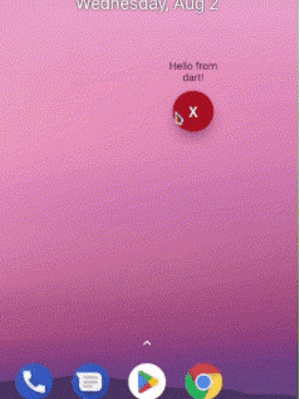
앱이 종료되거나 종료된 상태에서도 안드로이드에서 팝업 또는 오버레이 화면을 표시할 수 있는 플러터 플러그인입니다. 다른 앱 위에 콘텐츠를 표시하기 위해 안드로이드의 시스템 레벨 오버레이 권한을 활용하며, 알림, 빠른 작업 또는 지속적인 UI 요소에 유용합니다. 이 플러그인은 플러터와 원활하게 통합되며 기능을 사용하려면 사용자 허가가 필요합니다. iOS는 지원하지 않으며 안드로이드 전용으로 설계되었습니다. 개발자는 오버레이의 외관과 동작을 프로그래밍 방식으로 사용자 정의할 수 있습니다.
사용 사례
지속적인 알림 표시
플로팅 액션 패널 만들기
앱이 백그라운드로 전환되었을 때 알림 표시
빠른 액세스 도구 구현
다른 앱을 통해 실시간 업데이트 제공
주요 기능
앱이 종료된 상태에서도 작동합니다
Android 전용 오버레이 지원
사용자 정의 가능한 오버레이 콘텐츠
시스템 수준의 권한 처리
Flutter와의 간단한 통합
적합한 대상
항상 켜진 UI 컴포넌트를 구축하는 개발자
지속적인 오버레이가 필요한 앱
전경 가시성이 필요한 도구
알림 향상된 애플리케이션
플로팅 인터페이스를 갖춘 유틸리티 앱
고려 사항
Android 시스템 오버레이 권한이 필요합니다
iOS에서 사용할 수 없습니다
기기 제조업체에 의해 제한될 수 있습니다
사용자는 권한을 수동으로 활성화해야 합니다
배터리 및 성능에 영향을 미칠 수 있습니다
원본 README
연결된 소스 저장소의 README 원문 스냅샷입니다. 최신 내용은 저장소에서 확인하세요.
overlay_pop_up
A new Flutter plugin to display pop ups or screens over other apps in Android even when app is closed or killed.
backgroundBehavior by default is focusable flag that is you can take focus inside a overlay for example inside a textfield and [tapThrough] you can tap through the overlay background even if has MATCH_PARENT sizes.
screenOrientation by default orientation is portrait.
closeWhenTapBackButton by default when user presses back button the overlay no has any action if you pass true then back button will close overlay.
isDraggable by default is false therefore the overlay can´t be dragged.
entryPointMethodName by default is 'overlayPopUp' if you want you can change it
awaitOverlayPopUp.showOverlay();
returns true if overlay closed correctly or already is closed
awaitOverlayPopUp.closeOverlay();
returns the overlay status true = open, false = closed
awaitOverlayPopUp.isActive();
returns the last overlay position if drag is enabled