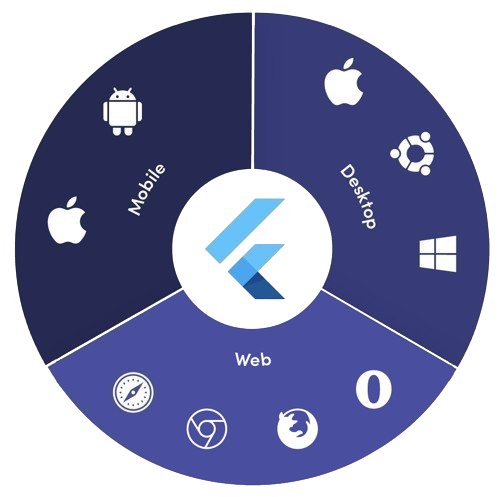
platform_detail은 포괄적인 플랫폼별 정보를 간편하게 가져오는 가벼운 Dart 패키지입니다. Android, iOS, macOS, Windows, Linux 등 여러 플랫폼에서 현재 운영 체제, 기기 유형, 아키텍처 및 기타 런타임 세부 정보를 식별하기 위한 통합적이고 사용하기 쉬운 인터페이스를 제공합니다. 반복 코드 없이 신뢰할 수 있는 플랫폼 감지를 필요로 하는 개발자를 위해 설계되었으며, 저수준의 플랫폼 확인을 깔끔하고 읽기 쉬운 메서드로 추상화합니다. 환경 또는 기기 특성에 따라 조건부 로직을 구현하는 데 이상적입니다.
사용 사례
플랫폼에 따라 조건부 UI 렌더링
기기별 기능 전환기
크로스 플랫폼 디버깅 유틸리티
런타임 환경 내성
장치별 성능 최적화
플랫폼별 동작 테스트
주요 기능
Android, iOS, macOS, Windows 및 Linux를 지원합니다
플랫폼 및 디바이스 감지용 간단한 API
세부 시스템 정보를 반환합니다
경량이며 외부 종속성 없음
플랫폼 간 일관된 인터페이스
pub add를 통한 간편한 통합
적합한 대상
크로스 플랫폼 플러터 앱
플랫폼 인식 로직이 필요한 앱
최소 설정을 원하는 개발자
디버깅 및 진단 도구
여러 데스크톱 및 모바일 플랫폼을 대상으로 하는 앱
고려 사항
웹 플랫폼을 지원하지 않습니다
실행 시간 플랫폼 정보만 제한
실시간 플랫폼 변경 감지 없음
네이티브 플랫폼 API에 의존합니다
일부 플랫폼에서는 권한 처리가 필요할 수 있습니다
복잡한 장치 지문 생성을 위한 것이 아님
원본 README
연결된 소스 저장소의 README 원문 스냅샷입니다. 최신 내용은 저장소에서 확인하세요.
Platform Detail
About
Platform Detail is a lightweight and developer-friendly Flutter package that makes platform detection easier, more complete, and cross-platform.
It provides a unified and consistent API for checking the platform your app is running on — including web, something that native Flutter classes like TargetPlatform and Platform from dart:io don't currently support.
⚠️ Flutter’s native Platform and TargetPlatform do not provide support for detecting web, which can be a limitation in universal apps.
✅ platform_detail addresses this limitation by introducing a simple and intuitive API that includes web detection out of the box.
✅ Why Use This Package?
✅ Unified API across all platforms (including web).
✅ Clear separation between platform type and platform group.
✅ Static API with simple access from PlatformDetail.
✅ No need to manually check kIsWeb or rely on partial solutions.
If you only rely on TargetPlatform, you’ll miss web support.
voidmain() {
// Native TargetPlatform doesn't detect web:if (defaultTargetPlatform == TargetPlatform.android) {
// OK for Android
} elseif (kIsWeb) {
// Web has to be checked manually
}
}
With PlatformDetail, the check is unified:
voidmain() {
if (PlatformDetail.isWeb) {
print('Web detected ✔️');
}
}
🔎 Group-based Detection
Check whether the current platform belongs to a broader category:
voidmain() {
if (PlatformDetail.isMobile) {
print('Mobile platform');
}
if (PlatformDetail.isDesktop) {
print('Desktop platform');
}
if (PlatformDetail.isDesktopOrWeb) {
print('Desktop or Web platform');
}
}
voidmain() {
if (PlatformDetail.isIOS) print('iOS');
if (PlatformDetail.isAndroid) print('Android');
if (PlatformDetail.isFuchsia) print('Fuchsia');
if (PlatformDetail.isWindows) print('Windows');
if (PlatformDetail.isLinux) print('Linux');
if (PlatformDetail.isMacOS) print('macOS');
if (PlatformDetail.isWeb) print('Web');
}
Or create different cases through the enum with a switch:
ℹ️ No configuration is required for most platforms.
For macOS, you must add the following entry to both DebugProfile.entitlements and ReleaseProfile.entitlements files:
If you need more detailed information about the device and operating system it is running on.
voidmain() async {
final descriptionDevice = awaitPlatformDetail.deviceInfo();
}
Or maybe you need an information string about the device info:
voidmain() async {
final descriptionDevice = awaitPlatformDetail.deviceInfoDetails();
}
This will return something like this:
Android: Android 9 (SDK 28), Xiaomi Redmi Note 7
iOS: iOS 13.1, iPhone 11 Pro Max iPhone
Web: Google Chrome (115.0.5790.170)
Linux: Fedora 17 (Beefy Miracle)
Windows: Windows 10 Home (1903)
MacOS: macOS 13.5, MacBook Pro
Get compact environment details
If you need a typed and lightweight payload with platform, model and locale, use environmentDetails():
voidmain() async {
final details = awaitPlatformDetail.environmentDetails();
print(details.platformType); // PlatformType.androidprint(details.platform); // android 14print(details.deviceModel); // Google Pixel 8print(details.locale); // en-US
}
This returns an EnvironmentDetails object with these fields:
platformType: PlatformType
platform: String
deviceModel: String
locale: String
The example app includes a section that renders these values on screen.
Get app version and build number
If you need app package metadata, you can use versionDetails():
voidmain() async {
final details = awaitPlatformDetail.versionDetails();
print(details.appName); // My Appprint(details.packageName); // com.example.my_appprint(details.version); // 5.4.0print(details.buildNumber); // 12
}
This returns a VersionDetails object with these fields:
appName: String
packageName: String
version: String
buildNumber: String
Light/Dark Mode
You can detect too if the device is configured in light or dark mode:
voidmain() {
if (PlatformDetail.isLightMode) {
print('The current platform is configured with light mode');
}
if (PlatformDetail.isDarkMode) {
print('The current platform is configured with dark mode');
}
}
voidmain() {
if (PlatformDetail.theme == DeviceTheme.light) {
print('The current device is configured in light mode');
}
if (PlatformDetail.theme == DeviceTheme.dark) {
print('The current device is configured in dark mode');
}
}