패키지, 저장소 및 앱 카테고리 검색

positioned_scroll_observer 표지
패키지 상세v2.2.3

positioned_scroll_observer

대부분의 스크롤 뷰를 지원하는 우아한 스크롤 관찰자로 현재 위젯을 손상시키지 않고 인덱스로 점프/애니메이션할 수 있습니다.

AndroidiOSWebmacOSWindowsLinux
30일 다운로드
2.1천
좋아요
28
Pub 점수
160

패키지 설치

flutter pub add positioned_scroll_observer

패키지 개요

공개 정보를 바탕으로 생성한 선택 가이드입니다.

PositionedScrollObserver는 다양한 스크롤 가능한 위젯에서 스크롤 위치를 우아하게 관찰하고 관리하도록 설계된 플러터 패키지입니다. 기존 위젯 상태를 방해하지 않고 스크롤 뷰 내 특정 인덱스로 부드럽게 이동하거나 애니메이션을 수행할 수 있습니다. 리스트, 그리드 및 사용자 정의 스크롤 가능 요소에 적합하며, 탐색 중에도 UI 일관성을 유지합니다. 이 패키지는 모든 주요 플랫폼을 지원하며 플러터의 스크롤 시스템과 원활하게 통합됩니다.

사용 사례

  • 프로그래밍적으로 특정 목록 항목으로 스크롤하기
  • 동적 콘텐츠 업데이트 중 스크롤 상태 유지
  • 긴 목록에서 인덱스 기반 탐색 만들기
  • 스크롤 뷰에서 부드러운 애니메이션 점프 구현
  • 여러 스크롤 가능한 컴포넌트 동기화

주요 기능

  • 모든 표준 스크롤 뷰를 지원합니다
  • 스크롤 점프 중에 위젯 상태를 유지합니다
  • 부드러운 애니메이션 인덱스 전환
  • 크로스 플랫폼 호환성
  • 최소한의 보일러플레이트 통합
  • 사용자 정의 스크롤 컨트롤러와 함께 작동

적합한 대상

  • 복잡한 스크롤 가능한 인터페이스를 구축하는 개발자
  • 인덱스 기반 탐색이 필요한 앱
  • 동적 또는 자주 업데이트되는 목록을 가진 프로젝트
  • 원활한 사용자 경험을 우선시하는 팀
  • 다중 플랫폼을 대상으로 하는 Flutter 앱

고려 사항

  • 호환되는 스크롤 뷰 설정이 필요합니다
  • 중첩 스크롤 뷰에 대한 추가 로직이 필요할 수 있습니다
  • 안정적인 스크롤 컨트롤러 참조와 함께 사용하는 것이 가장 좋습니다
  • 스크롤할 수 없는 위젯용이 아님
  • 성능에 미치는 영향은 스크롤 뷰의 복잡성에 따라 달라집니다

원본 README

연결된 소스 저장소의 README 원문 스냅샷입니다. 최신 내용은 저장소에서 확인하세요.

pub package GitHub Repo stars

Features

  1. Using jumpToIndex and animateToIndex to scroll to the specific index

  2. Jumping/animating to the position by specifying a ratio in a scroll view. See how to align the render object. That would be very useful if you want to quickly jump to the top, middle or end of a list/grid.

  3. Using PositionRetainedScrollPhysics to retain the old offset to avoid scrolling when adding new items into the top of ListView. See retain old scroll offset.

  4. Check if the specific index is visible on the screen. See check visibility.

  5. Check which items are visible in the viewport. See get visible items

  6. Check the visible ratio of the observed RenderObject in a viewport. See how to use it in a GroupList

  7. No breaking for your current sliver widgets, e.g., ListView/GridView, SliverList/SliverGrid/SliverAppBar, just wrapping your item widgets using ObserverProxy. Supported:

  • [x] ListView
  • [x] GridView
  • [x] CustomScrollView
  • [x] SingleChildScrollView
  • [x] ListWheelScrollView
  • [ ] NestedScrollView (waiting testing)

Getting started

  1. First, creating and binding the observer to all items. (See box scroll observer and sliver scroll observer)

  2. then, using the observer like:

    _observer.jumpToIndex(
        index,
        position: _controller.position,
    );
    
    _observer.animateToIndex(
        index,
        position: _controller.position,
        duration: const Duration(milliseconds: 200),
        curve: Curves.fastLinearToSlowEaseIn,
    );
    
Usage for scroll views that do not rely on RenderSliver, e.g., SingleChildScrollView and ListWheelScrollView
  1. create a BoxScrollObserver for observing the box with multi children.

      final ScrollController _controller = ScrollController();
      late final _observer = ScrollObserver.boxMulti(
        axis: _axis,
        itemCount: 30,
      );
    
  2. bind the observer to the box's children. (Using ObserverProxy to wrap each item).

    SingleChildScrollView(
      controller: _controller,
      scrollDirection: _axis,
      child: Column(
        children: [
          for (int i = 0; i < 30; i++)
            ObserverProxy(
              observer: _observer,
              child: DecoratedBox(
                decoration: BoxDecoration(border: Border.all()),
                child: SizedBox(
                  height: 100,
                  width: 100,
                  child: Center(
                    child: Text("Column item $i"),
                  ),
                ),
              ),
            ),
          ],
        ),
      );
    
Usage for slivers widgets.
  1. create a SliverScrollObserver for observing the sliver with multi children.

      final ScrollController _controller = ScrollController();
      late final _observer = ScrollObserver.sliverMulti(itemCount: 30);
    
  2. bind the observer to each item for the sliver.

        ListView.builder(
          controller: _controller,
          itemBuilder: (context, index) => ObserverProxy(
            observer: _observer,
            child: ListTile(
              key: ValueKey<int>(index),
              leading: const CircleAvatar(
                child: Text("L"),
              ),
              title: Text("Positioned List Example $index"),
            ),
          ),
          itemCount: _itemCount,
        );
    

For ListView.custom and GridView.custom, you could also use PositionedChildListDelegate and PositionedChildBuilderDelegate for wrapping items in ObserverProxy conveniently

Usage

For observing slivers:
  1. observing a sliver with single child, using ScrollObserver.sliverSingle to create.
  2. observing a sliver with multi children, using ScrollObserver.sliverMulti to create.
For observing other scroll views that have no sliver descendants.
  1. observing a box with single child, using ScrollObserver.boxSingle to create. (rare cases and need more testing)
  2. observing a box with multi children, using ScrollObserver.boxMulti to create.
Checking index is visible on the screen
get visible items

More details, see API reference.

Using PositionRetainedScrollPhysics for retaining the old scroll offset
ListView.builder(
  controller: _controller,
  reverse: true,
  physics: const PositionRetainedScrollPhysics(),
  itemBuilder: (context, index) => _items[index],
  itemCount: _itemCount,
);
Jump/animate to a ratio position in a viewport
_observer.showInViewport(
  _controller.position,
  alignment: 0.5,
);

By setting different alignment, you could jump/animate to the position according to the ratio: alignment.

  1. for alignment = 0.0, it would align the render object' leading to the leading of the viewport's main axis extent.
  2. for alignment = 0.5, it would align the render object's center to the center of the viewport;s main axis extent.
  3. for alignment = 1.0, it would align the render object's trailing to the trailing of the viewport's main axis extent.

you could also specify alignment as the number between [0, 1]

Pay attention
  • The item widget/builder must be wrapped using ObserverProxy
  • All observers would normalizeIndex to ensure the index is in a valid range determined by itemCount of observers, so developers should also update observers' itemCount when the scroll views' item count changes.
  • Items that have the same RenderObject observed by an observer should share the same observer instance, instead of creating different observers for each item.
  • When using ScrollObserver.boxMulti, axis is required so that the observer could estimate the scroll offset along the correct main axis.

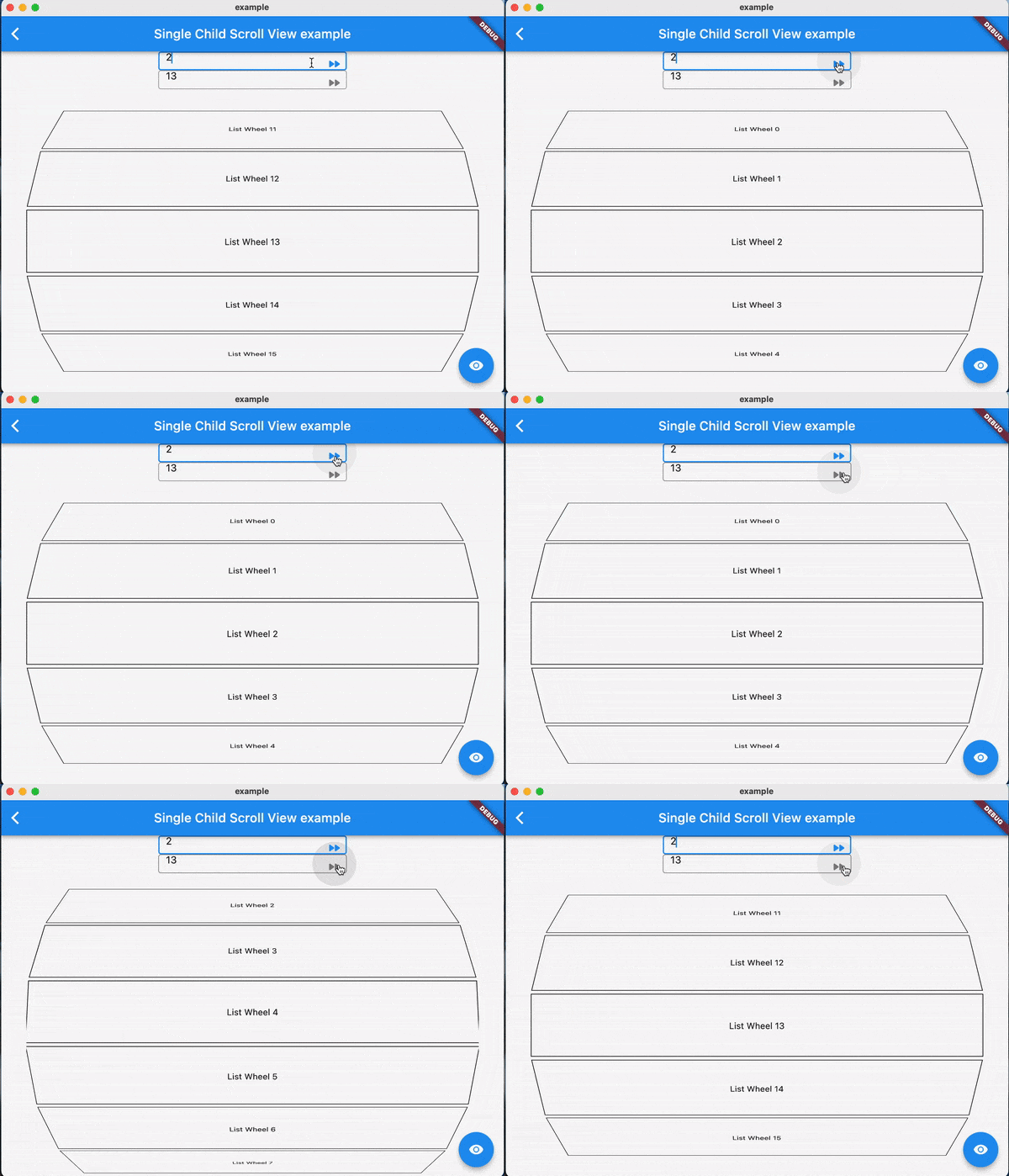
Examples:

FAQ

TODO

Contributions

Feel free to contribute to this project.

If you find a bug or want a feature, but don't know how to fix/implement it, please fill an issue.

If you fixed a bug or implemented a feature, please send a pull request

카테고리

소스 저장소

이 패키지를 사용하는 프로젝트

아직 데이터가 없습니다.