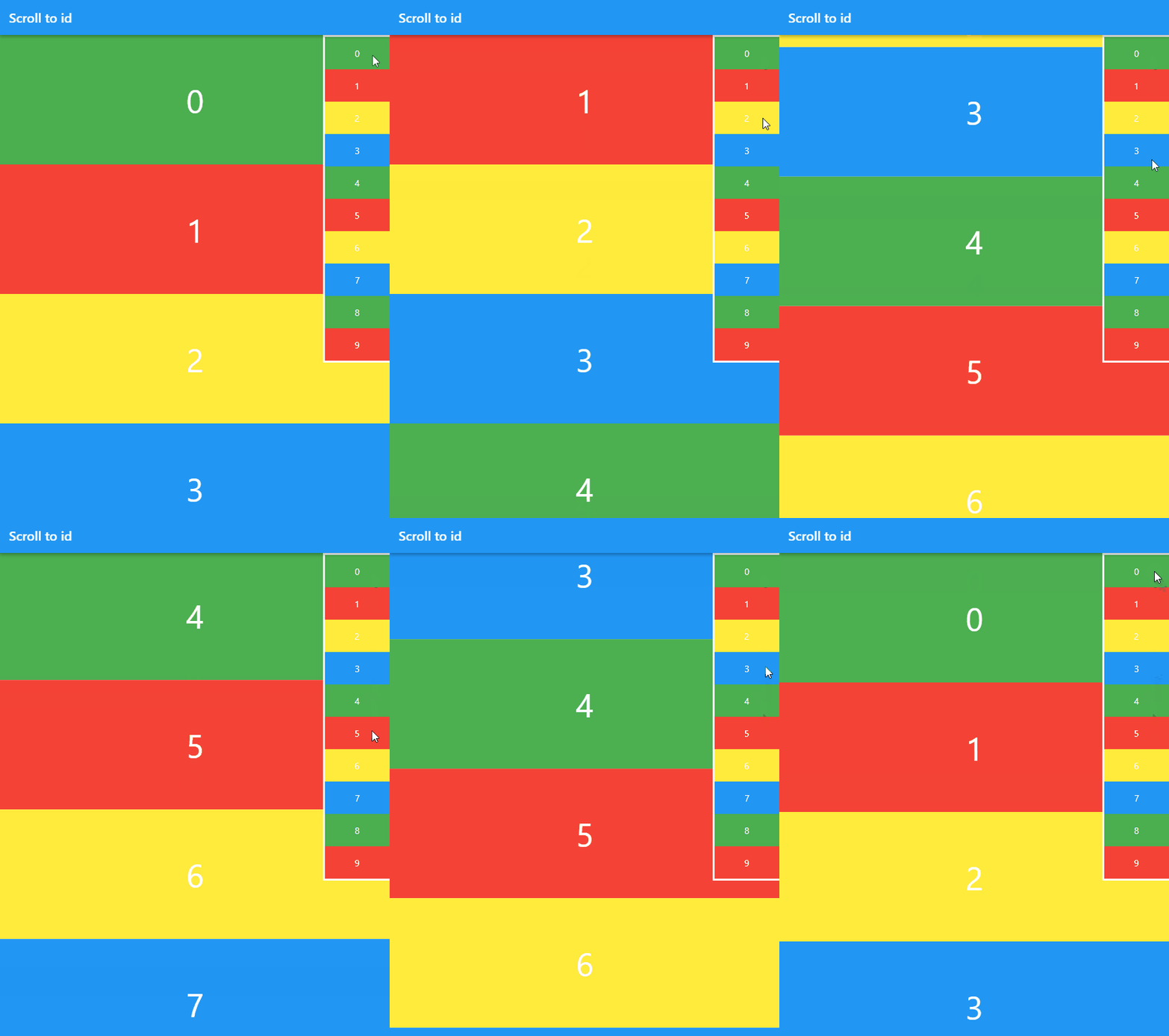
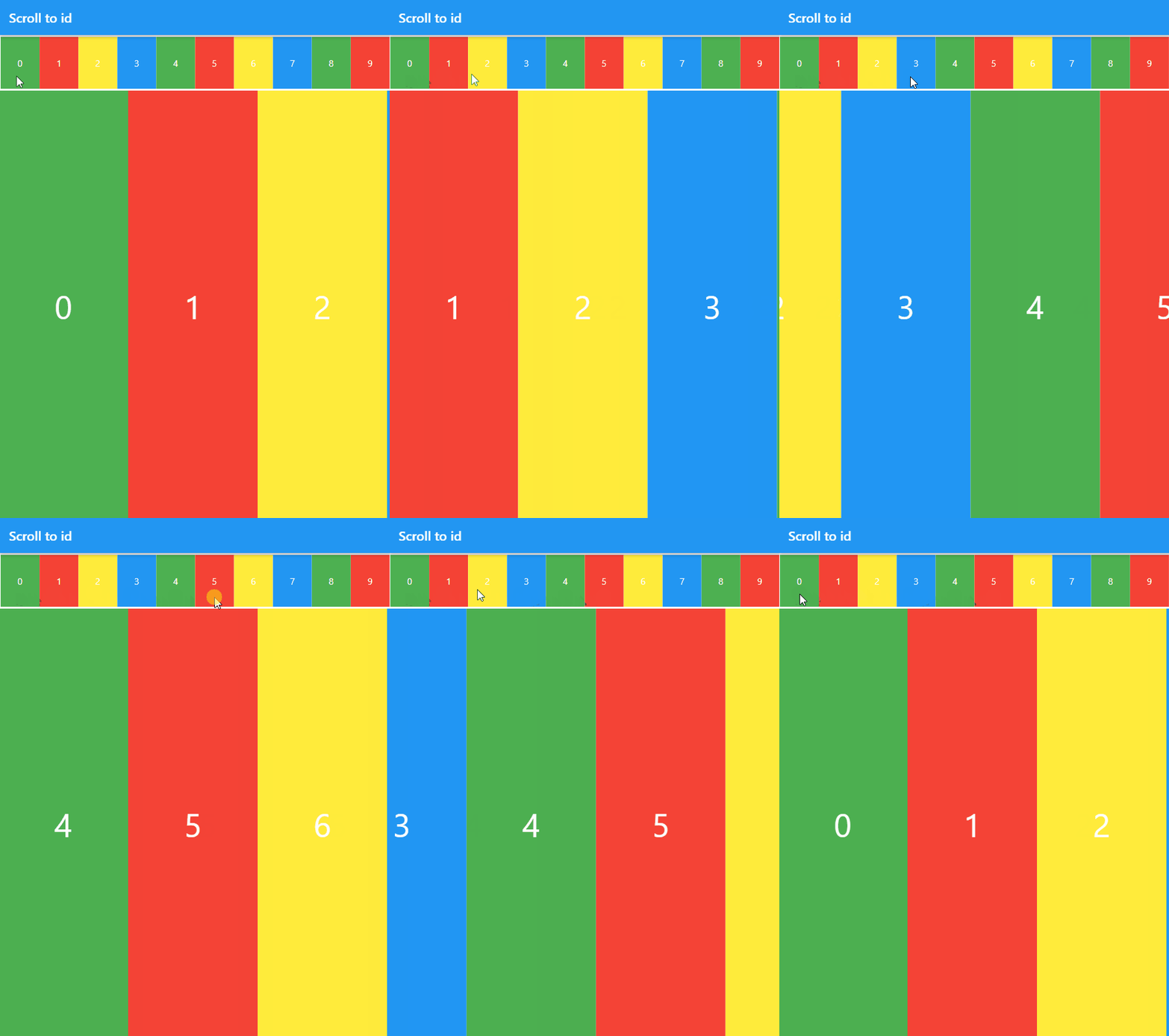
연결된 소스 저장소의 README 원문 스냅샷입니다. 최신 내용은 저장소에서 확인하세요.
Scroll to id
scroll_to_id is a Flutter library for Scroll to id in ScrollView
Installing
You should add the following to your pubspec.yaml file:
dependencies:
  scroll_to_id: ^1.5.1
Getting Started
To start, import the dependency in your code:
import 'package:scroll_to_id/scroll_to_id.dart' ;
Next, to define ScrollController:
final scrollController = ScrollController ();
Next, to create instance with ScrollController:
ScrollToId scrollToId = ScrollToId (scrollController: scrollController);
Next, to set InteractiveScrollViewer and ScrollContent:
InteractiveScrollViewer (
scrollToId: scrollToId,
children: <ScrollContent >[
ScrollContent (
id: 'a' ,
child: Container (
color: Colors .red,
width: 300 ,
height: 200 ,
)
),
ScrollContent (
id: 'b' ,
child: Container (
color: Colors .green,
width: 300 ,
height: 200 ,
)
),
],
)
id property is destination of scroll.
Do not use the same id.
Next, to scroll to id:
scrollToId.animateTo (
'b' ,
duration: Duration (milliseconds: 500 ),
curve: Curves .ease
);
scrollToId.jumpTo ('b' );
Examples
import 'package:flutter/material.dart' ;
import 'package:scroll_to_id/scroll_to_id.dart' ;
void main () {
runApp (MyApp ());
}
class MyApp extends StatefulWidget @override
_MyAppState createState () => _MyAppState ();
}
class _MyAppState extends State <MyApp > ScrollToId scrollToId;
final ScrollController scrollController = ScrollController ();
List <Color > _colorList = [
Colors .green,
Colors .red,
Colors .yellow,
Colors .blue
];
void _scrollListener () {
print (scrollToId.idPosition ());
}
@override
void initState () {
super .initState ();
scrollToId = ScrollToId (scrollController: scrollController);
scrollController.addListener (_scrollListener);
}
@override
Widget build (BuildContext context) {
return MaterialApp (
debugShowCheckedModeBanner: false ,
title: 'Scroll to id' ,
theme: ThemeData (
primarySwatch: Colors .blue,
),
home: Scaffold (
appBar: AppBar (
title: const Text ('Scroll to id' ),
),
body: buildStackVertical (),
),
);
}
Widget buildStackVertical () {
return Stack (
alignment: Alignment .topRight,
children: [
InteractiveScrollViewer (
scrollToId: scrollToId,
children: List .generate (10 , (index) {
return ScrollContent (
id: '$index ' ,
child: Container (
alignment: Alignment .center,
width: double .infinity,
height: 200 ,
child: Text (
'$index ' ,
style: TextStyle (color: Colors .white, fontSize: 50 ),
),
color: _colorList[index % _colorList.length],
),
);
}),
),
Container (
decoration: BoxDecoration (
border: Border .all (color: Colors .white, width: 3 ),
),
child: Column (
mainAxisSize: MainAxisSize .min,
children: List .generate (10 , (index) {
return GestureDetector (
child: Container (
width: 100 ,
alignment: Alignment .center,
height: 50 ,
child: Text (
'$index ' ,
style: TextStyle (color: Colors .white),
),
color: _colorList[index % _colorList.length],
),
onTap: () {
scrollToId.animateTo ('$index ' ,
duration: Duration (milliseconds: 500 ),
curve: Curves .ease);
},
);
}),
),
)
],
);
}
Widget buildStackHorizontal () {
return Column (
children: [
Container (
width: double .infinity,
decoration: BoxDecoration (
border: Border .all (color: Colors .white, width: 3 ),
),
child: Row (
mainAxisSize: MainAxisSize .min,
children: List .generate (10 , (index) {
return Expanded (
child: GestureDetector (
child: Container (
alignment: Alignment .center,
height: 80 ,
child: Text (
'$index ' ,
style: TextStyle (color: Colors .white),
),
color: _colorList[index % _colorList.length],
),
onTap: () {
scrollToId.animateTo ('$index ' ,
duration: Duration (milliseconds: 500 ),
curve: Curves .ease);
},
),
);
}),
),
),
Expanded (
child: InteractiveScrollViewer (
scrollToId: scrollToId,
scrollDirection: Axis .horizontal,
children: List .generate (10 , (index) {
return ScrollContent (
id: '$index ' ,
child: Container (
alignment: Alignment .center,
width: 200 ,
child: Text (
'$index ' ,
style: TextStyle (color: Colors .white, fontSize: 50 ),
),
color: _colorList[index % _colorList.length],
),
);
}),
),
),
],
);
}
}