패키지, 저장소 및 앱 카테고리 검색

패키지 상세v0.0.2

serial_communication

사용 가능한 포트를 통해 데이터를 읽고 쓸 수 있는 안드로이드 플러그인

Android
30일 다운로드
61
좋아요
14
Pub 점수
160

패키지 설치

flutter pub add serial_communication

패키지 개요

공개 정보를 바탕으로 생성한 선택 가이드입니다.

serial_communication 패키지는 사용 가능한 시리얼 포트를 통해 플러터 앱과 외부 하드웨어 장치 간의 시리얼 통신을 가능하게 하는 안드로이드 플러그인입니다. 이는 이러한 포트에서 읽기 및 쓰기를 허용하여 UART/USB-to-시리얼 인터페이스를 통해 연결된 센서, 마이크로컨트롤러 또는 기타 주변 장치와의 직접적인 상호작용을 가능하게 합니다. 안드로이드 전용으로 설계되어 개발자가 앱에 하드웨어 기반 기능을 통합할 수 있도록 간단한 API를 제공합니다. 실시간 데이터 교환을 지원하며, 사물인터넷(IoT) 애플리케이션, 산업 자동화 및 임베디드 시스템 제어에 적합합니다.

사용 사례

  • 아두이노 장치에 연결
  • 실시간으로 센서 데이터 읽기
  • 산업 장비 제어
  • USB-시리얼 어댑터와의 통합
  • 사물인터넷 모니터링 시스템 구축

주요 기능

  • Android 전용 지원
  • 시리얼 포트에서 읽기/쓰기 작업을 가능하게 합니다
  • 하드웨어 통합을 위한 간단한 API
  • 실시간 데이터 전송
  • UART 및 USB-시리얼 장치와 호환됨

적합한 대상

  • IoT 애플리케이션 개발자
  • 하드웨어 인터페이스 프로젝트
  • 안드로이드 기반 산업용 앱
  • 임베디드 시스템 통합자
  • 마이크로컨트롤러를 사용한 프로토타이핑

고려 사항

  • Android 플랫폼에 한정
  • 하드웨어 호환성 필요
  • iOS 지원 없음
  • 적절한 권한 및 장치 구성이 필요합니다
  • 특정 장치에서는 추가적인 네이티브 설정이 필요할 수 있습니다

원본 README

연결된 소스 저장소의 README 원문 스냅샷입니다. 최신 내용은 저장소에서 확인하세요.

Pub

Serial communication!

An Android Plugin for Serial Communication which allow you to read and write the data through the available ports The supported features are:

  • Listing the available serial ports on the device, including USB to serial adapters
  • Configuring serial ports (baud rate, stop bits, permission, ...)
  • Providing standard InputStream and OutputStream

Description

This PlugIn enables the communication with the USB RS232 RS485 UART

Supported platforms:

  • Android

Video tutorial

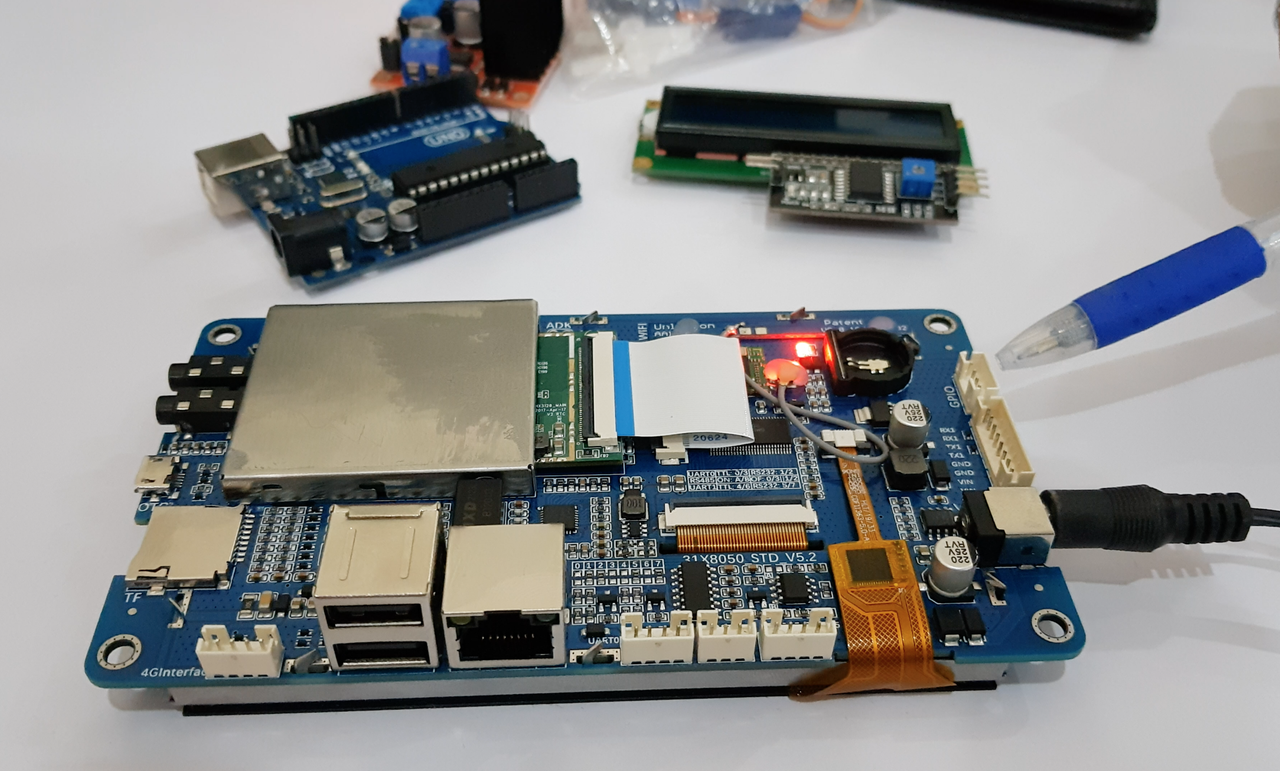
In order to completely understand you can view our sample video in which we are using an android Lcm module. Click the image below to watch the video:

IMAGE ALT TEXT

Getting Started

Add a dependency to your pubspec.yaml

dependencies:
	serial_communication: 0.0.2

include the usbserial package at the top of your dart file.

import  'package:serial_communication/serial_communication.dart';

❓ Usage

If you encounter any issues please refer to the API docs and the sample code in the example directory before opening a request on Github.

Example app

The example directory has a sample application that demonstrates the features of this plugin.


🔧 Android Setup

Initialisation
The first step is to call the startSerial() method and subscribe the StreamSubscription

Start Serial

startSerial method will open the transaction stream

SerialCommunication serialCommunication = SerialCommunication();

  @override
  void initState() {
    super.initState();
   serialCommunication.startSerial().listen(_updateConnectionStatus);
    getSerialList();
  }
  
 void  _updateConnectionStatus(SerialResponse? result) async {
logData = result!.logChannel ?? "";
receivedData = result.readChannel ?? "";
});
}

By calling the startSerial() it will provide you with the SerialResponse in the form of stream data

SerialResponse In Serial Response you will get the following type
1) Log Channel (type:String)
2) Read Channel (type:String)

  1. Log Channel: In the log channel you wll get the repsone when you open any port ,close any port , transmit data (TX).

  2. Read Channel: In the Read channel you wll get the Recived data (RX)

Available Ports

The getAvailablePorts() method will return you all the
available ports on a device

serialList = await  serialCommunication.getAvailablePorts();

Open

openPort method will open the serial communication Its has 3 required parameter { DataFormat dataFormat, String serialPort, int baudRate }

serialCommunication.openPort(
dataFormat: DataFormat.ASCII,
serialPort: serialList.first,
baudRate: serialCommunication.baudRateList.first)

Close

closePort method will close the port if you have opened any port

serialCommunication.closePort();

Send Command

sendCommand method will send your message Its has 1 required parameter {String message}

serialCommunication.sendCommand(message: "message");

Clear

clearLog method will clear the Log channel clearRead method will clear the Read channel

serialCommunication.clearLog();
serialCommunication.clearRead();

Destroy

destroy method will eliminate the resources

@override
void  dispose() {
serialCommunication.destroy();
super.dispose();
}

  • Baud Rate To get the Standard baud rates list call the SerialCommunication().baudRateList it will return the integer list of standard baud rate

  • Data Format The Data format is used to convert the data type To pass the data format in the open() method parameter For ascii format call the DataFormat.ASCII

    For hex_String format call the DataFormat.HEX_STRING

Contribution

Any help from the open-source community is always welcome and needed:

  • Found an issue?

    • Please fill a bug report with details.
  • Wish a feature?

    • Open a feature request with use cases.
  • Are you using and liking the project?

    • Promote the project: create an article, do a post or make a donation.
  • Are you a developer?

    • Fix a bug and send a pull request.
    • Implement a new feature.
    • Improve the Unit Tests.
  • Have you already helped in any way?

    • Many thanks from me, the contributors and everybody that uses this project!

    Maintainers

  • BJS MB Dev

  • Zain Ul Abideen

카테고리

의존성

의존성 목록 1 개

  • plugin_platform_interface^2.0.2

소스 저장소

이 패키지를 사용하는 프로젝트

아직 데이터가 없습니다.