패키지, 저장소 및 앱 카테고리 검색

패키지 상세v0.0.2

side_sheet_material3

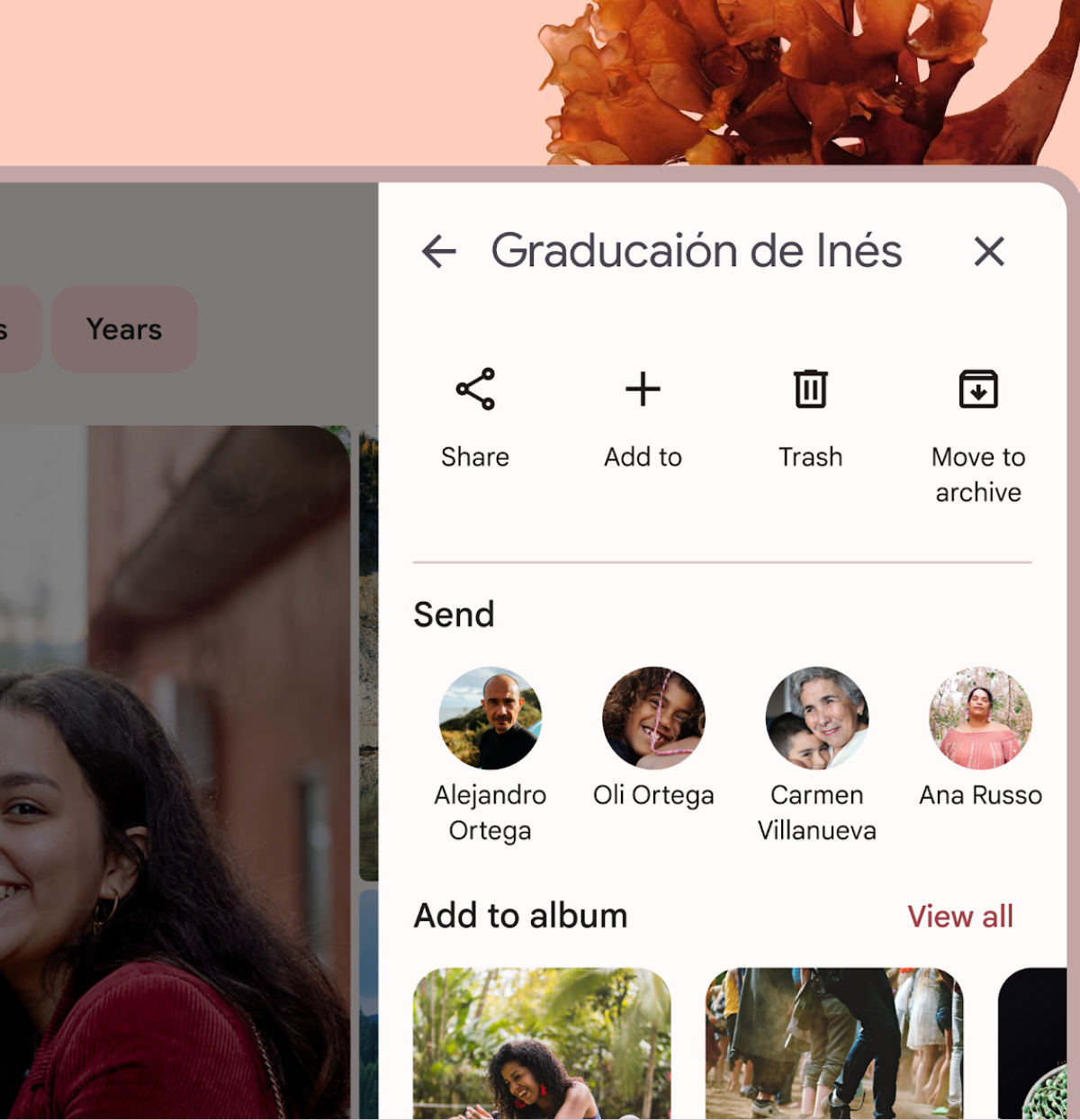
이 Flutter 패키지는 Material Design 3 모달 사이드 시트 위젯을 제공합니다.

AndroidiOSWebmacOSWindowsLinux
30일 다운로드
167
좋아요
32
Pub 점수
140

패키지 설치

flutter pub add side_sheet_material3

패키지 개요

공개 정보를 바탕으로 생성한 선택 가이드입니다.

Material Design 3 사양을 준수하는 모달 사이드 시트 위젯을 구현한 플러터 패키지로, 추가 콘텐츠나 작업을 위한 현대적이고 반응형 슬라이딩 패널을 제공합니다. Material Design 3 가이드라인에 맞춰 설계되어 안드로이드, iOS, 웹, macOS, Windows, 리눅스 등 다양한 플랫폼을 지원합니다. 네비게이션, 설정 또는 상세 정보 표시에 사용할 수 있으며, 다양한 기기 간 일관된 사용자 경험을 제공합니다. 기존 플러터 앱과 원활하게 통합되며, 접근성과 사용성에 대한 최신 디자인 원칙을 따릅니다.

사용 사례

  • 보조 콘텐츠 표시
  • 모바일 탐색 구현
  • 설정 패널 표시
  • 자세한 정보 제공
  • 양식 워크플로 개선

주요 기능

  • Material Design 3 호환성
  • 크로스 플랫폼 지원
  • 모달 슬라이딩 동작
  • 사용자 정의 가능한 외관
  • 반응형 레이아웃 처리

적합한 대상

  • Material Design 3를 사용하는 앱
  • 현대적인 바텀 시트를 찾는 개발자
  • 플랫폼 간 호환 가능한 UI 컴포넌트가 필요한 프로젝트
  • 모바일 우선 애플리케이션
  • UI 중심 대시보드

고려 사항

  • Flutter SDK 3.0 이상 필요
  • Material 3 사양을 초과한 사용자 지정은 제한적
  • 비표준 사용 사례를 위해 추가적인 스타일링이 필요할 수 있습니다
  • material3 패키지에 의존합니다
  • 싱글 패널 레이아웃에 가장 적합

원본 README

연결된 소스 저장소의 README 원문 스냅샷입니다. 최신 내용은 저장소에서 확인하세요.

Material Design 3 modal side sheet

A Flutter package that provides a Material Design 3 side sheet as a general dialog.

Please check out the official documentation for more information on Material Design side sheet

Features

  • Custom header and body widgets.
  • Option to add a back button and close button.
  • Option to add confirm and cancel action buttons.
  • Option to show/hide a divider between the body and action buttons.
  • Customizable button text and tooltips.
  • Option to dismiss the dialog by tapping outside of it.

Usage

To use this package, add side_sheet_material3 as a dependency in your pubspec.yaml file.

dependencies:
  side_sheet_material3: ^0.0.1

Example

await showModalSideSheet(
  context: context,
  header: 'Edit Profile',
  body: ProfileEditForm(), // Put your content widget here
  addBackIconButton: true,
  addActions: true,
  addDivider: true,
  confirmActionTitle: 'Save',
  cancelActionTitle: 'Cancel',
  confirmActionOnPressed: () {
    // Do something
  },

  // If null, Navigator.pop(context) will used
  cancelActionOnPressed: () {
    // Do something
  },
);

Please check out the full example for more information on how to use this package.

Buy me a coffe

카테고리

소스 저장소

이 패키지를 사용하는 프로젝트

아직 데이터가 없습니다.