패키지, 저장소 및 앱 카테고리 검색

패키지 상세v1.1.1

sticky_footer_scrollview

스크롤 가능한 Flutter 위젯으로, 스티키 풋터는 화면 하단이나 스크롤 본문의 끝에 고정됩니다.

AndroidiOSWebmacOSWindowsLinux
30일 다운로드
1.2천
좋아요
24
Pub 점수
160

패키지 설치

flutter pub add sticky_footer_scrollview

패키지 개요

공개 정보를 바탕으로 생성한 선택 가이드입니다.

스크롤 가능한 콘텐츠와 화면 하단 또는 스크롤 가능한 콘텐츠의 끝에 고정된 푸터를 제공하는 플러터 위젯입니다. 양식, 채팅 인터페이스 또는 지속적인 액션 바가 필요한 모든 레이아웃에 이상적입니다. 푸터는 스크롤 위치에 따라 동적으로 고정되어 모바일, 웹, 데스크톱을 포함한 모든 플랫폼에서 사용성과 편의성을 보장합니다. 복잡한 구성 없이 기존의 스크롤 가능한 구조에 원활하게 통합됩니다.

사용 사례

  • 채팅 인터페이스
  • 지속적인 작업이 있는 폼 입력
  • 스크롤 가능한 목록에서 하단 탐색
  • 고정 컨트롤이 있는 동적 콘텐츠
  • 모바일 및 웹 앱 푸터

주요 기능

  • 화면 하단에 고정된 푸터
  • 푸터는 콘텐츠 끝에 고정됩니다
  • 크로스 플랫폼 지원
  • ScrollView와의 간편한 통합
  • 사용자 정의 가능한 고정 동작
  • Android, iOS, Web, macOS, Windows, Linux에서 작동합니다

적합한 대상

  • 지속적인 풋터를 갖춘 스크롤 가능한 UI를 개발하는 개발자
  • 반응형 하단 바가 필요한 앱
  • 스티키 요소를 구현하는 디자이너
  • 다중 플랫폼 Flutter 프로젝트
  • 동적 위치 지정이 필요한 UI 컴포넌트

고려 사항

  • 신중한 패딩 관리가 필요할 수 있습니다
  • 동작은 스크롤 범위에 따라 달라집니다
  • 중첩 스크롤 시나리오에 적합하지 않음
  • 대규모 데이터 세트의 성능 영향
  • 기본적인 부착성 외의 사용자 정의는 제한적

원본 README

연결된 소스 저장소의 README 원문 스냅샷입니다. 최신 내용은 저장소에서 확인하세요.

sticky_footer_scrollview

pub package

A Flutter Widget that is scrollable with a sticky footer either stick to the bottom of screen of the end of the scroll body.

Background

This package using SingleScrollView and CustomMultiChildLayout to acheive a scrollable widget with a sticky footer. This allow a dynamic height of child widgets in scroll body.

At the same time, because of the SingleScrollView with Column approach, this is not recommended to use with lots of child widgets for performance reason. You may simiply test with the example to see whether it is fit for your case.

Usage

This shows Widget's full customizations:

StickyFooterScrollView({    
    this.footer,
    @required this.itemBuilder,
    @required this.itemCount,
    this.scrollController,
})
  1. footer is the footer widget that is placed either at the bottom of screen or the end of the scroll body.
  2. itemBuilder to build child widgets of scroll body
  3. itemCount is the nunber of child widgets in scroll body. Only allows >= 0.
  4. scrollController allows maunally jump to certain offset position.

Example

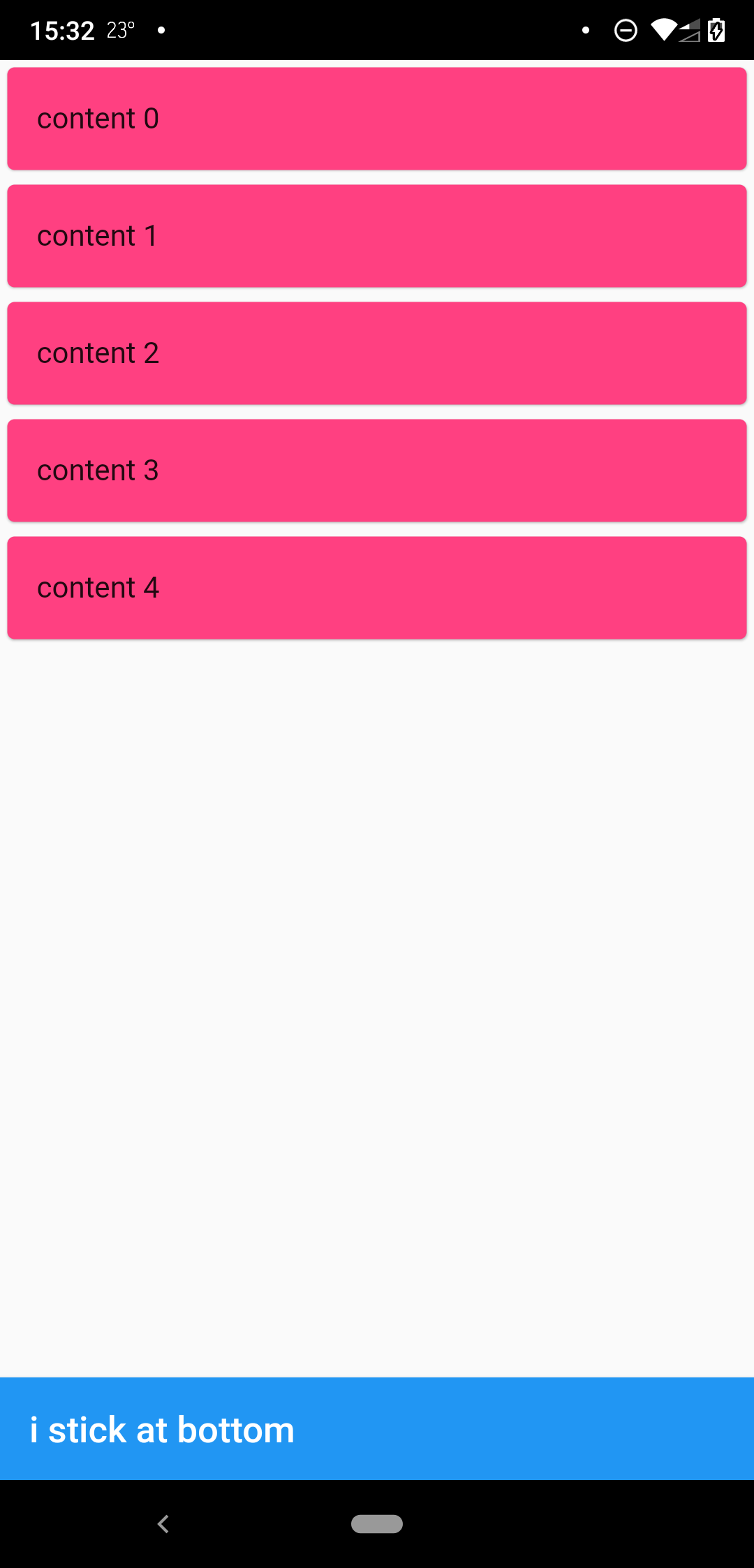
when scrollbody is shorter than the avialble widget height

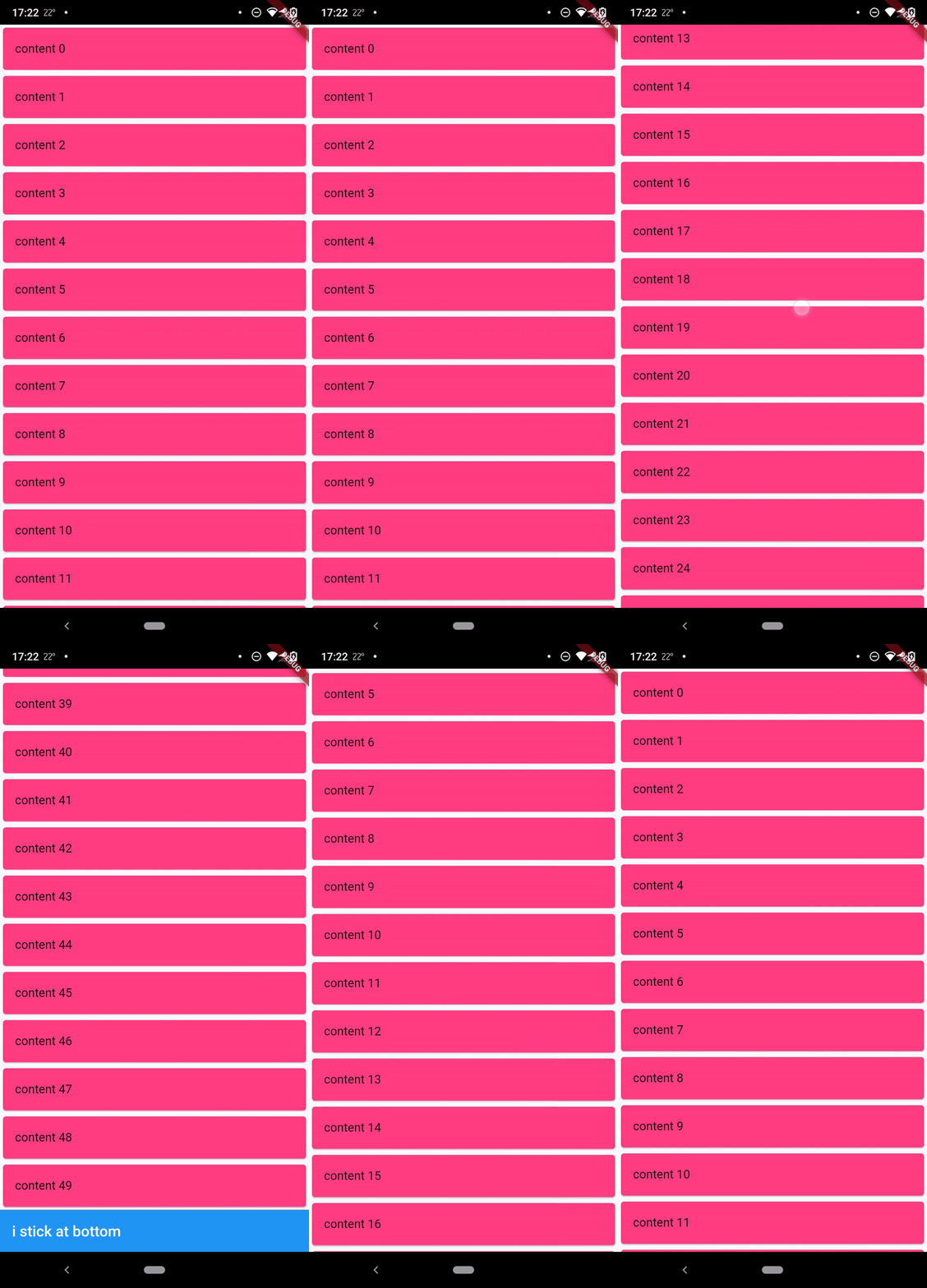
when scrollbody is longer than the avialble widget height

@override
  Widget build(BuildContext context) {
    return SafeArea(
      child: Scaffold(
        body: StickyFooterScrollView(
          itemCount: 50,
          itemBuilder: (context, index) {
            return Card(
              child: ListTile(
                title: Text('content $index'),
              ),
              color: Colors.pinkAccent,
            );
          },
          footer: AppBar(
            title: Text('i stick at bottom'),
          ),
        ),
      ),
    );
  }

Lisence

MIT

카테고리

소스 저장소

이 패키지를 사용하는 프로젝트

아직 데이터가 없습니다.