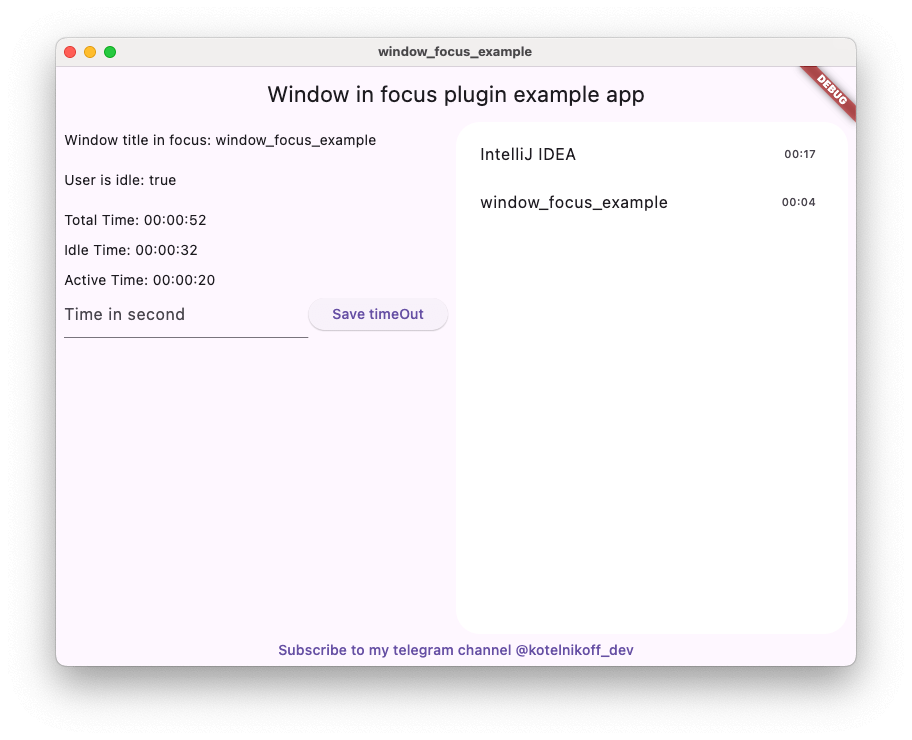
Window Focus는 macOS 및 Windows에서 사용자 비활성 상태를 추적하고 활성 창의 제목을 검색할 수 있는 Flutter 플러그인입니다. 현재 포커스가 있는 애플리케이션 또는 창을 모니터링함으로써 개발자가 사용자 행동에 대한 통찰력을 얻을 수 있습니다. 이 플러그인은 생산성 도구, 시간 추적 앱, 데스크톱 플랫폼 간 사용자 상황 인식이 필요한 앱에 특히 유용합니다. macOS, Windows, Linux를 지원하여 크로스플랫폼 데스크톱 개발에 적합합니다. 패키지는 pub를 통해 Flutter 생태계와 원활하게 통합됩니다.
Window Focus is a Flutter plugin that allows you to track user activity and focus on the active window for Windows and macOS platforms. The plugin provides features such as detecting user inactivity, identifying the active application, and enabling debug mode for enhanced logging.
Key Features:
User Inactivity Tracking:
The plugin enables you to detect periods of user inactivity within your Flutter application. You can customize the inactivity threshold and handle inactivity events according to your needs.
Active Window Title Retrieval:
Provides the ability to retrieve the title of the active window of the operating system.
Windows: Full window title support.
macOS: Improved detection using CGWindowList. Supports capturing titles for the active process. Requires Screen Recording permission for accurate window titles.
Debug Mode
Enable detailed logs for troubleshooting during development.
Set Custom Idle Threshold
Define the timeout period after which the user is considered inactive.
Screenshot Capture
Capture the entire screen or just the active window. This is useful for time tracking applications.
Plugin Installation
Windows
No action required.
Mac OS
Setup for window focus tracking
You need to add the following code to the Info.plist file for MacOS:
To use the screenshot functionality on macOS 10.15+, you must request screen recording permission. You can check the permission status using checkScreenRecordingPermission() and request it using requestScreenRecordingPermission().
The user must manually enable this in:
System Preferences > Security & Privacy > Privacy > Screen Recording
Setup for Global Keyboard Tracking (macOS)
To track keyboard activity globally (outside the app) on macOS, the application requires Accessibility permissions.
Crucial: Without these permissions, the plugin will only detect mouse movements and clicks outside the app, but keyboard events will be ignored for security reasons.
The user must manually enable this in:
System Preferences > Security & Privacy > Privacy > Accessibility
(Or System Settings > Privacy & Security > Accessibility on macOS Ventura and newer).
Plugin Usage
Import the plugin:
import'package:window_focus/window_focus.dart';
Example
voidmain() {
final windowFocus = WindowFocus(debug: true, duration: Duration(seconds: 10));
// Add focus change listener
windowFocus.addFocusChangeListener((appWindow) {
print('Active window: ${appWindow.appName}, Title: ${appWindow.windowTitle}');
});
// Add user activity listener
windowFocus.addUserActiveListener((isActive) {
  if (isActive) {
    print('User is active');
  } else {
    print('User is inactive');
  }
});
}