パッケージ、リポジトリ、アプリカテゴリを検索

adaptive_scrollbar のカバー
パッケージ詳細v2.1.2

adaptive_scrollbar

画面のどちらかの側に配置できる、適応型デスクトップスタイルのスクロールバー。

AndroidiOSWebmacOSWindowsLinux
30日間ダウンロード
2430
いいね数
40
Pub ポイント
130

パッケージをインストール

flutter pub add adaptive_scrollbar

パッケージ概要

公開情報に基づく選定ガイドです。参考としてご利用ください。

Adaptive Scrollbar は、プラットフォームやコンテキストに応じて自動的に位置と外観を調整するデスクトップスタイルのスクロールバーを提供する Flutter パッケージです。スクロール可能なウィジェットの左または右に配置でき、さまざまなデバイス間で一貫したユーザー体験を提供します。モダンな UI を想定して設計されており、タッチ操作と非タッチ操作の両方のインターフェースでの使いやすさを向上させます。異なる画面サイズや入力方法に対応できるため、モバイル、Web、デスクトップなど複数のプラットフォームを対象としたアプリケーションに最適です。

用途

  • スクロール可能なコンテンツを備えたクロスプラットフォームアプリ
  • モバイルでのデスクトップのような体験
  • 長いリストのアクセシビリティの向上
  • カスタマイズ可能なスクロールインジケーター
  • Web およびデスクトップのレスポンシブUI

主な機能

  • 左または右への自動配置
  • プラットフォーム対応デザイン
  • タッチおよび非タッチデバイスをサポート
  • カスタマイズ可能な外観
  • ScrollView とのスムーズな統合

適している対象

  • マルチプラットフォームアプリをターゲットにする開発者
  • デスクトップスタイルのUIを求めるデザイナー
  • アクセス可能なスクロールを必要とするアプリ
  • 長編コンテンツを含むプロジェクト
  • Webおよびデスクトップ向けのFlutterアプリケーション

注意事項

  • カスタムテーマ用に追加のスタイル設定が必要になる場合があります
  • 非常に大きなリストへのパフォーマンスの影響
  • 基本的な配置を超えるカスタマイズは限られている
  • ミニマリスティックなデザインには向かない
  • 複雑なレイアウトでは慎重な配置が必要です

元の README

関連するソースリポジトリの README 原文のスナップショットです。最新の内容はリポジトリをご覧ください。

adaptive_scrollbar

platform pub package GitHub stars GitHub forks GitHub license GitHub issues

Language: English

Adaptive Scrollbar is a library that allows you to create one or more desktop-style scrollbars on a single screen, each of which is bound only to its own object and placed in its own place on the screen.

How to use it

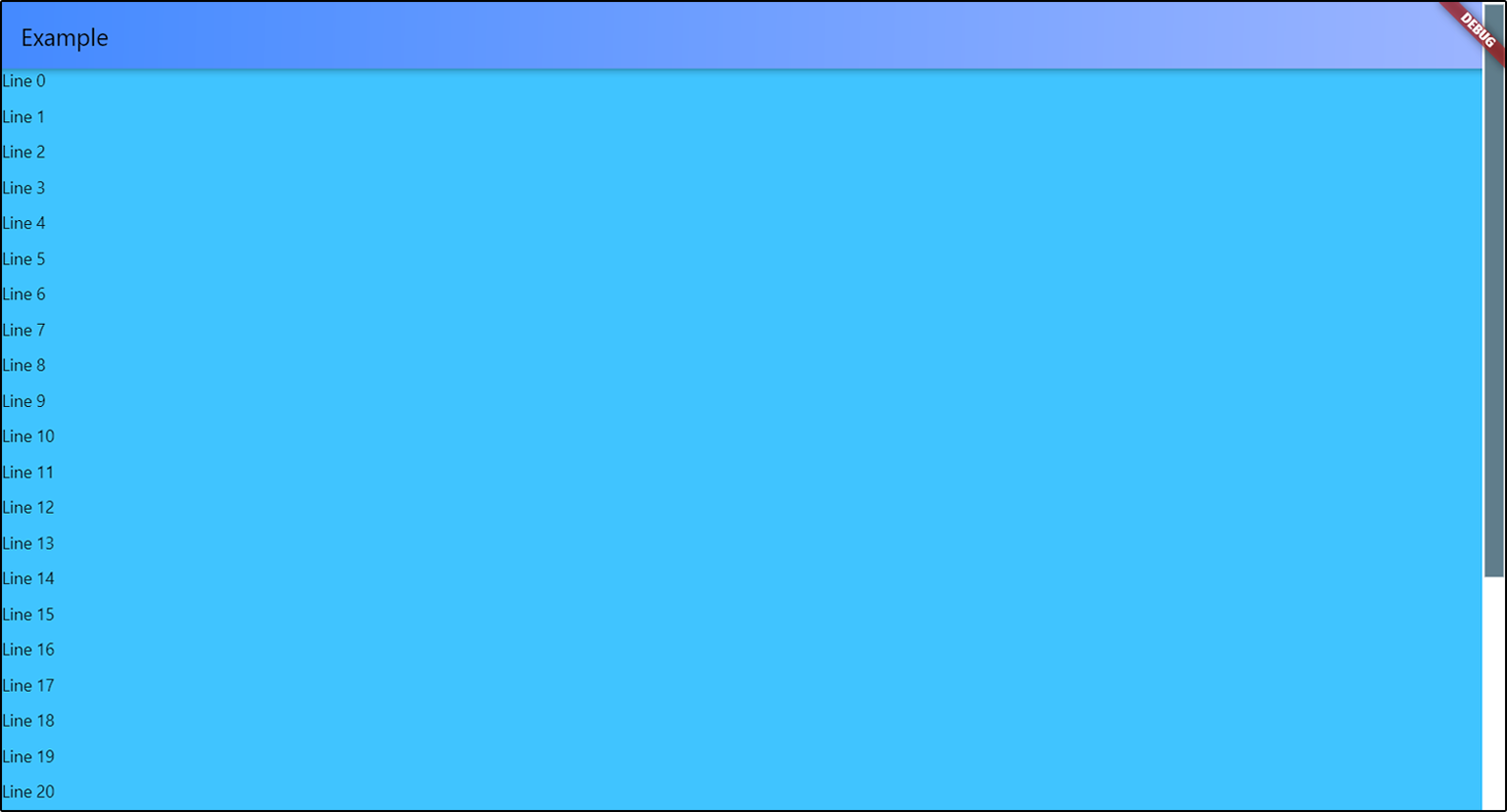
Just wrap with AdaptiveScrollbar your widget that contains your ScrollView object and specify the controller that is attached to this ScrollView object.

AdaptiveScrollbar(
  controller: controller,
  child: Center(
    child: ListView.builder(
      controller: controller,
      itemBuilder: (context, index) { 
        return Text(
            "Line " + index.toString());
      },
      itemCount: 50,
    ))),

pic

Multiple scrollbars

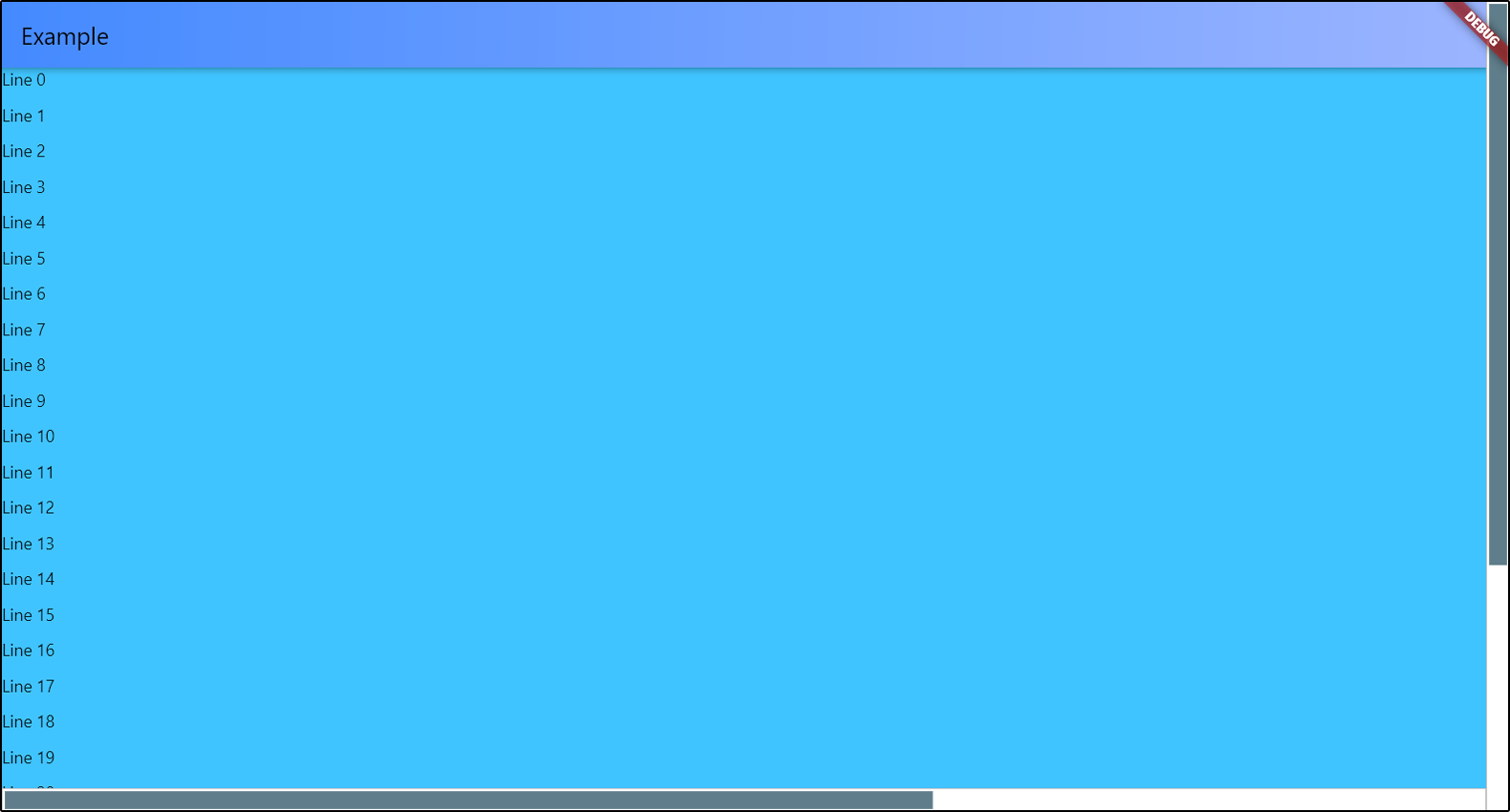
You can add multiple scrollbars to the screen at once. The controller is a required parameter in order to track changes to only one object if there are several ScrollView objects in your widget.

return AdaptiveScrollbar(
  controller: verticalScroll,
  width: verticalWidth,
  child: AdaptiveScrollbar(
    controller: horizontalScroll,
    width: horizontalWidth,
    position: ScrollbarPosition.bottom,
    underSpacing: EdgeInsets.only(bottom: verticalWidth),
    child: SingleChildScrollView(
      controller: horizontalScroll,
      scrollDirection: Axis.horizontal,
      child: Container(
        width: 2000,
        child: Container(
          color: Colors.lightBlueAccent,
          child: ListView.builder(
            controller: verticalScroll,
            itemCount: 30,
            itemBuilder: (context, index) {
              return Container(
                height: 30,
                child: Text("Line " + index.toString()));
            }))),
    )));

pic

Customization

You can position your scrollbar on any of the 4 sides of the screen. There is only one thing - if you choose ScrollbarPosition.top or ScrollbarPosition.bottom, your scrollbar will actually be rotated 90 degrees, and the top will be on the left. Do not forget about this if you specify the spacings for slider and under the slider part. I'll think about how to simplify this.

AdaptiveScrollbar(
  controller: verticalScroll,
  width: verticalWidth,
  child: AdaptiveScrollbar(
    controller: horizontalScroll,
    position: ScrollbarPosition.bottom,
    
    //the horizontal scrollbar will have a padding
    // on the RIGHT by the width of the vertical scrollbar
    underSpacing: EdgeInsets.only(bottom: verticalWidth),
    
    width: horizontalWidth,
    child: ...
),

pic

To set slider width, you can set the horizontal sliderSpacing. The vertical sliderSpacing will determine the padding of the slider from the start and the end of the bottom. The height of the slider is determined automatically based on the size of the ScrollView object. If ScrollView object has nowhere to scroll, the scrollbar will not be displayed on the screen.

You can set colors for slider and under the slider part, or completely set the decorations for them.

Slider scroll-to-click speed

You can set your own speed parameters for moving the slider in the direction of the click. scrollToClickDelta is the distance that the slider will move in one move. scrollToClickFirstDelay is the duration of the first delay between the slider moves in the direction of the click, in milliseconds. scrollToClickOtherDelay is the duration of the remaining delays between scrolls in the click direction, in milliseconds.

AdaptiveScrollbar(
  ...
  scrollToClickDelta: 75,
  scrollToClickFirstDelay: 200,
  scrollToClickOtherDelay: 50,
  ...
),

Parameters

Parameter Description Type Default value
child Widget that contains your ScrollView. Widget required
controller Controller that attached to ScrollView object. ScrollController required
position Position of scrollbar on the screen. ScrollbarPosition (enum) ScrollbarPosition.right
width Width of all scrollBar. double 16.0
sliderHeight Height of slider. If you set this value, there will be this height. If not set, the height will be calculated based on the content, as usual. double Calculated based on content
sliderChild Child widget for slider. Widget? -
underColor Under the slider part of the scrollbar color. Color Colors.white
sliderDefaultColor Default slider color. Color Colors.blueGrey
sliderActiveColor Active slider color. Color sliderDefaultColor.withRed(10)
underDecoration Under the slider part of the scrollbar decoration. BoxDecoration BoxDecoration(shape: BoxShape.rectangle, color: underColor)
sliderDecoration Slider decoration. BoxDecoration BoxDecoration(shape: BoxShape.rectangle, color: sliderDefaultColor)
sliderActiveDecoration Slider decoration during pressing. BoxDecoration BoxDecoration(shape: BoxShape.rectangle, color: sliderActiveColor)
scrollToClickDelta Offset of the slider in the direction of the click. double 100.0
scrollToClickFirstDelay Duration of the first delay between scrolls in the click direction, in milliseconds. int 400
scrollToClickOtherDelay Duration of the others delays between scrolls in the click direction, in milliseconds. int 100

underSpacing Under the slider part of the scrollbar spacing. Don't forget about rotation that depends on position. EdgeInsetsGeometry const EdgeInsets.all(0.0)
sliderSpacing Slider spacing from bottom. Don't forget about rotation that depends on position. EdgeInsetsGeometry const EdgeInsets.all(2.0)

カテゴリー

依存関係

依存関係一覧 2 件

ソースリポジトリ

このパッケージを使用しているプロジェクト

データはまだありません。