パッケージ、リポジトリ、アプリカテゴリを検索

alice のカバー
パッケージ詳細v2.0.0

alice

AliceはHTTPリクエストのデバッグを支援するHTTPインスペクターツールです。HTTPリクエストとレスポンスをキャッチして保存し、シンプルなUIで確認できます。

AndroidiOS
30日間ダウンロード
3.9万
いいね数
352
Pub ポイント
160

パッケージをインストール

flutter pub add alice

パッケージ概要

公開情報に基づく選定ガイドです。参考としてご利用ください。

Alice は、Flutter アプリケーション用のデバッグツールで、HTTP リクエストとレスポンスを確認できます。ネットワークトラフィックをインターセプトし、データを保存して、ヘッダー、ボディ、タイムスタンプを含む詳細なリクエストおよびレスポンス情報を表示するためのシンプルな UI を提供します。API インテグレーションのトラブルシューティングや開発中のネットワーク動作の分析に最適です。pub add を通じて簡単に統合でき、Android および iOS プラットフォームをサポートしています。

用途

  • API 呼び出しのデバッグ
  • リクエスト/レスポンスペイロードの確認
  • ネットワークパフォーマンスのモニタリング
  • バックエンド統合のテスト
  • リアルタイム HTTP ロギング

主な機能

  • リアルタイムHTTPリクエストのインターセプト
  • シンプルで直感的なUI
  • ヘッダーおよびボディの検査をサポート
  • クロスプラットフォーム(Android & iOS)
  • Flutterアプリへの簡単な統合

適している対象

  • Flutter開発者
  • API テスター
  • モバイルアプリデバッガー
  • フロントエンドエンジニア
  • HTTP クライアントを使用する開発チーム

注意事項

  • 本番環境での使用を想定していません
  • デバッグモードでのパフォーマンスに影響する可能性があります
  • 手動での有効化が必要です
  • HTTPトラフィックのみに制限
  • UI のカスタマイズは不可能です

元の README

関連するソースリポジトリの README 原文のスナップショットです。最新の内容はリポジトリをご覧ください。

Alice - HTTP Inspector for Flutter

pub package platform

alice_dio alice_chopper alice_http alice_http_client alice_graphql_client alice_objectbox


Why Alice?

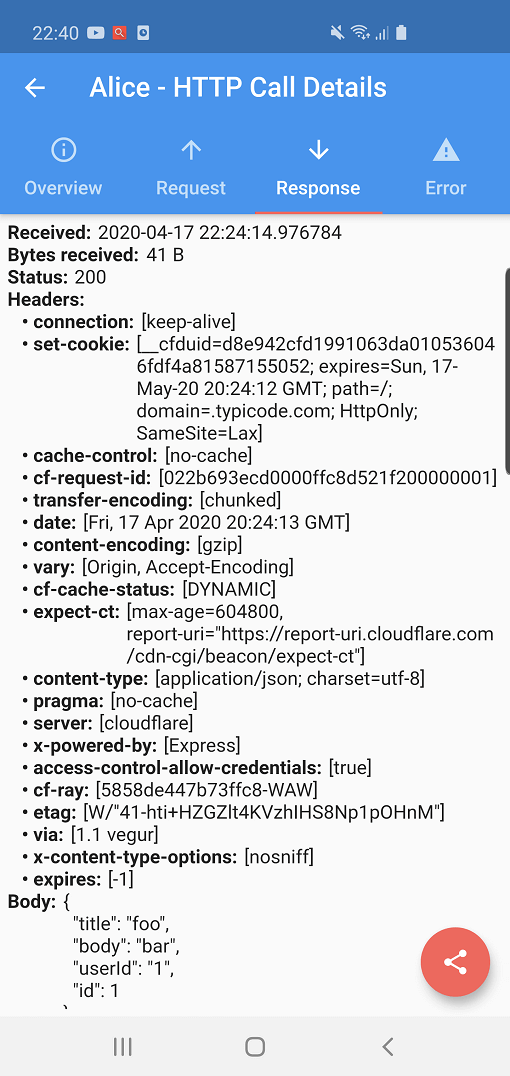
Alice is an advanced HTTP Inspector tool for Flutter that helps you debug network requests effortlessly. It catches and stores HTTP requests and responses, allowing you to view detailed network logs directly within your app via a simple and intuitive UI.

Whether you are hunting down a broken API payload, checking headers, or monitoring performance, Alice provides all the details you need without requiring a proxy or external desktop tools. It's inspired by Chuck and Chucker.

Screenshots

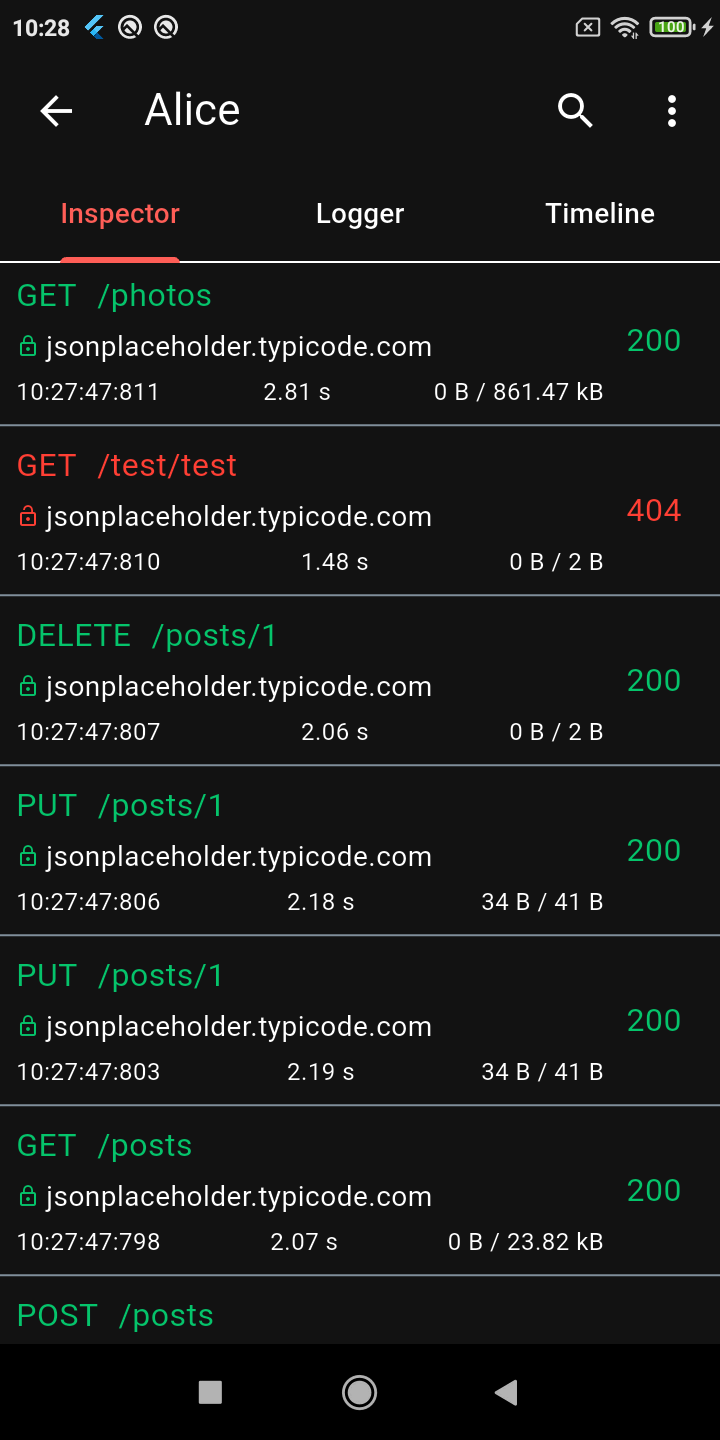
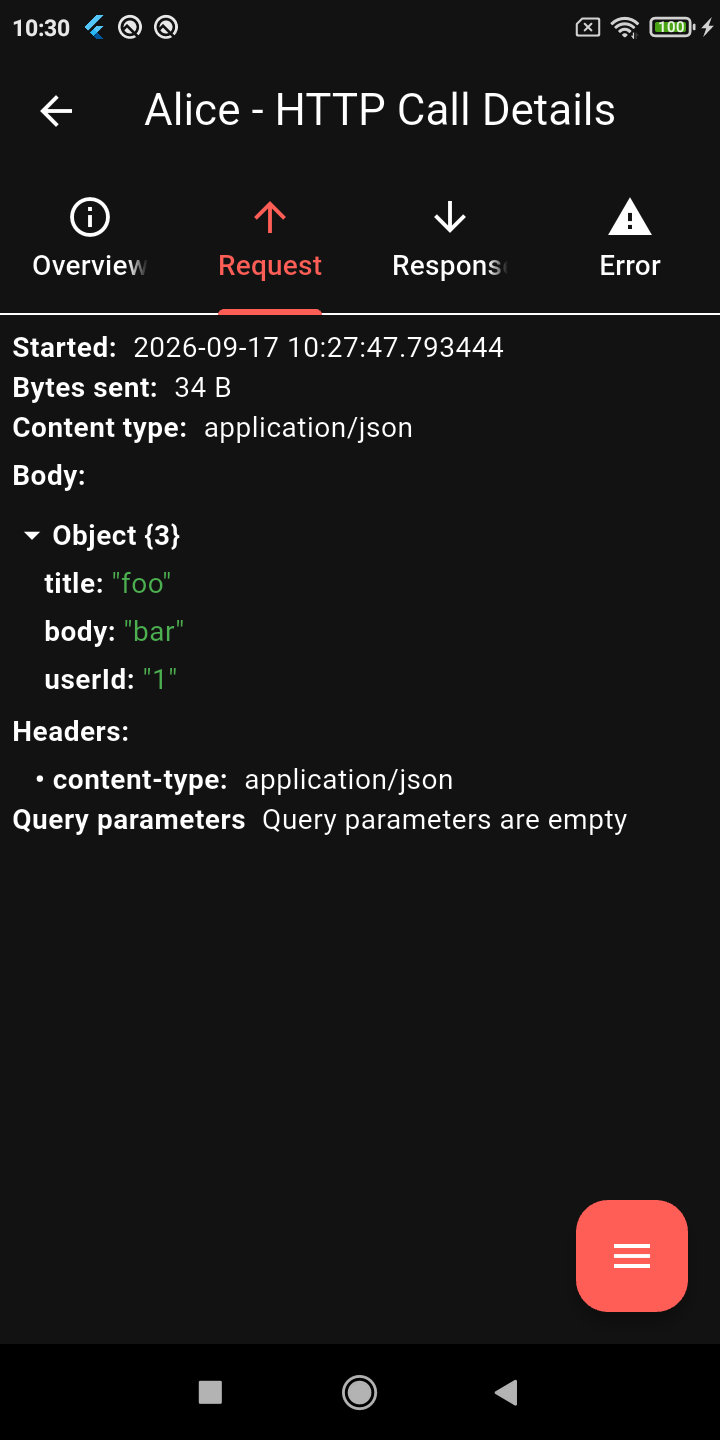
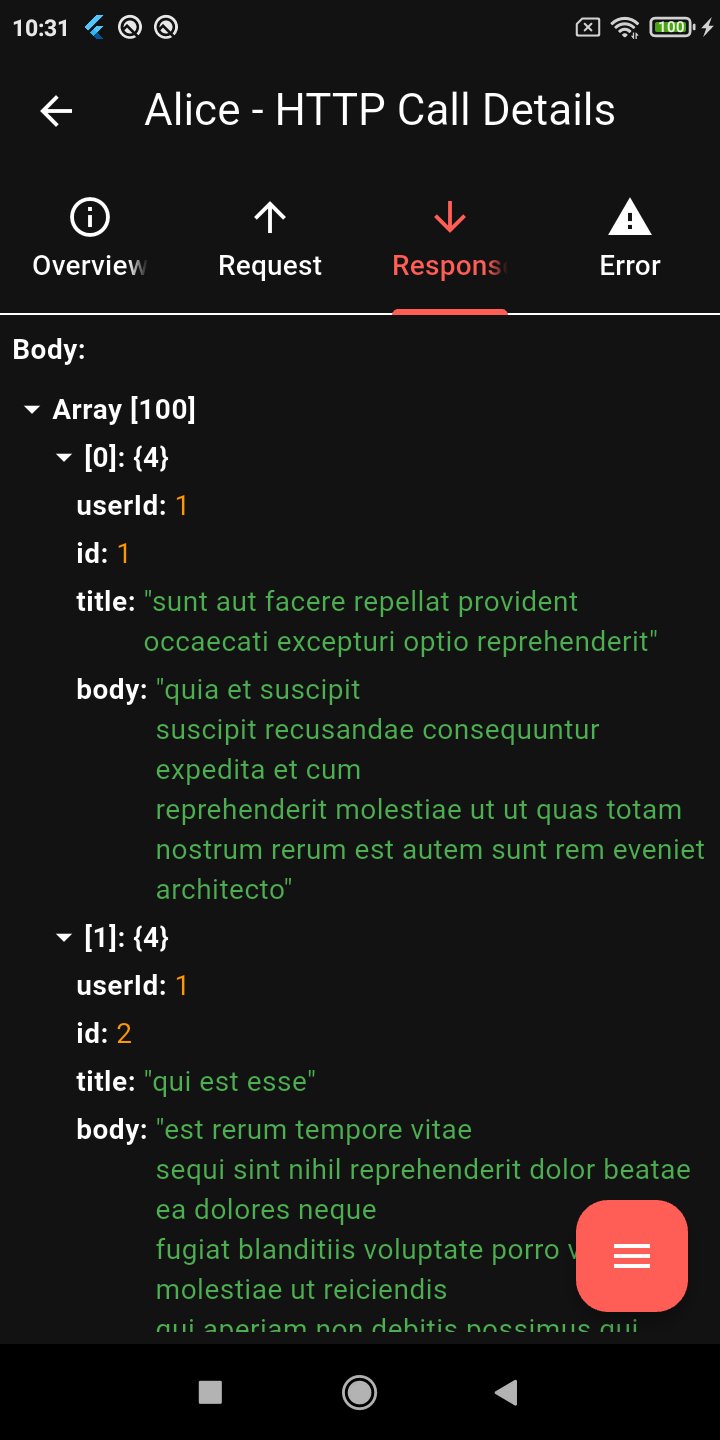
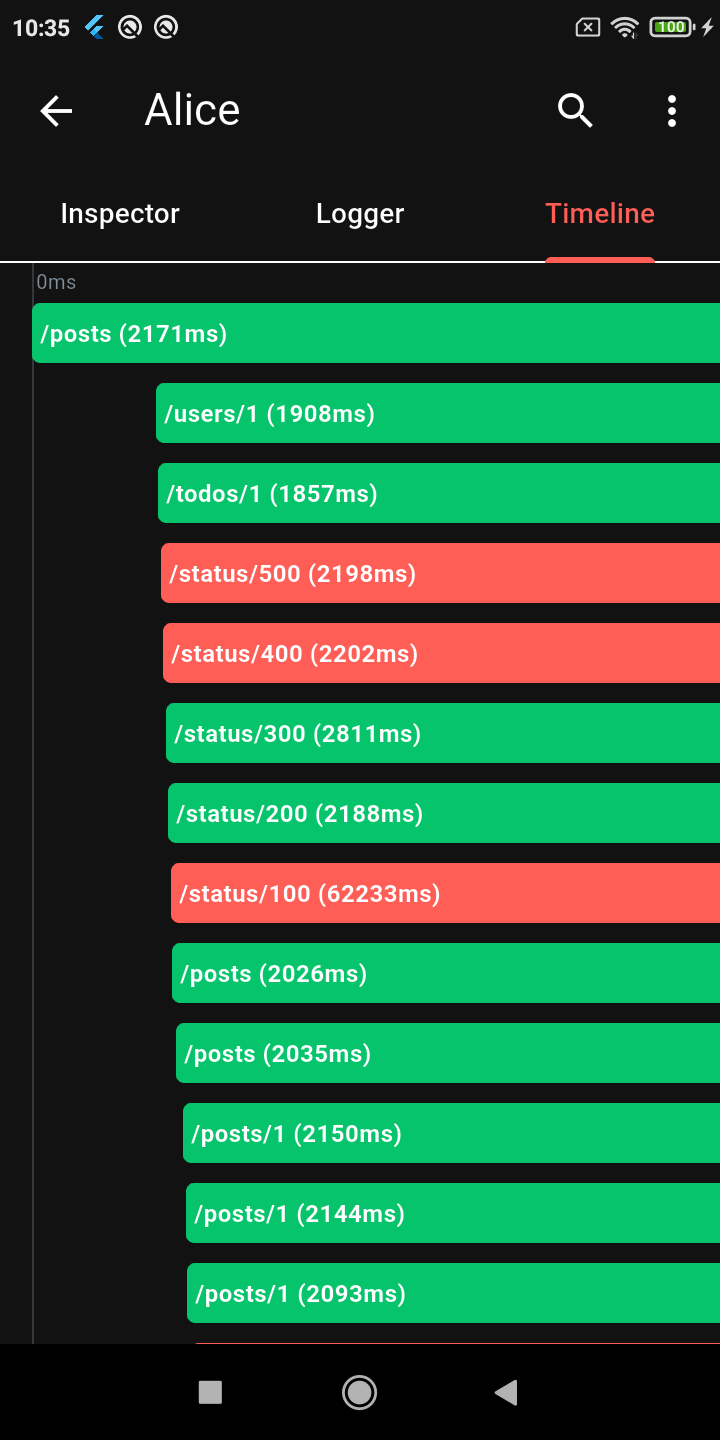
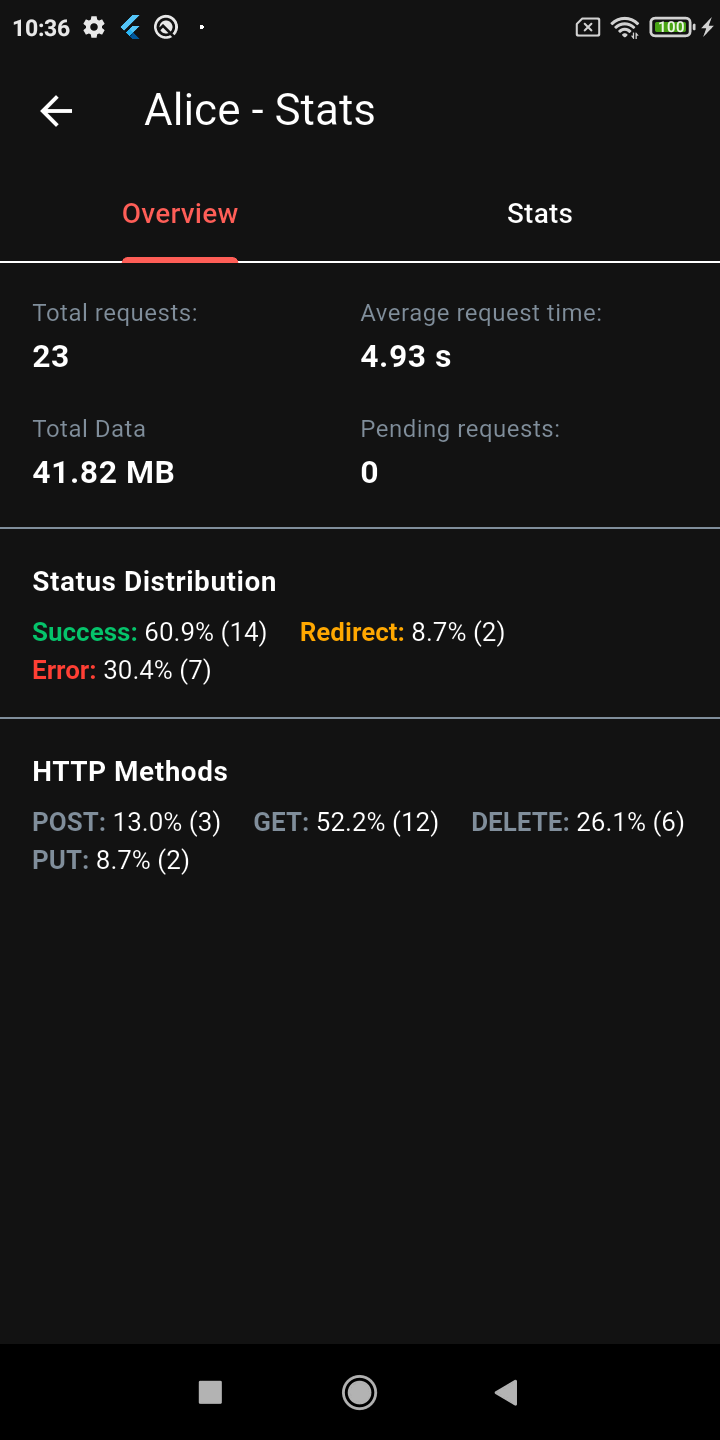
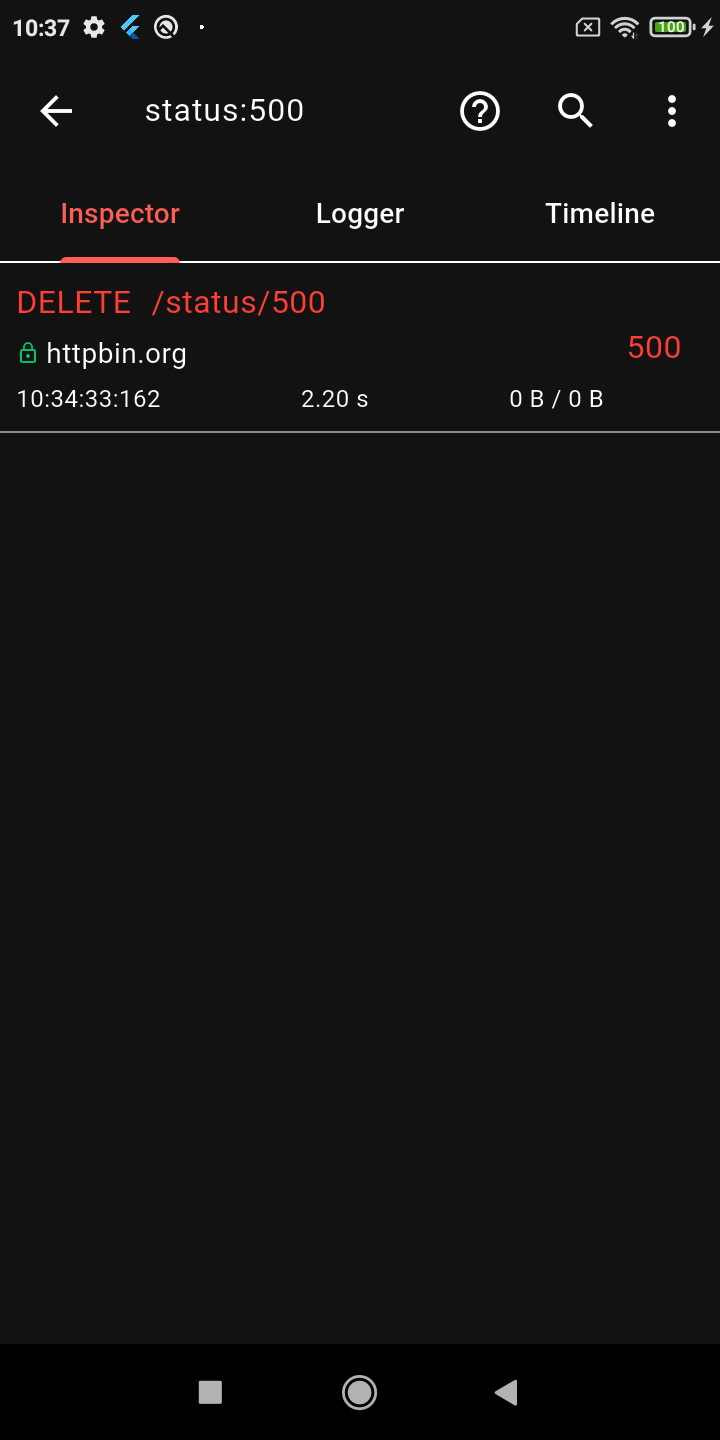
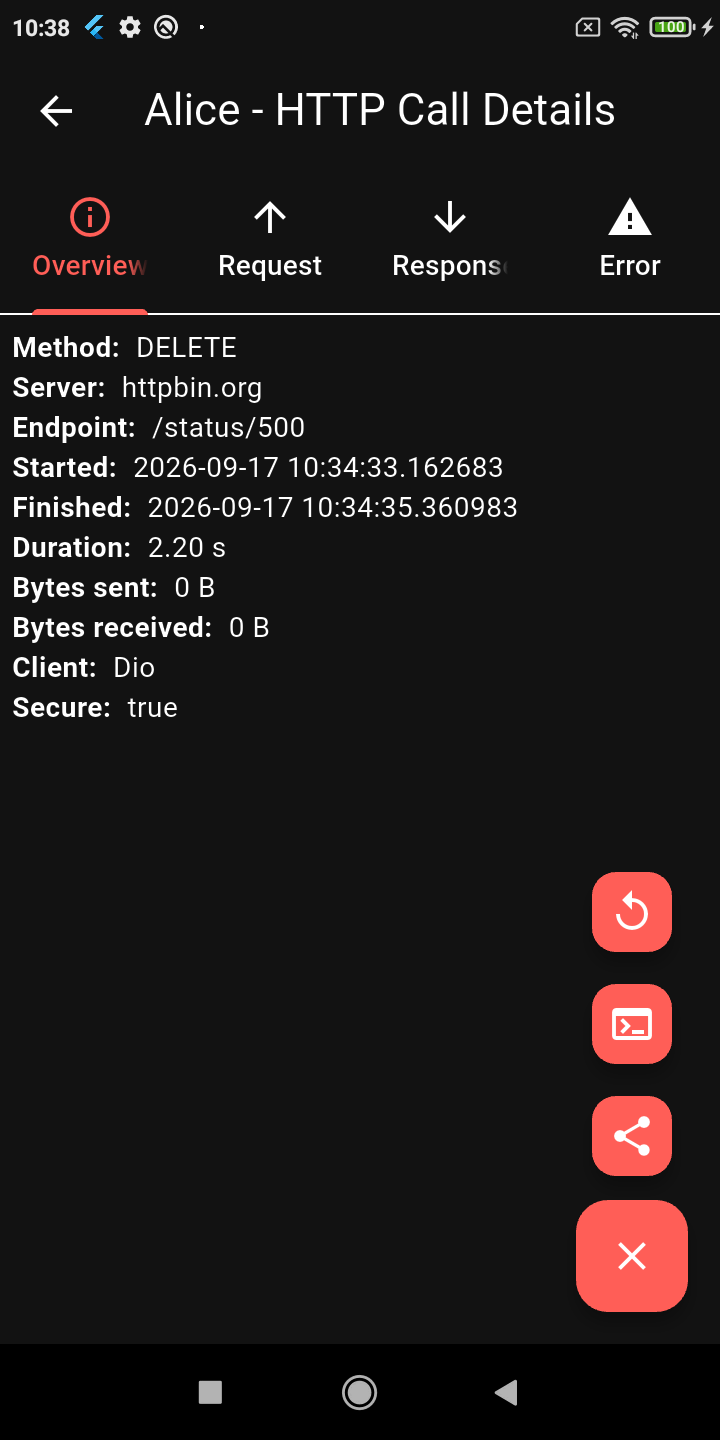
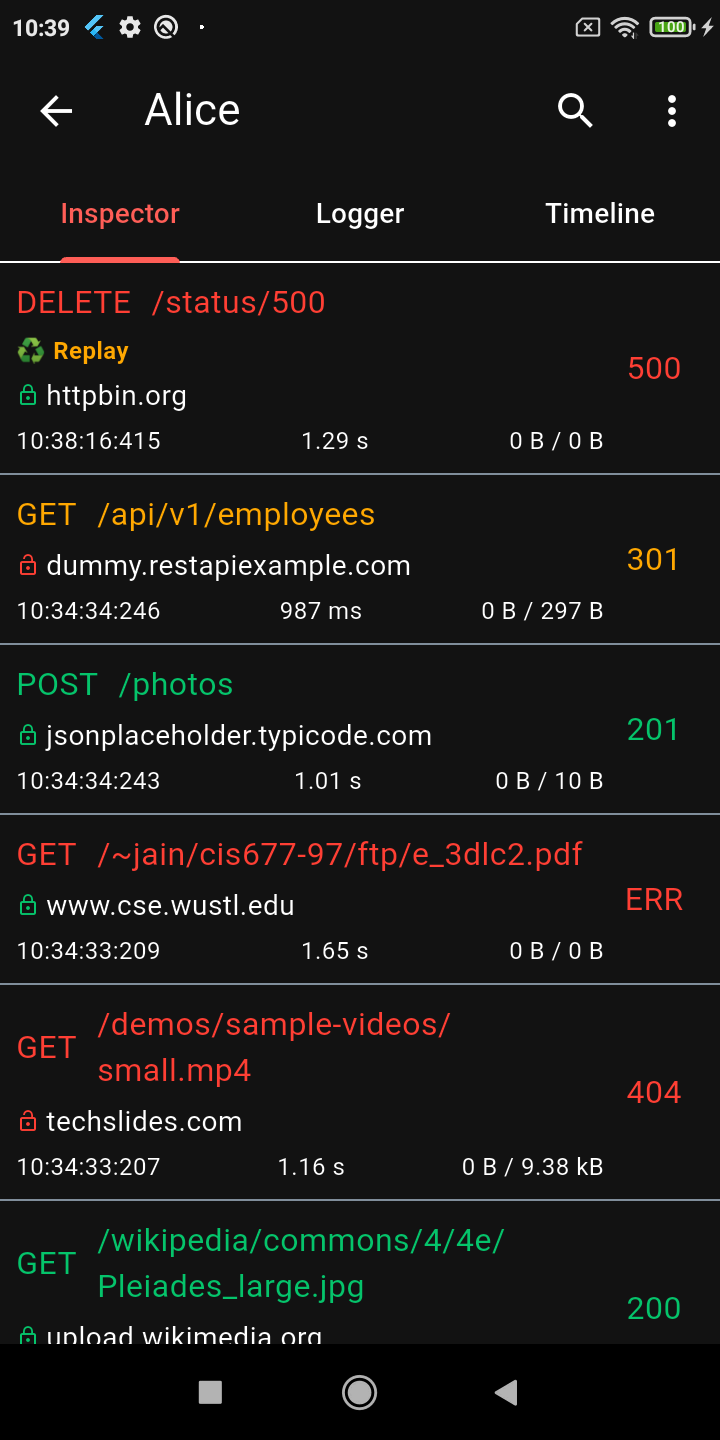
Calls List Request Details JSON Viewer Timeline
Stats Dashboard Advanced Search Request Replay Dark Mode

Key Features

🔍 Deep Inspection

  • Detailed logs for every HTTP call (Headers, Body, Query Parameters, Timestamps)
  • Interactive tree-based JSON viewer for request and response bodies
  • Gantt chart Timeline to visually inspect staggered HTTP calls
  • Powerful HTTP calls search (with advanced syntax filters) and filtering
  • Programmatic Call Tagging (e.g., alice.tag(tag: 'login-flow'))
  • Automatic N+1 duplicate request detection
  • Statistics dashboard (bandwidth, success rate, call counts, ratio bars)
  • Flutter & Android native log integration

🛠️ Broad Compatibility

  • Supports all major Dart HTTP clients: Dio, Retrofit, http, HttpClient (dart:io), Chopper, and GraphQL

📱 UX & Workflow

  • Request Replay - resend HTTP calls directly from the inspector
  • Shake the device to open the inspector instantly
  • System notifications on HTTP calls
  • Export and save HTTP calls to file (TXT or HAR) for easy sharing
  • Persistent storage support (via ObjectBox)

Quick Start

1. Add dependency

Add the main Alice package (and any specific client plugins you need) to your pubspec.yaml:

dependencies:
  alice: ^1.10.0
  # Add plugins as needed, e.g.:
  # alice_dio: ^1.3.1
2. Initialize Alice

Create an instance of Alice. You should generally keep it as a singleton or provide it via dependency injection.

import 'package:alice/alice.dart';

Alice alice = Alice(
  showNotification: true,
  showInspectorOnShake: true,
);
3. Register the Navigator Key

Pass Alice's navigator key to your MaterialApp or CupertinoApp so she can open the UI:

MaterialApp(
  navigatorKey: alice.getNavigatorKey(),
  home: Scaffold(...),
)
4. Attach to your HTTP Client

Alice works by attaching an interceptor to your HTTP client. For example, using Dio:

import 'package:dio/dio.dart';
import 'package:alice_dio/alice_dio_adapter.dart';

Dio dio = Dio();
dio.interceptors.add(AliceDioAdapter().getInterceptor(alice));

// Now make requests! Alice will automatically record them.
dio.get("https://jsonplaceholder.typicode.com/posts");

For instructions on how to attach Alice to Chopper, standard http, or GraphQL, see the full documentation.

Architecture: Why Multiple Packages?

You may notice that Alice uses a multi-package architecture (e.g., alice_dio, alice_http, alice_chopper). This is a deliberate design choice!

Many similar inspector packages force you to pull in a massive dependency tree (Dio, HTTP, Chopper, GraphQL, etc.) all at once, even if your app only uses one of them. This is a bad pattern that bloats your app size, slows down build times, and causes version conflicts.

With Alice, you only install the core alice package and the specific adapter you need (e.g., alice_dio). We strictly avoid enforcing unnecessary dependencies on your project.

Documentation

For complete setup instructions, advanced configuration, and plugin details, please check the Full Documentation.

Custom Integrations & Enterprise Support

Alice has been the go-to Flutter HTTP inspector since its first release, and the ecosystem keeps growing. If your team needs something beyond what's here — a custom adapter for an internal HTTP client, a bespoke export format, enterprise storage backend, or anything else — I'm available for consulting.

Let's talk on LinkedIn →

カテゴリー

依存関係

依存関係一覧 13 件

ソースリポジトリ

このパッケージを使用しているプロジェクト