Introduction
When using Flutter, did you ever want to show toast with the design you want? Also, did you want to list the toast and show it with the desired animation? Then you have found what you are looking for!
This package is generic, so there will be no problem with your toast.
This package supports all platforms.
Usage
To use this package, wrap any widget with ToastListOverlay, as in the example below. For more details, see the example .
Widget build (BuildContext context) {
return ToastListOverlay <MyToastModel >(
itemBuilder: (BuildContext context, MyToastModel item, int index,
Animation <double > animation) {
return ToastItem (
animation: animation,
item: item,
onTap: () => context.hideToast (
item,
(context, animation) =>
_buildItem (context, item, index, animation)),
);
},
child: MaterialApp (
theme: ThemeData (
primarySwatch: Colors .blue,
),
home: const MainScreen (),
debugShowCheckedModeBanner: false ,
),
);
}
Property Default value Description
child Required Widget
Wrapped widget
position Alignment.topCenter
Specifies where toast to be displayed.
reverse false
Reverse the Toast list.
limit 5
Specify how much toast to display.
itemBuilder Required ToastListItemBuilder
The Toast widget is defined here.
width 375
Specifies the width of the toast.
timeoutDuration 5 seconds
Specifies how long toast will be displayed.
Now you can call the context.showToast method to display your toast. You can see more details in the example .
context.showToast (MyToastModel (ToastType .success.name, ToastType .success));
Note: MyToastModel is an example model.
To close the Toast, call the context.hideToast method.
context.hideToast (
item,
(context, animation) => ToastItem (
animation: animation,
item: item,
),
);
Example
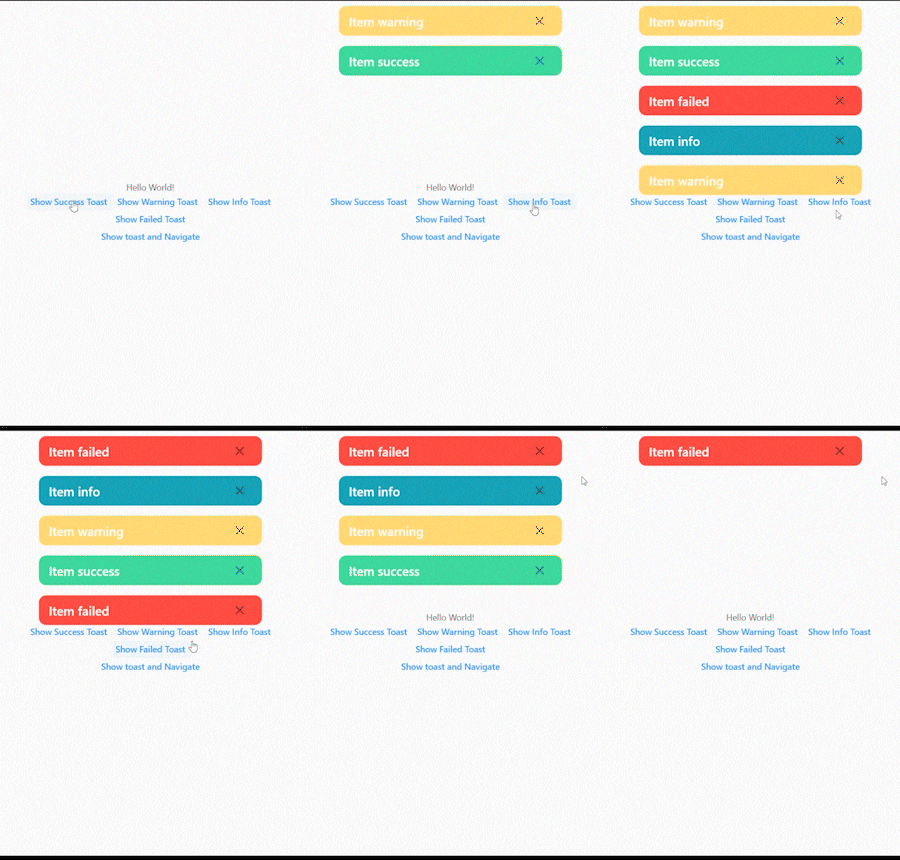
The figure below shows when the toast exceeds the limit.
The figure below shows how to remove the toast by clicking the close button.
In the figure below, you can see the toast without any problems even if you navigate to another screen.
The figure below shows the toast list reversed.