パッケージ、リポジトリ、アプリカテゴリを検索

app_runner のカバー
パッケージ詳細v2.2.2

app_runner

プロのようにFlutterアプリを起動しましょう!AppRunnerは、アプリケーションの迅速かつ制御された起動を可能にするコンフィギュレーターです。

AndroidiOSWebmacOSWindowsLinux
30日間ダウンロード
165
いいね数
61
Pub ポイント
160

パッケージをインストール

flutter pub add app_runner

パッケージ概要

公開情報に基づく選定ガイドです。参考としてご利用ください。

AppRunner は、カスタマイズ可能な設定でアプリケーションを起動できるFlutterユーティリティパッケージです。制御された効率的なアプリ起動を保証します。複数のプラットフォーム間での起動パラメータ、環境設定、初期化ワークフローの管理プロセスを簡素化します。開発、テスト、ステージング環境に最適で、ワークフローの一貫性を高め、セットアップ時間を短縮します。Android、iOS、Web、macOS、Windows、Linuxに対応しており、現代のFlutterプロジェクトにおけるクロスプラットフォームの柔軟性を提供します。

用途

  • カスタム構成でアプリを迅速に起動
  • 開発およびテスト環境のセットアップ
  • ステージング環境の構成
  • クロスプラットフォームアプリの初期化
  • 自動化ビルドおよび実行ワークフロー

主な機能

  • 設定可能な起動設定
  • マルチプラットフォーム対応
  • 環境に配慮した起動
  • 簡略化された初期化
  • CI/CD パイプラインとの統合

適している対象

  • Flutter開発者
  • テスト自動化エンジニア
  • DevOps チーム
  • クロスプラットフォームアプリの保守担当者
  • 迅速なプロトタイピング

注意事項

  • 各環境ごとに手動での設定が必要です
  • 起動時のカスタマイズに限定
  • 実行時設定の変更なし
  • リリース前のセットアップに最適
  • 正しいプロジェクト構造に依存する

元の README

関連するソースリポジトリの README 原文のスナップショットです。最新の内容はリポジトリをご覧ください。

AppRunner

pub package License

Launch your Flutter app like a pro! AppRunner is a configurator for quick and controlled launch of your application, with features that runApp does not have.

We solve problems of brand presence on mobile devices, specializing in development of mobile applications and services in the b2c segment.

Subscribe for the latest updates:


Features

  • Get your application up and running quickly.
  • Allows you to run code without blocking your application from launching.
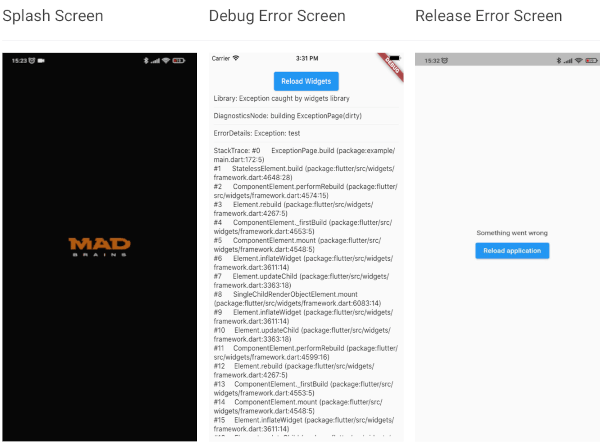
  • Show your independent splash screen while loading the app. AppRunner does not block the first call of the widget, do you practically won't see the native splash screen.
  • Allows you to reload the widget tree if you need it.
  • Your code will run in a safe environment for both Dart code and Flutter code. AppRunner catches and handles errors, preventing your application from breaking at runtime.
  • Configuring the zone of your application is much easier.
  • With AppRunner you can easily override ErrorWidget for debug and release mode.
  • Lets you just use your WidgetsBinding implementation.
  • And the very last and most important argument to use AppRunner in your application, it is very easy to integrate into your application, and its configuration does not take much time.
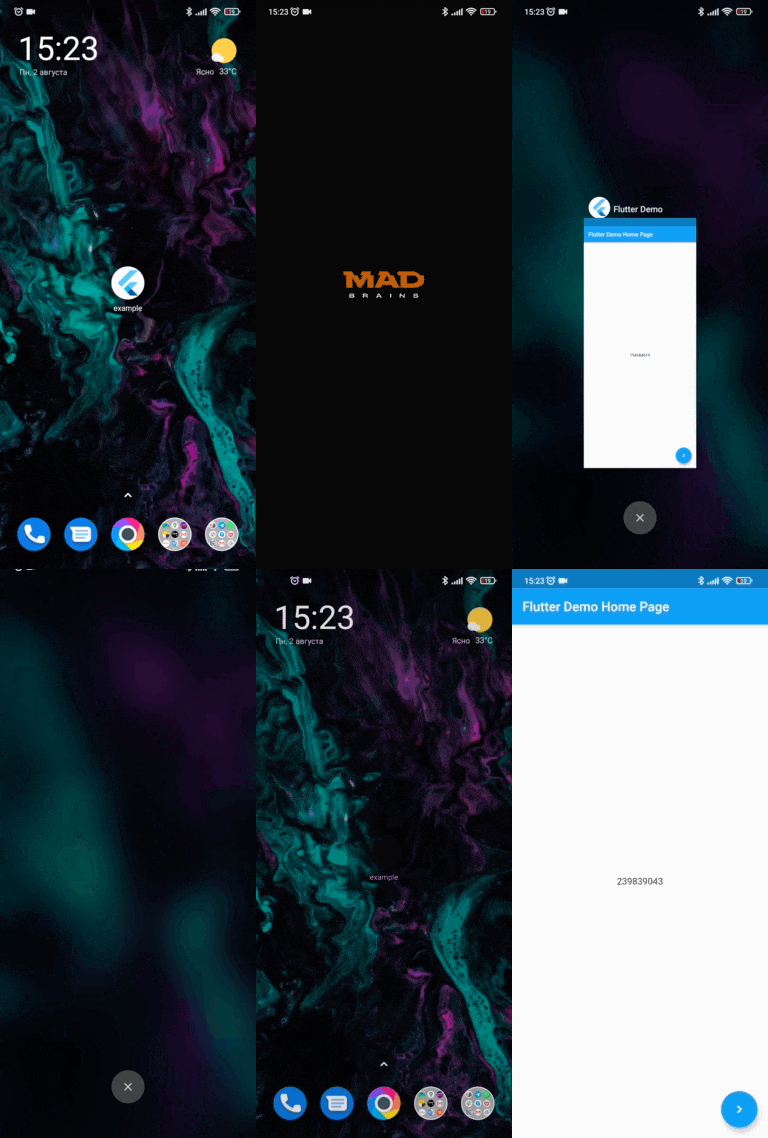
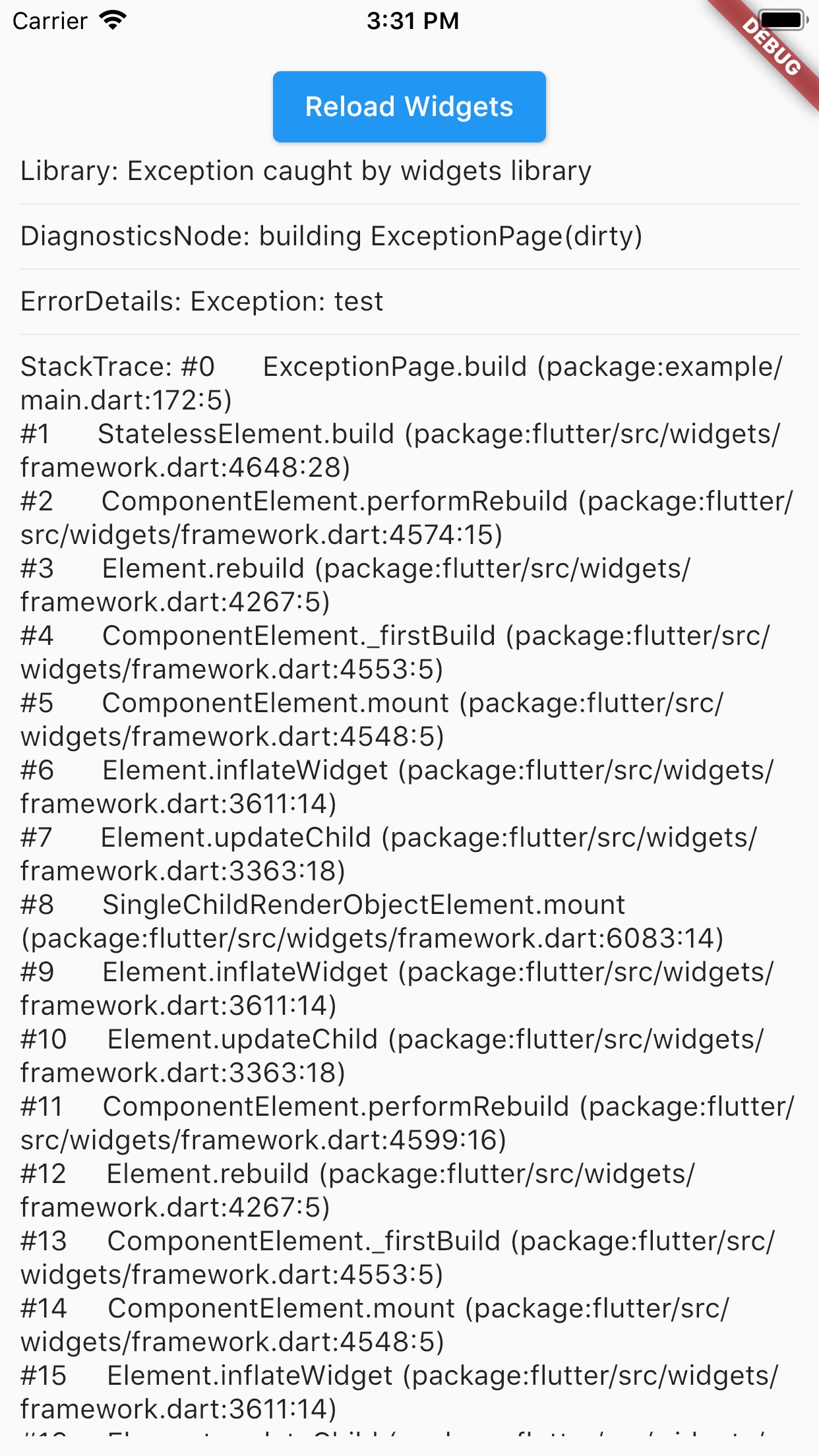
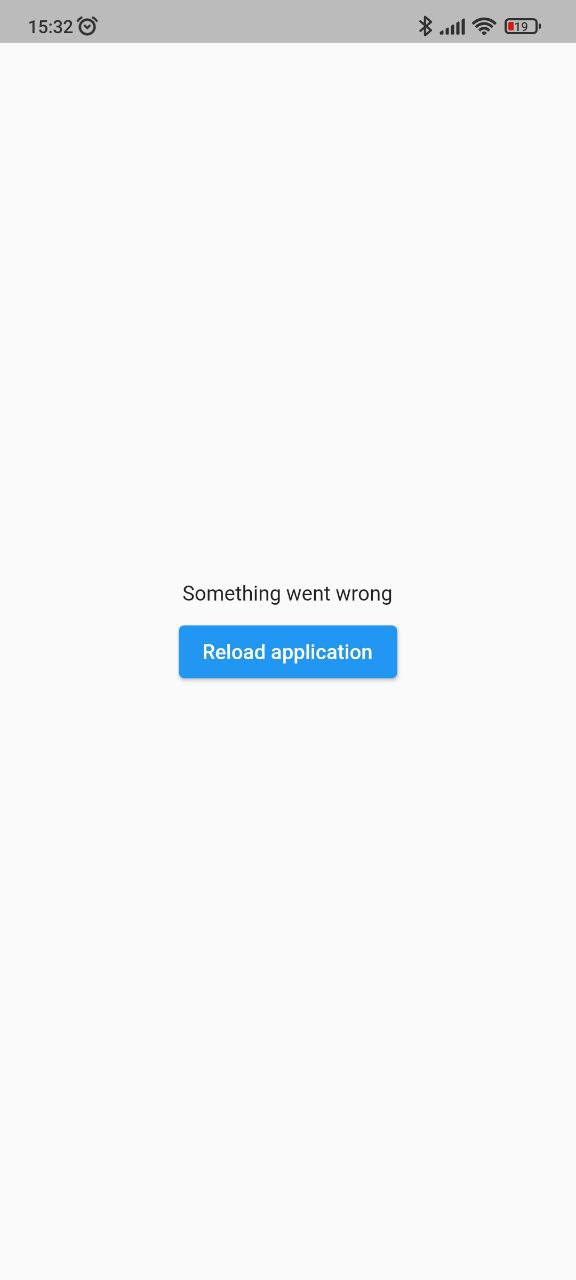
Splash Screen Debug Error Screen Release Error Screen
run debug-error release-error

Installing

BREAKING: Note, starting with version 2.2.0, Flutter 3.10.0+ is used by default. If you need to use a Flutter version lower than 3.10.0, then use package version 2.1.2 and below.

Add this to your package's pubspec.yaml file:

dependencies:
  app_runner: <last version>

Usage

This is how your application launch looked like before:

import 'package:flutter/material.dart';

void main() {
  runApp(MyApp());
}

It is simply by attaching your widget to the root. But in order to catch errors, it was necessary to use runZonedGuarded, then our code will become like this:

import 'dart:async';

import 'package:flutter/material.dart';

void main() {
  runZonedGuarded<void>(
    () {
      runApp(MyApp());
    },
    (Object error, StackTrace stackTrace) {...},
    zoneValues: ...,
    zoneSpecification: ...,
  );
}

But we also need to initialize some code to launch the application, for example Firebase:

import 'dart:async';

import 'package:flutter/material.dart';
void main() {
  runZonedGuarded<void>(
    () async {
      WidgetsFlutterBinding.ensureInitialized();

      await Firebase.initializeApp();

      HydratedBloc.storage = await HydratedStorage.build(
        storageDirectory: await getApplicationDocumentsDirectory(),
      );

      Bloc.observer = MyBlocObserver();

      runApp(MyApp());
    },
    (Object error, StackTrace stackTrace) {},
    zoneValues: ...,
    zoneSpecification: ...,
  );
}

And what do we have:

  • The launch of the widget is blocked by the third-party code.
  • The splash screen is implemented in MyApp, that is, it will be present in the tree when it is no longer needed.
  • Not the most beautiful and understandable code.

Let's fix this with AppRunner (all possible parameters are shown here, it is not necessary to use all of them):

import 'package:app_runner/app_runner.dart';
import 'package:flutter/material.dart';

void main() {
  final WidgetConfiguration widgetConfiguration = WidgetConfiguration(
    child: AppBuilder<String>(
      preInitialize: (WidgetsBinding binding) async {
        // Custom code initialization.
        // You don't need to call WidgetsFlutterBinding.ensureInitialized();
        // WidgetsBinding is also available here if you need it.

        await Firebase.initializeApp();

        HydratedBloc.storage = await HydratedStorage.build(
          storageDirectory: await getApplicationDocumentsDirectory(),
        );

        Bloc.observer = MyBlocObserver();
        
        return 'Mad Brains';
      },
      // Our application
      builder: (
        BuildContext context,
        AsyncSnapshot<String?> snapshot,
        Widget? child,
      ) {
        late final Widget _child;
        switch (snapshot.connectionState) {
          case ConnectionState.none:
          case ConnectionState.active:
          case ConnectionState.waiting:
            _child = const Splash(); // show Splash
            continue display;
          case ConnectionState.done:
            final String? data = snapshot.data; // data from preInitialize
            log(data);
            _child = const MyApp(); // show App
            continue display;
          display:
          default:
            return AnimatedSwitcher(
              duration: const Duration(milliseconds: 150),
              child: _child,
            );
        }
      },
    ),
    errorBuilder: (BuildContext context, FlutterErrorDetails errorDetails) => MyErrorScreen(errorDetails), // Our flutter error screen during debugging
    releaseErrorBuilder: (BuildContext context) => MyReleaseErrorScreen(), // Our flutter error screen during release
    onFlutterError: (FlutterErrorDetails errorDetails) {
      // Flutter error handling
      log(
        errorDetails.toStringShort(),
        name: 'onFlutterError',
        stackTrace: errorDetails.stack,
        error: errorDetails.exception,
      );
    },
    initializeBinding: () => CustomWidgetsFlutterBinding(), // Creating your WidgetsFlutterBinding
  );

  final ZoneConfiguration zoneConfiguration = ZoneConfiguration(
    onZoneError: (Object error, StackTrace stackTrace) {
      // Dart error handling
      log(
        error.runtimeType.toString(),
        name: 'onZoneError',
        stackTrace: stackTrace,
        error: error,
      );
    },
    zoneValues: ..., // Your zone parameters
    zoneSpecification: ..., // Your zone specifications
  );

  appRunner(
    kIsWeb
        ? RunnerConfiguration(
            widgetConfig: widgetConfiguration,
            // optional, isolate error handling
            onPlatformError: (Object exception, StackTrace stackTrace) {
              log(
                exception.runtimeType.toString(),
                name: 'onPlatformError',
                stackTrace: stackTrace,
                error: exception,
              );

              return false;
            },
          )
        : RunnerConfiguration.guarded(
            widgetConfig: widgetConfiguration,
            zoneConfig: zoneConfiguration,
          ),
  );
}

If you need to reload the widgets, you can do:

reloadWidget(context);

// or

context.reloadWidget();

Example

The Example is in the corresponding folder

カテゴリー

ソースリポジトリ

このパッケージを使用しているプロジェクト

データはまだありません。