パッケージ、リポジトリ、アプリカテゴリを検索

background_geolocation_firebase のカバー
パッケージ詳細v1.1.0

background_geolocation_firebase

flutter_background_geolocation プラグイン用の Firebase アダプタ。記録された位置情報を自動的に Firestore データベースに同期します。

AndroidiOS
30日間ダウンロード
80
いいね数
38
Pub ポイント
130

パッケージをインストール

flutter pub add background_geolocation_firebase

パッケージ概要

公開情報に基づく選定ガイドです。参考としてご利用ください。

flutter_background_geolocation プラグイン用の Firebase アダプタで、記録された位置データを自動的に Firestore に同期します。バックグラウンド位置情報サービスとシームレスに連携するように設計されており、リアルタイムでの追跡および Firebase データベースにおけるデバイス位置の永続的保存を可能にします。フリート管理、配達トラッキング、アクティビティログなど、継続的な位置監視が必要なアプリケーションに最適です。このパッケージはデータ同期を効率的に処理し、Android および iOS プラットフォーム間で信頼性を確保します。

用途

  • リアルタイムのフリートトラッキング
  • 配達ルートのモニタリング
  • アクティビティおよびジャーニーのログ記録
  • 位置ベースの分析
  • ユーザー活動の追跡

主な機能

  • 自動 Firestore シンク
  • クロスプラットフォーム対応(Android/iOS)
  • flutter_background_geolocation とのシームレスな統合
  • 信頼性の高いオフラインからオンラインへのデータ転送
  • 設定可能なアップロード間隔

適している対象

  • フリートおよびロジスティクスアプリ
  • フィットネスおよびアウトドアトラッキングアプリ
  • 現場サービス管理
  • 永続的な位置履歴を必要とするアプリケーション

注意事項

  • Firebase Firestore のセットアップが必要です
  • クラウドストレージコストが発生する可能性があります
  • 下位の background_geolocation プラグインに依存しています
  • ネットワーク接続が同期タイミングに影響します
  • バックグラウンドでの位置情報アクセスに必要な権限

元の README

関連するソースリポジトリの README 原文のスナップショットです。最新の内容はリポジトリをご覧ください。

background_geolocation_firebase


Firebase Proxy for Flutter Background Geolocation. The plugin will automatically post locations to your own Firestore database, overriding the flutter_background_geolocation plugin's SQLite / HTTP services.


The Android module requires purchasing a license. However, it will work for DEBUG builds. It will not work with RELEASE builds without purchasing a license.


Contents

:large_blue_diamond: Installing the Plugin

:open_file_folder: pubspec.yaml:

dependencies:
  background_geolocation_firebase: '^0.1.0'
Or latest from Git:
dependencies:
  background_geolocation_firebase:
    git:
      url: https://github.com/transistorsoft/flutter_background_geolocation_firebase

:large_blue_diamond: Setup Guides

:large_blue_diamond: Example

import 'dart:async';
import 'package:flutter/material.dart';
import 'package:flutter/services.dart';

import 'package:background_geolocation_firebase/background_geolocation_firebase.dart';
import 'package:flutter_background_geolocation/flutter_background_geolocation.dart' as bg;

void main() {
  runApp(new MyApp());
}

class MyApp extends StatefulWidget {
  @override
  _MyAppState createState() => new _MyAppState();
}

class _MyAppState extends State<MyApp> {

  @override
  void initState() {
    super.initState();
    initPlatformState();
  }

  // Platform messages are asynchronous, so we initialize in an async method.
  Future<void> initPlatformState() async {

    // 1.  First configure the Firebase Adapter.
    BackgroundGeolocationFirebase.configure(BackgroundGeolocationFirebaseConfig(
      locationsCollection: "locations",
      geofencesCollection: "geofences",
      updateSingleDocument: false
    ));

    // 2.  Configure BackgroundGeolocation as usual.
    bg.BackgroundGeolocation.onLocation((bg.Location location) {
      print('[location] $location');
    });

    bg.BackgroundGeolocation.ready(bg.Config(
      debug: true,
      logLevel: bg.Config.LOG_LEVEL_VERBOSE,
      stopOnTerminate: false,
      startOnBoot: true
    )).then((bg.State state) {
      if (!state.enabled) {
        bg.BackgroundGeolocation.start();
      }
    });

    // If the widget was removed from the tree while the asynchronous platform
    // message was in flight, we want to discard the reply rather than calling
    // setState to update our non-existent appearance.
    if (!mounted) return;
  }

  @override
  Widget build(BuildContext context) {
    return new MaterialApp(
      home: new Scaffold(
        appBar: new AppBar(
          title: const Text('BGGeo Firebase Example', style: TextStyle(color: Colors.black)),
          backgroundColor: Colors.amberAccent,
          brightness: Brightness.light,

        ),
        body: Text("BGGeo Firebase")
      ),
    );
  }
}

:large_blue_diamond: Firebase Functions

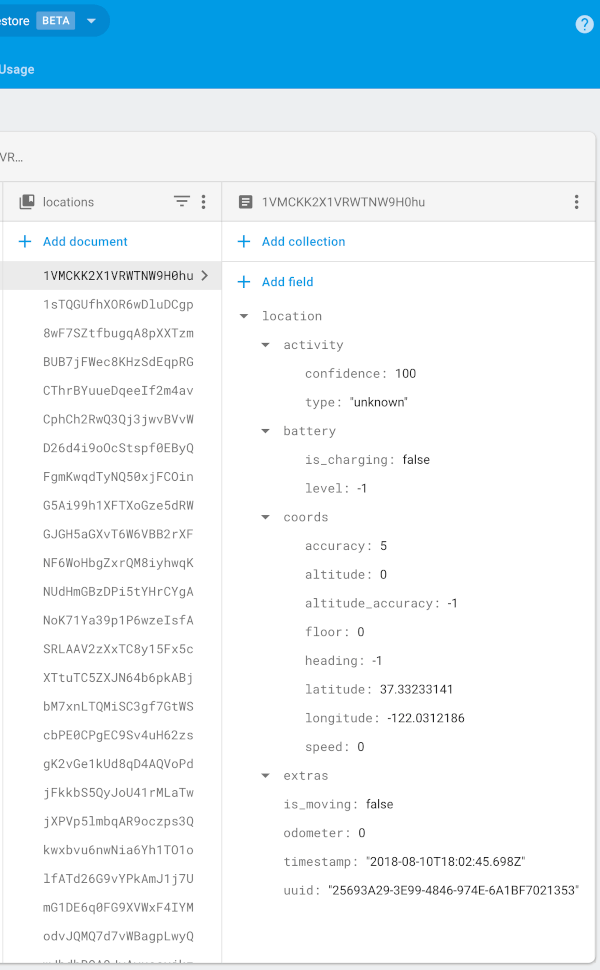
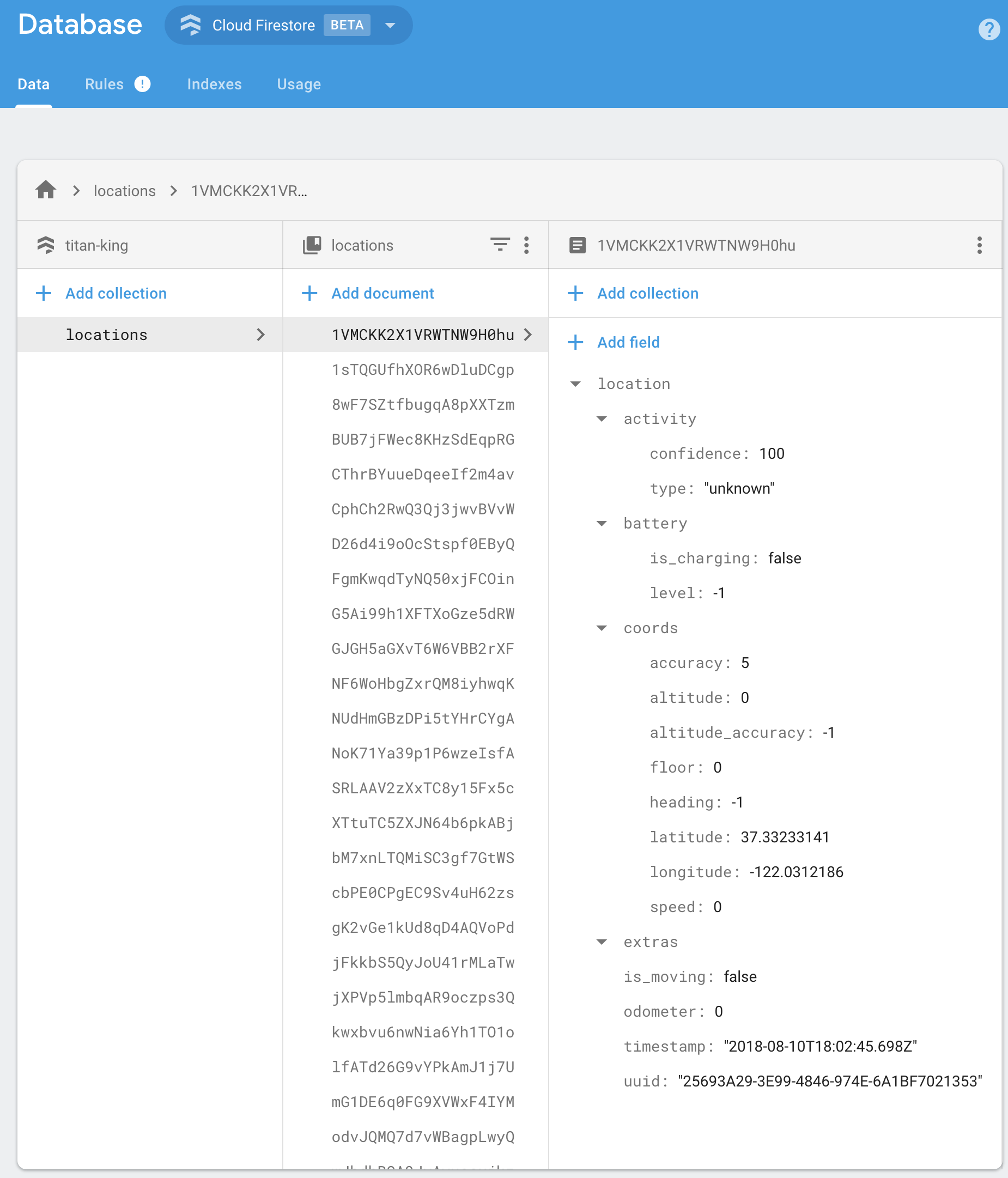
BackgroundGeolocation will post its default "Location Data Schema" to your Firebase app.

{
  "location":{},
  "param1": "param 1",
  "param2": "param 2"
}

You should implement your own Firebase Functions to "massage" the incoming data in your collection as desired. For example:

import * as functions from 'firebase-functions';

exports.createLocation = functions.firestore
  .document('locations/{locationId}')
  .onCreate((snap, context) => {
    const record = snap.data();

    const location = record.location;

    console.log('[data] - ', record);

    return snap.ref.set({
      uuid: location.uuid,
      timestamp: location.timestamp,
      is_moving: location.is_moving,
      latitude: location.coords.latitude,
      longitude: location.coords.longitude,
      speed: location.coords.speed,
      heading: location.coords.heading,
      altitude: location.coords.altitude,
      event: location.event,
      battery_is_charging: location.battery.is_charging,
      battery_level: location.battery.level,
      activity_type: location.activity.type,
      activity_confidence: location.activity.confidence,
      extras: location.extras
    });
});


exports.createGeofence = functions.firestore
  .document('geofences/{geofenceId}')
  .onCreate((snap, context) => {
    const record = snap.data();

    const location = record.location;

    console.log('[data] - ', record);

    return snap.ref.set({
      uuid: location.uuid,
      identifier: location.geofence.identifier,
      action: location.geofence.action,
      timestamp: location.timestamp,
      latitude: location.coords.latitude,
      longitude: location.coords.longitude,
      extras: location.extras,
    });
});

:large_blue_diamond: Configuration Options

@param {String} locationsCollection [locations]

The collection name to post location events to. Eg:

BackgroundGeolocationFirebase.configure(BackgroundGeolocationFirebaseConfig(
  locationsCollection: '/locations'
));

BackgroundGeolocationFirebase.configure(BackgroundGeolocationFirebaseConfig(
  locationsCollection: '/users/123/locations'
));

BackgroundGeolocationFirebase.configure(BackgroundGeolocationFirebaseConfig(
  locationsCollection: '/users/123/routes/456/locations'
));

@param {String} geofencesCollection [geofences]

The collection name to post geofence events to. Eg:

BackgroundGeolocationFirebase.configure(BackgroundGeolocationFirebaseConfig(
  geofencesCollection: '/geofences'
));

BackgroundGeolocationFirebase.configure(BackgroundGeolocationFirebaseConfig(
  locationsCollection: '/users/123/geofences'
));

BackgroundGeolocationFirebase.configure(BackgroundGeolocationFirebaseConfig(
  locationsCollection: '/users/123/routes/456/geofences'
));

@param {Boolean} updateSingleDocument [false]

If you prefer, you can instruct the plugin to update a single document in Firebase rather than creating a new document for each location / geofence. In this case, you would presumably implement a Firebase Function to deal with updates upon this single document and store the location in some other collection as desired. If this is your use-case, you'll also need to ensure you configure your locationsCollection / geofencesCollection accordingly with an even number of "parts", taking the form /collection_name/document_id, eg:

BackgroundGeolocationFirebase.configure(BackgroundGeolocationFirebaseConfig(
  locationsCollection: '/locations/latest'  // <-- 2 "parts":  even
));

// or
BackgroundGeolocationFirebase.configure(BackgroundGeolocationFirebaseConfig(
  locationsCollection: '/users/123/routes/456/the_location'  // <-- 4 "parts":  even
));

// Don't use an odd number of "parts"
BackgroundGeolocationFirebase.configure(BackgroundGeolocationFirebaseConfig(
  locationsCollection: '/users/123/latest_location'  // <-- 3 "parts": odd!!  No!
));

License

The MIT License (MIT)

Copyright (c) 2018 Chris Scott, Transistor Software

Permission is hereby granted, free of charge, to any person obtaining a copy of this software and associated documentation files (the "Software"), to deal in the Software without restriction, including without limitation the rights to use, copy, modify, merge, publish, distribute, sublicense, and/or sell copies of the Software, and to permit persons to whom the Software is furnished to do so, subject to the following conditions:

The above copyright notice and this permission notice shall be included in all copies or substantial portions of the Software.

THE SOFTWARE IS PROVIDED "AS IS", WITHOUT WARRANTY OF ANY KIND, EXPRESS OR IMPLIED, INCLUDING BUT NOT LIMITED TO THE WARRANTIES OF MERCHANTABILITY, FITNESS FOR A PARTICULAR PURPOSE AND NONINFRINGEMENT. IN NO EVENT SHALL THE AUTHORS OR COPYRIGHT HOLDERS BE LIABLE FOR ANY CLAIM, DAMAGES OR OTHER LIABILITY, WHETHER IN AN ACTION OF CONTRACT, TORT OR OTHERWISE, ARISING FROM, OUT OF OR IN CONNECTION WITH THE SOFTWARE OR THE USE OR OTHER DEALINGS IN THE SOFTWARE.

カテゴリー

ソースリポジトリ

このパッケージを使用しているプロジェクト

データはまだありません。