パッケージ、リポジトリ、アプリカテゴリを検索

bottom_bar_page_transition のカバー
パッケージ詳細v3.0.0

bottom_bar_page_transition

ボトムバーのナビゲーションを使用している間、ページ間のアニメーションを表示する。

AndroidiOSWebmacOSWindowsLinux
30日間ダウンロード
122
いいね数
75
Pub ポイント
150

パッケージをインストール

flutter pub add bottom_bar_page_transition

パッケージ概要

公開情報に基づく選定ガイドです。参考としてご利用ください。

bottom_bar_page_transition パッケージは、下部ナビゲーションバーを使用する Flutter アプリケーションにおけるページ間のスムーズでアニメーション付きの遷移を可能にします。タブ間のナビゲーション時に視覚的な連続性を提供することで、ユーザー体験を向上させ、各ページ変更が滑らかで意図的であることを保証します。下部ナビゲーションパターン専用に設計されており、標準の BottomNavigationBar ウィジェットとシームレスに統合されます。Android、iOS、Web、macOS、Windows、Linux など複数のプラットフォームをサポートしており、クロスプラットフォームアプリに適しています。複雑な手動の状態管理を必要とせずにカスタムアニメーションの実装を簡素化します。

用途

  • モバイルアプリにおけるアニメーションタブ切り替え
  • ボトムナビベースのインターフェースにおけるUXの向上
  • トランジション付きのクロスプラットフォームナビゲーション
  • 洗練されたアプリオンボーディングフローの作成
  • ナビゲーション中に視覚フィードバックを追加する
  • 動的コンテンツ変更のサポート

主な機能

  • スムーズなページ遷移アニメーション
  • BottomNavigationBar に対する組み込みサポート
  • クロスプラットフォーム互換性
  • 最小限のセットアップが必要
  • カスタマイズ可能なアニメーションタイプ
  • 標準のナビゲーションパターンと互換性があります

適している対象

  • ボトムナビを使用するモバイルアプリ開発者
  • デザイン重視のUI実装
  • 直感的なナビゲーションを必要とするアプリ
  • 迅速なアニメーション統合を求める開発者
  • クロスプラットフォーム Flutter プロジェクト
  • ユーザー体験を最優先にするチーム

注意事項

  • 複雑なレイアウトには追加のスタイリングが必要になる場合があります
  • 下部ナビゲーションコンテキストに限定
  • アニメーションのパフォーマンスはデバイスに依存します
  • ボトムナビゲーション以外のナビゲーションには適していません
  • 状態の永続性を慎重に扱う必要があります
  • 一貫したページ構造と併用すると最適です

元の README

関連するソースリポジトリの README 原文のスナップショットです。最新の内容はリポジトリをご覧ください。

bottom_bar_page_transition

Flutter package to display transition for switching pages beween bottom bar page navigation.

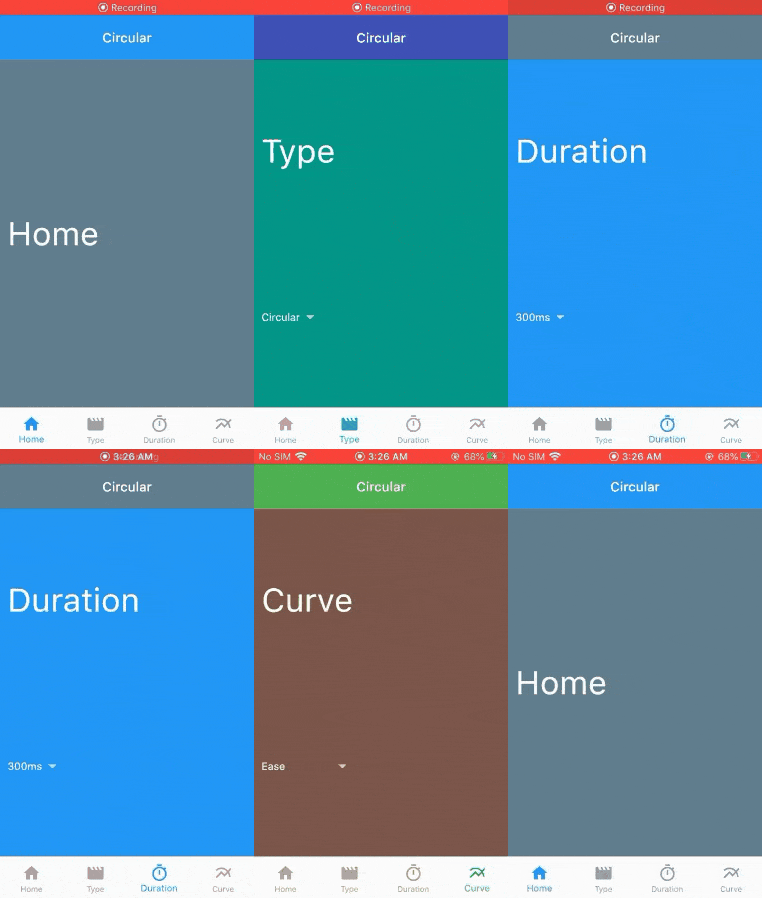
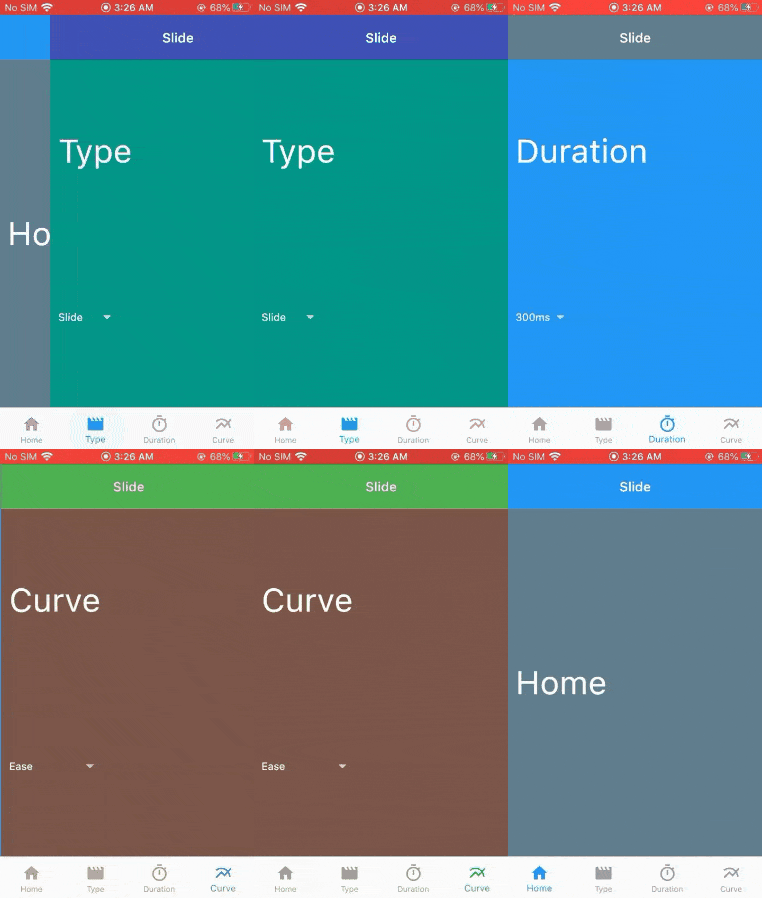
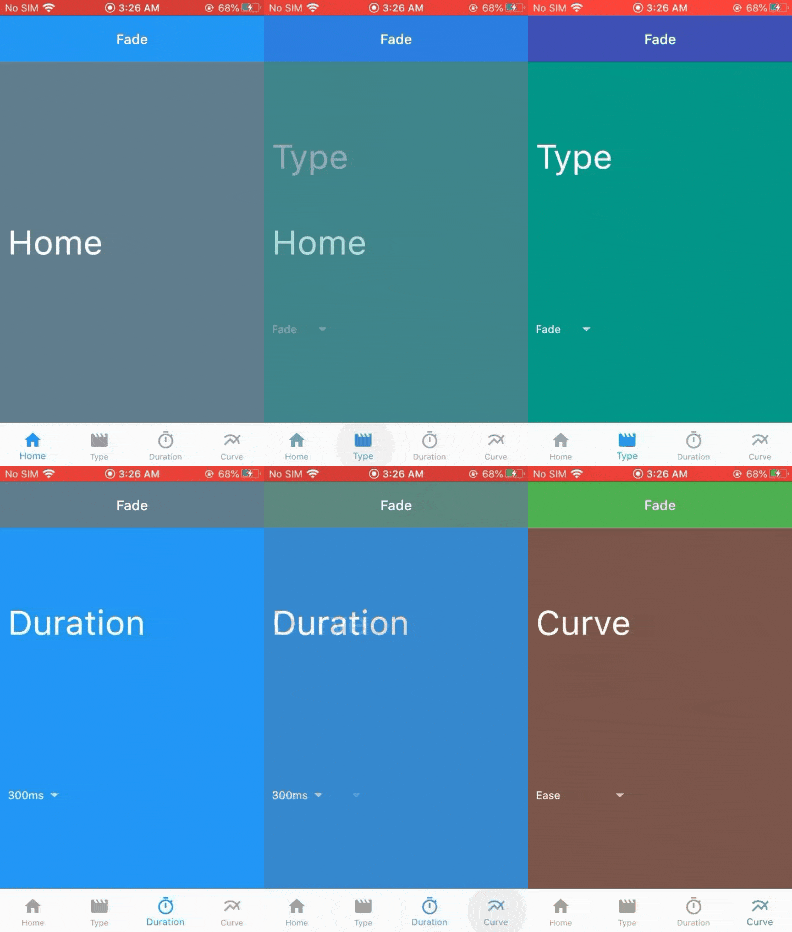
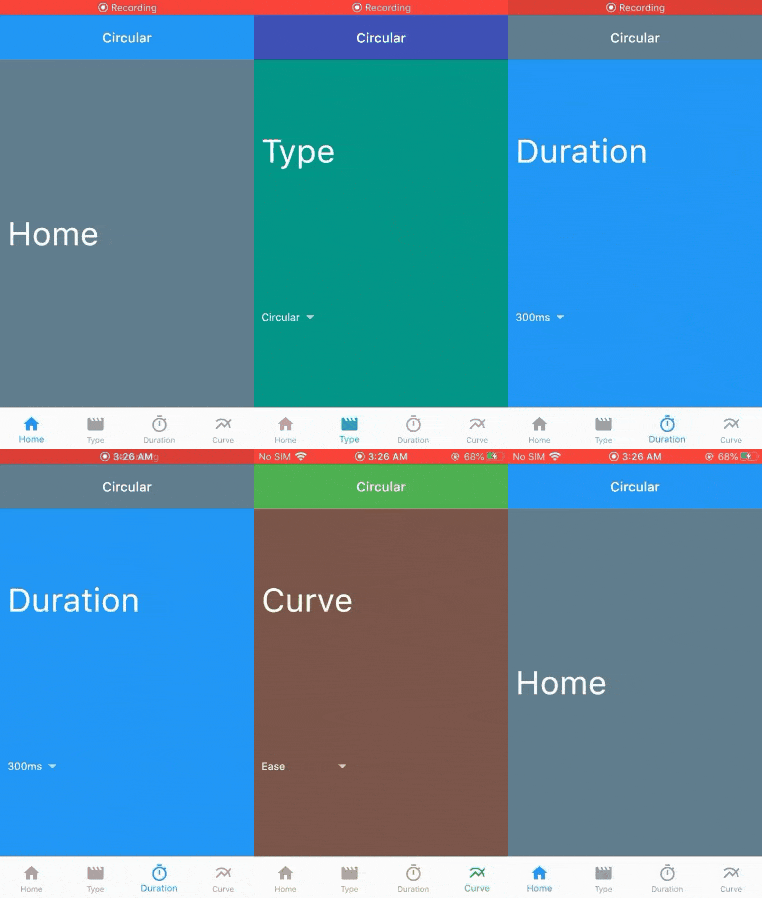
Previews

Circular Slide Fade

Features

  • Can be used to show animation while swiching pages in bottom navigation bar
  • Add global key to widget to avoid reinitate widget

Getting Started

Installing

To use this package, add bottom_bar_page_transition as a dependency in your pubspec.yaml file.

In your dart file import the library by

import 'package:bottom_bar_page_transition/bottom_bar_page_transition.dart';

In build method

return Scaffold(
      body: BottomBarPageTransition(
        builder: (_, index) => _getBody(index),
        currentIndex: _currentPage,
        totalLength: totalPage,
        transitionType: transitionType,
        transitionDuration: duration,
        transitionCurve: curve,
      ),
      bottomNavigationBar: _getBottomBar(),
    );

create `_getBody(int index) method to return body of the widget

Widget _getBody(int index) {
    return CustomScrollView(
      //key:_keys[index] //add keys to avoid initiate child widget after animation ends
      slivers: <Widget>[
        SliverAppBar(
          title: Text('Page $index'),
        ),
        SliverFillRemaining(
          child: Center(child: Text('Page $index')),
        )
      ],
    );
  }

create _getBottomBar() to create bottom bar

Widget _getBottomBar() {
    return BottomNavigationBar(
        currentIndex: _currentPage, 
        onTap: (index) {
          _currentPage = index;
          setState(() {});
        },
        selectedItemColor: Colors.blue,
        unselectedItemColor: Colors.grey,
        type: BottomNavigationBarType.fixed,
        items: List.generate(
            totalPage,
            (index) => BottomNavigationBarItem(
                  icon: Icon(icons[index]),
                  title: Text(names[index]),
                )));
  }

Parameter Description

builder - function to return content of widget
currentIndex - current displaying page
totalLength - total number of pages
transitionType - tractionType can be circle/slide/fade
transitionDuration - Duration of animation
transitionCurve - Curve is animation curve and they are used to adjust the rate of change of an animation over time

カテゴリー

ソースリポジトリ

このパッケージを使用しているプロジェクト

データはまだありません。