パッケージ、リポジトリ、アプリカテゴリを検索

bottom_navy_bar のカバー
パッケージ詳細v6.1.0

bottom_navy_bar

美しくアニメーション付きの下部ナビゲーション。ナビゲーションバーは現在のテーマを使用していますが、自由にカスタマイズできます。

AndroidiOSWebmacOSWindowsLinux
30日間ダウンロード
6480
いいね数
1370
Pub ポイント
150

パッケージをインストール

flutter pub add bottom_navy_bar

パッケージ概要

公開情報に基づく選定ガイドです。参考としてご利用ください。

BottomNavyBar は、Flutter アプリケーション向けの視覚的に魅力的でアニメーション付きの下部ナビゲーションバーです。アプリの現在のテーマとスムーズに統合され、色、アイコン、アニメーションの広範なカスタマイズオプションを提供します。モダンなUIを想定して設計されており、すべてのプラットフォームで滑らかな遷移と応答性の高いフィードバックにより、ユーザー体験を向上させます。Android、iOS、Web、macOS、Windows、Linux をサポートしており、クロスプラットフォーム開発に最適です。洗練された直感的なデザインにより、洗練された下部ナビゲーションインターフェースを必要とするアプリにぴったりです。

用途

  • 下部ナビゲーション付きモバイルおよびウェブアプリ
  • クロスプラットフォームアプリケーション
  • モダンなUIデザイン
  • ECおよびソーシャルメディアアプリ
  • ダッシュボードインターフェース

主な機能

  • アニメーションナビゲーション遷移
  • テーマ対応のスタイリング
  • カスタマイズ可能な色とアイコン
  • 複数プラットフォームにわたる応答性のあるデザイン
  • スムーズなユーザーインタラクション
  • 複数のプラットフォームターゲットのサポート

適している対象

  • 洗練されたボトムナビゲーションバーを探している開発者
  • 複数のプラットフォームをターゲットにするアプリ
  • デザインに注力したFlutterプロジェクト
  • アニメーションUI要素を必要とするプロジェクト
  • ユーザー体験を最優先にするチーム

注意事項

  • 複雑なテーマには追加のスタイリングが必要になる場合があります
  • 下部ナビゲーションの使用ケースに限定
  • アニメーションのパフォーマンスは、低スペックデバイスでテストするべきです
  • トップまたはサイドナビゲーションレイアウトには適していません
  • カスタマイズはコードの複雑さを増加させる可能性があります

元の README

関連するソースリポジトリの README 原文のスナップショットです。最新の内容はリポジトリをご覧ください。

Pub Awesome Flutter Widget Tests

Latest compatibility result for Stable channel Latest compatibility result for Beta channel Latest compatibility result for Dev channel


BottomNavyBar

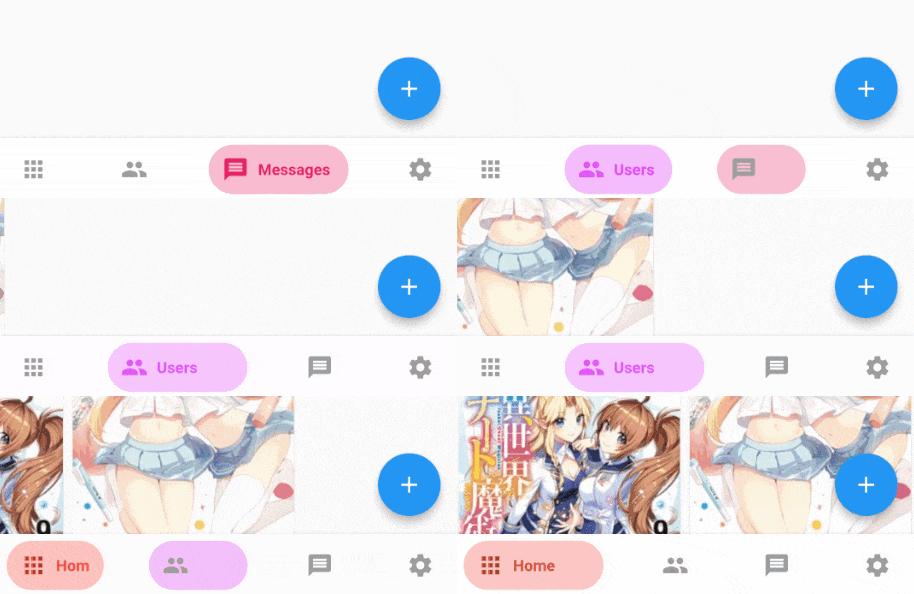
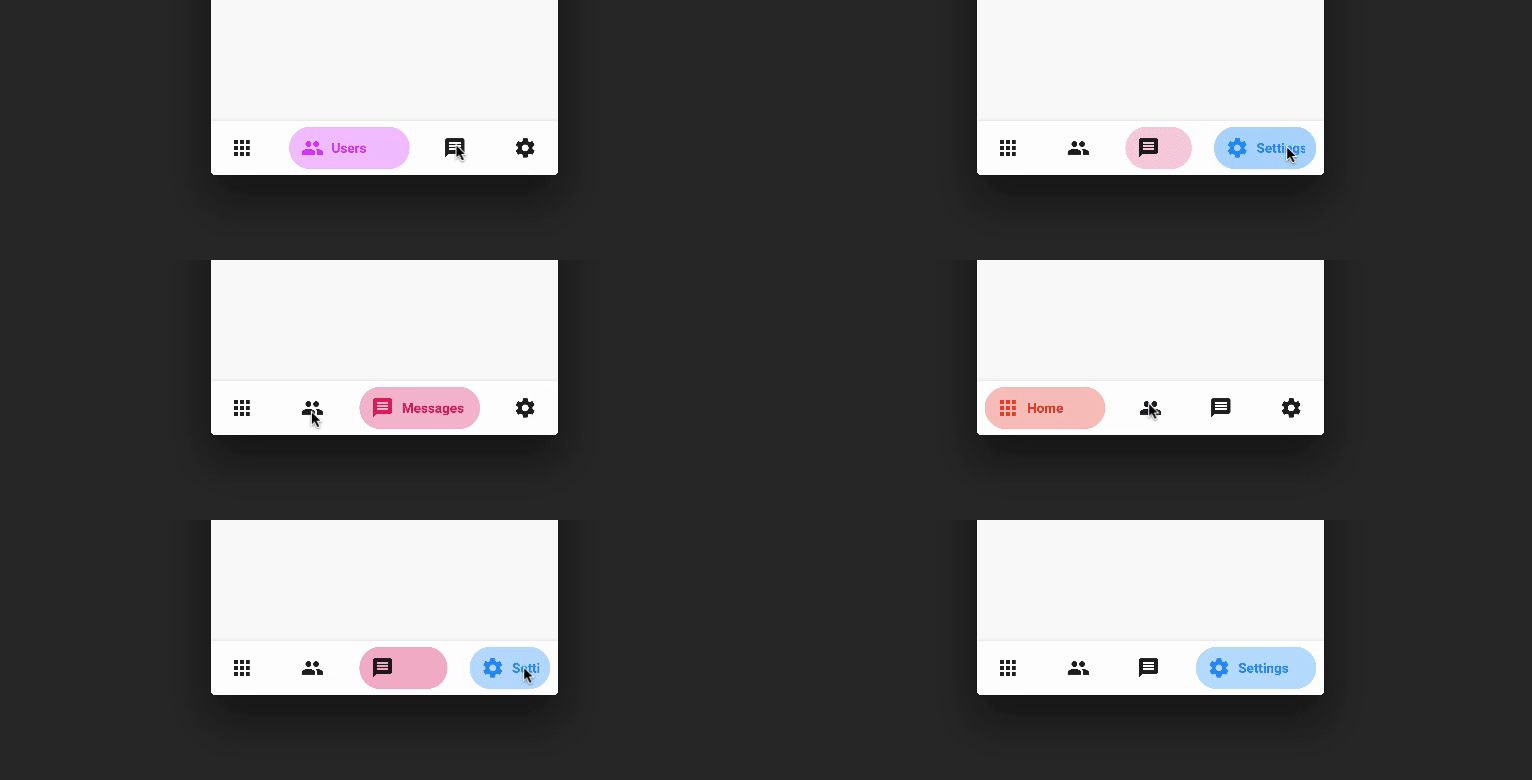
A beautiful and animated bottom navigation. The navigation bar uses your current theme, but you are free to customize it.

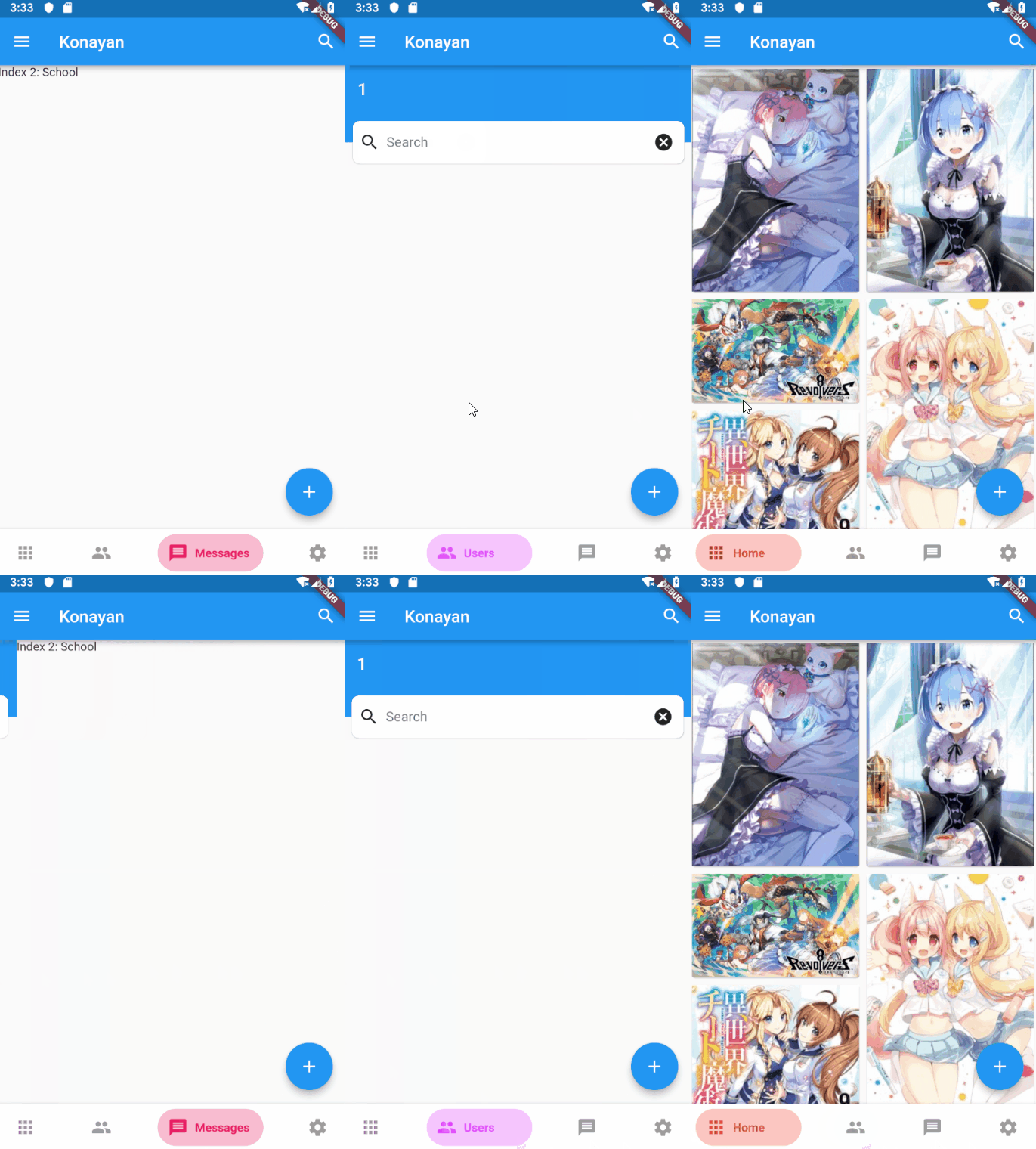
Preview PageView
FanBottomNavyBar Gif Fix Gif

Customization (Optional)

BottomNavyBar
  • iconSize - the item icon's size
  • items - navigation items, required more than one item and less than six
  • selectedIndex - the current item index. Use this to change the selected item. Defaults to zero
  • onItemSelected - required to listen when an item is tapped it provides the selected item's index
  • backgroundColor - the navigation bar's background color
  • showElevation - if false the appBar's elevation will be removed
  • mainAxisAlignment - use this property to change the horizontal alignment of the items. It is mostly used when you have ony two items and you want to center the items
  • curve - param to customize the item change's animation
  • containerHeight - changes the Navigation Bar's height
  • showInactiveTitle - use this property show a Inactive titles. Defaults to false.
BottomNavyBarItem
  • icon - the icon of this item
  • title - the text that will appear next to the icon when this item is selected
  • activeColor - the active item's background and text color
  • inactiveColor - the inactive item's icon color
  • textAlign - property to change the alignment of the item title
  • activeBackgroundColor - the active item's background color
  • activeTextColor - the active item's text color
  • tooltipText - the tooltip text that will appear when the item is long pressed

Getting Started

Add the dependency in pubspec.yaml:

dependencies:
  ...
  bottom_navy_bar: ^6.0.0

Basic Usage

Adding the widget

bottomNavigationBar: BottomNavyBar(
   selectedIndex: _selectedIndex,
   showElevation: true, // use this to remove appBar's elevation
   onItemSelected: (index) => setState(() {
              _selectedIndex = index;
              _pageController.animateToPage(index,
                  duration: Duration(milliseconds: 300), curve: Curves.ease);
    }),
   items: [
     BottomNavyBarItem(
       icon: Icon(Icons.apps),
       title: Text('Home'),
       activeColor: Colors.red,
     ),
     BottomNavyBarItem(
         icon: Icon(Icons.people),
         title: Text('Users'),
         activeColor: Colors.purpleAccent
     ),
     BottomNavyBarItem(
         icon: Icon(Icons.message),
         title: Text('Messages'),
         activeColor: Colors.pink
     ),
     BottomNavyBarItem(
         icon: Icon(Icons.settings),
         title: Text('Settings'),
         activeColor: Colors.blue
     ),
   ],
)

Use with PageView and PageController

class _MyHomePageState extends State<MyHomePage> {

  int _currentIndex = 0;
  PageController _pageController;

  @override
  void initState() {
    super.initState();
    _pageController = PageController();
  }

  @override
  void dispose() {
    _pageController.dispose();
    super.dispose();
  }

  @override
  Widget build(BuildContext context) {
    return Scaffold(
      appBar: AppBar(title: Text("Bottom Nav Bar")),
      body: SizedBox.expand(
        child: PageView(
          controller: _pageController,
          onPageChanged: (index) {
            setState(() => _currentIndex = index);
          },
          children: <Widget>[
            Container(color: Colors.blueGrey,),
            Container(color: Colors.red,),
            Container(color: Colors.green,),
            Container(color: Colors.blue,),
          ],
        ),
      ),
      bottomNavigationBar: BottomNavyBar(
        selectedIndex: _currentIndex,
        onItemSelected: (index) {
          setState(() => _currentIndex = index);
          _pageController.jumpToPage(index);
        },
        items: <BottomNavyBarItem>[
          BottomNavyBarItem(
            title: Text('Item One'),
            icon: Icon(Icons.home)
          ),
          BottomNavyBarItem(
            title: Text('Item Two'),
            icon: Icon(Icons.apps)
          ),
          BottomNavyBarItem(
            title: Text('Item Three'),
            icon: Icon(Icons.chat_bubble)
          ),
          BottomNavyBarItem(
            title: Text('Item Four'),
            icon: Icon(Icons.settings)
          ),
        ],
      ),
    );
  }
}

Author

Maintainers

Contributions

Contributions of any kind are more than welcome! Feel free to fork and improve in any way you want, make a pull request, or open an issue. See CONTRIBUTING.md for more info on how to contribute to this project.

License

This project is licensed under the Apache-2.0 License - see the LICENSE file for details.

カテゴリー

ソースリポジトリ

このパッケージを使用しているプロジェクト

ランキング