パッケージ、リポジトリ、アプリカテゴリを検索

calendar_agenda のカバー
パッケージ詳細v0.0.2+3

calendar_agenda

多数のカスタマイズ可能なスタイルを持つカレンダーアジェンダウィジェットで、アプリバーとして使用することもできます。

AndroidiOSWebmacOSWindowsLinux
30日間ダウンロード
34
いいね数
57
Pub ポイント
130

パッケージをインストール

flutter pub add calendar_agenda

パッケージ概要

公開情報に基づく選定ガイドです。参考としてご利用ください。

Flutter向けに高度にカスタマイズ可能なカレンダーアジェンダウィジェットで、柔軟なスタイル設定オプションを提供し、アプリバーとして統合できる機能も備えています。Android、iOS、Web、macOS、Windows、Linuxなど複数のプラットフォームをサポートしています。洗練されたインタラクティブなカレンダーインターフェースと広範なビジュアルカスタマイズを求める開発者向けに設計されており、既存のアプリレイアウトへのスムーズな統合を可能にします。スケジューリングアプリ、タスクマネージャー、または任意の日付ベースの動的なビューが必要なアプリケーションに最適です。

用途

  • スケジューリングアプリケーション
  • タスク管理インターフェース
  • イベント計画ツール
  • デイリープランナーの機能
  • カスタムアプリバーのカレンダー

主な機能

  • 広範なスタイルカスタマイズ
  • アプリバー統合
  • マルチプラットフォーム対応
  • インタラクティブな日付選択
  • 柔軟なレイアウトオプション

適している対象

  • カレンダーを多く使うアプリを開発する開発者
  • 視覚的な柔軟性を必要とするデザイナー
  • 統合日付ビューを必要とするアプリ

注意事項

  • Flutterウィジェットの理解が必要です
  • 追加の状態管理が必要になる可能性があります
  • 基本的な使用法を超えるドキュメントは限られている

元の README

関連するソースリポジトリの README 原文のスナップショットです。最新の内容はリポジトリをご覧ください。

Calendar agenda widget with a lot of customizable styles.

Pub Package License: MIT

Getting Started

  1. Depend on it Add it to your package's pubspec.yaml file
dependencies:
  flutter:
    sdk: flutter
  calendar_agenda: version
  1. Install it Install packages from the command line
flutter pub get
  1. Import it Import it to your project
import 'package:calendar_agenda/calendar_agenda.dart';
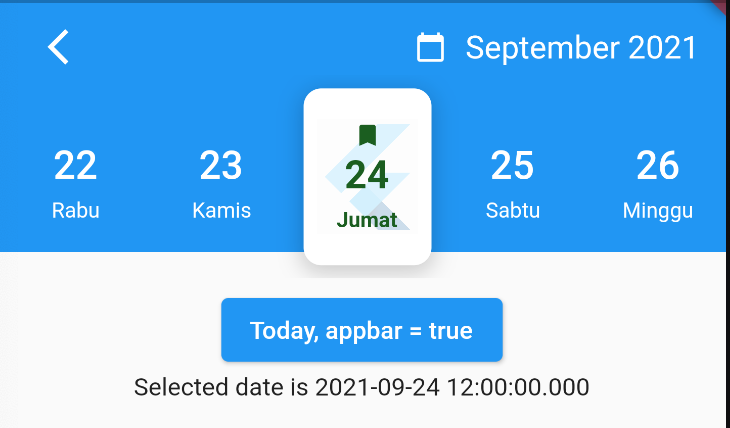
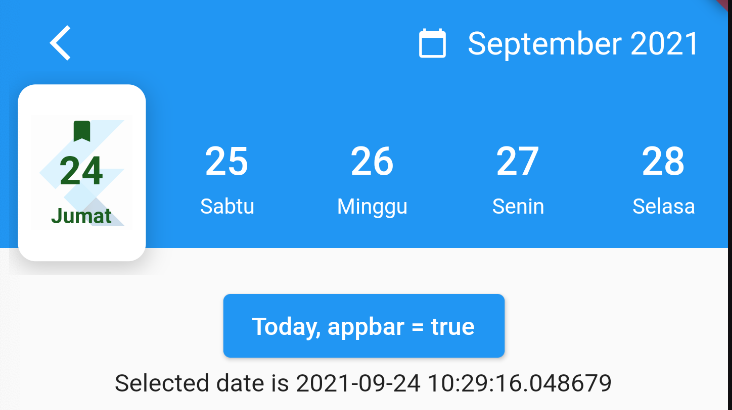
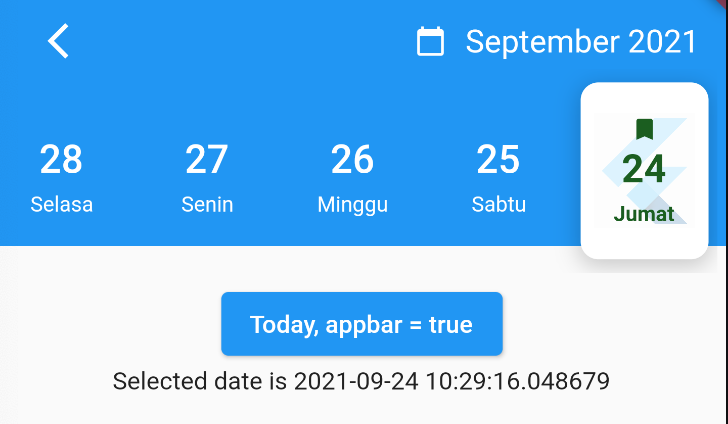
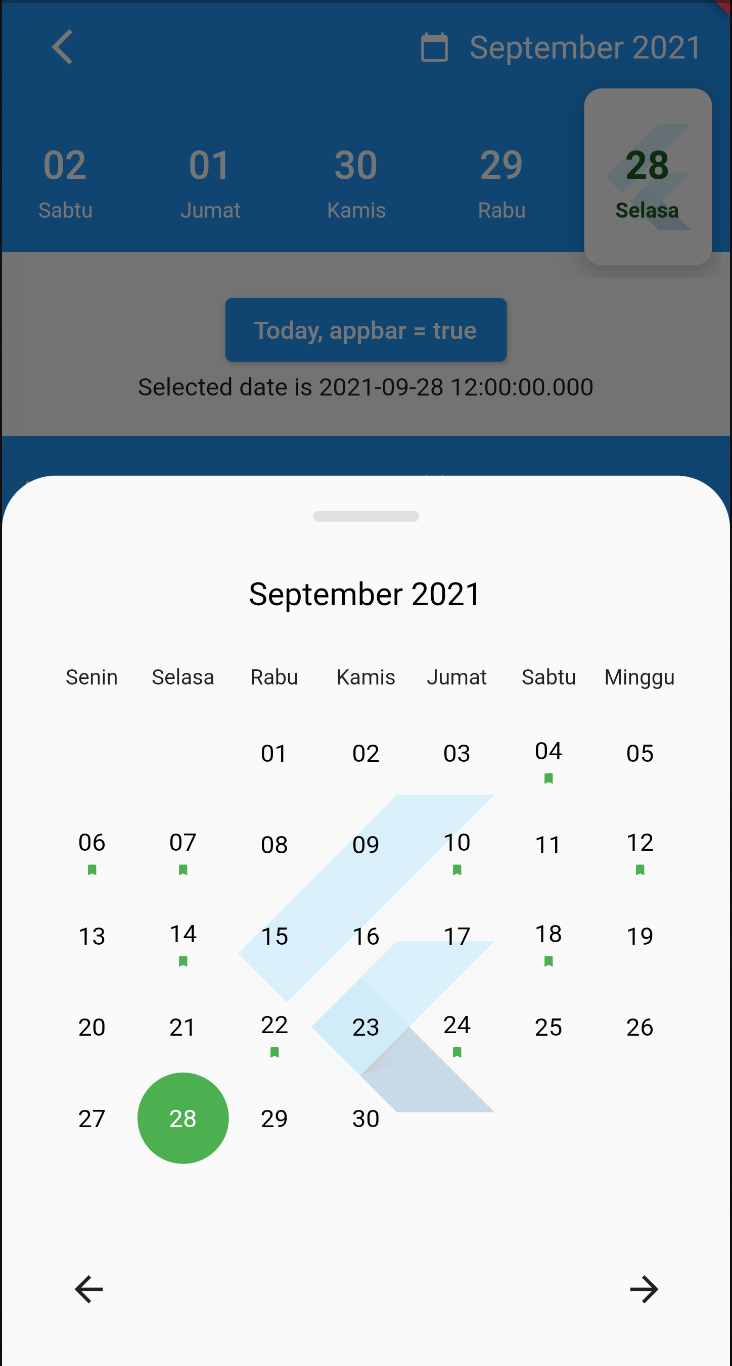
SelectedDayPosition.center SelectedDayPosition.Left SelectedDayPosition.Right
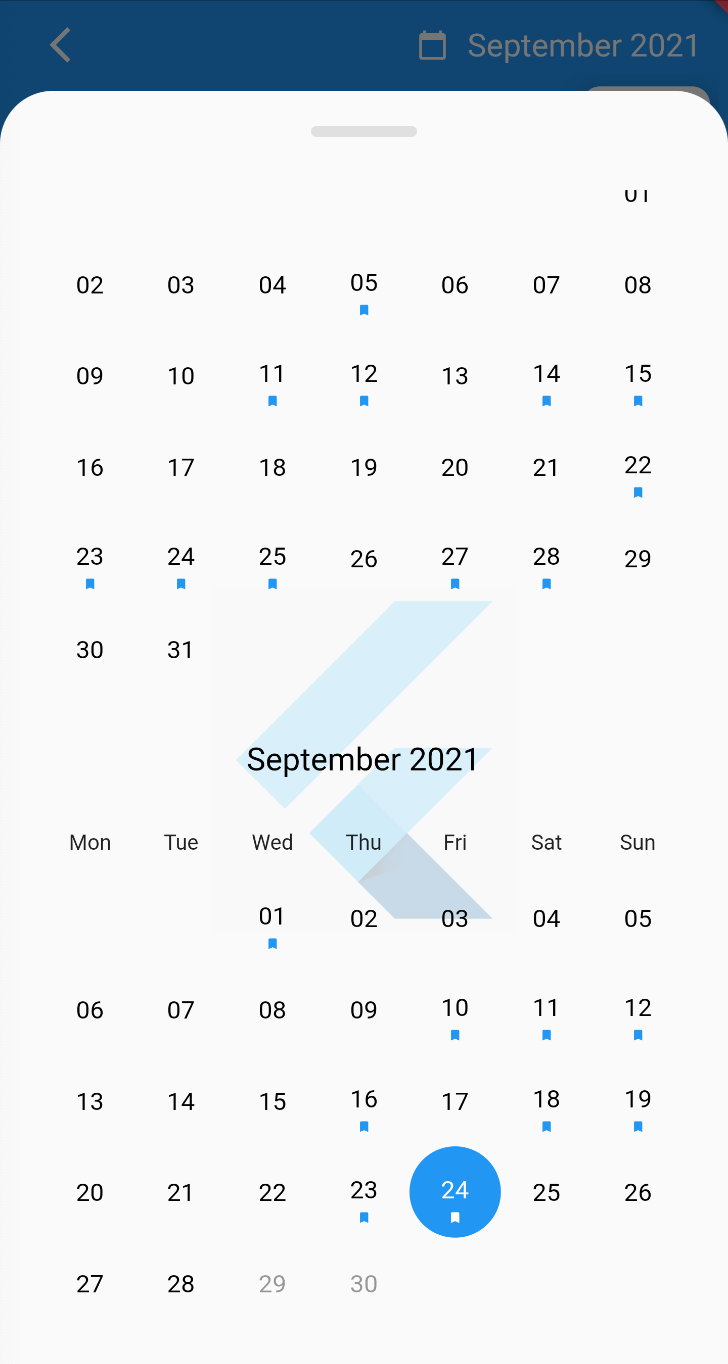
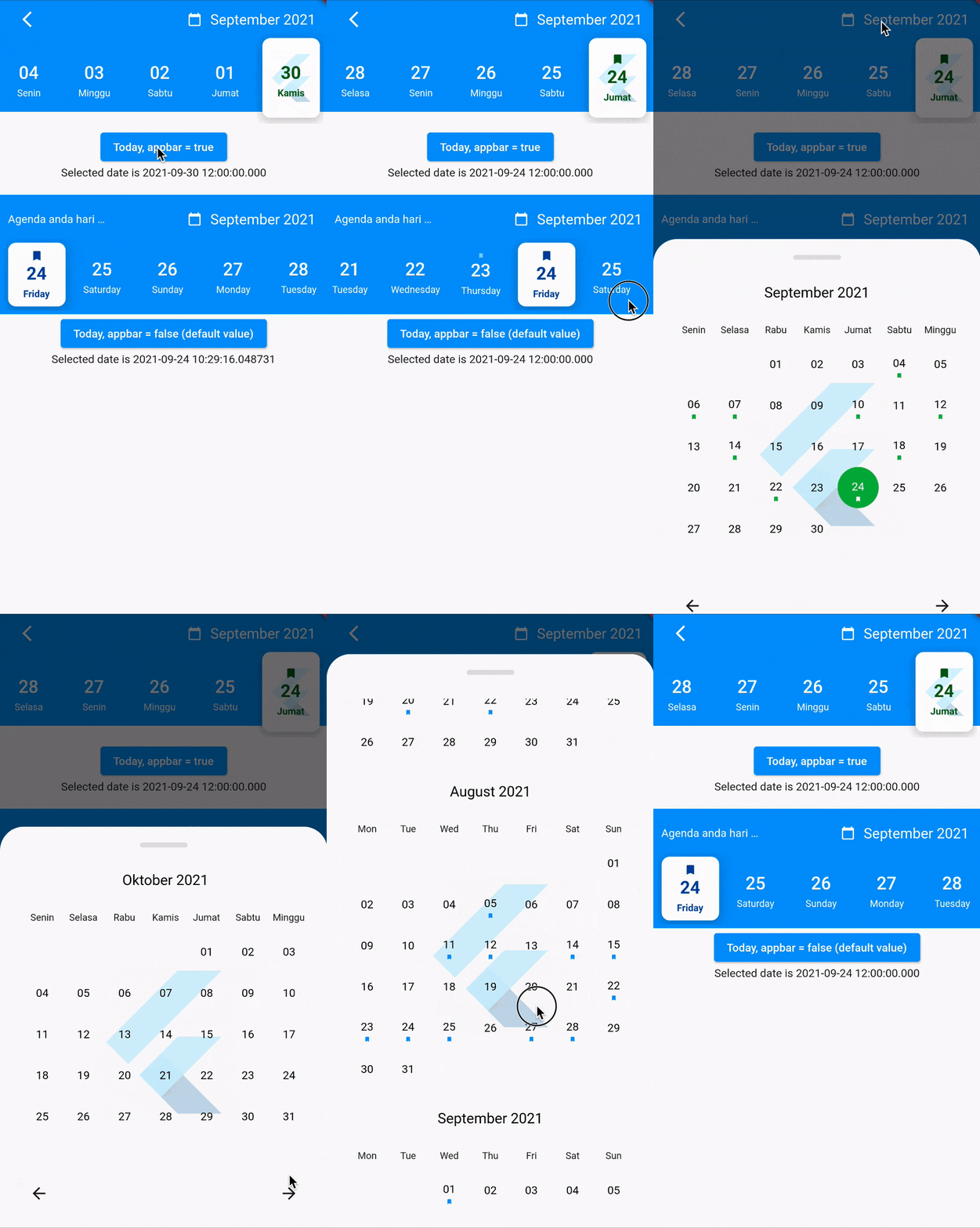
FullCalendarScroll.vertical FullCalendarScroll.horizontal
Demo

How to use?

Use the CalendarAgenda Widget

CalendarAgenda(
initialDate: DateTime.now(),
firstDate: DateTime.now().subtract(Duration(days: 140)),
lastDate: DateTime.now().add(Duration(days: 4)),
onDateSelected: (date) {
print(date);
},
)

Props

Props Types Required defaultValues
initialDate DateTime True
firstDate DateTime True
lastDate DateTime True
onDateSelected Funtion False
backgroundColor Color? False
selectedDayLogo ImageProvider<Object>? False
controller CalendarAgendaController? False
selectedDateColor Color? False Colors.black
dateColor Color? False Colors.white
calendarBackground Color? False Colors.white
calendarEventSelectedColor Color? False Colors.white
calendarEventColor Color? False Colors.blue
locale String? False 'en'
leading Widget? False
appbar bool False False
events List<DateTime>? False
fullCalendar bool False True
fullCalendarScroll FullCalendarScroll False FullCalendarScroll.vertical
fullCalendarDay WeekDay False WeekDay.short
weekDay WeekDay False WeekDay.short
selectedDayPosition SelectedDayPosition False SelectedDayPosition.left

Thank you

Special thanks goes to all contributors to this package. Make sure to check them out.

Donate

You like the package ? Buy me a coffee :)

buymeacoffe buymeacoffe

カテゴリー

依存関係

依存関係一覧 2 件

ソースリポジトリ

このパッケージを使用しているプロジェクト

データはまだありません。