パッケージ、リポジトリ、アプリカテゴリを検索

card_scanner のカバー
パッケージ詳細v1.0.4

card_scanner

Flutter用の高速で正確かつ安全なクレジットカードおよびデビットカードスキャンライブラリ。

AndroidiOS
30日間ダウンロード
975
いいね数
124
Pub ポイント
130

パッケージをインストール

flutter pub add card_scanner

パッケージ概要

公開情報に基づく選定ガイドです。参考としてご利用ください。

Card Scanner は、クレジットカードおよびデビットカードをスキャンするための高速で正確かつ安全なFlutterライブラリです。デバイスのカメラ機能を利用して、カードの境界を検出し、高精度でカード番号、有効期限、CVVを抽出します。プライバシーを重視して設計されており、機密情報を外部サーバーに送信せずにローカルでデータを処理します。支払いフォームやチェックアウトフロー、シームレスなカード入力が必要な金融アプリケーションに最適です。このパッケージはAndroidおよびiOSプラットフォームをサポートしており、簡単なpub addコマンドで簡単に統合できます。

用途

  • 支払いフォームの自動化
  • チェックアウトフローの強化
  • 金融アプリ統合
  • カードデータの抽出
  • カード入力によるユーザーのオンボーディング

主な機能

  • リアルタイムカード検出
  • ローカルデータ処理
  • 高精度スキャン
  • カード情報のセキュアな取り扱い
  • クロスプラットフォーム対応(Android および iOS)

適している対象

  • ECアプリ
  • 銀行・金融アプリ
  • モバイル決済ソリューション
  • 迅速なカード入力が必要なアプリ
  • セキュリティとスピードを最優先とする開発者

注意事項

  • カメラの権限が必要です
  • 最適なパフォーマンスを得るには、校正が必要になる場合があります
  • クレジット/デビットカード形式に限定
  • デバイスのカメラの品質に依存します
  • 非標準のカード形状に対応していません

元の README

関連するソースリポジトリの README 原文のスナップショットです。最新の内容はリポジトリをご覧ください。

Fast, Accurate and Secure Credit & Debit card scanner for Flutter

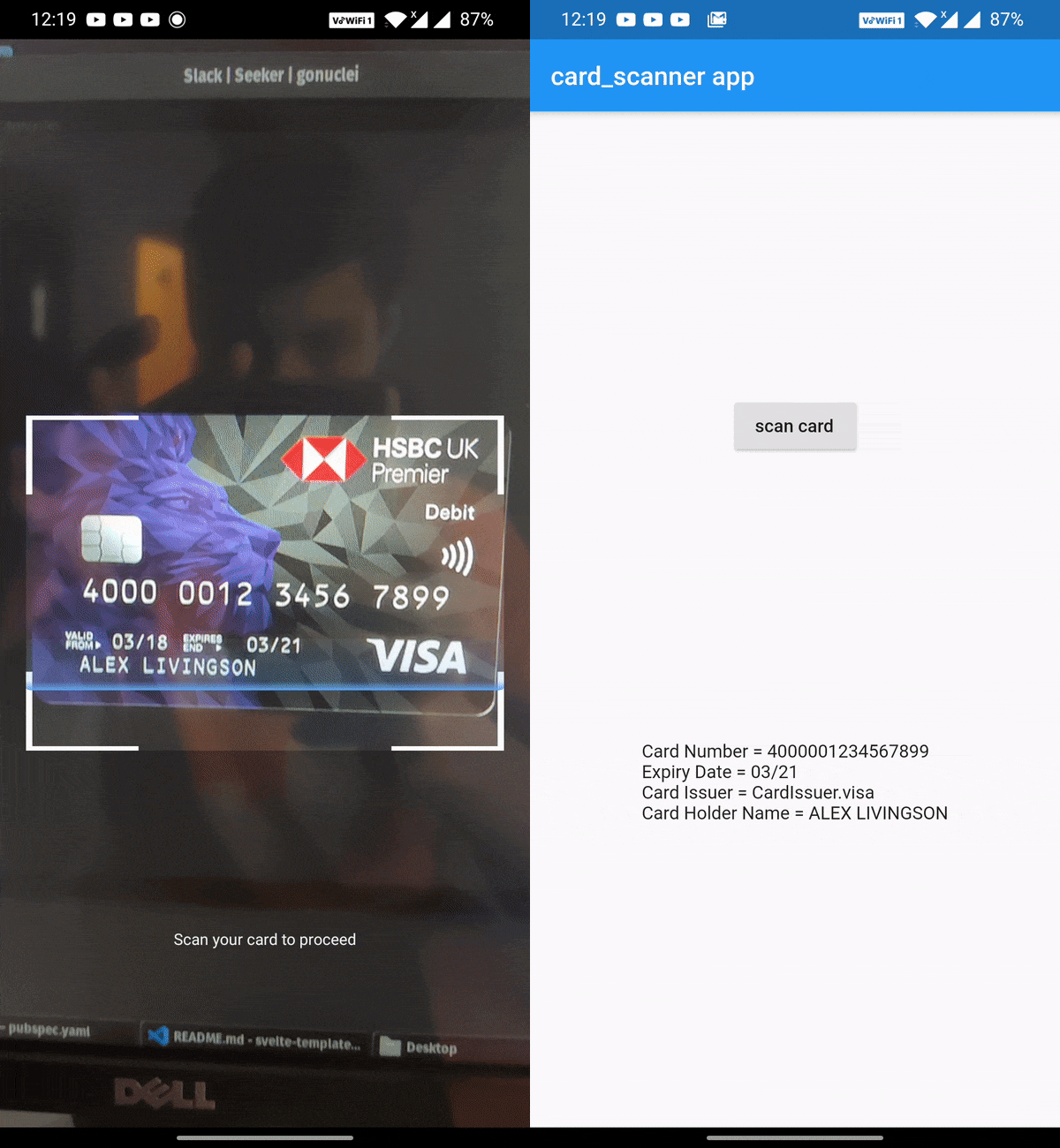
card_scanner is a flutter plugin for accurately and quickly scanning debit and credit cards.

Features

  • 🔒Fully OFFLINE scan makes it a completely secure scanner !
  • 🎈 Can scan Expiry date , Card Holder name and Card Issuer (lacked by other scanners) along with the Card number✨
  • 🔋Powered by Google's Machine Learning models
  • ⚡ Great performance and accuracy
  • 🧹Auto checks the card number for errors using card checksum algorithms
  • 🎚Supports controlling parameters that determine the balance between speed and accuracy
  • ❤️ Simple, powerful, & intuitive API
Get Demo App Here :

Vision App

Install

Add this to your package's pubspec.yaml file:

dependencies:
  card_scanner: <latest-version>

get the latest version number here

Usage

Just import the package and call scanCard:

import 'package:card_scanner/card_scanner.dart';
var cardDetails = await CardScanner.scanCard();

print(cardDetails);

Example Output:

Card Number = 5173949117389006
Expiry Date = 11/26

The above code opens the device camera, looks for a valid card and gets the required details and returns the CardDetails object.


Scan Options

If you wish to obtain the card holder name and card issuer, you can specify the options:

import 'package:card_scanner/card_scanner.dart';
var cardDetails = await CardScanner.scanCard(
    scanOptions: CardScanOptions(
        scanCardHolderName: true,
        scanCardIssuer: true,
    ),
);


print(cardDetails);

Example Output :

Card Number = 5173949117389006
Expiry Date = 11/26
Card Issuer = mastercard
Card Holder Name = PAUL SAMUELSON

iOS Requirements

  • The minimum target for iOS should be >= 12.0.0
  • Comment out the use_frameworks! line from under Podfile of your Flutter project. You can find this Podfile under your_flutter_project/ios/Podfile
Documentation & Samples 📖

カテゴリー

ソースリポジトリ

このパッケージを使用しているプロジェクト

データはまだありません。