パッケージ、リポジトリ、アプリカテゴリを検索

country_code_picker_plus のカバー
パッケージ詳細v0.1.0+1

country_code_picker_plus

CountryCodePickerPlus は、国コード付きの電話番号を収集するプロセスを簡素化するための Flutter パッケージです。

AndroidiOSWebmacOSWindowsLinux
30日間ダウンロード
95
いいね数
40
Pub ポイント
160

パッケージをインストール

flutter pub add country_code_picker_plus

パッケージ概要

公開情報に基づく選定ガイドです。参考としてご利用ください。

CountryCodePickerPlusは、正確な国コードの選択を可能にし、電話番号の収集をスムーズにするためのFlutterパッケージです。Android、iOS、Web、macOS、Windows、Linuxなど複数のプラットフォームをサポートする直感的でカスタマイズ可能なピッカーインターフェースを提供します。検索可能な国リスト、自動的な旗表示、フォームへのシームレスな統合により、ユーザー体験を向上させます。国コードの形式設定と検証を処理することで、国際電話番号の入力を簡素化します。

用途

  • 国際電話番号入力
  • 国コード付きのユーザー登録
  • マルチリージョンフォームサポート
  • 通信アプリの機能
  • お問い合わせフォームの強化

主な機能

  • 検索可能な国リスト
  • 国別の旗アイコン
  • 自動国コード検出
  • カスタマイズ可能な UI
  • クロスプラットフォーム互換性
  • テキストフィールドとの簡単な統合

適している対象

  • グローバルアプリケーション
  • ユーザーのオンボーディングフロー
  • メッセージングまたは通話アプリ
  • ECプラットフォーム
  • 旅行または物流サービス

注意事項

  • 完全な国データの取得にはインターネットが必要です
  • 特定の地域の好みに合わせたカスタマイズが必要になる場合があります
  • 国コード機能に限定(完全な電話番号検証なし)
  • 非常に大きな国リストには最適化されていません
  • 国に関するメタデータは外部データソースに依存しています

元の README

関連するソースリポジトリの README 原文のスナップショットです。最新の内容はリポジトリをご覧ください。

GitHub code size All Contributors Pub

country_code_picker_plus

A Flutter package that provides an easy-to-use widget for picking country codes. This widget supports various customization options including displaying country flags, searching countries, and presenting the picker in different modes such as dialog, dropdown, and bottom sheet.

Description

country_code_picker_plus is a Flutter package designed to simplify the process of selecting country codes in your mobile application. This package provides extensive customization options, allowing developers to tailor the picker to their specific needs. Whether you want to show country flags, search for countries, or present the picker in different styles, country_code_picker_plus has you covered.

Sample Code

Here is a basic example demonstrating how to use the country_code_picker_plus package with various customization options:

              CountryCodePicker(
                mode: CountryCodePickerMode.dialog,
                onChanged: (country) {
                  print('Country code selected: ${country.code}');
                },
                initialSelection: 'US',
                showFlag: true,
                showDropDownButton: true,
              )

Mode Property

Mode Description
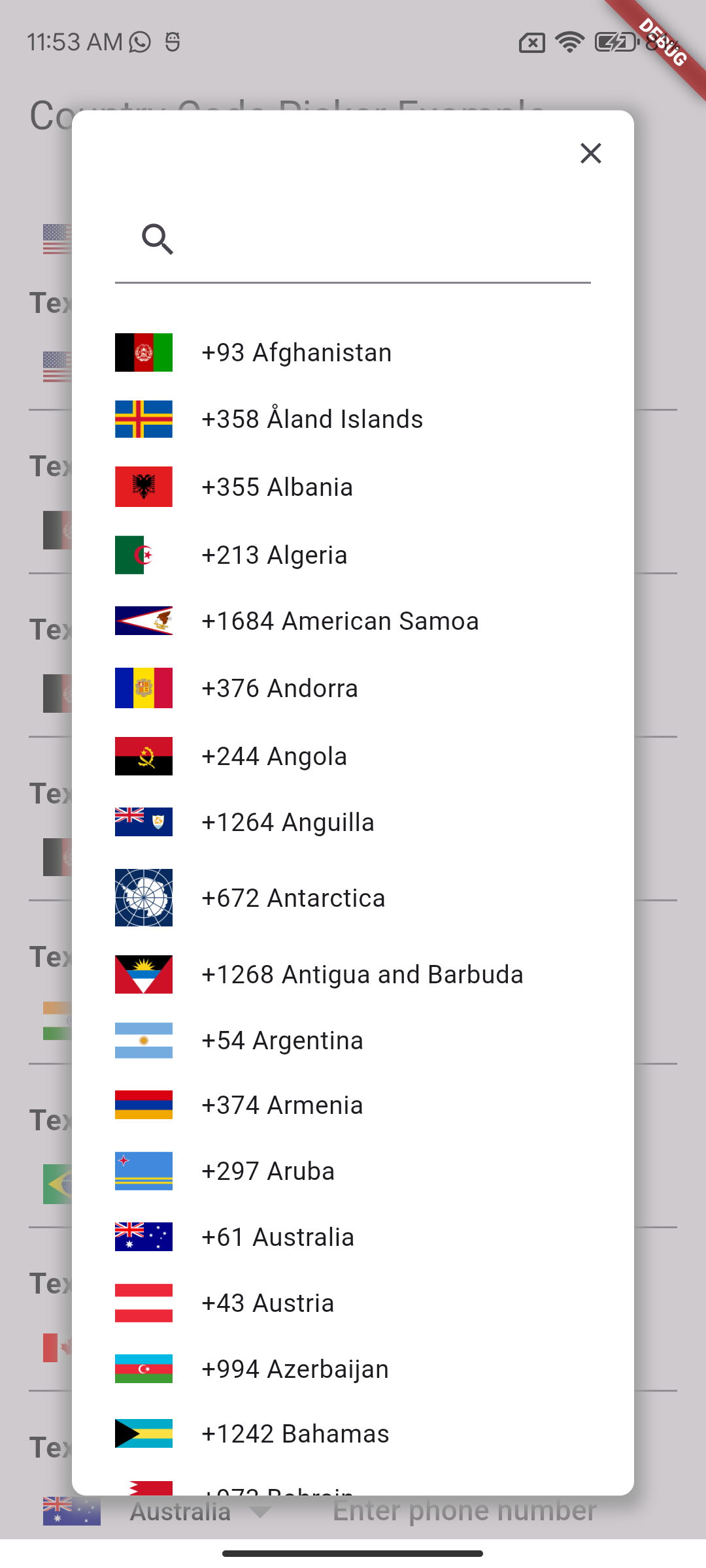
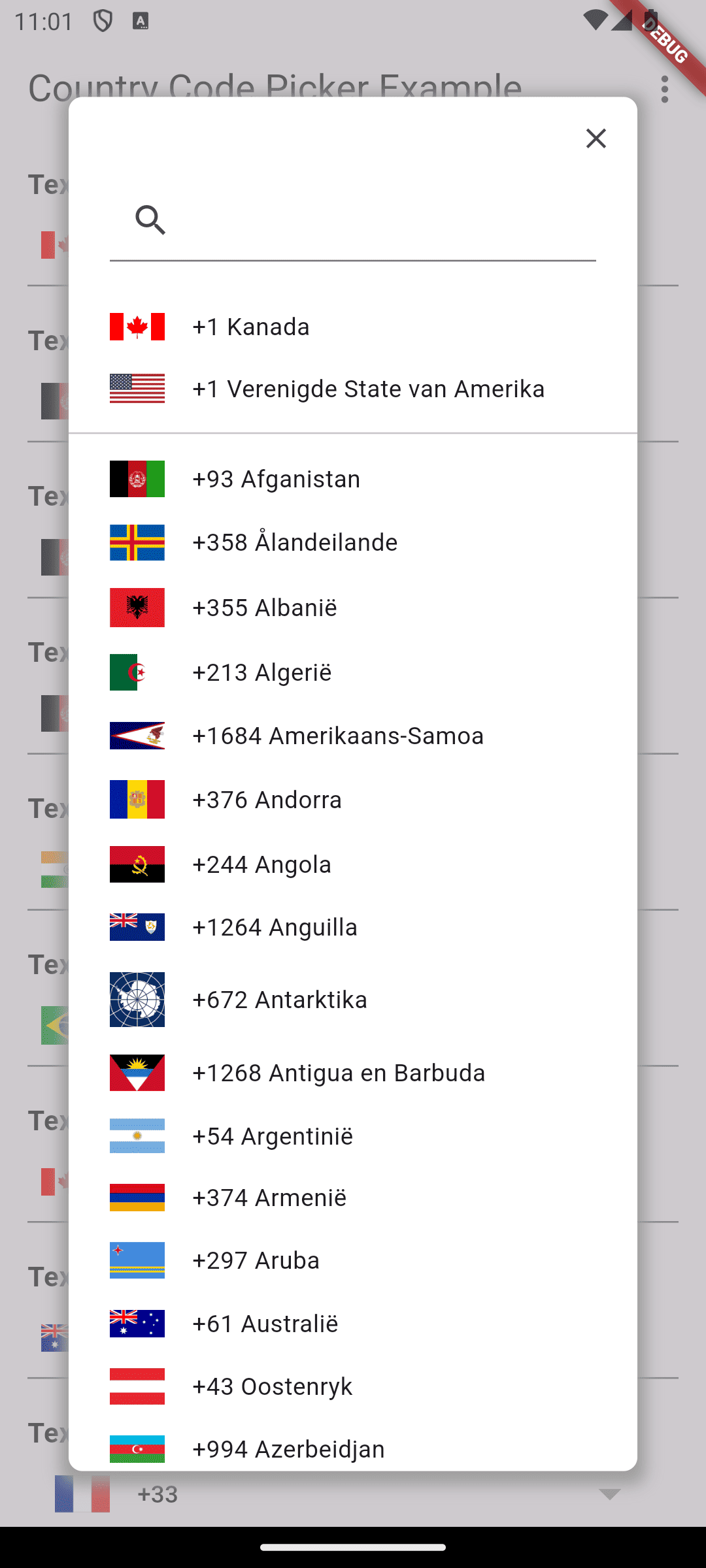
dialog Shows the country picker in a modal dialog.
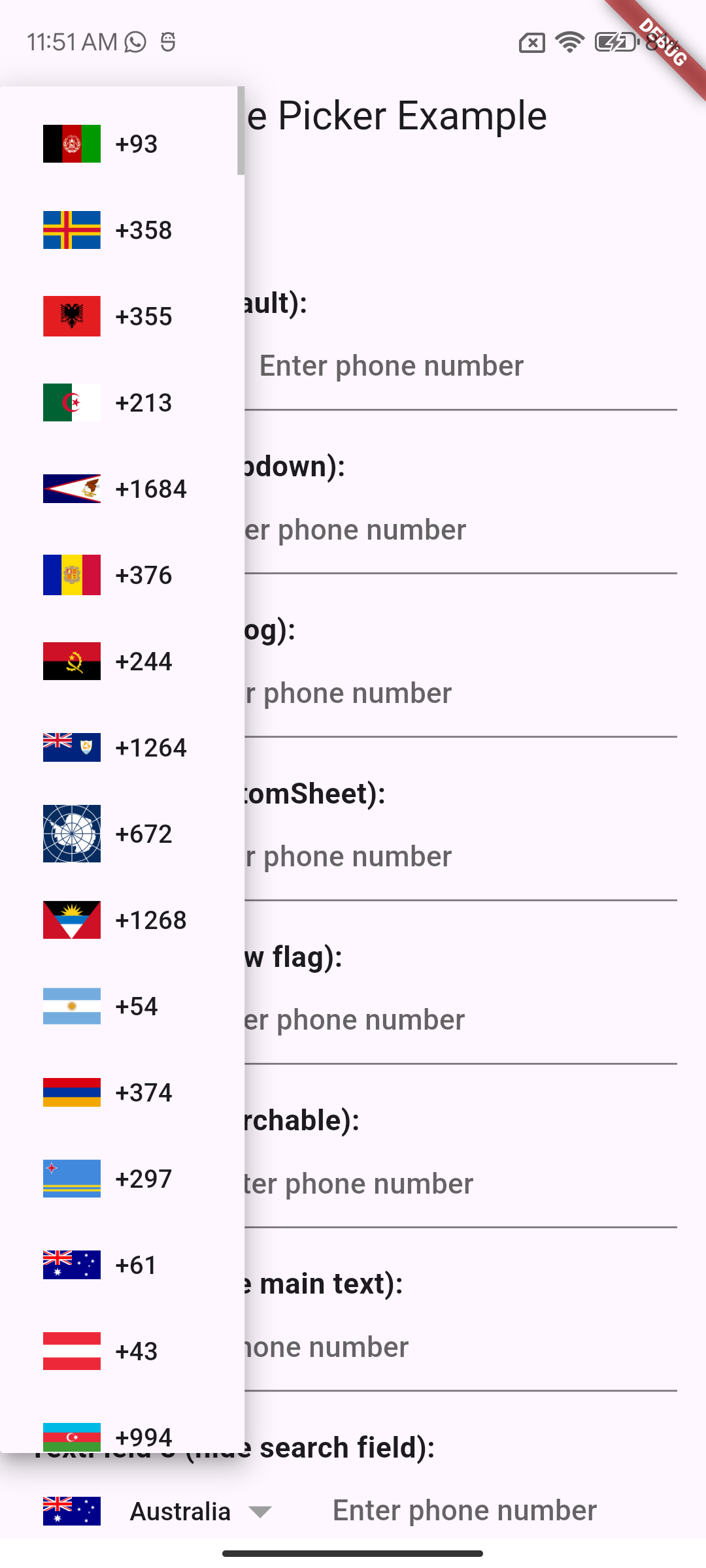
dropdown Shows the country picker as a dropdown menu.
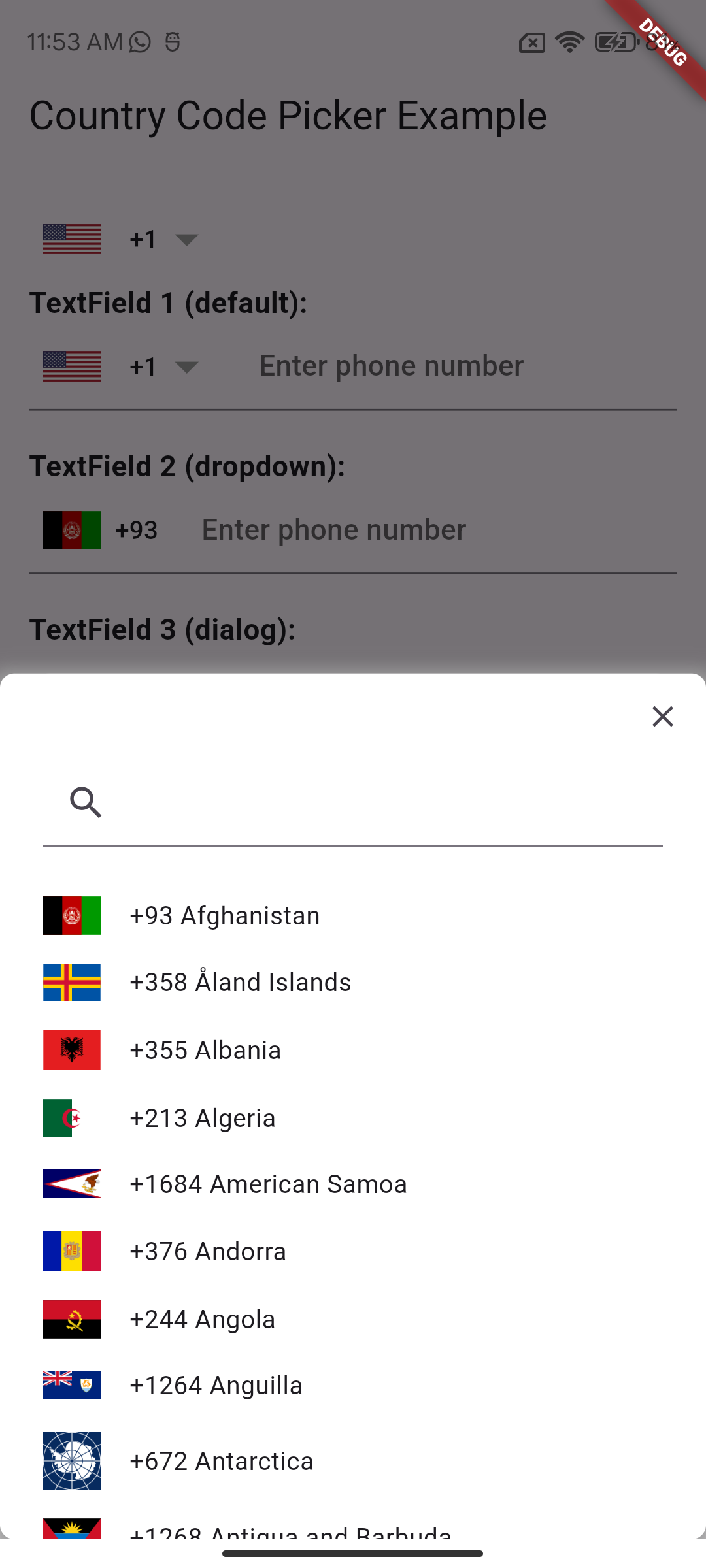
bottomSheet Shows the country picker in a bottom sheet, sliding up from the bottom of the screen.

This table provides a concise description of the different modes available for the CountryCodePickerMode property.

'CountryCodePickerMode.dialog' 'CountryCodePickerMode.dropdown' 'CountryCodePickerMode.bottomSheet'

Other Properties

Name Type Description
mode CountryCodePickerMode The mode to display the country picker (dialog, dropdown, bottomSheet).
onChanged ValueChanged callback invoked when the selection changes
onInit ValueChanged callback invoked during initialization of the widget
initialSelection String used to set the initial selected value
favorite List used to populate the favorite country list
textStyle TextStyle TextStyle applied to the widget button
textOverflow TextOverflow the button text overflow behaviour
dialogSize Size the size of the selection dialog
countryFilter List uses a list of strings to filter a sublist of countries
showOnlyCountryWhenClosed bool if true it'll show only the country
alignLeft bool aligns the flag and the Text to the left
showFlag bool shows the flag everywhere
showFlagMain bool shows the flag only when closed
showFlagDialog bool shows the flag only in dialog
flagWidth double the width of the flags
flagDecoration Decoration used for styling the flags
comparator Comparator use this to sort the countries in the selection dialog
hideSearch bool if true the search feature will be disabled
padding EdgeInsetsGeometry the padding applied to the button
showCountryOnly bool true if you want to see only the countries in the selection dialog
searchDecoration InputDecoration decoration applied to the TextField search widget
searchStyle TextStyle style applied to the TextField search widget text
emptySearchBuilder WidgetBuilder use this to customize the widget used when the search returns 0 elements
builder Function(CountryCode) use this to build a custom widget instead of the default FlatButton
enabled bool set to false to disable the widget

🌐 Internationalization (i18n)

Add localization support to your Country Code Picker by including CountryLocalizations.delegate in your app delegates.

Basic Setup
MaterialApp(
  // Add supported locales
  supportedLocales: const [
    Locale('af'), // Afrikaans
    Locale('am'), // Amharic
    Locale('ar'), // Arabic
    Locale('az'), // Azerbaijani
    Locale('be'), // Belarusian
    Locale('bg'), // Bulgarian
    Locale('bn'), // Bengali
    Locale('bs'), // Bosnian
    Locale('ca'), // Catalan
    Locale('cs'), // Czech
    Locale('da'), // Danish
    Locale('de'), // German
    Locale('el'), // Greek
    Locale('en'), // English
    Locale('es'), // Spanish
    Locale('et'), // Estonian
    Locale('fa'), // Persian
    Locale('fi'), // Finnish
    Locale('fr'), // French
    Locale('gl'), // Galician
    Locale('ha'), // Hausa
    Locale('he'), // Hebrew
    Locale('hi'), // Hindi
    Locale('hr'), // Croatian
    Locale('hu'), // Hungarian
    Locale('hy'), // Armenian
    Locale('id'), // Indonesian
    Locale('is'), // Icelandic
    Locale('it'), // Italian
    Locale('ja'), // Japanese
    Locale('ka'), // Georgian
    Locale('kk'), // Kazakh
    Locale('km'), // Khmer
    Locale('ko'), // Korean
    Locale('ku'), // Kurdish
    Locale('ky'), // Kyrgyz
    Locale('lt'), // Lithuanian
    Locale('lv'), // Latvian
    Locale('mk'), // Macedonian
    Locale('ml'), // Malayalam
    Locale('mn'), // Mongolian
    Locale('ms'), // Malay
    Locale('nb'), // Norwegian Bokmål
    Locale('nl'), // Dutch
    Locale('nn'), // Norwegian Nynorsk
    Locale('no'), // Norwegian
    Locale('pl'), // Polish
    Locale('ps'), // Pashto
    Locale('pt'), // Portuguese
    Locale('ro'), // Romanian
    Locale('ru'), // Russian
    Locale('sd'), // Sindhi
    Locale('sk'), // Slovak
    Locale('sl'), // Slovenian
    Locale('so'), // Somali
    Locale('sq'), // Albanian
    Locale('sr'), // Serbian
    Locale('sv'), // Swedish
    Locale('ta'), // Tamil
    Locale('tg'), // Tajik
    Locale('th'), // Thai
    Locale('tk'), // Turkmen
    Locale('tr'), // Turkish
    Locale('tt'), // Tatar
    Locale('uk'), // Ukrainian
    Locale('ug'), // Uyghur
    Locale('ur'), // Urdu
    Locale('uz'), // Uzbek
    Locale('vi'), // Vietnamese
    Locale('zh'), // Chinese
  ],
  // Add localization delegates
  localizationsDelegates: const [
    CountryLocalizations.delegate,
    GlobalMaterialLocalizations.delegate,
    GlobalWidgetsLocalizations.delegate,
  ],
  // ... other MaterialApp properties
)

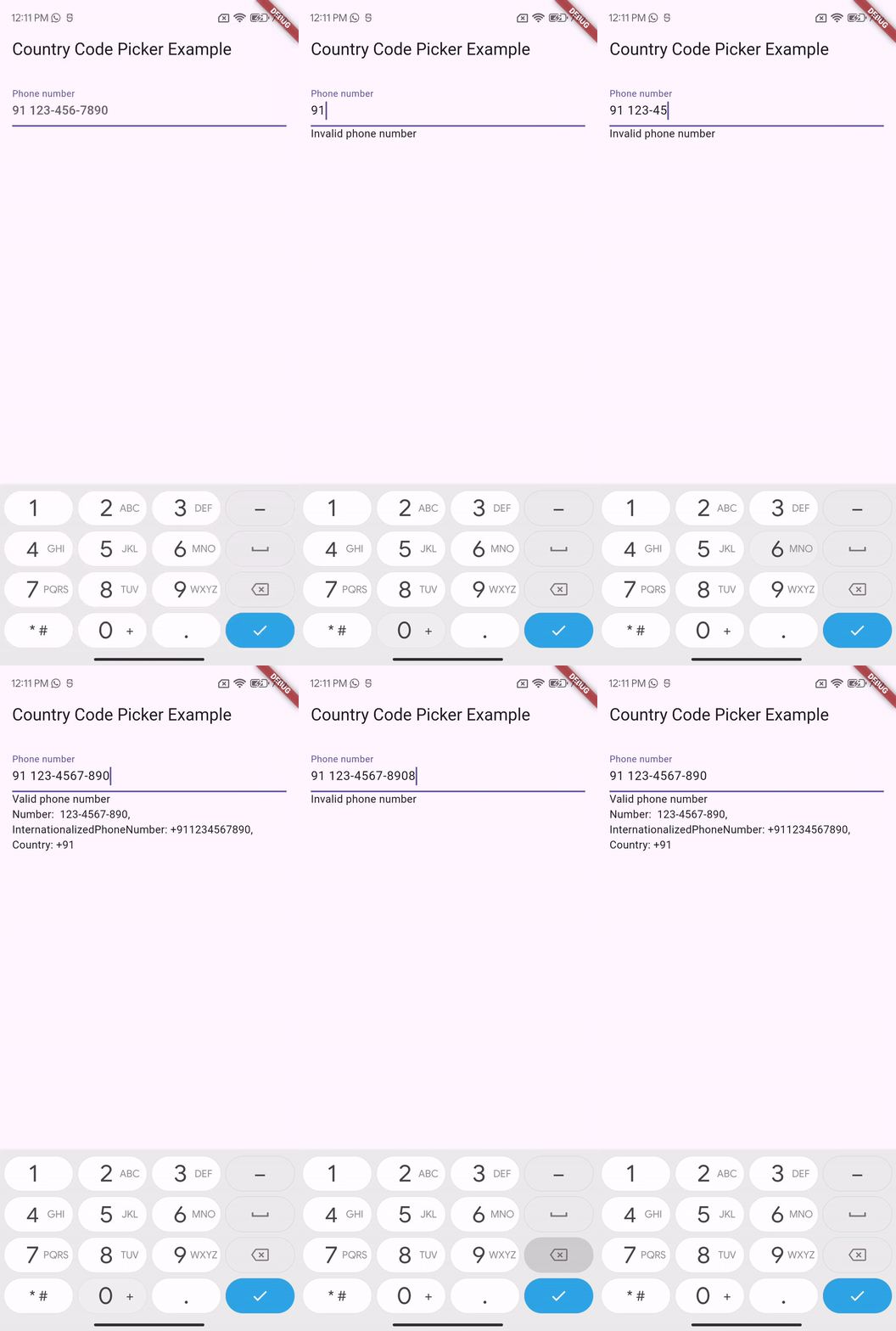
PhoneInputField Widget

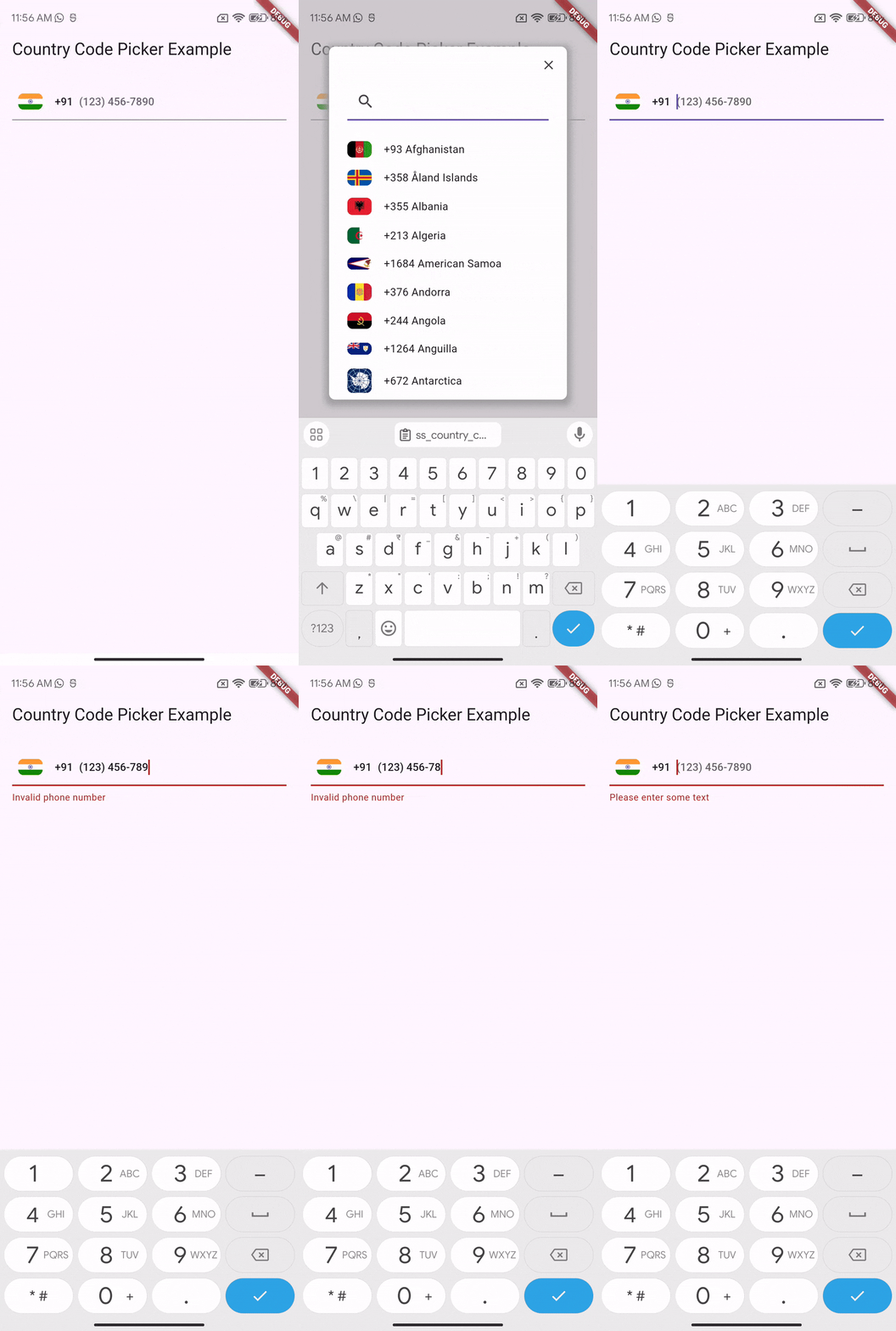
This widget allows users to enter a phone number with a country code. It validates the phone number according to the country code and formats the phone number.

Features
  • Validate Phone Number: Validates the phone number according to the country code.
  • Format Phone Number: Automatically formats the phone number.
Usage
PhoneInputField(
decoration: const InputDecoration(
labelText: 'Phone number',
hintText: '91 123-456-7890',
),
onPhoneNumberValidated: (isValid, phoneNUmber) {
if (isValid) {
debugPrint('Phone number: ${phoneNUmber!.number}');
debugPrint(
'Internationalized phone number: ${phoneNUmber.internationalizedPhoneNumber}');
debugPrint('ISO code: ${phoneNUmber.isoCode}');
} else {
debugPrint('Invalid phone number');
}
})

This section describes the PhoneInputField widget with its features and provides a sample code snippet on how to use it.

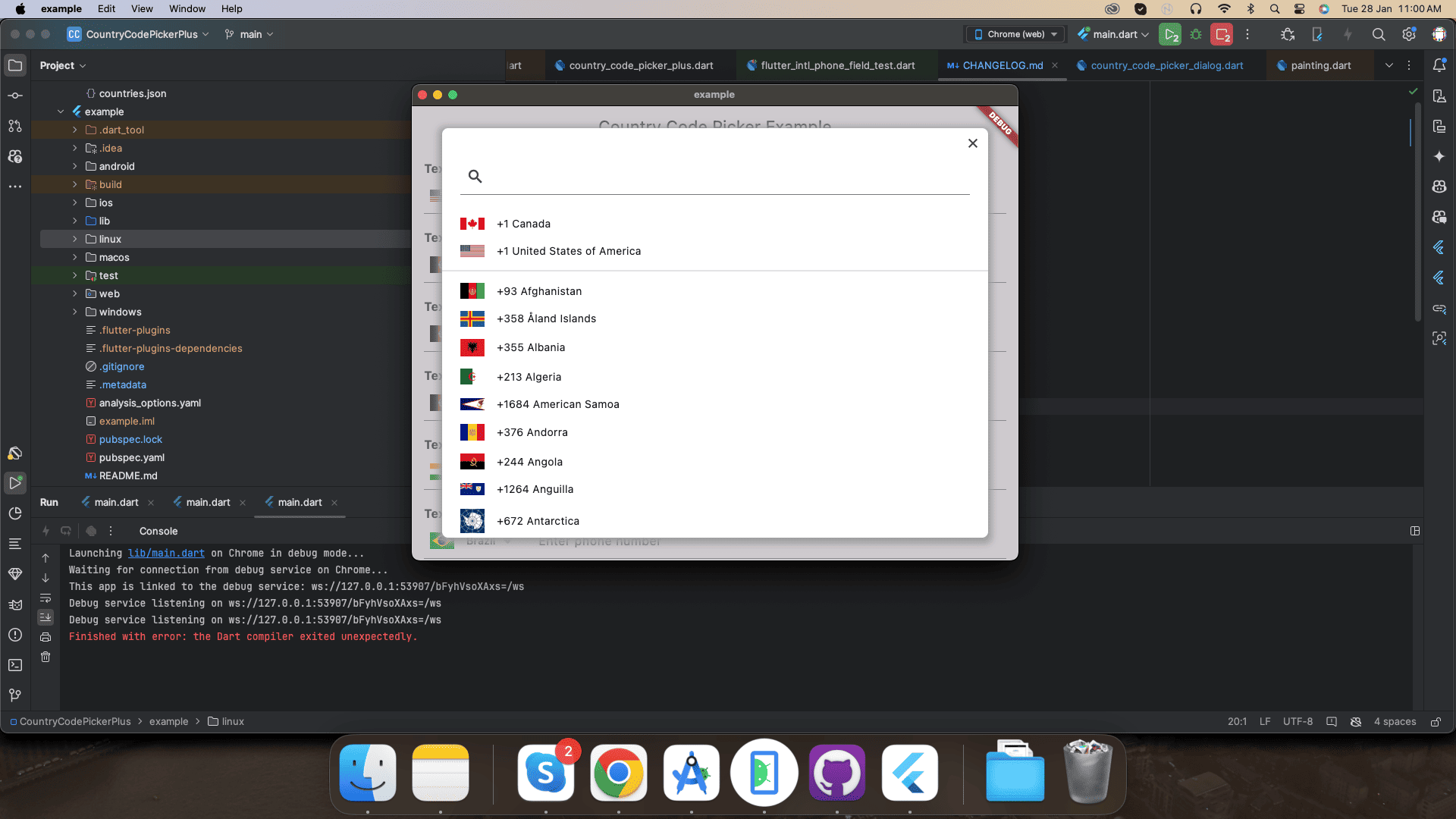
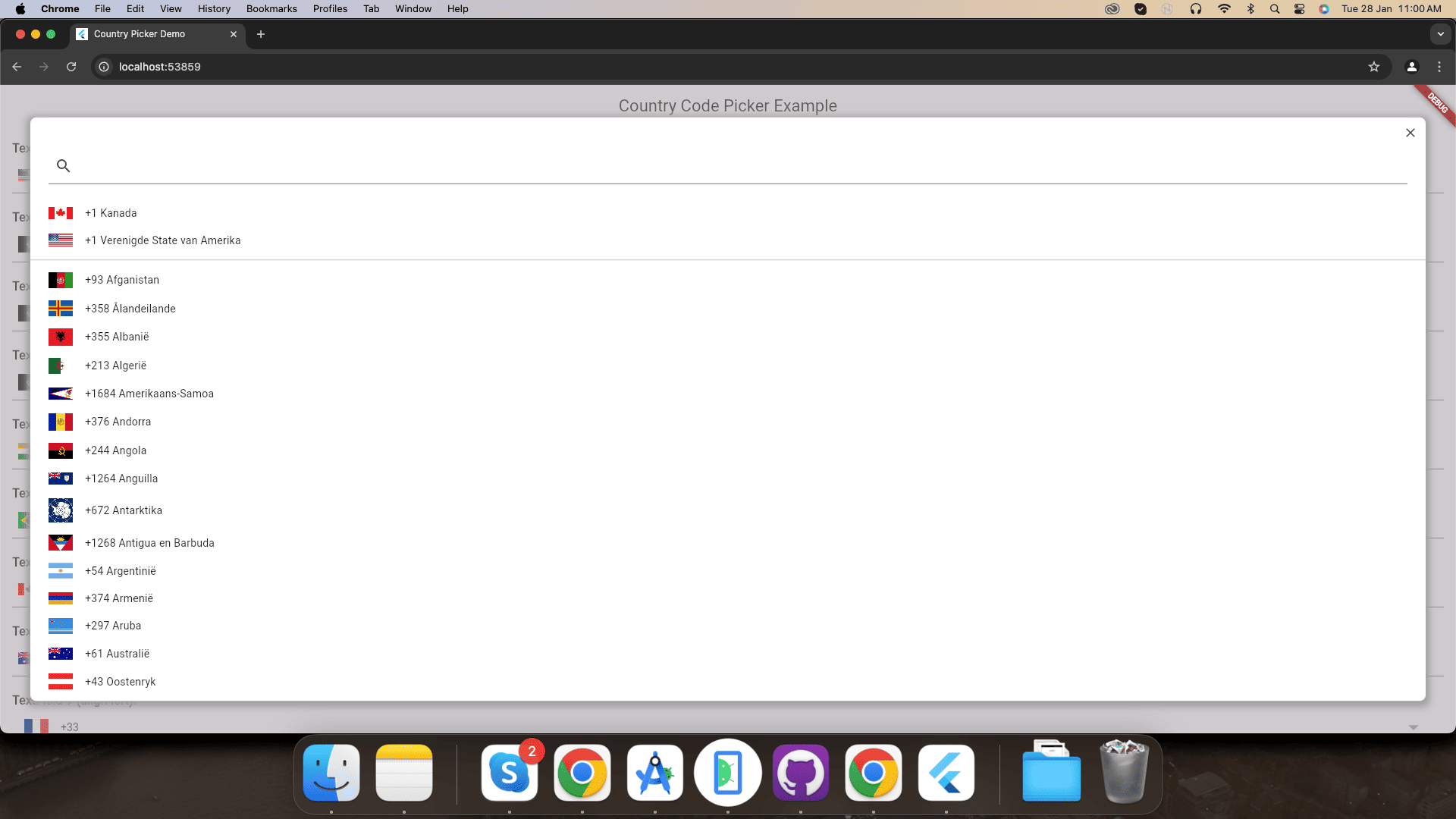
📱 Supported Platforms

Mobile Application Desktop Application Web Application
Mobile Screenshot Desktop Screenshot Web Screenshot
iOS Android Windows macOS Linux Web

Contributions

Contributions of any kind are more than welcome! Feel free to fork and improve country_code_picker_plus in any way you want, make a pull request, or open an issue.

Contributors ✨

Thanks goes to these wonderful people ✨✨ :

YudizAndroidNaresh
YudizAndroidNaresh

💻 📖

This project follows the all-contributors specification. Contributions of any kind welcome!

Getting Involved

First of all, thank you for considering to get involved. You are a real superstar ⭐ and we ❤️ you!

Reporting Bugs and Issues

Use the configured Github issue report template when reporting an issue. Make sure to clearly state your observations and expectations so we can understand your needs and troubleshoot effectively.

Discussions and Ideas

We're happy to discuss and talk about ideas. Post your questions on StackOverflow.


Visitors Count

Loading

カテゴリー

依存関係

依存関係一覧 2 件

ソースリポジトリ

このパッケージを使用しているプロジェクト

データはまだありません。