cr_json_widget
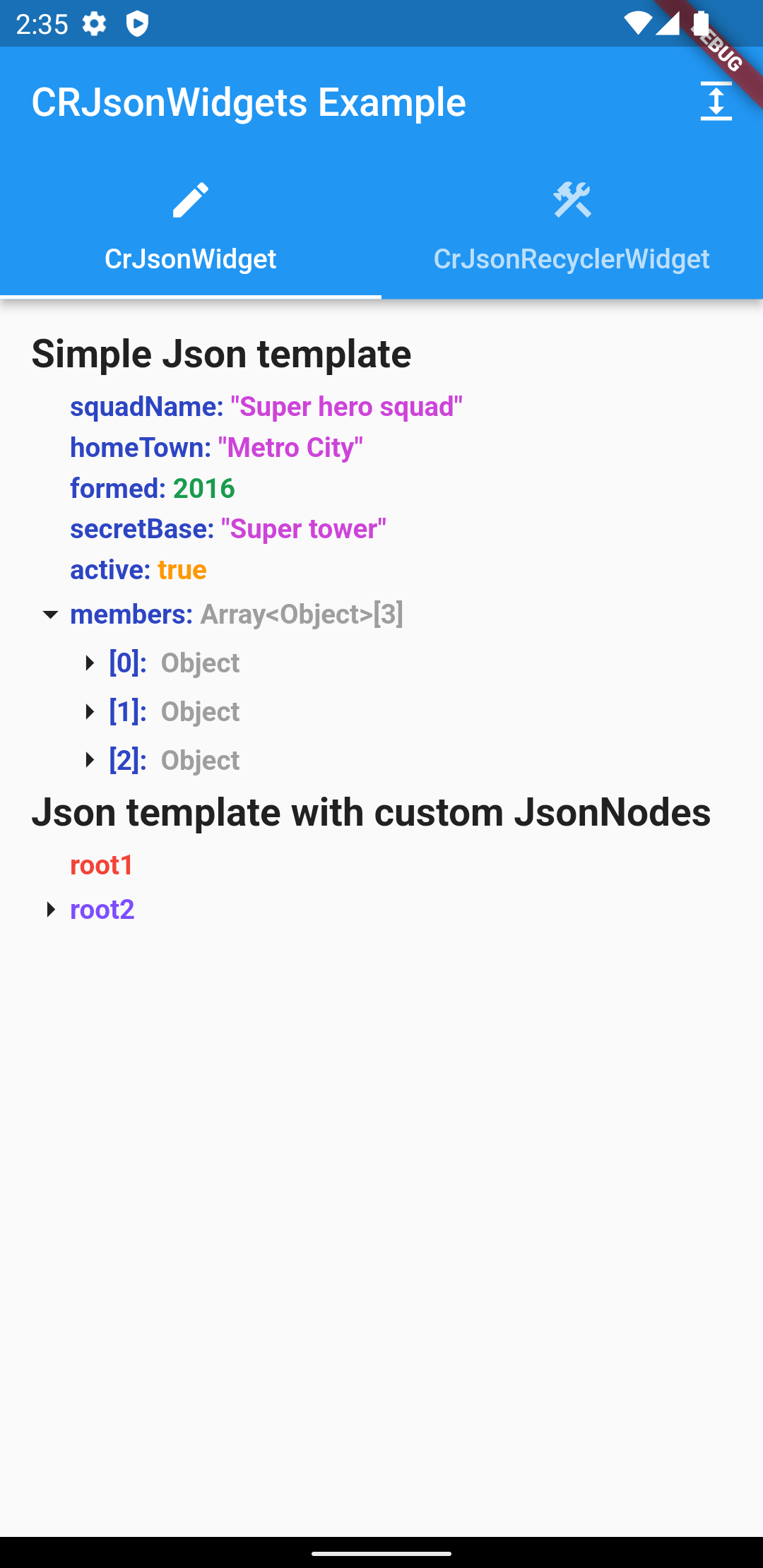
This widget visualises a tree structure, where a node can be any widget.
Examples
Getting Started
- Add plugin to your project:
dependencies:
    cr_json_widget: ^1.1.0
Usage
CrJsonWidget
This widget display all children as simple ListView and that it does not have good performance with huge jsons.
-
Create JsonController:
final _jsonController = JsonController(
    allNodesExpanded: false,
    uncovered: 3,
);
allNodesExpanded - Sets whether the json tree is expanded by default
uncovered - Sets the value to what nesting by default the json tree will be expanded
-
Add widget:
2.1 Accepts json as Map <String, Any> and builds the tree automatically:
    ...
    final data = <String, dynamic>{
        'integer': 1,
        'string': 'test',
    }
    ...
    CrJsonWidget(
        ..
        json: data
    )
    ...
2.2 Accepts your custom List , for placement in the form of a tree:
    CrJsonWidget(
        ..
    jsonNodes: [
        JsonNode(
            content: const Text(
                'root1',
                style: TextStyle(
                    fontWeight: FontWeight.bold,
                    color: Colors.red,
                ),
            ),
        ),
        JsonNode(
            content: const Text(
                'root2',
                style: TextStyle(
                    fontWeight: FontWeight.bold,
                    color: Colors.deepPurpleAccent,
                ),
            ),
            children: [
                JsonNode(
                    content: const Text('child21'),
                ),
                JsonNode(
                    content: const Text('child22'),
                ),
                JsonNode(
                    content: const Text('root23'),
                    children: [
                        JsonNode(
                            content: const Text('child231'),
                        ),
                    ],
                    ),
                ],
            ),
        ],
    ),
Full implementation example:
    ...
    CrJsonWidget(
        iconOpened: Icon(
            Icons.arrow_drop_down,
            size: _iconSize,
        ),
        iconClosed: Icon(
            Icons.arrow_right,
            size: _iconSize,
        ),
        indentHeight: 5,
        indentLeftEndJsonNode: _iconSize,
        jsonNodes: [
            JsonNode(
                content: const Text(
                    'root1',
                    style: TextStyle(
                        fontWeight: FontWeight.bold,
                        color: Colors.red,
                    ),
                ),
            ),
            JsonNode(
                content: const Text(
                    'root2',
                    style: TextStyle(
                        fontWeight: FontWeight.bold,
                        color: Colors.deepPurpleAccent,
                    ),
                ),
                children: [
                    JsonNode(
                        content: const Text('child21'),
                    ),
                    JsonNode(
                        content: const Text('child22'),
                    ),
                    JsonNode(
                        content: const Text('root23'),
                        children: [
                            JsonNode(
                                content: const Text('child231'),
                            ),
                        ],
                        ),
                    ],
                ),
            ],
        jsonController: _jsonController,
    ),
iconOpened - Custom icon for opening a node
iconClosed - Custom icon for closing a node
indentHeight - Vertical indent between levels
indentWidth - Horizontal indent between levels
indentLeftEndJsonNode - The starting position of the ending node (Recommended size is the size
of the icon)
json - Parsed json
jsonNodes - List of root level json nodes
jsonController - Json controller to manage the json state
Json Recycler Widgets
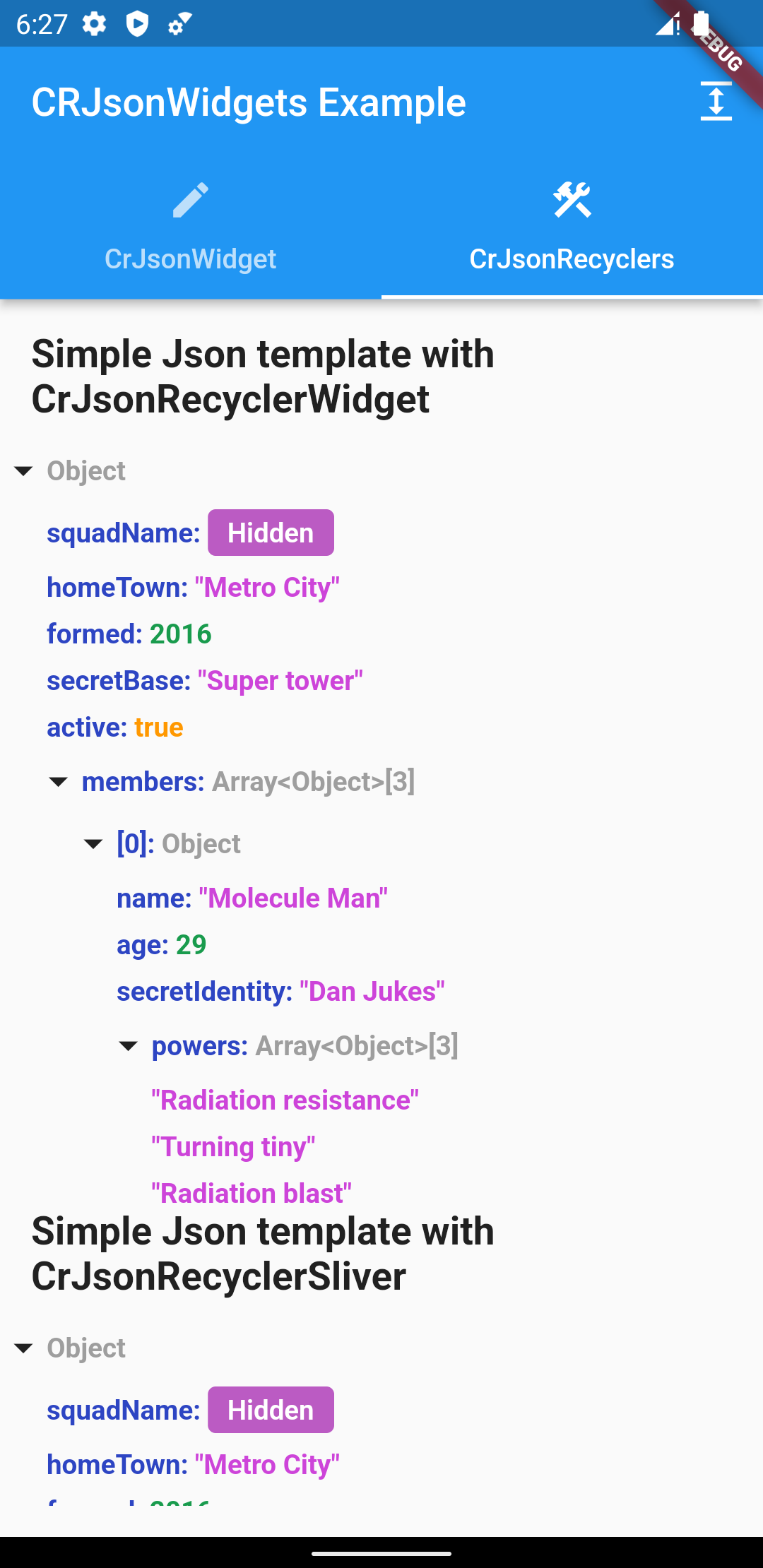
Use these widgets, if you have huge jsons. Since these widgets have builders, huge jsons don't affect its performance in any way.
- Create JsonRecyclerController:
      final _jsonController = JsonRecyclerController(
      saveClosedHistory: false,
      showStandardJson: false,
      isExpanded: true,
    );
isExpanded - Sets whether the json tree is expanded by default
saveClosedHistory - The parameter defines whether the previously opened child tabs should be saved
or not
showStandardJson - Will show json with curly braces
jsonKeyColor - Json key color in the tree
intColor - Set color of int parameters in the tree of json
doubleColor - Set color of double parameters in the tree of json
stringColor- Set color of string parameters in the tree of json
nullColor- Set color of null parameters in the tree of json
boolColor - Set color of bool parameters in the tree of json
objectColor - Set color of object parameters in the tree of json
standardJsonBackgroundColor - Set background color of widget
iconOpened - Custom icon for opening a node
iconClosed - Custom icon for closing a node
fontStyle - Set font style of text. By default, the inherited style used
fontWeight - Set font weight of text. By default FontWeight.bold
horizontalSpaceMultiplier- The distance by which the left child element will be offset from the
parent
verticalOffset - The space by which the child element will be offset from the parent
additionalIndentChildElements - Additional indentation for aligning child elements depending on
the size of the parent icon
- Add widget:
❗ Since the CrJsonRecyclerWidget has a builder in it, you must set the height or you will get an
error
2.1 CrJsonRecyclerWidget:
     ...
     final data = <String, dynamic>{
         'integer': 1,
         'string': 'test',
     }
     ...
    CrJsonRecyclerWidget(
          ..
           json: data,
         ),
     ...
json - Parsed json
jsonController - Json controller to manage the json state
rootExpanded - Whether to expand the root nesting by default
Full implementation example:
      ...
      Expanded(
          child: CrJsonRecyclerWidget(
            json: json,
            jsonController: _jsonController,
            rootExpanded: true,
          ),
        ),
      ...
2.2 CrJsonRecyclerSliver:
     ...
     final data = <String, dynamic>{
         'integer': 1,
         'string': 'test',
     }
     ...
           CrJsonRecyclerSliver(
              ...
               json: json,
           ),
    ...
json - Parsed json
jsonController - Json controller to manage the json state
rootExpanded - Whether to expand the root nesting by default
Full implementation example:
        ...
        CustomScrollView(
              slivers: [
                    CrJsonRecyclerSliver(
                          jsonController: _jsonController,
                          json: json,
                          rootExpanded: true,
                    ),
              ],
          ),
        ...

