Now you just need to run pub run build_runner build to generate the necessary code.
import'package:crimson/crimson.dart';
voidmain() {
final jsonBytes = downloadTweets();
final crimson = Crimson(jsonBytes);
final tweets = crimson.readTweetList();
final writer = CrimsonWriter();
writer.writeTweetList(tweets);
final bytes = writer.toBytes();
}
That's it! You can now parse and serialize JSON with ease.
Ignoring JSON fields
Annotate properties with @jsonIgnore to ignore them:
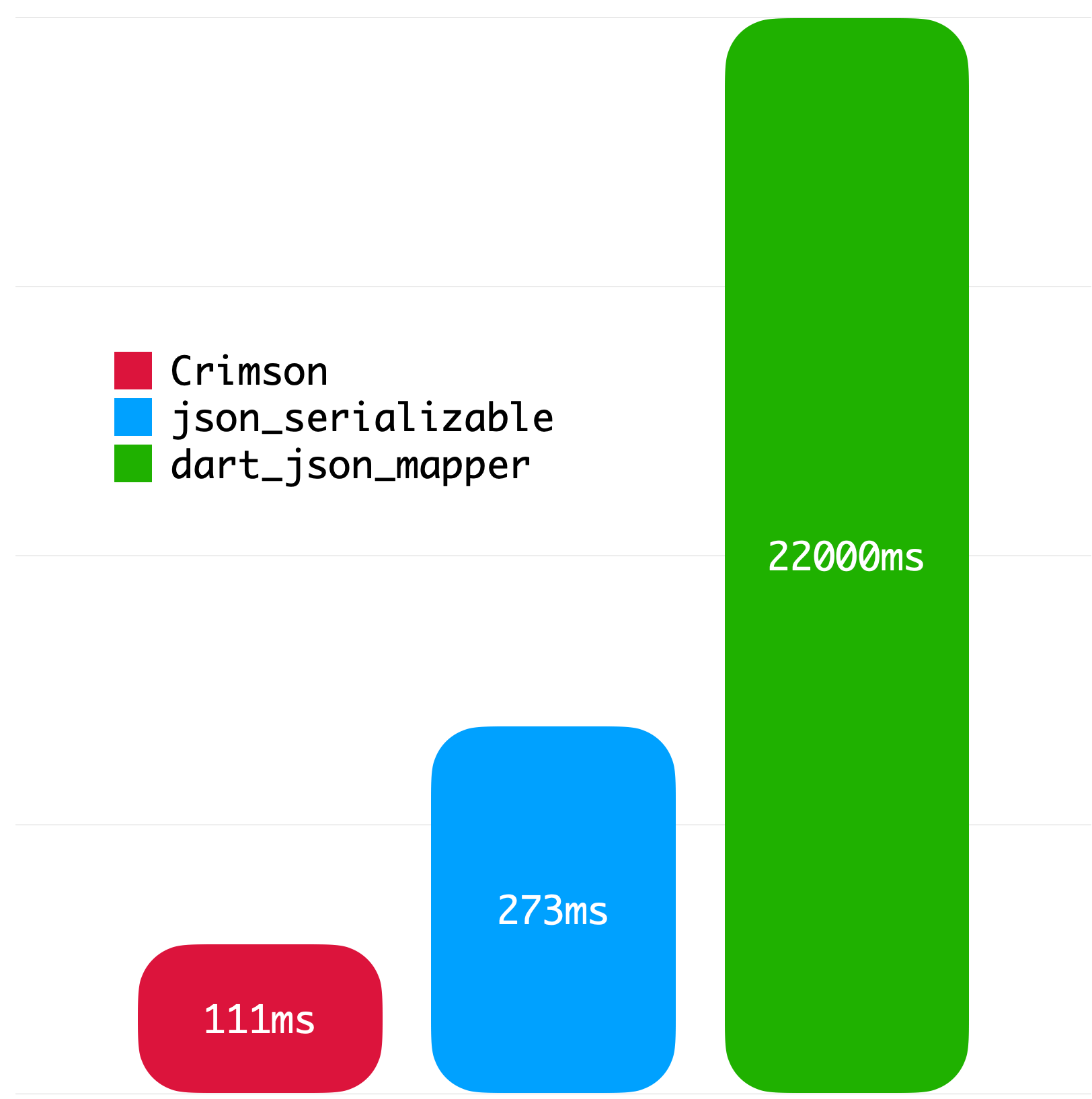
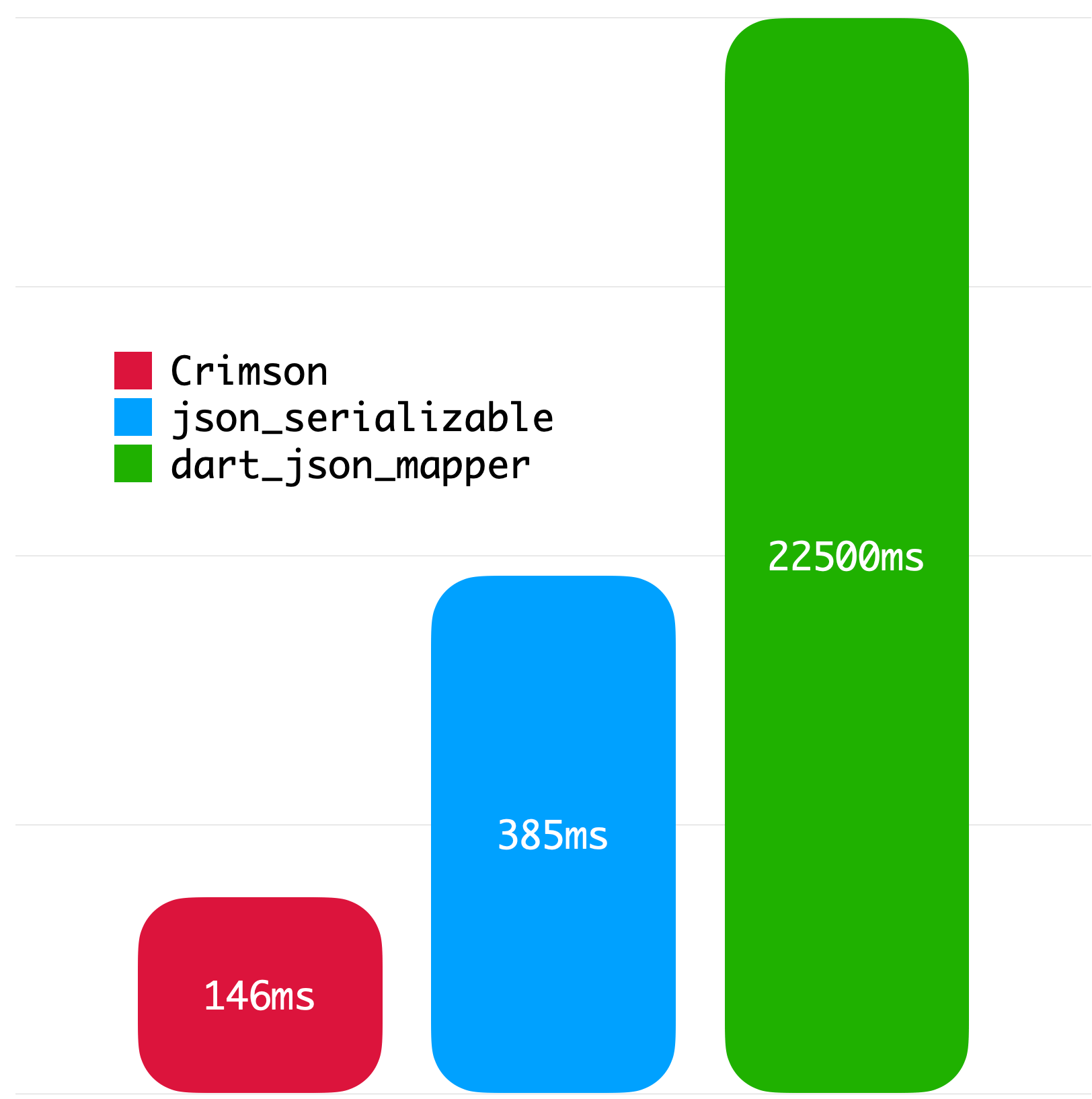
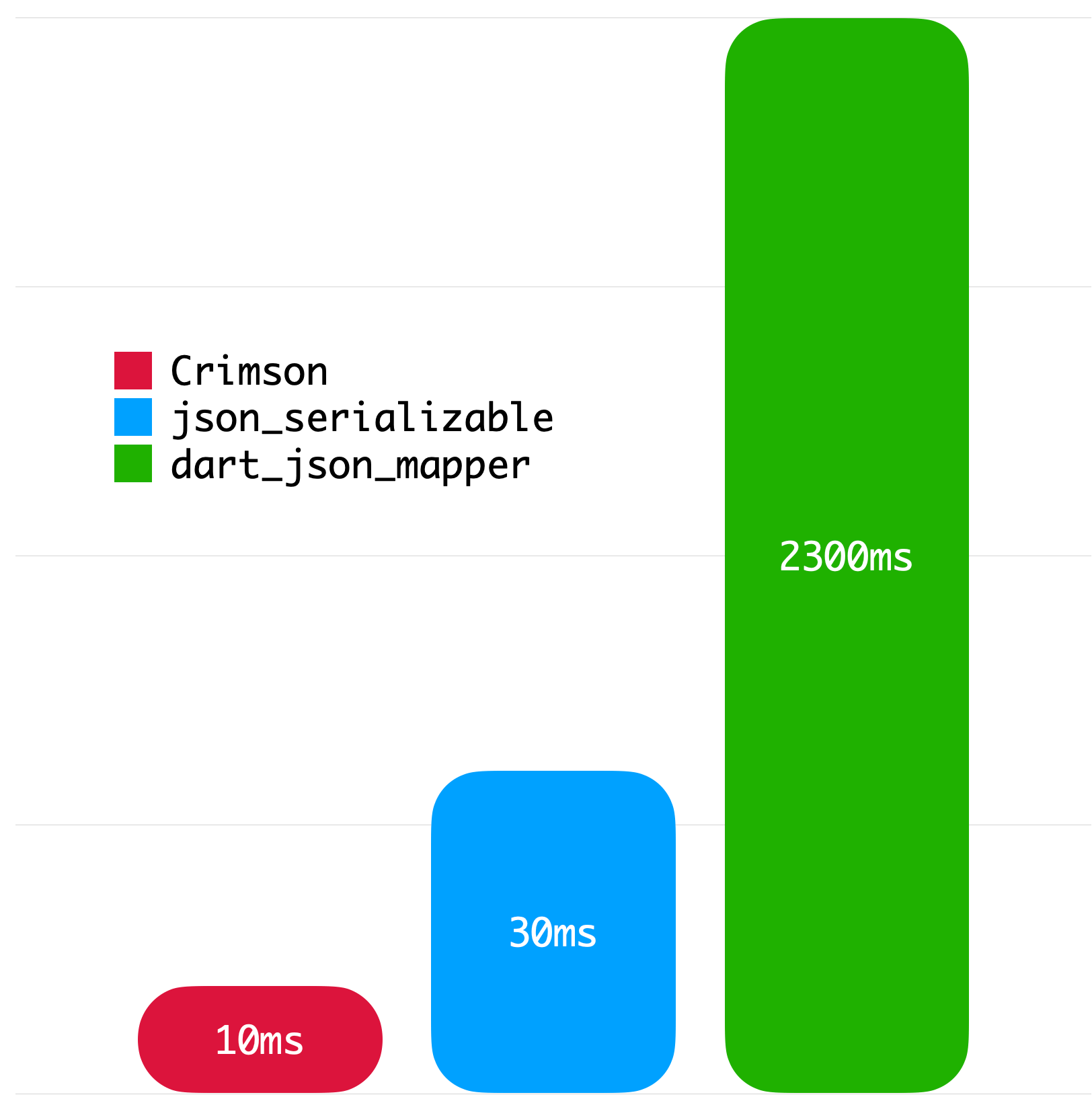
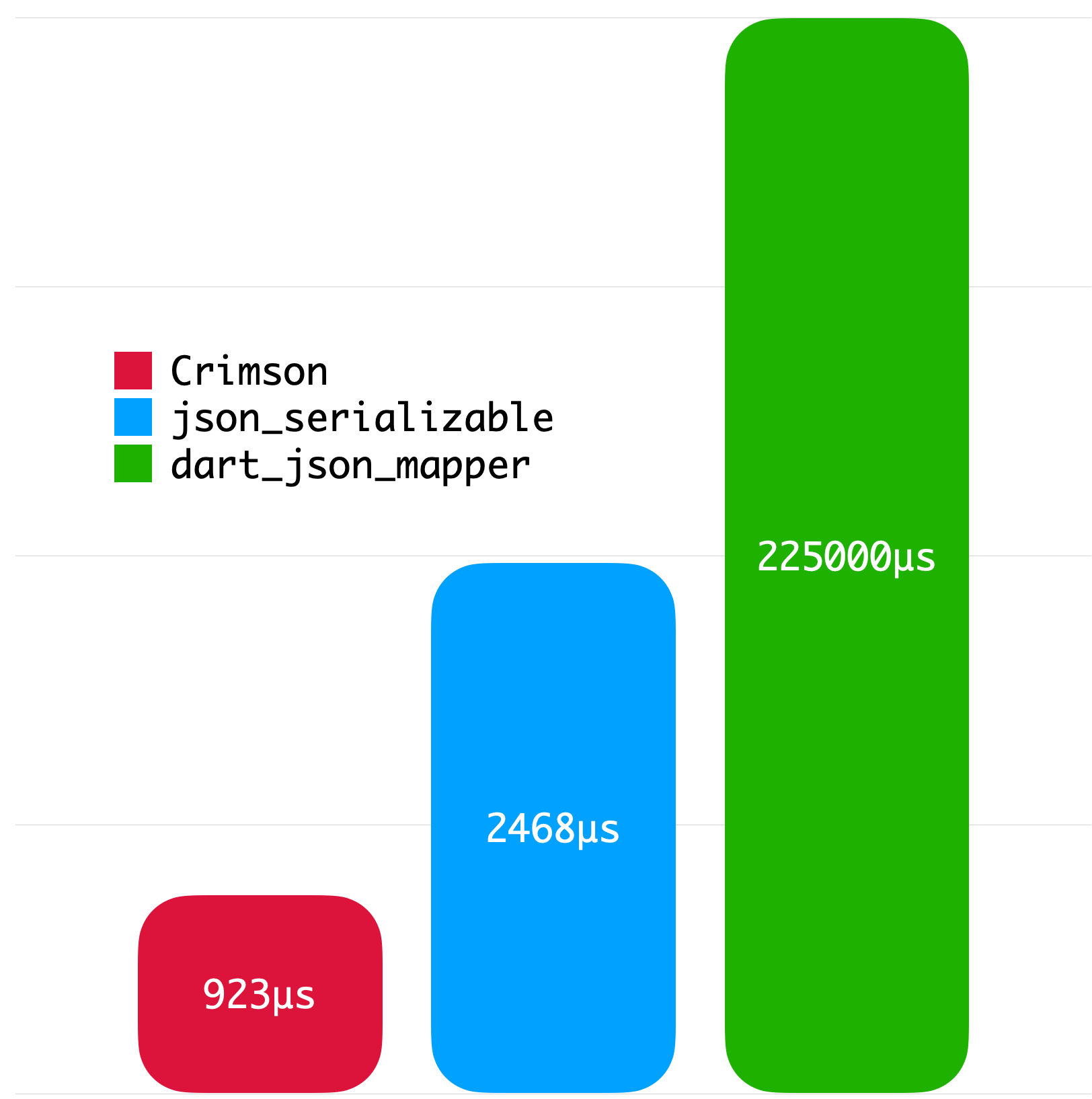
The following benchmarks give you an idea about the JSON parsing performance of Crimson. The benchmarks were run on a MacBook with M1 Pro and 32 GB of RAM using Twitter API data.
Big JSON without whitespace
Big JSON with whitespace
Medium JSON without whitespace
Small JSON without whitespace
License
Copyright2023SimonChoiLicensed under the ApacheLicense, Version2.0 (the "License");
you may not use this file except in compliance with the License.
You may obtain a copy of the License at
http://www.apache.org/licenses/LICENSE-2.0Unlessrequired by applicable law or agreed to in writing, software
distributed under the Licenseis distributed on an "AS IS" BASIS,
WITHOUT WARRANTIES OR CONDITIONS OF ANY KIND, either express or implied.
See the Licensefor the specific language governing permissions and
limitations under the License.