パッケージ、リポジトリ、アプリカテゴリを検索

curved_drawer_fork のカバー
パッケージ詳細v0.0.1+1

curved_drawer_fork

使いやすいアニメーション付きドロワーを提供するFlutterウィジェット。

AndroidiOSWebmacOSWindowsLinux
30日間ダウンロード
6
いいね数
77
Pub ポイント
140

パッケージをインストール

flutter pub add curved_drawer_fork

パッケージ概要

公開情報に基づく選定ガイドです。参考としてご利用ください。

直感的なナビゲーションに適したアニメーション付きカーブドドロワーを提供するFlutterパッケージです。オリジナルのカーブドドロワーのフォークとして構築されており、スムーズなアニメーションとカスタマイズ可能なデザインにより使いやすさが向上しています。モダンで視覚的に魅力的なナビゲーション体験が必要なアプリに最適です。Android、iOS、Web、macOS、Windows、Linuxなど複数のプラットフォームをサポートしており、クロスプラットフォームでの一貫性を確保します。軽量で、最小限の設定で簡単に統合できます。

用途

  • モダンなアプリケーションナビゲーションの作成
  • アニメーション付きドロワーでUIを強化
  • 複数プラットフォームにわたる応答性のあるレイアウトの構築
  • モバイルおよびウェブアプリにビジュアルな魅力を加える
  • スワイプ可能なサイドメニューの実装

主な機能

  • スムーズなアニメーションの遷移
  • カスタマイズ可能なカーブ形状
  • クロスプラットフォーム対応
  • 既存のFlutterプロジェクトとの簡単な統合
  • 軽量でパフォーマンスに優れる

適している対象

  • アニメーションナビゲーションを探している開発者
  • デザイン重視のアプリインターフェース
  • マルチプラットフォームのFlutterアプリケーション
  • UI/UX向上プロジェクト
  • インタラクティブなサイドパネルを持つアプリ

注意事項

  • 複雑なデザインには追加のスタイリングが必要になる場合があります
  • 基本的なカーブパラメータを超えるカスタマイズは限られている
  • 親ウィジェットのレイアウト制約に依存します
  • 非常に複雑なナビゲーション階層には適していない
  • シンプルから中程度の複雑さの引き出しニーズに最適

元の README

関連するソースリポジトリの README 原文のスナップショットです。最新の内容はリポジトリをご覧ください。

curved_drawer

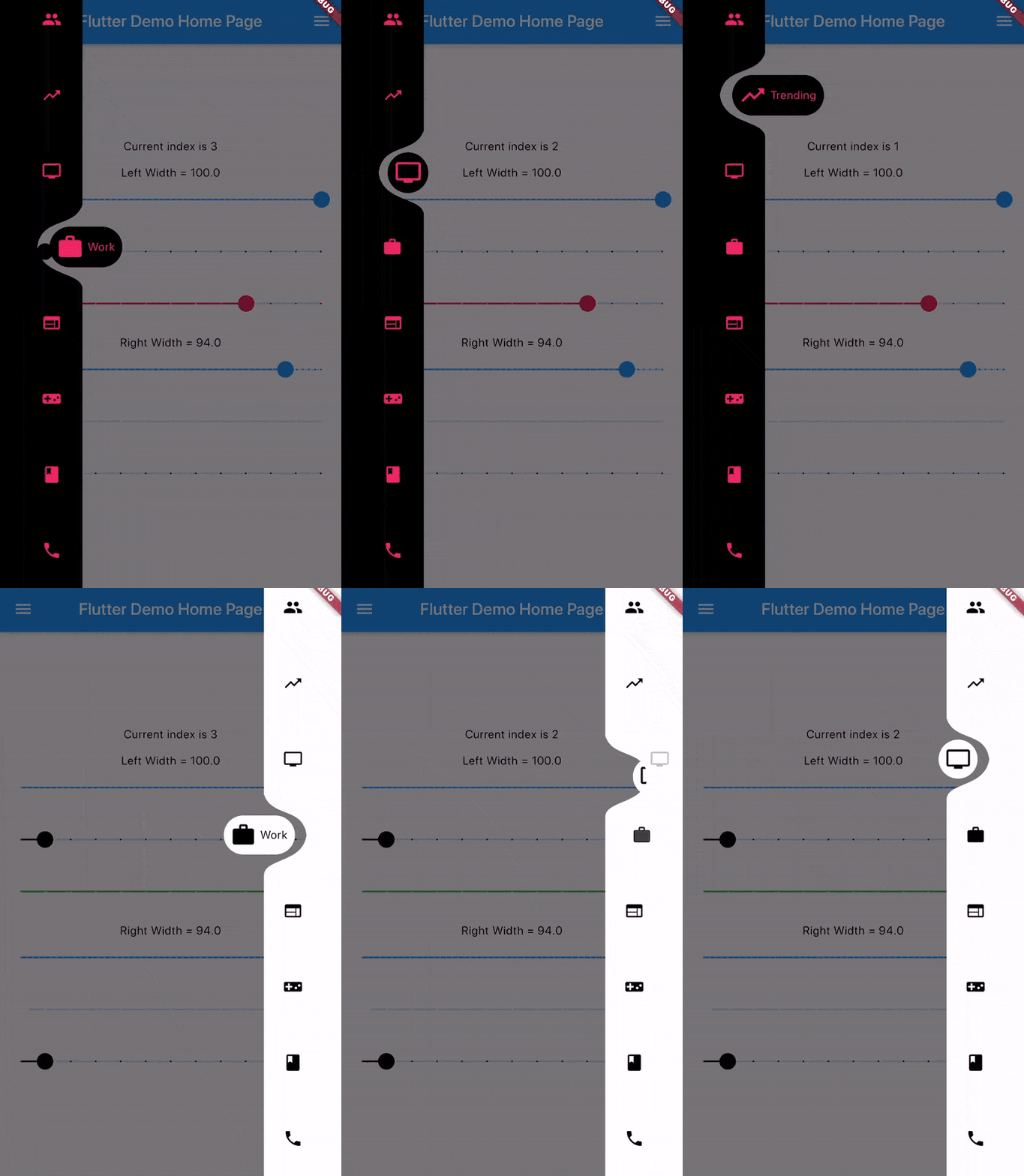
A Flutter widget that provides an easy to use animated drawer.

Gif

Add dependency
dependencies:
  curved_drawer: ^0.1.2 #latest version
Simple Implementation
Scaffold(
  drawer: CurvedDrawer(
    color: Colors.white,
    labelColor: Colors.black54,
    width: 75.0
    items: <DrawerItem>[
      DrawerItem(icon: personIcon),
      //Optional Label Text
      DrawerItem(icon: messageIcon, label: "Messages")
    ],
    onTap: (index) {
      //Handle button tap
    },
  ),
  body: Container(),
)
Attributes

items: List of DrawerItems index: Index of selected item - can be used to change current index or to set initial index
color: Color of drawer - default Colors.white buttonBackgroundColor: Background color of floating button - default same as color attribute
backgroundColor: Color of NavigationBar's background - default Colors.transparent onTap: Function handling taps on items
animationCurve: Curves interpolating button change animation - default Curves.easeOutCubic
animationDuration: Duration of button change animation - default Duration(milliseconds: 600)
width: Width of Drawer - default min 50.0, max 100.0 isEndDrawer: Set to true if used as as an end drawer - default is false

カテゴリー

ソースリポジトリ

このパッケージを使用しているプロジェクト

データはまだありません。