パッケージ、リポジトリ、アプリカテゴリを検索

custom_image_crop のカバー
パッケージ詳細v0.1.1

custom_image_crop

カスタマイズ可能な画像クロッパー。ジェスチャーまたはコントローラーを使用して回転、拡大縮小、移動が可能です。

AndroidiOSWebmacOSWindowsLinux
30日間ダウンロード
1.2万
いいね数
89
Pub ポイント
150

パッケージをインストール

flutter pub add custom_image_crop

パッケージ概要

公開情報に基づく選定ガイドです。参考としてご利用ください。

Flutter用の高度にカスタマイズ可能な画像クロッパーで、直感的なジェスチャーまたはコントローラーを使用して、ユーザーが画像を回転、拡大縮小、移動できます。複数のプラットフォーム間でのシームレスな統合を目的としており、クロッピング体験に対する細かい制御を提供します。応答性とインタラクティブなインターフェースを備えた高度な画像操作を必要とするアプリに最適です。このパッケージはAndroid、iOS、Web、macOS、Windows、Linuxをサポートしており、広範な互換性を確保しています。

用途

  • 写真アプリでのカスタム画像編集
  • ユーザーのプロフィール画像の切り取り
  • インタラクティブな画像選択ツール
  • デザインアプリケーションでの動的画像リサイズ
  • 機械学習ワークフローのための画像前処理

主な機能

  • ジェスチャーによる回転、スケーリング、トランスレーション
  • コントローラー駆動の画像操作
  • クロスプラットフォーム対応
  • 高度カスタマイズ可能な UI コンポーネント
  • 切り取り中のリアルタイムプレビュー
  • すべての画面サイズに対応するレスポンシブデザイン

適している対象

  • 画像編集機能を開発する開発者
  • 正確な画像のクロッピングを必要とするアプリ
  • マルチプラットフォーム画像操作ツール
  • 画像処理を備えたインタラクティブなユーザーインターフェース
  • 高度な画像編集ワークフローのプロトタイピング

注意事項

  • パフォーマンス上の問題を避けるために、大きな画像の取り扱いに注意が必要です
  • 複雑な使用ケースには追加の状態管理が必要になる場合があります
  • 初期設定には、ジェスチャー検出器とコントローラーの理解が必要です
  • ダウンサンプリングなしで非常に高解像度の画像に最適化されていません
  • 限定された組み込みプリセット;特定の収量比にはカスタマイズが必要

元の README

関連するソースリポジトリの README 原文のスナップショットです。最新の内容はリポジトリをご覧ください。

custom_image_crop

An Image cropper that is customizable

pub package Build Status Coverage Status MIT license

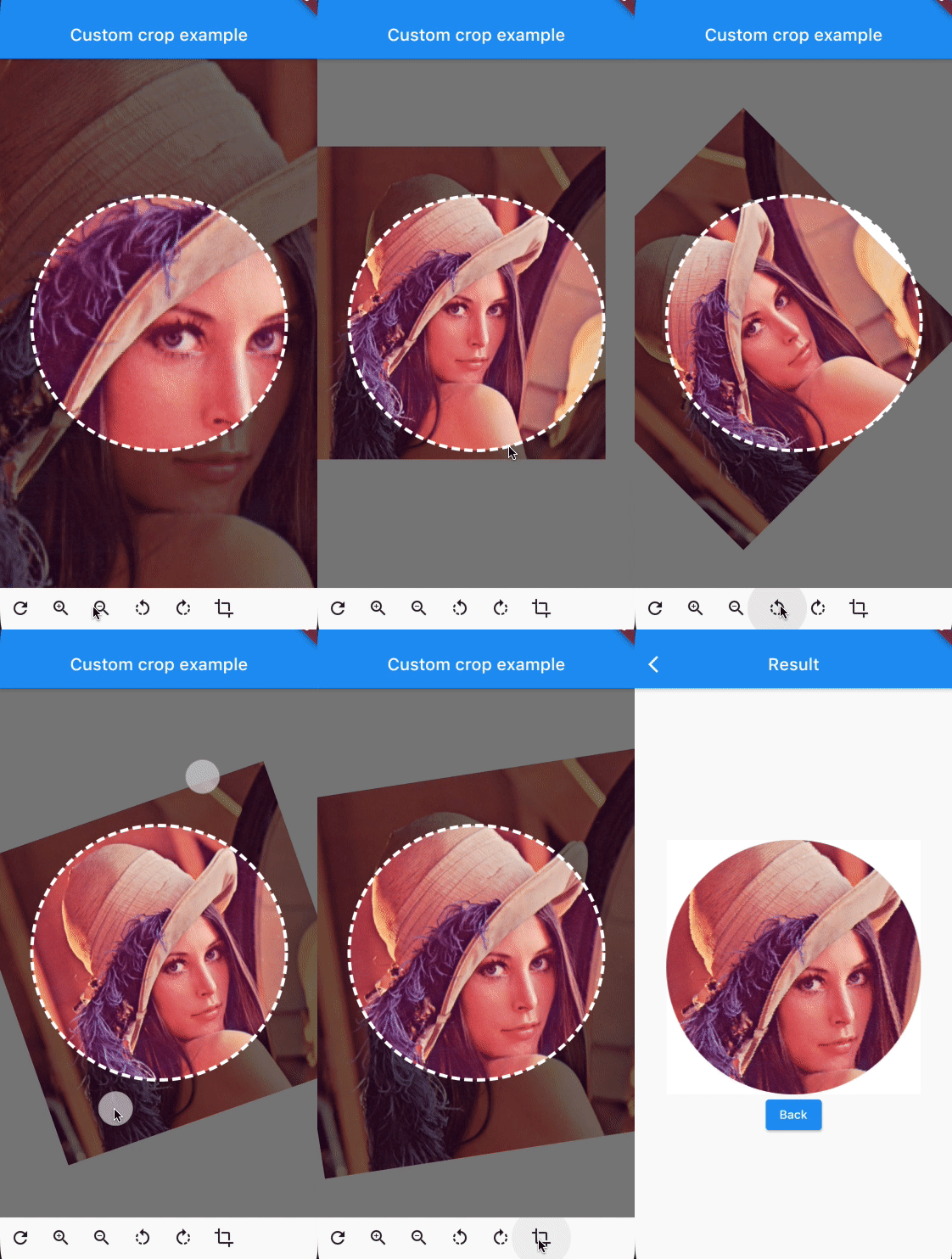
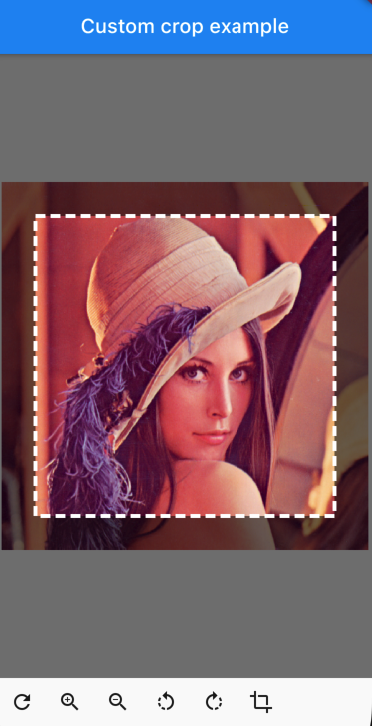
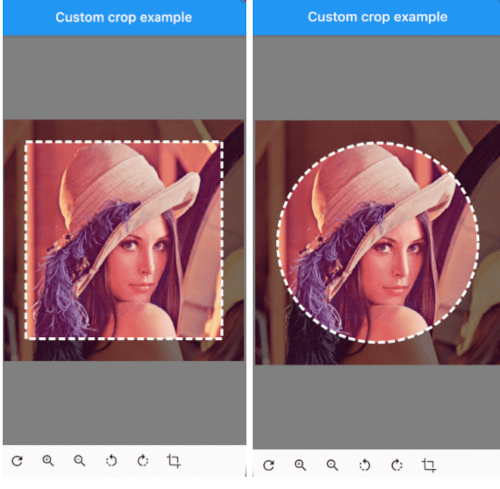
customcropcircle customcropsquare customcropcircle

CustomImageCrop

CustomImageCrop(
  cropController: controller,
  image: const AssetImage('assets/test.png'),
),

You can provide the image using any Imageprovider.

Parameters

required image

The image that needs to be cropped

cropController

The controller used to adjust the image and crop it.

overlayColor

The color above the image that will be cropped

backgroundColor

The color behind the image. This color will also be used when there are gaps/empty space after the cropping

shape

The shape of the cropping path.

maskShape

The shape of the UI masking.

cropPercentage

How big the crop should be in regards to the width and height available to the cropping widget.

drawPath

How the border of the crop should be painted. default DottedCropPathPainter.drawPath and SolidCropPathPainter.drawPath are provided, but you can create/provide any CustomPaint.

pathPaint

Custom painting for the crop area border style.

canRotate

Whether to allow the image to be rotated.

customProgressIndicator

Custom widget for progress indicator.

ratio

Ratio of the cropping area. If shape`` is set to CustomCropShape.Ratio, this property is required. For example, to create a square crop area, use [Ratio(width: 1, height: 1). To create a rectangular crop area with a 16:9 aspect ratio, use [Ratio(width: 16, height: 9)`.

borderRadius

The radius for rounded corners of the cropping area.

forceInsideCropArea

Whether image area must cover clip path.

Controller Methods

addTransition

void addTransition(CropImageData transition)

Add the position, angle and scale to the current state. This can be used to adjust the image with sliders, buttons, etc.

setData

void setData(CropImageData data)

Set the position, angle and scale to the specified values. This can be used to center the image by pressing a button for example.

reset

void reset()

Reset the image to its default state

onCropImage

Future<MemoryImage> onCropImage()

Crops the image in its current state, this will return a MemoryImage that contains the cropped image

Example

See example/lib

class MyHomePage extends StatefulWidget {
  final String title;

  MyHomePage({
    required this.title,
    Key? key,
  }) : super(key: key);

  @override
  _MyHomePageState createState() => _MyHomePageState();
}

class _MyHomePageState extends State<MyHomePage> {
  late CustomImageCropController controller;

  @override
  void initState() {
    super.initState();
    controller = CustomImageCropController();
  }

  @override
  void dispose() {
    controller.dispose();
    super.dispose();
  }

  @override
  Widget build(BuildContext context) {
    return Scaffold(
      appBar: AppBar(
        title: Text(widget.title),
        brightness: Brightness.dark,
      ),
      body: Column(
        children: [
          Expanded(
            child: CustomImageCrop(
              cropController: controller,
              image: const AssetImage('assets/test.png'), // Any Imageprovider will work, try with a NetworkImage for example...
            ),
          ),
          Row(
            children: [
              IconButton(icon: const Icon(Icons.refresh), onPressed: controller.reset),
              IconButton(icon: const Icon(Icons.zoom_in), onPressed: () => controller.addTransition(CropImageData(scale: 1.33))),
              IconButton(icon: const Icon(Icons.zoom_out), onPressed: () => controller.addTransition(CropImageData(scale: 0.75))),
              IconButton(icon: const Icon(Icons.rotate_left), onPressed: () => controller.addTransition(CropImageData(angle: -pi / 4))),
              IconButton(icon: const Icon(Icons.rotate_right), onPressed: () => controller.addTransition(CropImageData(angle: pi / 4))),
              IconButton(
                icon: const Icon(Icons.crop),
                onPressed: () async {
                  final image = await controller.onCropImage();
                  if (image != null) {
                    Navigator.of(context).push(MaterialPageRoute(builder: (BuildContext context) => ResultScreen(image: image)));
                  }
                },
              ),
            ],
          ),
          SizedBox(height: MediaQuery.of(context).padding.bottom),
        ],
      ),
    );
  }
}

カテゴリー

依存関係

依存関係一覧 2 件

ソースリポジトリ

このパッケージを使用しているプロジェクト

データはまだありません。