パッケージ、リポジトリ、アプリカテゴリを検索

drag_select_grid_view のカバー
パッケージ詳細v0.7.7

drag_select_grid_view

アイテムの選択にドラッグとタップの両方をサポートするグリッド。

AndroidiOSWebmacOSWindowsLinux
30日間ダウンロード
1590
いいね数
171
Pub ポイント
160

パッケージをインストール

flutter pub add drag_select_grid_view

パッケージ概要

公開情報に基づく選定ガイドです。参考としてご利用ください。

Flutterパッケージで、タップとドラッグのジェスチャーを使ってアイテムを選択できるグリッドレイアウトを提供します。複数のグリッドタイルにわたる連続選択を可能にすることで、バッチ処理やビジュアルコンテンツのキュレーションが必要なアプリケーションに最適です。Android、iOS、Web、macOS、Windows、Linuxなどすべての主要プラットフォームをサポートしており、クロスプラットフォームでの一貫性を確保しています。パフォーマンスと使いやすさを重視して開発されており、既存のFlutterプロジェクトにスムーズに統合できます。

用途

  • 写真ギャラリーでのバッチアイテム選択
  • インタラクティブなタスク管理インターフェース
  • コンテンツキュレーションツール
  • ECアプリにおける複数選択
  • ユーザー主導のデータフィルタリング
  • 生産性アプリでのドラッグ選択

主な機能

  • タップおよびドラッグ選択をサポート
  • クロスプラットフォーム互換性
  • カスタマイズ可能な選択動作
  • 大規模データセットの効率的なレンダリング
  • 組み込みのジェスチャー処理
  • 既存のグリッドとの簡単な統合

適している対象

  • インタラクティブなグリッドベースのUIを開発する開発者
  • 複数項目選択を必要とするアプリ
  • 複数のプラットフォームをターゲットにするプロジェクト
  • 直感的なユーザー操作に焦点を当てたデザイナー
  • スムーズなジェスチャー反応を最優先とするチーム

注意事項

  • 複雑な選択ロジックには追加の状態管理が必要になる場合があります
  • 最適化されていない場合、非常に大きなグリッドによるパフォーマンスへの影響
  • 基本的な選択インジケーター以外の組み込みスタイルオプションが限られている
  • 単一アイテム選択のみの使用ケースには適していません

元の README

関連するソースリポジトリの README 原文のスナップショットです。最新の内容はリポジトリをご覧ください。

drag_select_grid_view

Pub package CI workflow Awesome

A grid that supports both dragging and tapping to select its items.

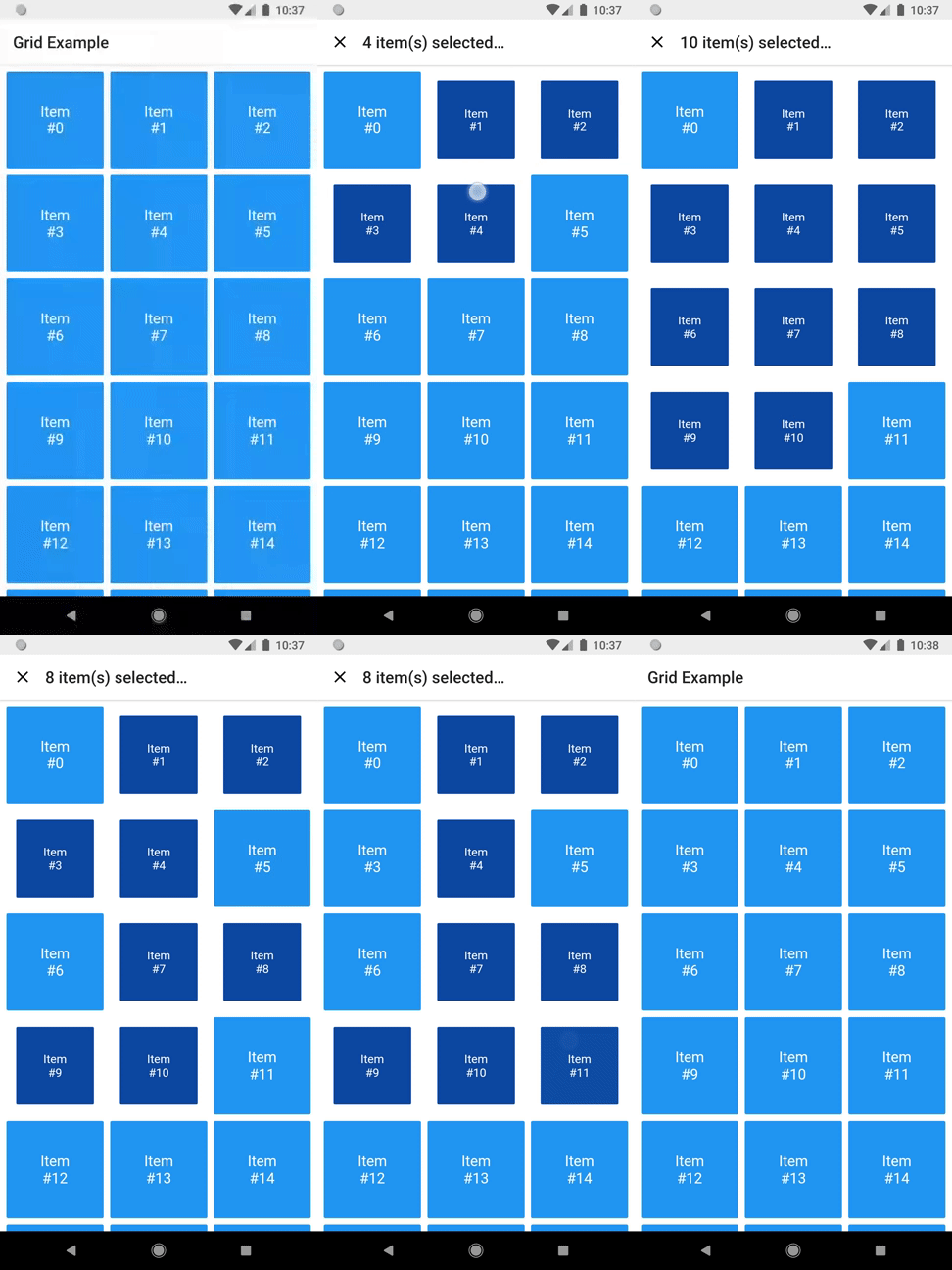
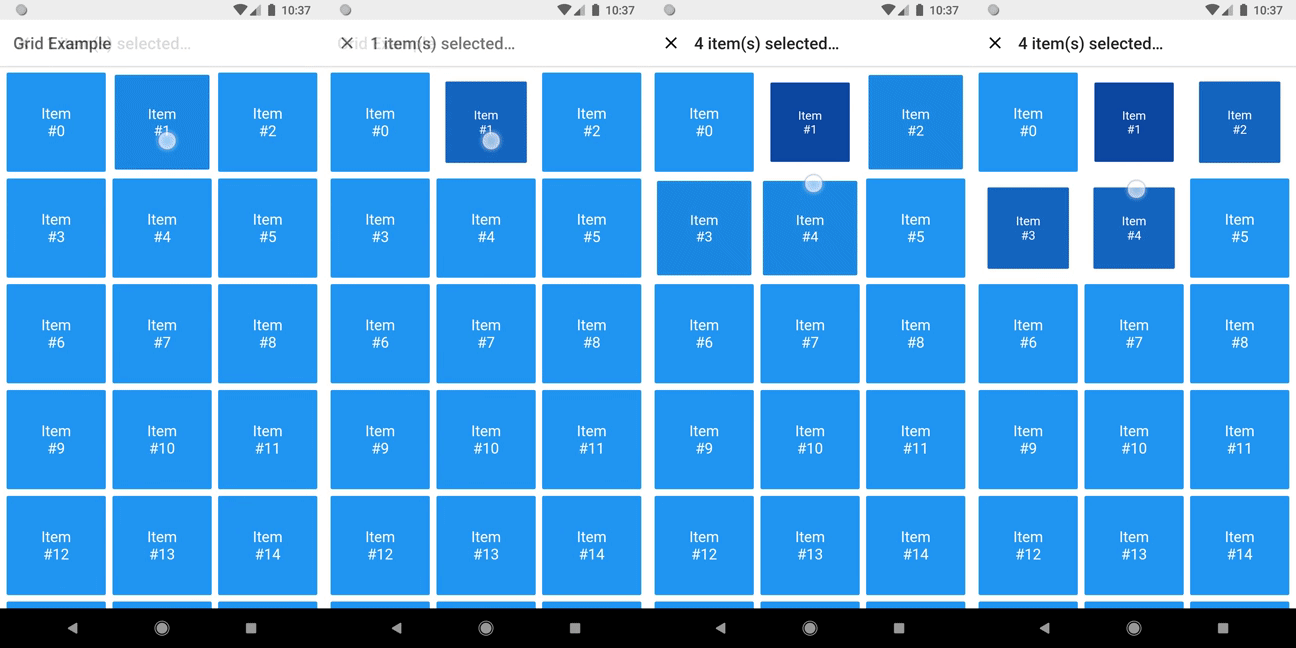
Selecting

Basic usage

DragSelectGridView constructor is very similar to GridView.builder, so you should take your time to understand the latter before diving into this library.

Once you are familiar with GridView.builder, probably the only additional piece of information you'll need is DragSelectGridViewController. With it, you're able to know which indexes are selected.

Check this example:

class MyApp extends StatefulWidget {
  const MyApp({super.key});

  @override
  State<MyApp> createState() => _MyAppState();
}

class _MyAppState extends State<MyApp> {
  final controller = DragSelectGridViewController();

  @override
  void initState() {
    super.initState();
    controller.addListener(scheduleRebuild);
  }

  @override
  void dispose() {
    controller.removeListener(scheduleRebuild);
    super.dispose();
  }

  @override
  Widget build(BuildContext context) {
    return Scaffold(
      appBar: SelectionAppBar(
        selection: controller.value,
      ),
      body: DragSelectGridView(
        gridController: controller,
        itemCount: 20,
        itemBuilder: (context, index, selected) {
          return SelectableItem(
            index: index,
            selected: selected,
          );
        },
        gridDelegate: const SliverGridDelegateWithMaxCrossAxisExtent(
          maxCrossAxisExtent: 80,
        ),
      ),
    );
  }

  void scheduleRebuild() => setState(() {});
}

As you may have noticed in the code above, DragSelectGridView must be used along two other widgets in order to provide a proper user experience. In the example, they are:

  • SelectableItem: A selectable widget, which is going to visually indicate whether the item is selected or not.

  • SelectionAppBar: A custom AppBar, which shows the amount of selected items and an option to unselect them.

The example project provides some samples of those widgets. I won't add them to the library, since they are unrelated to the grid itself, but feel free to copy them into your project, as long as you respect the license terms.

Advanced usage

You can use the setter DragSelectGridViewController.value to directly change the selection (I'm not quite sure why you'd need this, but I don't ask questions).

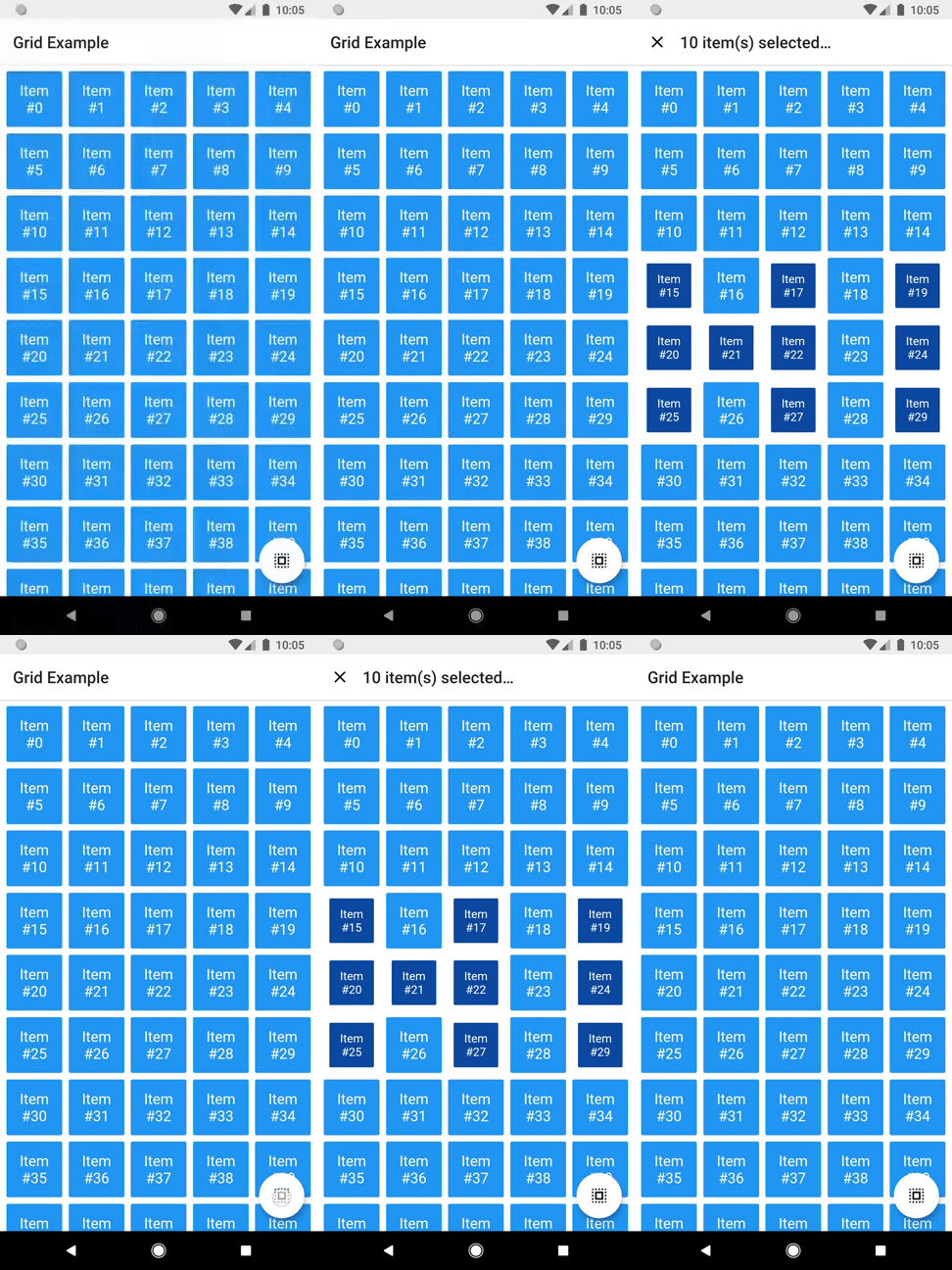
It allows this sort of interaction:

Directly changing selection

You can check the code here.

There are some other minor settings you can do to make DragSelectGridView fit your needs, like DragSelectGridView.autoScrollHotspotHeight. Those features are well documented, so I'll let you take your discovery time.

Hopefully, this is everything you need to know to use this library.

Running the example

cd example
flutter create .
flutter run

Thanks ❤️

Once upon a time I asked at Flutter Study Group how to implement a specific feature that I intended to add to this library. Simon Lightfoot offered to help me and effortlessly implemented what eventually became part of this library (check this gist). A big thanks to him.

I took a lot of inspiration from Aidan Follestad's Android implementation, drag-select-recyclerview. Also a big thanks to him.

カテゴリー

依存関係

依存関係一覧 1 件

ソースリポジトリ

このパッケージを使用しているプロジェクト