パッケージ、リポジトリ、アプリカテゴリを検索

easy_admob_ads_flutter のカバー
パッケージ詳細v2.0.3

easy_admob_ads_flutter

最小限のセットアップで AdMob 広告形式を統合するためのシンプルで柔軟な Flutter パッケージ。

AndroidiOS
30日間ダウンロード
388
いいね数
8
Pub ポイント
160

パッケージをインストール

flutter pub add easy_admob_ads_flutter

パッケージ概要

公開情報に基づく選定ガイドです。参考としてご利用ください。

EasyAdmobAdsFlutter は、モバイルアプリケーションに AdMob 広告形式を簡単に統合できるように設計された軽量な Flutter パッケージです。最小限の設定で、Android および iOS プラットフォーム上でバナー広告、インタースティシャル広告、リワード広告を迅速に実装できます。複雑な設定手順を抽象化し、広告管理用の直感的な API を提供します。リアルタイムでの広告読み込みをサポートし、ユーザーのインタラクションを追跡するコールバックも提供しており、アプリの収益化を容易にします。

用途

  • バナー広告によるモバイルアプリの収益化
  • アプリの画面の間でインテルスティシャル広告を表示する
  • ユーザーインセンティブ用の報酬付き動画広告の実装
  • 深くプラットフォーム固有の知識なしで AdMob を統合する
  • 開発中の迅速な広告テストを有効にする

主な機能

  • わずかなコード行で簡単なセットアップ
  • 複数の AdMob 広告タイプのサポート
  • クロスプラットフォーム互換性(AndroidおよびiOS)
  • 広告インタラクション用の組み込みイベントリスナー
  • 必要な最小限のボイラープレート

適している対象

  • Flutter開発者初心者向けAdMob
  • 迅速な広告統合が必要なアプリ
  • 開発期間がタイトなプロジェクト
  • メンテナンスが少ない広告ソリューションを探している開発者
  • 教育またはアマチュアアプリ作成者

注意事項

  • 有効な AdMob アカウントと広告ユニットIDが必要です
  • Google Mobile Ads SDK に依存しています
  • 特定の広告タイプには追加の権限が必要になる場合があります
  • 基本的な広告処理を超える高度なカスタマイズには適していません
  • 公式SDKと比べてドキュメントが限られている

元の README

関連するソースリポジトリの README 原文のスナップショットです。最新の内容はリポジトリをご覧ください。

Stand With Palestine

Easy AdMob Integration for Flutter

pub package Pub Points Last Commit Pull Requests Code Size License

A simple, configurable Flutter wrapper for Google AdMob. One EasyAdMobAds.instance sets up the SDK, GDPR/UMP consent, and a global on/off switch for ads. All six ad formats are supported with their own controller or widget.

Show some ❤️ by giving the repo a ⭐ and liking 👍 the package on pub.dev!

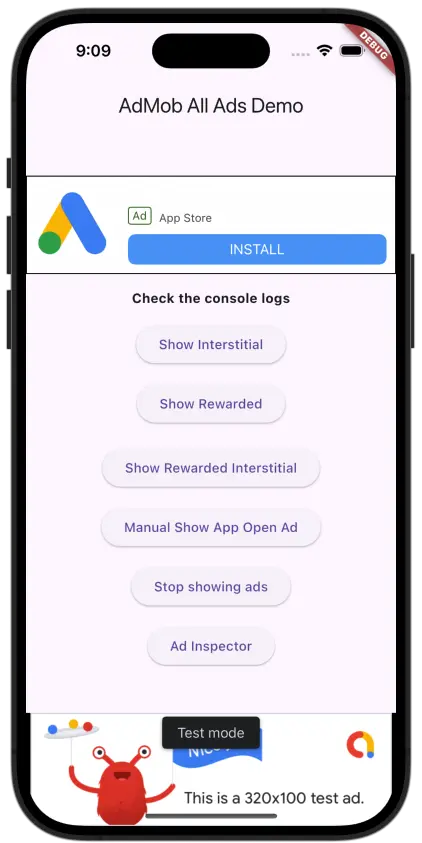
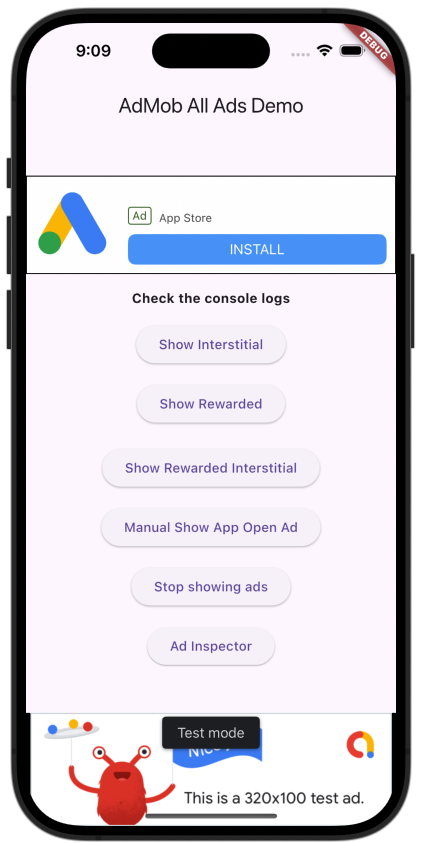
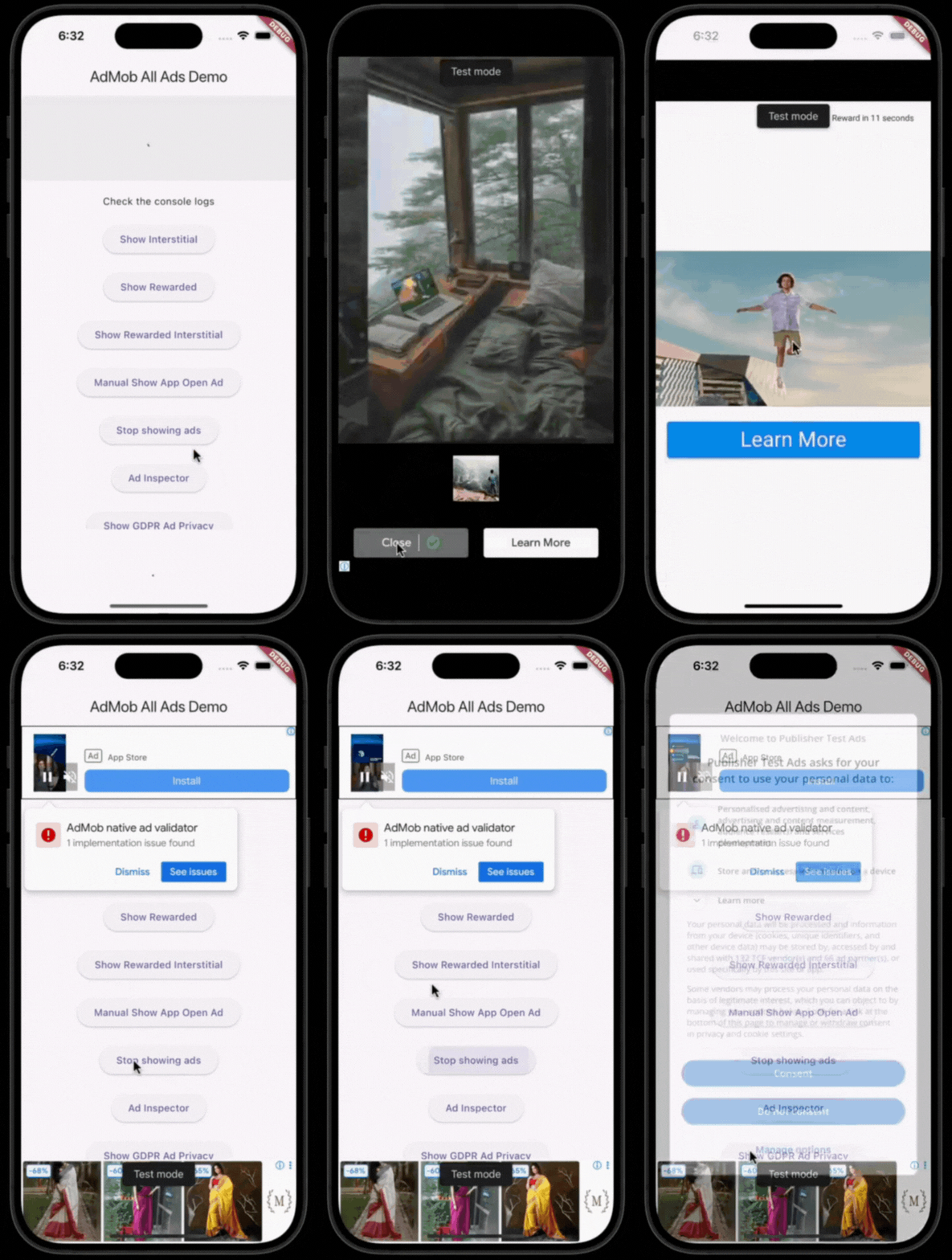
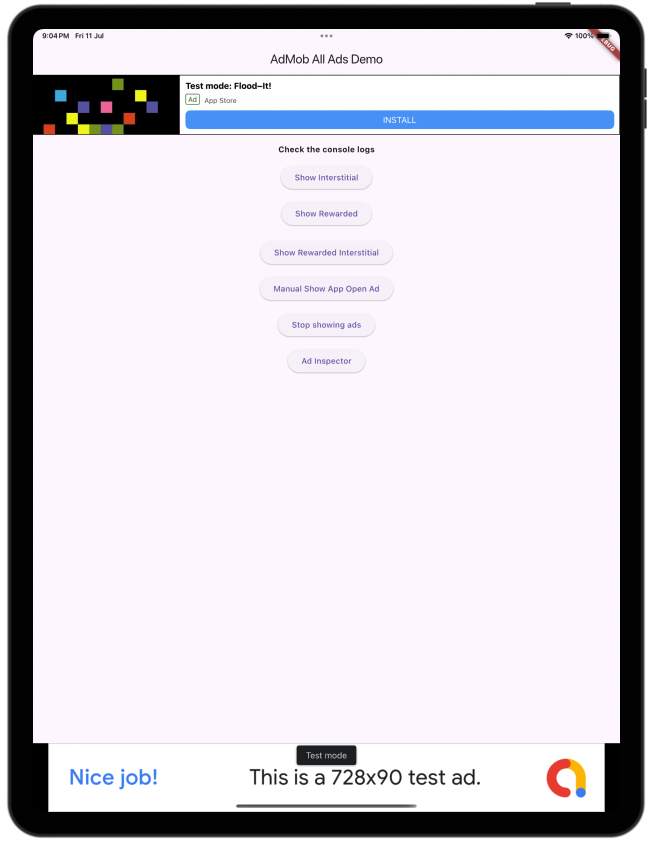
Screenshots

Static AdMob Demo Animated AdMob Demo Static AdMob Demo

Features

  • Banner (adaptive, optionally collapsible)
  • Interstitial
  • Rewarded
  • Rewarded Interstitial
  • App Open (auto-preloaded and shown on app resume)
  • Native (small/medium templates)
  • GDPR/UMP consent flow, including the "privacy options" re-consent form
  • App Tracking Transparency (ATT) consent on iOS 14.5+, requested automatically during initialize()
  • Network connectivity awareness — ad requests pause while offline and resume as soon as connectivity returns

Getting started

1. Install
dependencies:
  easy_admob_ads_flutter: ^<latest_version>
2. Platform setup

Add your AdMob App ID:

Android — android/app/src/main/AndroidManifest.xml:

<meta-data
  android:name="com.google.android.gms.ads.APPLICATION_ID"
  android:value="ca-app-pub-xxxxxxxxxxxxxxxx~yyyyyyyyyy"/>

iOS — ios/Runner/Info.plist:

<key>GADApplicationIdentifier</key>
<string>ca-app-pub-xxxxxxxxxxxxxxxx~yyyyyyyyyy</string>
3. Initialize
void main() async {
  WidgetsFlutterBinding.ensureInitialized();

  await EasyAdMobAds.instance.initialize(
    config: const EasyAdsConfig(
      androidAdUnitIds: {
        AdType.banner: 'ca-app-pub-.../...',
        AdType.interstitial: 'ca-app-pub-.../...',
      },
      iosAdUnitIds: {
        AdType.banner: 'ca-app-pub-.../...',
        AdType.interstitial: 'ca-app-pub-.../...',
      },
      testDeviceIds: ['YOUR_TEST_DEVICE_ID'],
    ),
  );

  runApp(const MyApp());
}

Any AdType you don't configure automatically falls back to a Google test ad unit ID (with a warning logged), so the package works out of the box during development.

Usage

// Banner
const EasyBannerAd(collapsible: true, height: 100)

// Native
EasyNativeAd.medium()

// Interstitial
final interstitialAd = EasyInterstitialAd()..loadAd();
await interstitialAd.showAd();

// Rewarded
final rewardedAd = EasyRewardedAd(onRewardEarned: (reward) {
  // grant the reward
})..loadAd();
await rewardedAd.showAd();

// Rewarded Interstitial
final rewardedInterstitialAd = EasyRewardedInterstitialAd(onRewardEarned: (reward) {
  // grant the reward
})..loadAd();
await rewardedInterstitialAd.showAd();

// App Open — preloaded automatically; show it manually if you want:
await EasyAdMobAds.instance.appOpenAd?.showAdIfAvailable();

// Turn all ads on/off (e.g. after a "remove ads" purchase)
EasyAdMobAds.instance.adsEnabled = false;

// GDPR privacy options
if (EasyAdMobAds.instance.isPrivacyOptionsRequired) {
  EasyAdMobAds.instance.showPrivacyOptionsForm();
}

See the example/ app for a full demo screen with all ad types, the on/off switch, and the consent button wired up.

Author

Huzaib Sayyed

GitHub LinkedIn

カテゴリー

依存関係

依存関係一覧 6 件

ソースリポジトリ

このパッケージを使用しているプロジェクト

データはまだありません。